• 中文版
  • BM
  • News
  • Deals
  • Reviews
    • First Impressions
    • Hands-on
    • Comparisons
  • Tech
    • Mobile
    • Computers
    • Cameras
    • Wearables
    • Audio
    • Drones
  • Telco
    • Celcom
    • Digi
    • Maxis
    • Time
    • Tune Talk
    • U Mobile
    • Unifi
    • Yes
  • Cars
  • Contribute
  • Jobs
Menu
  • 中文版
  • BM
  • News
  • Deals
  • Reviews
    • First Impressions
    • Hands-on
    • Comparisons
  • Tech
    • Mobile
    • Computers
    • Cameras
    • Wearables
    • Audio
    • Drones
  • Telco
    • Celcom
    • Digi
    • Maxis
    • Time
    • Tune Talk
    • U Mobile
    • Unifi
    • Yes
  • Cars
  • Contribute
  • Jobs
Search
  • Tech
    • News
    • Mobile
    • Computers
    • Cameras
    • Wearables
    • Audio
    • Drones
  • Telco
    • Celcom
    • Digi
    • Maxis
    • Time
    • U Mobile
    • Unifi
    • Yes
  • Reviews
    • First Impressions
    • Hands-on
    • Comparisons
  • Buyer’s Guide
  • Opinions
  • Digital Life
  • Video
  • Deals
  • How-To
  • Cars
  • Bahasa Melayu
  • EV
  • Contribute
  • Advertise
Menu
  • Tech
    • News
    • Mobile
    • Computers
    • Cameras
    • Wearables
    • Audio
    • Drones
  • Telco
    • Celcom
    • Digi
    • Maxis
    • Time
    • U Mobile
    • Unifi
    • Yes
  • Reviews
    • First Impressions
    • Hands-on
    • Comparisons
  • Buyer’s Guide
  • Opinions
  • Digital Life
  • Video
  • Deals
  • How-To
  • Cars
  • Bahasa Melayu
  • EV
  • Contribute
  • Advertise
Search
Close
Home News

Can’t charge your Apple Watch Series 5 or SE? Apple is offering a free fix

  • BY Alexander Wong
  • 16 February 2021
  • 12:38 pm
  • Comment
Share on FacebookShare on Twitter

It appears that 2016 and 2017 MacBook Pro aren’t the only devices to suffer a charging problem. Apple has published a support document which acknowledges a bug that prevents select Apple Watch models from charging.

According to Apple, a very small number of Apple Watch Series 5 and SE customers may experience an issue with their watch not charging after it enters Power Reserve. This seems to affect devices running on watchOS 7.2 or 7.3.
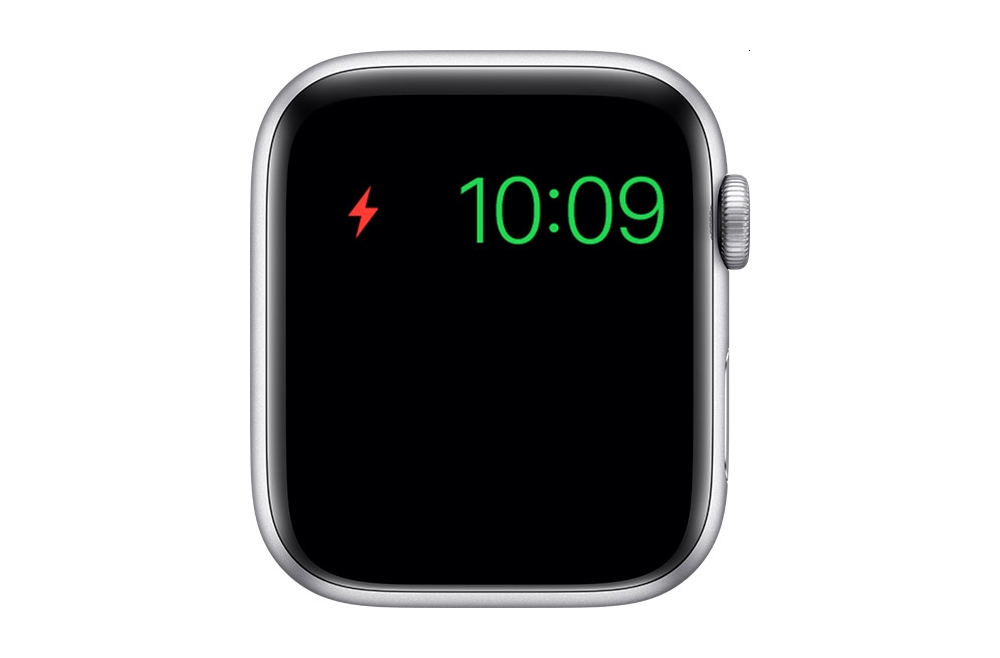
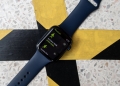
Power Reserve is essentially a basic low-power mode that only displays the time as shown above. The mode is usually recommended when the Apple Watch battery level drops to 10%. When enabled, it shuts down all of its smart watch features including connectivity to your iPhone.

Apple has released a newer watchOS 7.3.1 update to prevent this problem from happening. If you own an Apple Watch 5 or SE, it is recommended that you update your watch as soon as possible. For those who are currently facing this issue, Apple recommends that you leave your Apple Watch on the charger for at least 30 minutes.

If it still refuses to charge, Apple is offering a free fix and you can contact Apple Support for further arrangements. Your Apple Watch will be examined first to determine if it is eligible for the free repair.

If you don’t know which version of the Watch you’re using, you can check by launching the Apple Watch app on your iPhone, then go to My Watch Tab > General > About. You can refer to this page for the full list of Apple Watch series model numbers.

[ SOURCE, VIA ]

Tags: Apple Watch SEApple Watch Series 5Apple. Apple WatchSmartWatch
Alexander Wong

Alexander Wong

POPULAR

Can’t charge your Apple Watch Series 5 or SE? Apple is offering a free fix

February 16, 2021

Poco F9 Pro and F9 Ultra launching in Malaysia on 1 September, here’s what to expect

August 25, 2026

Beyond Home Wi-Fi: How Time Internet is Expanding Connectivity to Condo Parking Bays

August 31, 2026

CONFIRMED: Apple to unveil upcoming iPhone on 10th September

August 27, 2026

Redmi Note 17 Series now open for pre-order in Malaysia. Here’s the full specs and features

August 28, 2026

Honda City 2026 facelift now open for booking in Malaysia: Early birds get RM3k rebate

August 29, 2026

Copyright © 2026 · SoyaCincau.com
Mind Blow Sdn Bhd (1076827-P)

  • ADVERTISE
  • DISCLAIMER

Copyright © 2026 · SoyaCincau.com – Mind Blow Sdn Bhd (1076827-P)

  • ADVERTISE
  • DISCLAIMER