• 中文版
  • BM
  • News
  • Deals
  • Reviews
    • First Impressions
    • Hands-on
    • Comparisons
  • Tech
    • Mobile
    • Computers
    • Cameras
    • Wearables
    • Audio
    • Drones
  • Telco
    • Celcom
    • Digi
    • Maxis
    • Time
    • Tune Talk
    • U Mobile
    • Unifi
    • Yes
  • Cars
  • Contribute
  • Jobs
Menu
  • 中文版
  • BM
  • News
  • Deals
  • Reviews
    • First Impressions
    • Hands-on
    • Comparisons
  • Tech
    • Mobile
    • Computers
    • Cameras
    • Wearables
    • Audio
    • Drones
  • Telco
    • Celcom
    • Digi
    • Maxis
    • Time
    • Tune Talk
    • U Mobile
    • Unifi
    • Yes
  • Cars
  • Contribute
  • Jobs
Search
  • Tech
    • News
    • Mobile
    • Computers
    • Cameras
    • Wearables
    • Audio
    • Drones
  • Telco
    • Celcom
    • Digi
    • Maxis
    • Time
    • U Mobile
    • Unifi
    • Yes
  • Reviews
    • First Impressions
    • Hands-on
    • Comparisons
  • Buyer’s Guide
  • Opinions
  • Digital Life
  • Video
  • Deals
  • How-To
  • Cars
  • Bahasa Melayu
  • EV
  • Contribute
  • Advertise
Menu
  • Tech
    • News
    • Mobile
    • Computers
    • Cameras
    • Wearables
    • Audio
    • Drones
  • Telco
    • Celcom
    • Digi
    • Maxis
    • Time
    • U Mobile
    • Unifi
    • Yes
  • Reviews
    • First Impressions
    • Hands-on
    • Comparisons
  • Buyer’s Guide
  • Opinions
  • Digital Life
  • Video
  • Deals
  • How-To
  • Cars
  • Bahasa Melayu
  • EV
  • Contribute
  • Advertise
Search
Close
Home Digital Life

Finally, Google Docs fixes its biggest problem with PDF conversions

  • BY Dzamira Dzafri
  • 1 December 2020
  • 12:17 pm
  • Comment
Share on FacebookShare on Twitter

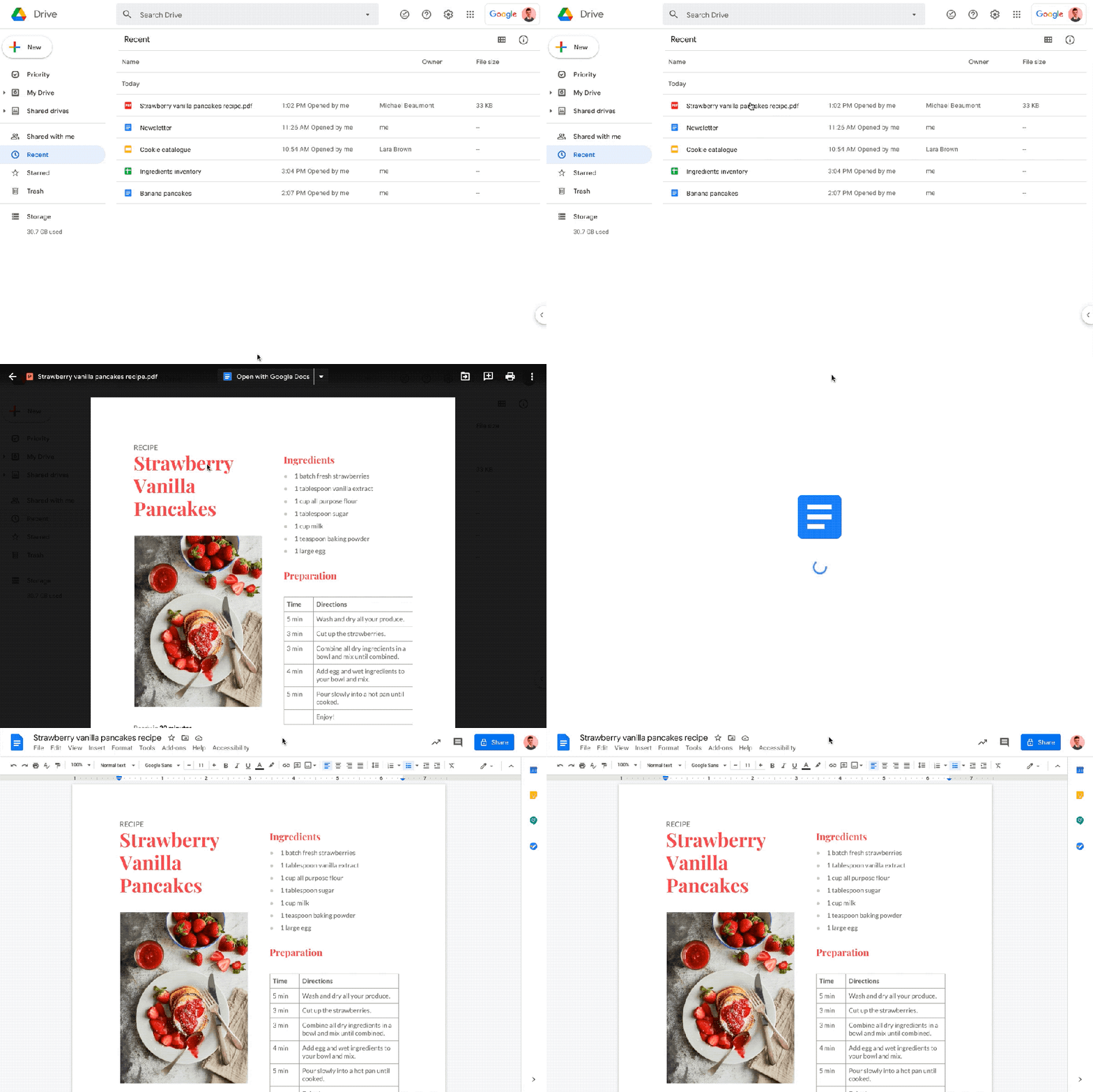
Here’s what we could do with Google Docs already—be able to edit PDF files by selecting the “Open with Google Docs” option. But the files would usually look a bit unrefined. These are what improvements Google are making to help make the conversion better.

Three areas of improvement
Source: Google

Google is making three big updates that are meant to make PDFs to Google Docs conversions better:

  • Image imports, including the image itself and text wrapping related to images. 
  • Text styles and formatting, such as importing underline and strikethrough, background colour, and more fonts. 
  • Layout conversion, including support for multi-column layouts, custom page sizes, tables with borders, and improved content ordering.

Google wrote that there would be no admin control for this feature. The feature will also be on by default—and you can learn how to convert PDF and photo files to text here.
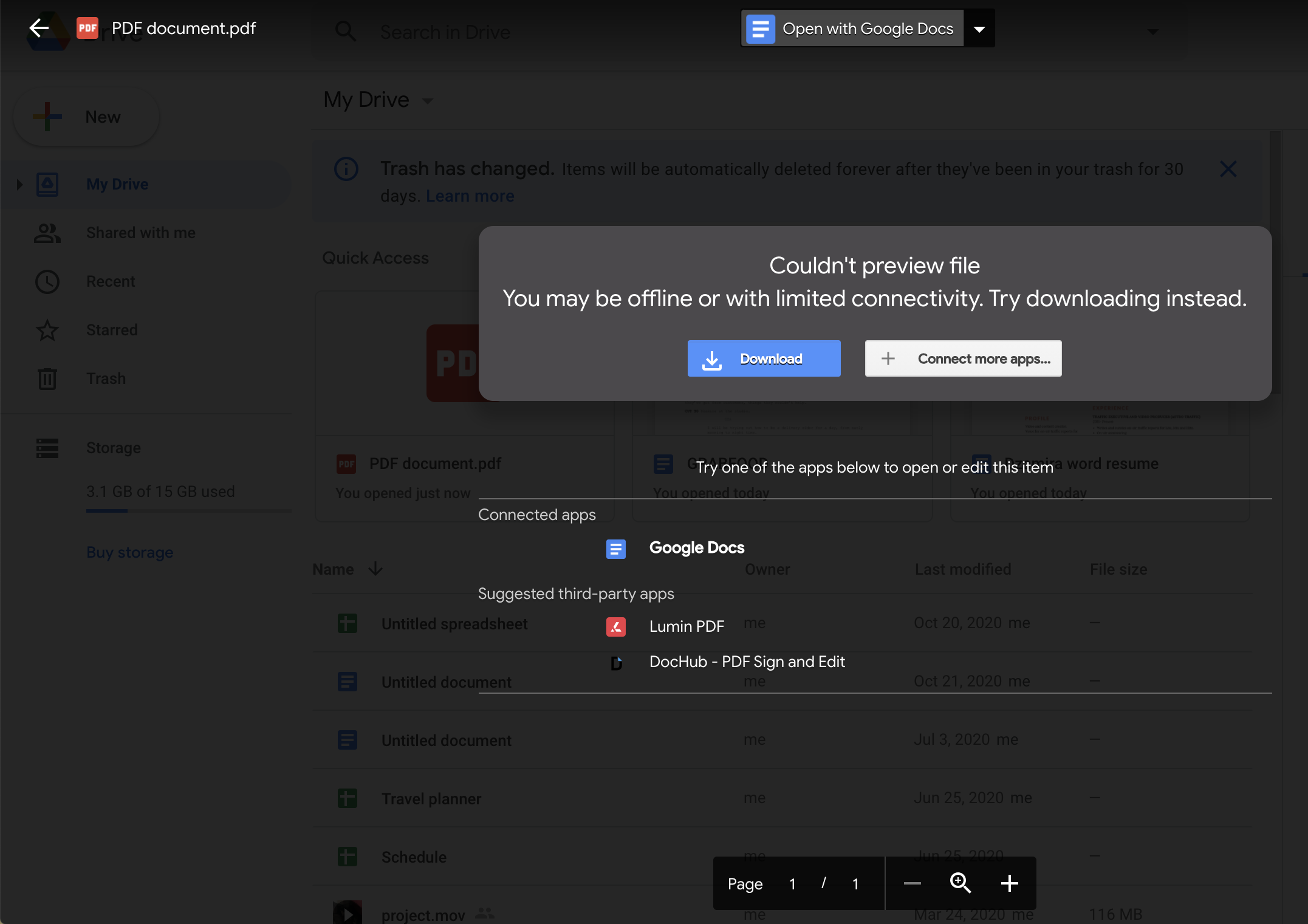
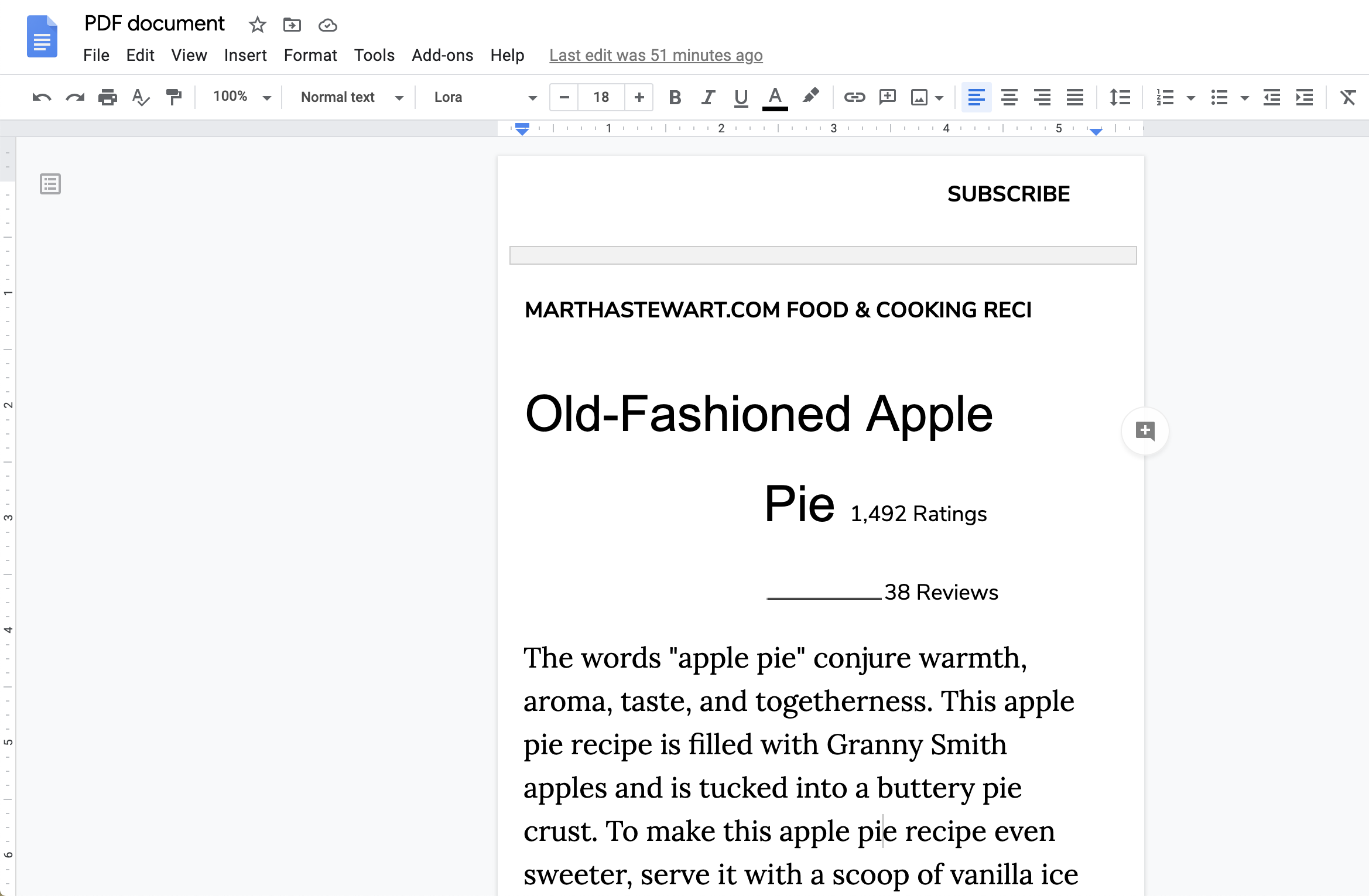
Currently, you’re able to convert a PDF, JPEG, PNG, or GIF file to text in Google Docs by going to Google Drive on your computer, right clicking your desired file, and clicking “open with Google Docs”. However, files can usually turn out to look less neat and more jumbled up (like seen above).

The Google Docs improvements are rolling out online today. But they will only be fully available later this week for G Suite Basic, Business, Education, Enterprise for Education, and Nonprofits customers—as well as Google Workspace Essentials, Business Starter, Business Standard, Business Plus, Enterprise Essentials, Enterprise Standard, and Enterprise Plus editions.


[ SOURCE, 2 ]

Related reading

Android users, you’re getting a new, dark theme on Google Docs, Sheets, and Slides
Android users can now edit Microsoft Office documents with the Google Docs app
Tags: Google DocsPDF
Dzamira Dzafri

Dzamira Dzafri

POPULAR

Finally, Google Docs fixes its biggest problem with PDF conversions

December 1, 2020

BYD Atto 3 RWD confirmed for Malaysia: 0-100 in 5.5s, 308hp, 510km of range

June 2, 2026

The Best Camera is the One You Have with You; The OPPO Find X9 Ultra Wants to be Your Only One

May 6, 2026

Malaysia Passport with 10-year validity will cost you RM350

June 4, 2026

DEAL: MacBook Neo now going for as low as RM2,174

June 3, 2026

U Mobile ULTRA5G: Fast 5G That Actually Works Indoors

May 29, 2026

Copyright © 2025 · SoyaCincau.com
Mind Blow Sdn Bhd (1076827-P)

  • ADVERTISE
  • DISCLAIMER

Copyright © 2026 · SoyaCincau.com – Mind Blow Sdn Bhd (1076827-P)

  • ADVERTISE
  • DISCLAIMER