Microsoft has announced a host of new security features for Windows 11 specifically with ‘hybrid work’ in mind. Essentially, these changes will see significant security updates that add more protection into your PC covering everything from the hardware, software and the cloud. However, one particular security feature could mean that Windows 11 users will be forced into a complete reinstall of the OS to use it.
The new feature in particular is the ‘Smart App Control’, something that Microsoft’s Vice President of Enterprise and OS Security David Weston dubs as a major enhancement to the Windows 11 security model. Windows by default blocks untrusted and unsigned applications from running to prevent users accidentally running harmful programs. Smart App Control builds on this by integrating security measures into the core of the OS at process level, only allowing processing to run if they’ve been deemed safe either by having proper certificates or if an AI model for application trust within the Microsoft cloud approves it.

While making sure that Windows 11 users are safer than ever by only allowing properly certified and approved programs to run, it does seem as though there’s an unexpected drawback. Because Smart App Control is baked into the operating system’s core, new devices with fresh installs of Windows 11 will have nothing to worry about. However, devices already running Windows 11 will need to be reset and have a clean reinstallation of Windows 11 to have this new security feature.
It’s certainly no surprise to see Microsoft doubling down on improving security measures on Windows 11; part of why Windows 11 had such extensive requirements such as needing TPM 2.0 for improved security. And while Smart App Control is certainly an interesting addition, I doubt many Windows 11 users will be willing to go through the hassle of backing up their data and reinstalling the OS for it. Windows 11 is currently also struggling to hit high enough adoption numbers, with only about one out of five PCs running it right now. I don’t think this move by Microsoft to punish early adopters will do much in convincing users to switch to Windows 11 too.
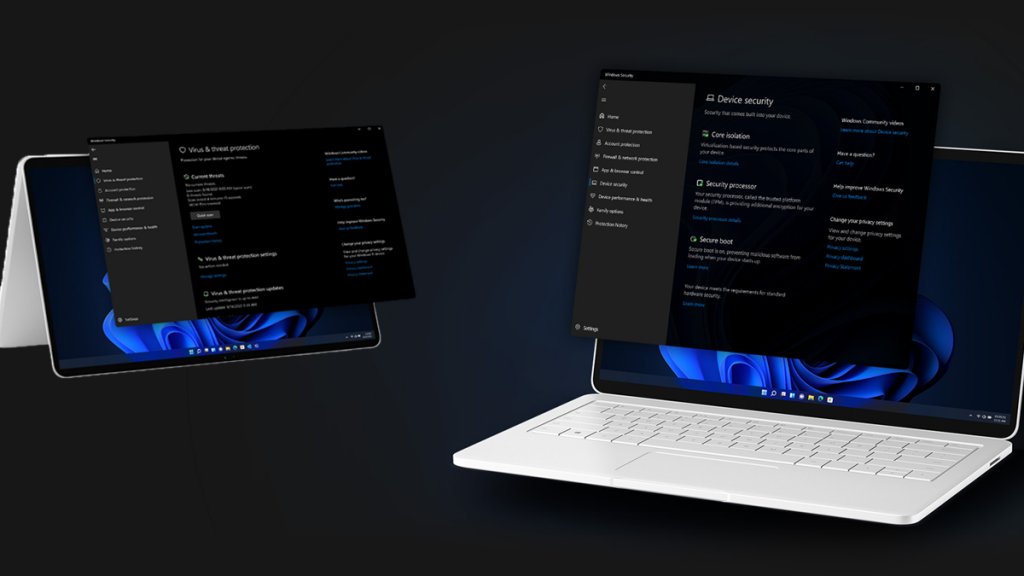
Weston did also go on in much more detail about other security improvements coming to Windows 11 as part of the upcoming 22H2 security update. These include enhanced phishing detection and protection with Microsoft Defender SmartScreen, personal data encryption, a config lock that monitors registry keys in the system and improved protection against vulnerable drivers. You can find out more about the security update in the Microsoft blog post.