• 中文版
  • BM
  • News
  • Deals
  • Reviews
    • First Impressions
    • Hands-on
    • Comparisons
  • Tech
    • Mobile
    • Computers
    • Cameras
    • Wearables
    • Audio
    • Drones
  • Telco
    • Celcom
    • Digi
    • Maxis
    • Time
    • Tune Talk
    • U Mobile
    • Unifi
    • Yes
  • Cars
  • Contribute
  • Jobs
Menu
  • 中文版
  • BM
  • News
  • Deals
  • Reviews
    • First Impressions
    • Hands-on
    • Comparisons
  • Tech
    • Mobile
    • Computers
    • Cameras
    • Wearables
    • Audio
    • Drones
  • Telco
    • Celcom
    • Digi
    • Maxis
    • Time
    • Tune Talk
    • U Mobile
    • Unifi
    • Yes
  • Cars
  • Contribute
  • Jobs
Search
  • Tech
    • News
    • Mobile
    • Computers
    • Cameras
    • Wearables
    • Audio
    • Drones
  • Telco
    • Celcom
    • Digi
    • Maxis
    • Time
    • U Mobile
    • Unifi
    • Yes
  • Reviews
    • First Impressions
    • Hands-on
    • Comparisons
  • Buyer’s Guide
  • Opinions
  • Digital Life
  • Video
  • Deals
  • How-To
  • Cars
  • Bahasa Melayu
  • EV
  • Contribute
  • Advertise
Menu
  • Tech
    • News
    • Mobile
    • Computers
    • Cameras
    • Wearables
    • Audio
    • Drones
  • Telco
    • Celcom
    • Digi
    • Maxis
    • Time
    • U Mobile
    • Unifi
    • Yes
  • Reviews
    • First Impressions
    • Hands-on
    • Comparisons
  • Buyer’s Guide
  • Opinions
  • Digital Life
  • Video
  • Deals
  • How-To
  • Cars
  • Bahasa Melayu
  • EV
  • Contribute
  • Advertise
Search
Close
Home News

Samsung Galaxy S10’s Wireless PowerShare gets a new notification light feature

  • BY Alexander Wong
  • 29 March 2019
  • 9:34 pm
  • Comment
Share on FacebookShare on Twitter

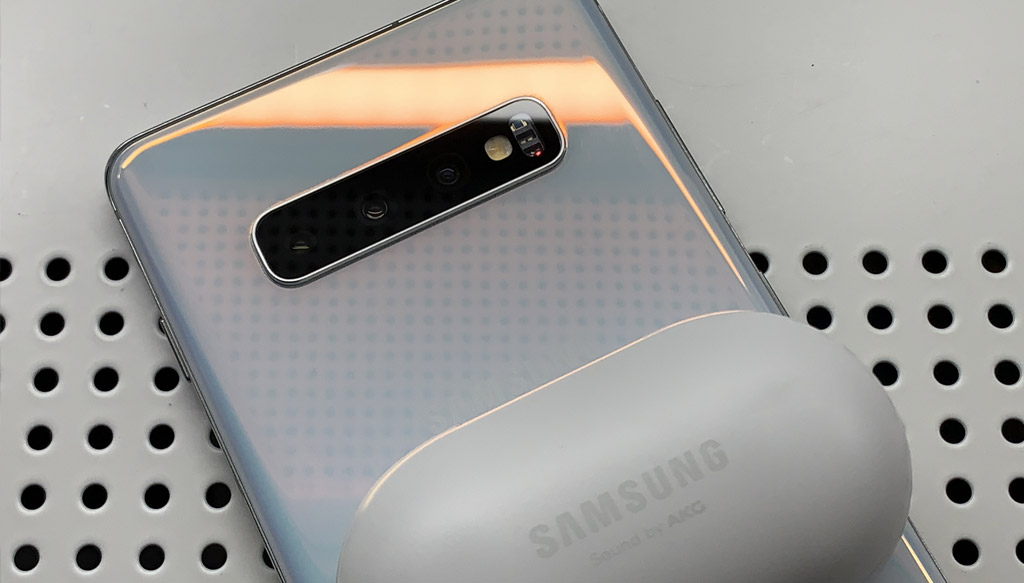
The Samsung Galaxy S10 series comes with a reverse wireless charging feature that’s called PowerShare. This allows you to charge other Qi-wireless charging compatible smartphones and accessories like the Galaxy Buds or Galaxy Watch Active.

With the latest software update, it is now easier to tell if Wireless PowerShare is enabled and charging.
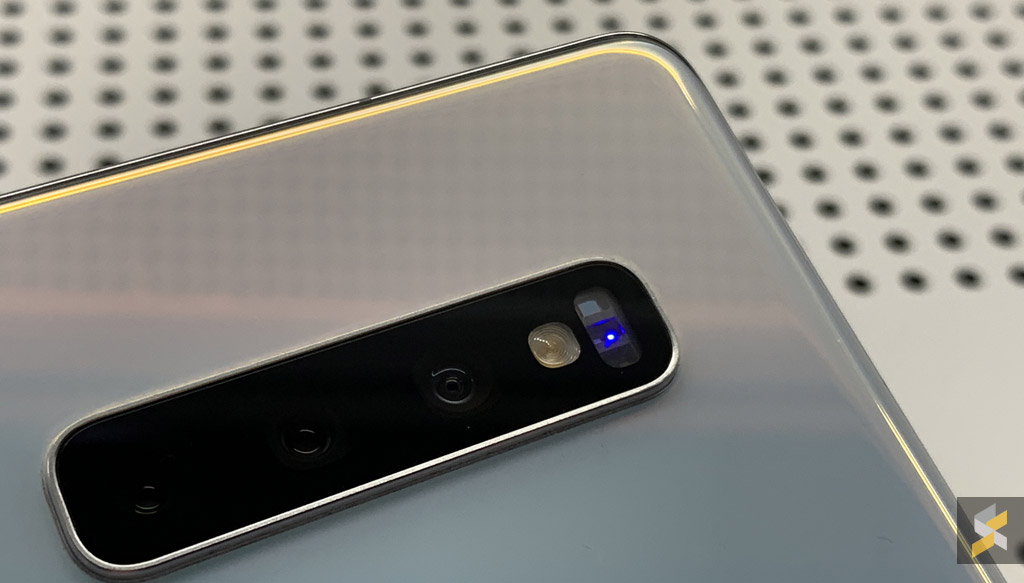
When you switch on Wireless PowerShare, you’ll see a blue blinking light on the rear-mounted heart rate sensor of the Galaxy S10. If you’ve placed a compatible device or accessory at the back, it will change to a steady red light to indicate that charging has started. Once the device is fully charged, the notification lights will turn off.
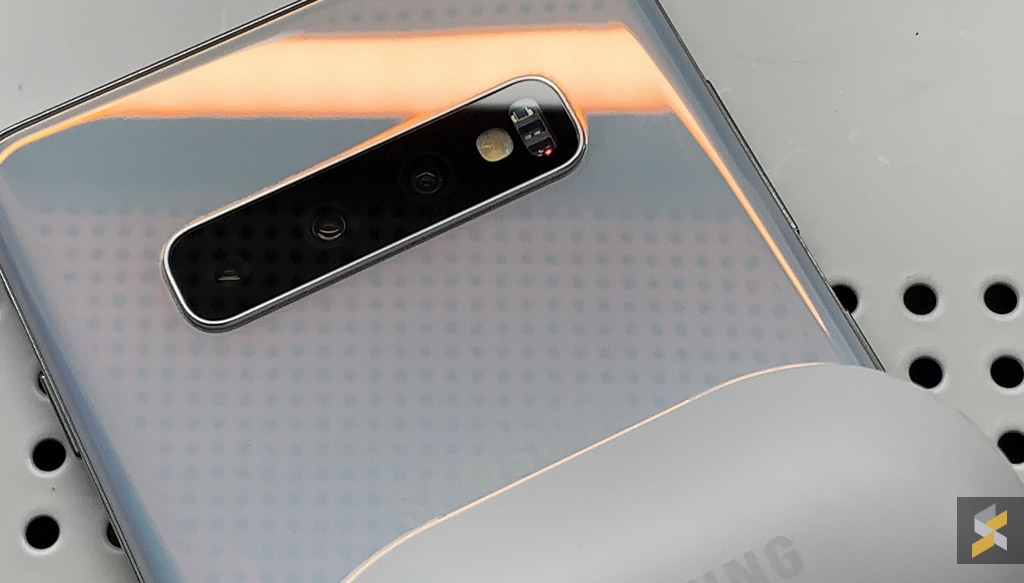
This feature is applicable to the Galaxy S10e, Galaxy S10 and Galaxy S10+. The new update also comes with a March 2019 Android security update and the changelog also mentions improvements for the stability of the camera.

If you haven’t received a software update notification yet, just go to Settings > Software Update, and select download updates manually.

[ VIA ]

Related reading

Samsung Galaxy S10+ with 1TB of storage is now on sale in Malaysia
Here are some creative ways to embrace the punch-hole display on the Samsung Galaxy S10
The Samsung Galaxy S10 is officially launched in Malaysia
Tags: SamsungSamsung Galaxy S10Wireless PowerShare
Alexander Wong

Alexander Wong

POPULAR

Samsung Galaxy S10’s Wireless PowerShare gets a new notification light feature

March 29, 2019

TNG eWallet to disable auto-reload for debit cards from 13 May 2026

April 30, 2026
vivo V70 FE 200MP camera phone in Malaysia - Best value alternative for phones under RM2,000

High-Resolution Meets High-Endurance: A Closer Look at the vivo V70 FE

April 10, 2026

Zeekr 009 upgraded for 2026: 900V architecture, 912hp, swiveling seats and 10-80% charge in 10 minutes

April 26, 2026

EV charger hoggers beware: DBKL now issuing summonses in KL

April 29, 2026

Can you and your family enjoy a 100% electric drive without ever plugging in?

April 23, 2026

Copyright © 2025 · SoyaCincau.com
Mind Blow Sdn Bhd (1076827-P)

  • ADVERTISE
  • DISCLAIMER

Copyright © 2026 · SoyaCincau.com – Mind Blow Sdn Bhd (1076827-P)

  • ADVERTISE
  • DISCLAIMER