Unifi customers are advised to take note of an upcoming system upgrade exercise which will temporarily affect several account-related services including bill payments, account management and customer support functions.
This affects not just fibre broadband customers but also customers of Unifi Mobile and Unifi TV using the MyUnifi app and portal. Internet and mobile services will remain unaffected.
According to Unifi’s official announcement, the MyUnifi app and Unifi Selfcare portal will be temporarily unavailable from Friday, 22 May 2026 until Monday, 25 May 2026.
TM says the maintenance exercise is part of a system upgrade to improve customer experience and service performance.
What services will be affected from 22 to 25 May 2026?
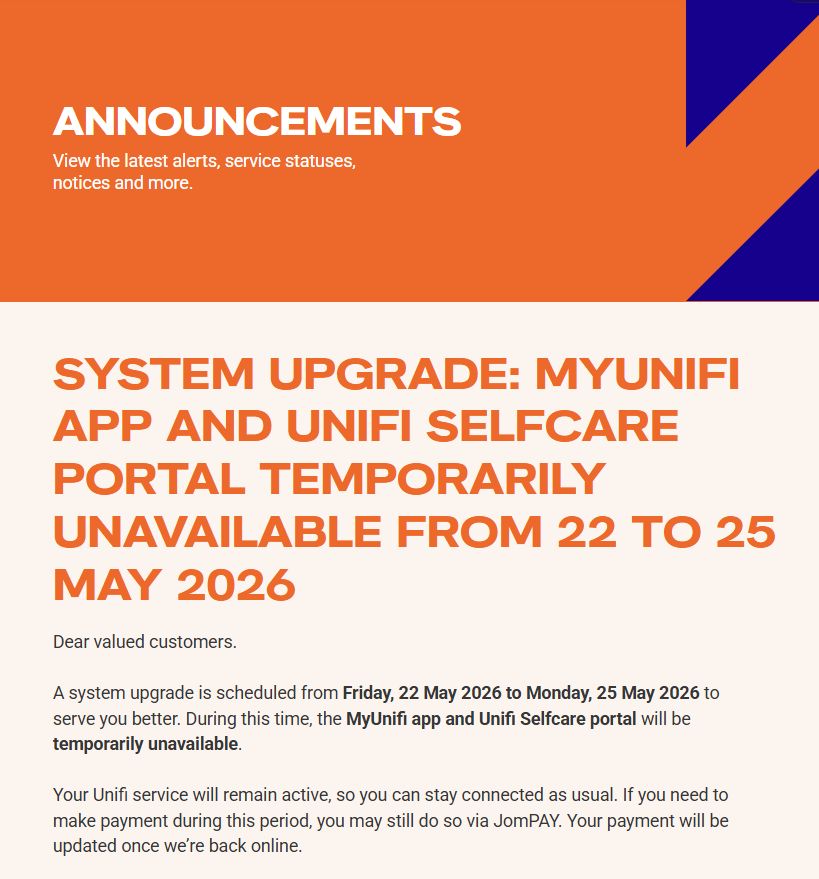
During the maintenance period, customers may lose access to the following:
- MyUnifi app
- Unifi Selfcare portal
- Bill payment services
- Account management functions
- Service registration and modification requests
- Billing-related customer support transactions
TM also says payment updates and account information may take longer than usual to reflect during the maintenance period.
While TM did not mention any anticipated mobile network disruption, Unifi Mobile users may still experience limited access related to payment and account management during the maintenance window. This may affect viewing your account status, reloads, activating add-ons and making changes to your current mobile plan.
What should you do before this Friday?
If your TM or Unifi bill is due soon, it is advisable to make your payment before Friday 22nd May 2026.
For users who need to make a bill payment between 22nd to 25th May 2026, they are able to do so via JomPay. TM advises users to download their most recent statement for offline reference.
For those who are travelling overseas this weekend and need to purchase roaming passes on Unifi Mobile, it is recommended to purchase and schedule the roaming pass activation before 22nd May 2026.
If you need to purchase add-on for roaming between 22nd to 25th May 2026, you can contact TM at 100 or +603-2106 3001 (if overseas) between 8:00am to 10:00pm (MYT) or use the Maya Chatbox which is open 24/7.
What to expect after the system upgrade?
Once the upgrade is completed, Unifi customers will be able to view all of their Unifi accounts under a single MyUnifi app. This includes broadband, mobile, voice and Unifi TV accounts. Previous billing history before the upgrade will be available as well.
It added that users can still continue to login to MyUnifi with their existing username and password. Do note that an email or mobile number verification may be required upon your first login after the upgrade for security purposes.
If you face difficulty accessing the MyUnifi app, you are advised to uninstall and reinstall the app from the Google Play Store, Apple App Store or Huawei App Gallery.
For more info about the TM system upgrade, you can check out the official FAQ.
[ SOURCE ]