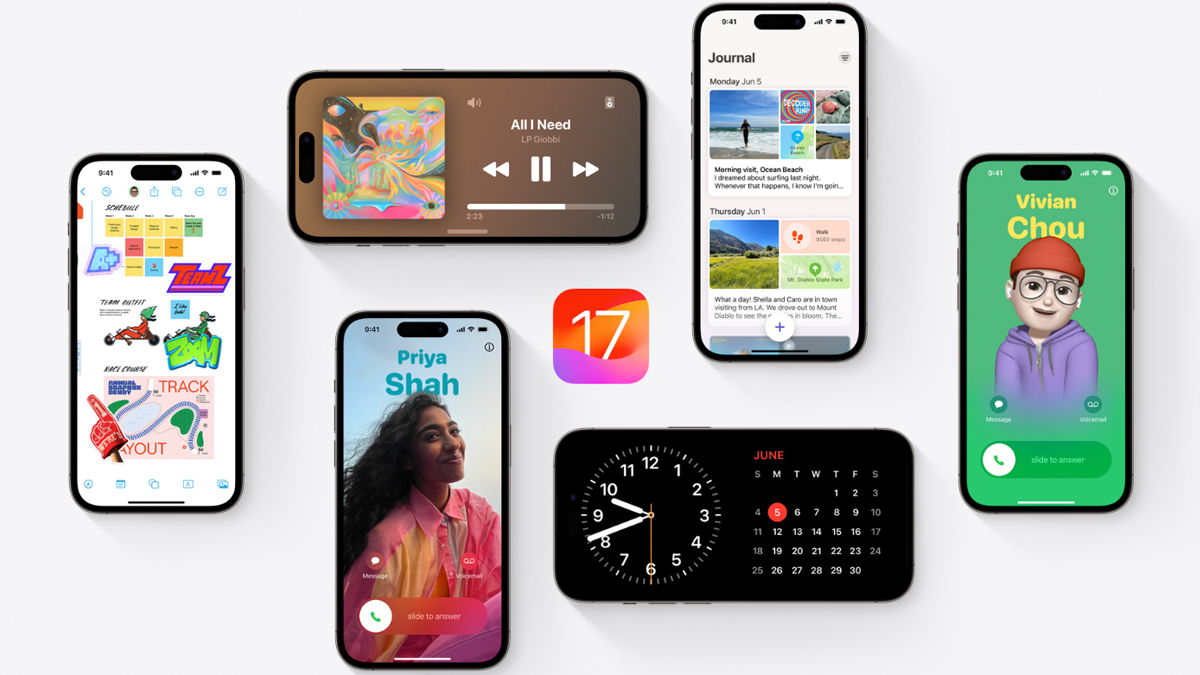
Back in WWDC 2023, Apple showed off the new iOS 17 that is set to come to iPhone users later this year. As usual, it comes with an assortment of improvements and new features, but if you don’t want to wait for it to finally roll out you can also take a sneak peak at it by getting the public beta of iOS 17.
Apple has just only made the iOS 17 beta available to the public, and if you want to try it out for yourself, you can do so with your own iPhone. Do note that because it is a beta, there will very likely be some bugs that will need to be quashed before it fully rolls out. As such, the first step before you try it out is to make a new backup of your iPhone first, especially if you plan to switch back to iOS 16 after trying out the new software. You’ll also want to head to the Apple Beta Software Program website and sign in with your Apple ID first.
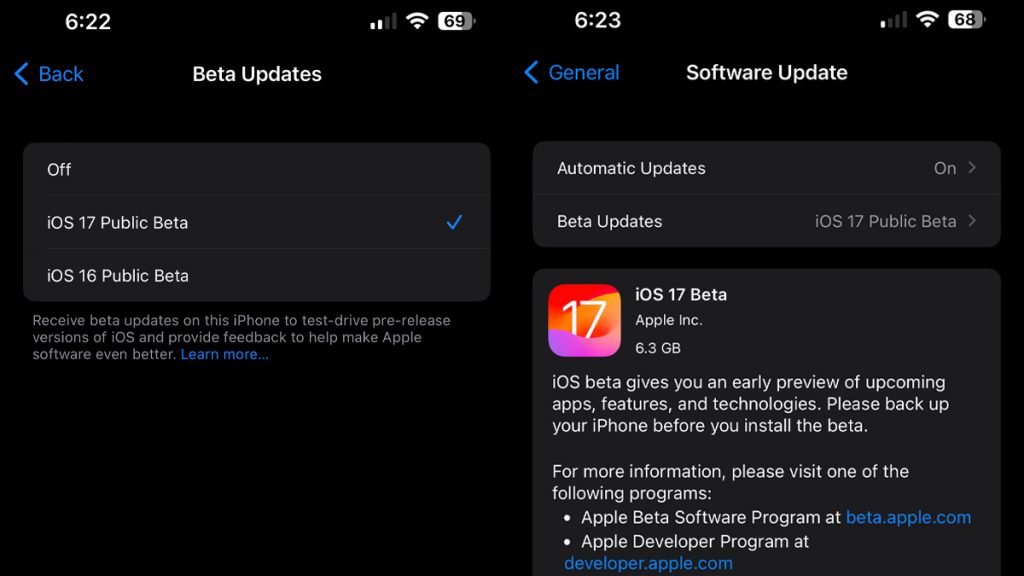
Once that’s done, you simply need to head to the Settings app on your iPhone that’s on iOS 16.4 or newer. There, select General and then select Software Update. You should see the usual option for Automatic Updates, and below it is an option for Beta Updates. Tap on that and you should see an option to enrol into either iOS 17 Public Beta or the iOS 16 Public Beta. Select iOS 17 Public, head back out and you should see an option to download and install the iOS 17 Public Beta.
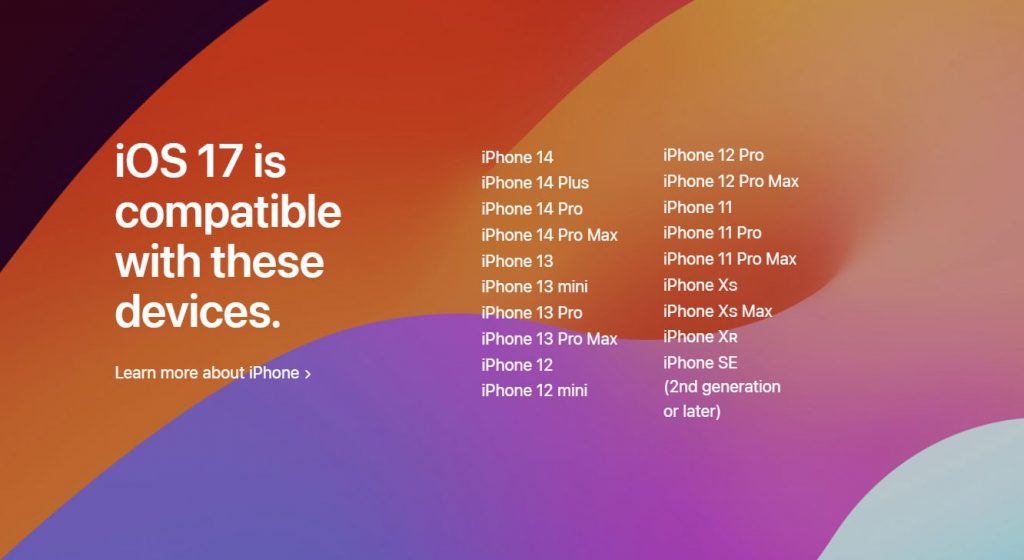
One other thing you may one to take note of is that iOS 17 will drop support for the iPhone 8, iPhone 8 Plus and the iPhone X; essentially all of the 2017 iPhones. As such, the oldest iPhones that will still get iOS 17 are the iPhone XR, iPhone XS and the iPhone XS Max.
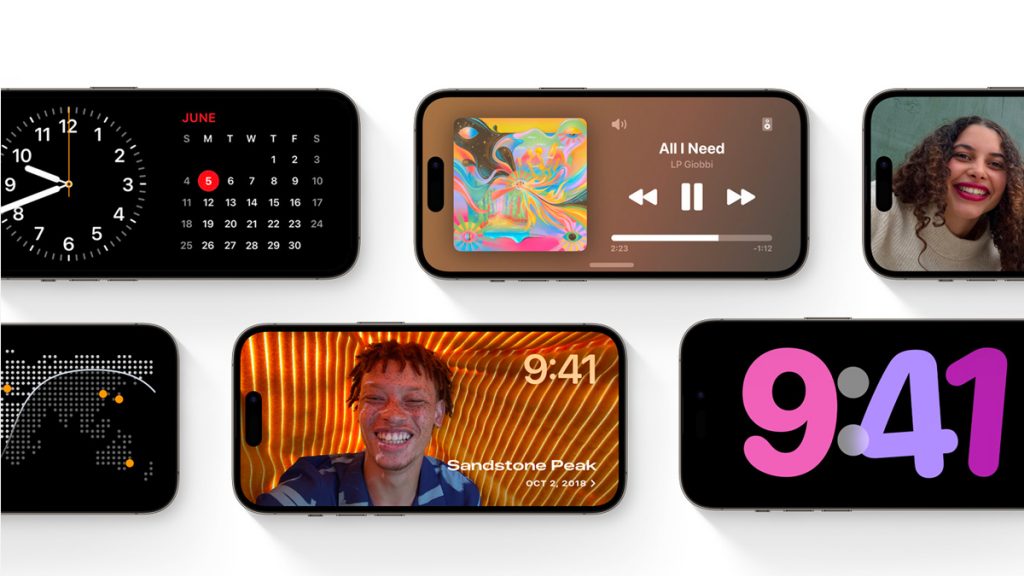
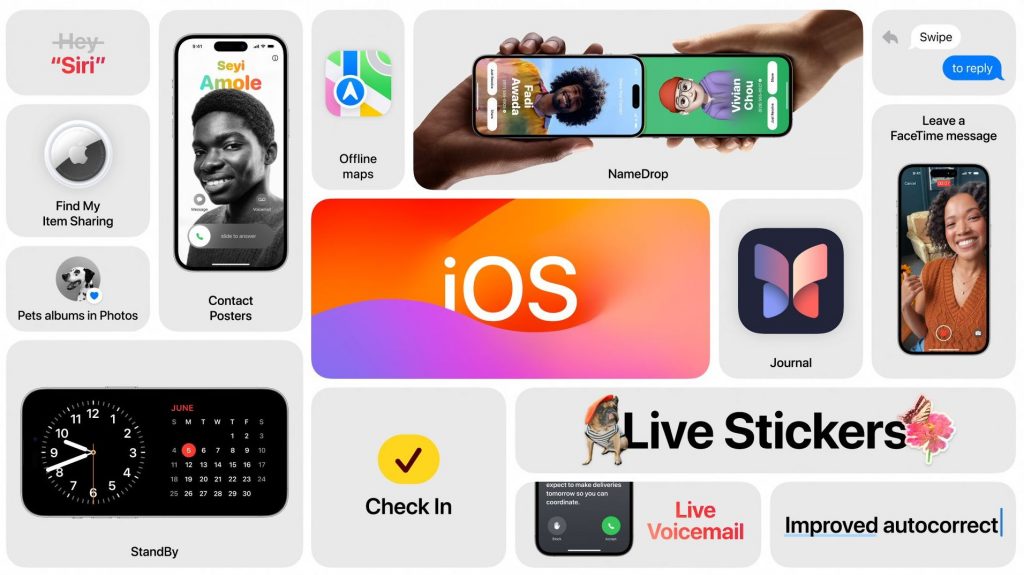
As for what features iOS 17 brings, one thing Apple showcased new personalisation tools coming to Phone, allowing you to add custom contact backgrounds when you get calls from certain people. Also, if you have your iPhone docked horizontally, you can have it display information in fullscreen landscape while on standby. You can customise this too with anything from the time to photos to the weather or other widgets you’d like. AirDrop also now lets you share your contact details easily.
Then there’s also Live Voicemail, which lets you get a voice-to-text transcription of your voicemail before answering the call with all transcription done on the device itself so even Apple doesn’t know what’s going on in your calls. Messages also gets better search tools, while audio messages also get transcribed now. Meanwhile, you can now get Siri to answer you simply by calling out ‘Siri’, with Apple dropping the ‘Hey’ part. If you’re into journalling, there’s a new Journal feature too with on-device machine learning that will help you write your entries.
For more about iOS 17 and the public beta, you can head over to the iOS 17 preview page on the Apple website here.