• 中文版
  • BM
  • News
  • Deals
  • Reviews
    • First Impressions
    • Hands-on
    • Comparisons
  • Tech
    • Mobile
    • Computers
    • Cameras
    • Wearables
    • Audio
    • Drones
  • Telco
    • Celcom
    • Digi
    • Maxis
    • Time
    • Tune Talk
    • U Mobile
    • Unifi
    • Yes
  • Cars
  • Contribute
  • Jobs
Menu
  • 中文版
  • BM
  • News
  • Deals
  • Reviews
    • First Impressions
    • Hands-on
    • Comparisons
  • Tech
    • Mobile
    • Computers
    • Cameras
    • Wearables
    • Audio
    • Drones
  • Telco
    • Celcom
    • Digi
    • Maxis
    • Time
    • Tune Talk
    • U Mobile
    • Unifi
    • Yes
  • Cars
  • Contribute
  • Jobs
Search
  • Tech
    • News
    • Mobile
    • Computers
    • Cameras
    • Wearables
    • Audio
    • Drones
  • Telco
    • Celcom
    • Digi
    • Maxis
    • Time
    • U Mobile
    • Unifi
    • Yes
  • Reviews
    • First Impressions
    • Hands-on
    • Comparisons
  • Buyer’s Guide
  • Opinions
  • Digital Life
  • Video
  • Deals
  • How-To
  • Cars
  • Bahasa Melayu
  • EV
  • Contribute
  • Advertise
Menu
  • Tech
    • News
    • Mobile
    • Computers
    • Cameras
    • Wearables
    • Audio
    • Drones
  • Telco
    • Celcom
    • Digi
    • Maxis
    • Time
    • U Mobile
    • Unifi
    • Yes
  • Reviews
    • First Impressions
    • Hands-on
    • Comparisons
  • Buyer’s Guide
  • Opinions
  • Digital Life
  • Video
  • Deals
  • How-To
  • Cars
  • Bahasa Melayu
  • EV
  • Contribute
  • Advertise
Search
Close
Home Digital Life

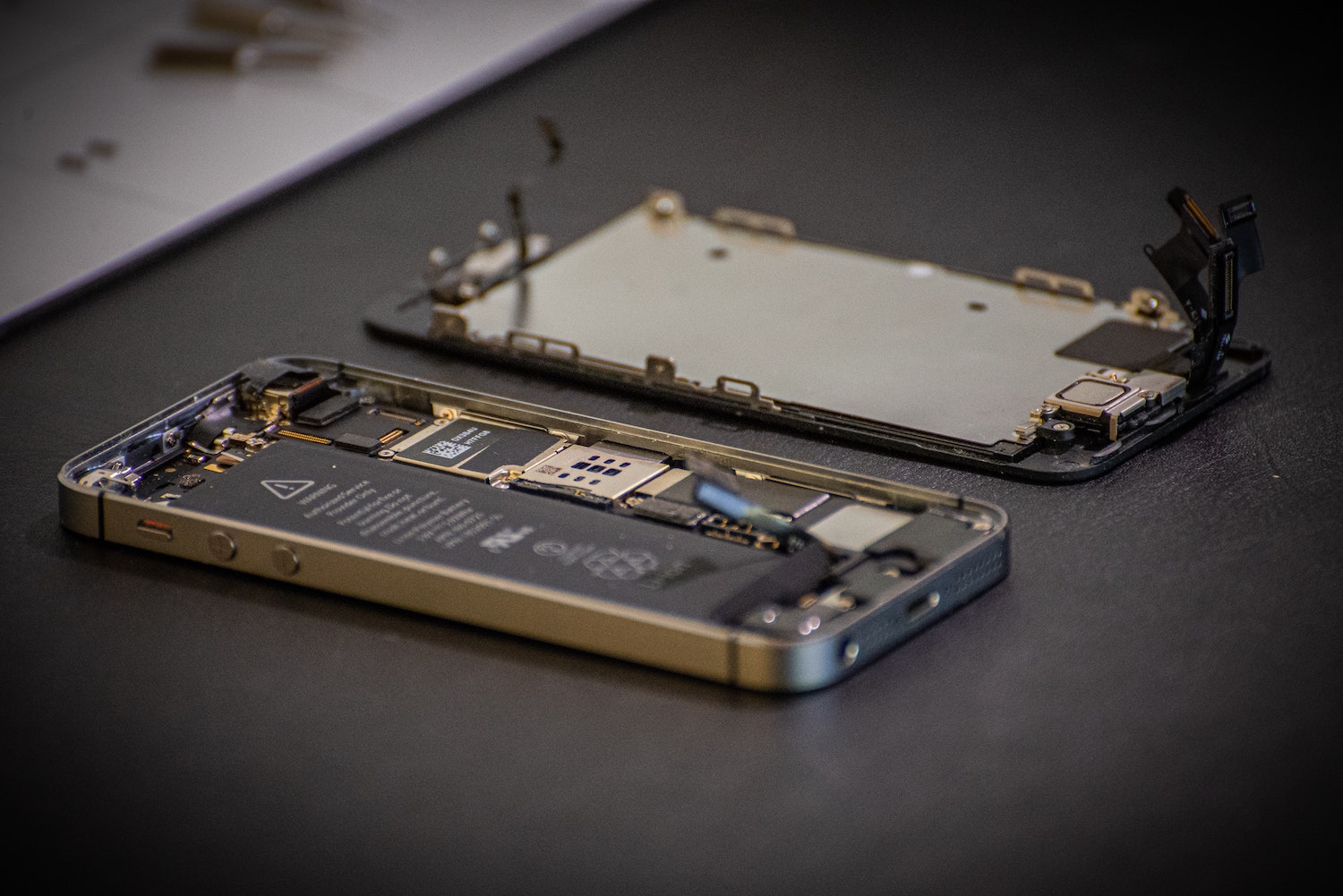
iOS 15.2 will tell you if your iPhone’s replacement parts were genuine or not

  • BY Redza Dzafri
  • 9 December 2021
  • 6:27 pm
  • Comment
Share on FacebookShare on Twitter

iOS 15.2 RC (release candidate built) just came out and gave us a preview of what we can expect in the public 15.2 release. Along with Apple Music Voice Plan, App Privacy Report, and bug fixes, it also includes a feature that shows you the service history of your phone.
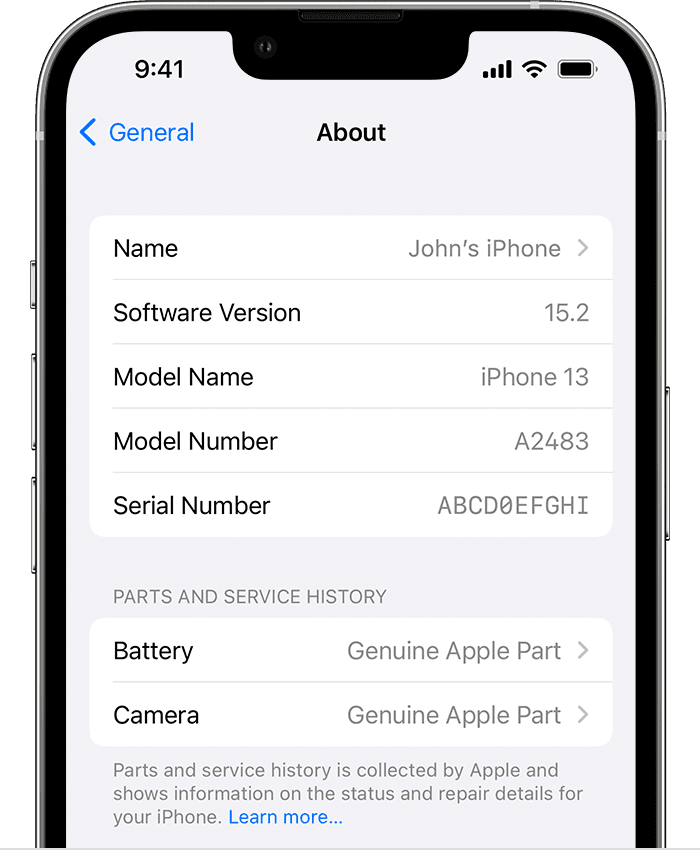
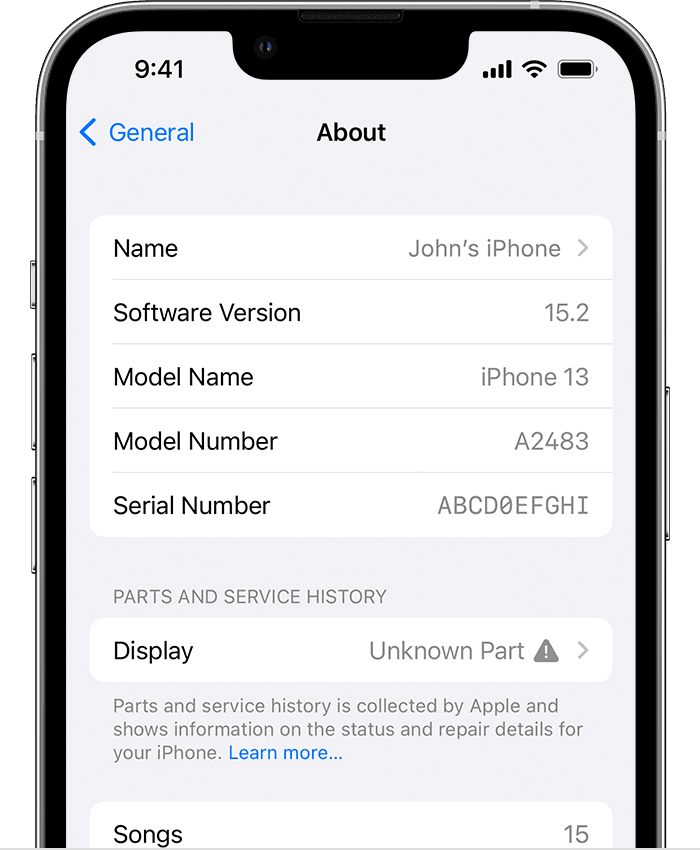
The service history is quite detailed and can show you whether or not the service was done using genuine Apple parts and tools. If it was, then you will see “Genuine Apple Part” next to the part. Furthermore, you can tap on the part to see more information such as the exact date and time of the service.
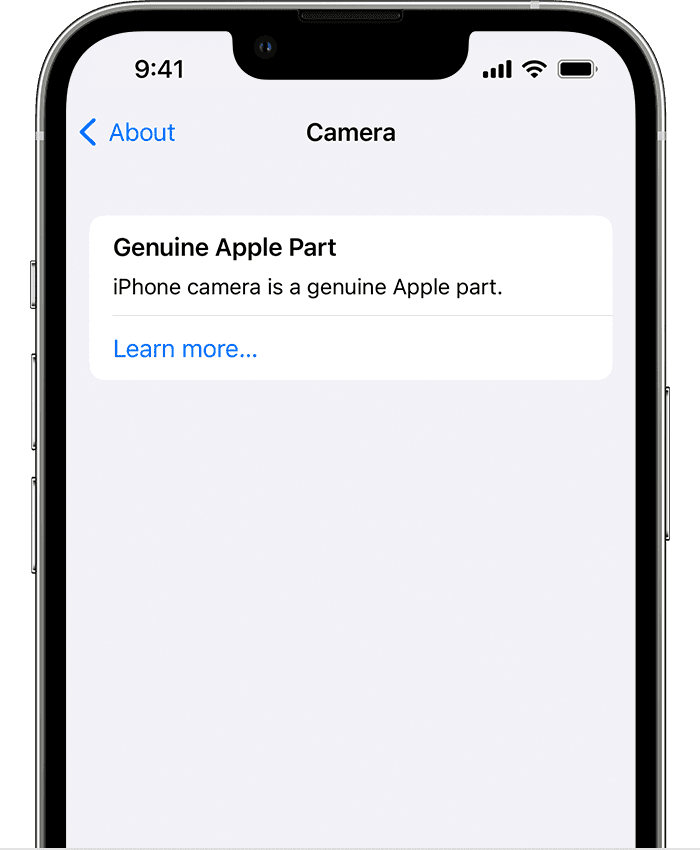
When the iOS 15.2 public release comes out, you’ll be able to view the service history by going into the Settings app, ‘General’, and then ‘About’. If you haven’t had your iPhone repaired, then you will not see this new section.

If Apple senses a non-genuine part, a non-functioning part, or a part that was already used in another iPhone, then it will be flagged with a warning indicator. This warning won’t affect your device, but Apple recommends that you use official Apple parts.
Although official repairs can be expensive, Apple says “Visiting a professional repair provider with certified technicians who use genuine Apple parts is the safest and most reliable way to get a repair” and “Additionally, repairs that don’t properly replace screws or cowlings might leave behind loose parts that could damage the battery, cause overheating, or result in injury.”

This feature will only work on certain iPhone models. For iPhone XR, XS, XS Max, and later, you can see if the battery has been replaced. For iPhone 11 models and later, you can see if the battery or display have been replaced. For iPhone 12 models and later, you can see if the battery, display, or camera have been replaced.

Whenever I hear about Apple and repairs, I always think about their rocky relationship with right-to-repair, even though they’ve recently stated that users can repair their own iPhones. I still think this new iOS 15.2 feature is good though, as it can help customers verify third-party repairs or pre-owned devices.

[ SOURCE, IMAGE SOURCE ]

Tags: AppleiOSiOS 15iOS 15.2iPhoneRight to Repairservice history
Redza Dzafri

Redza Dzafri

POPULAR

iOS 15.2 will tell you if your iPhone’s replacement parts were genuine or not

December 9, 2021

SoyaCincau x Dongfeng Pop Up EV Clinic: Track Edition 2026: Chase a podium or cruise with friends; we’re opening the grid to everyone

May 13, 2026
Rear view of the OPPO Find X9 Ultra in Tundra Umber standing vertically on a stone surface with a lush green bokeh background. The device features an eco-friendly vegan leather back with a classic stitching design , vertically oriented Hasselblad and OPPO logos , and a large circular Master Lens camera module with a bronze-toned knurled ring.

Clearing Every Expectation: How the OPPO Find X9 Ultra Redefines the Modern Flagship Experience

April 16, 2026
BYD Inokom Visit - May 2026

BYD is here to stay in Malaysia: CKD with Sime Motors set to happen soon?

May 18, 2026

Volvo EX30 owners affected by recall told not to charge above 70% following two fire incidents in Thailand

May 19, 2026

Sarawak’s Batang Lupar 1 Bridge: Malaysia’s longest river-crossing bridge opens today

May 21, 2026

Copyright © 2025 · SoyaCincau.com
Mind Blow Sdn Bhd (1076827-P)

  • ADVERTISE
  • DISCLAIMER

Copyright © 2026 · SoyaCincau.com – Mind Blow Sdn Bhd (1076827-P)

  • ADVERTISE
  • DISCLAIMER