• 中文版
  • BM
  • News
  • Deals
  • Reviews
    • First Impressions
    • Hands-on
    • Comparisons
  • Tech
    • Mobile
    • Computers
    • Cameras
    • Wearables
    • Audio
    • Drones
  • Telco
    • Celcom
    • Digi
    • Maxis
    • Time
    • Tune Talk
    • U Mobile
    • Unifi
    • Yes
  • Cars
  • Contribute
  • Jobs
Menu
  • 中文版
  • BM
  • News
  • Deals
  • Reviews
    • First Impressions
    • Hands-on
    • Comparisons
  • Tech
    • Mobile
    • Computers
    • Cameras
    • Wearables
    • Audio
    • Drones
  • Telco
    • Celcom
    • Digi
    • Maxis
    • Time
    • Tune Talk
    • U Mobile
    • Unifi
    • Yes
  • Cars
  • Contribute
  • Jobs
Search
  • Tech
    • News
    • Mobile
    • Computers
    • Cameras
    • Wearables
    • Audio
    • Drones
  • Telco
    • Celcom
    • Digi
    • Maxis
    • Time
    • U Mobile
    • Unifi
    • Yes
  • Reviews
    • First Impressions
    • Hands-on
    • Comparisons
  • Buyer’s Guide
  • Opinions
  • Digital Life
  • Video
  • Deals
  • How-To
  • Cars
  • Bahasa Melayu
  • EV
  • Contribute
  • Advertise
Menu
  • Tech
    • News
    • Mobile
    • Computers
    • Cameras
    • Wearables
    • Audio
    • Drones
  • Telco
    • Celcom
    • Digi
    • Maxis
    • Time
    • U Mobile
    • Unifi
    • Yes
  • Reviews
    • First Impressions
    • Hands-on
    • Comparisons
  • Buyer’s Guide
  • Opinions
  • Digital Life
  • Video
  • Deals
  • How-To
  • Cars
  • Bahasa Melayu
  • EV
  • Contribute
  • Advertise
Search
Close
Home Digital Life

YouTube: Here’s how to use the newest mobile app features and controls

  • BY Dzamira Dzafri
  • 28 October 2020
  • 11:45 am
  • Comment
Share on FacebookShare on Twitter

YouTube had updated their app recently to mixed reviews, but they have added more practical features that would surely be more helpful this time around. The features are meant to make viewing and controlling videos a bit easier, with new gestures, updated player controls, and other additions.

Swipe up to enter full screen
Source: YouTube

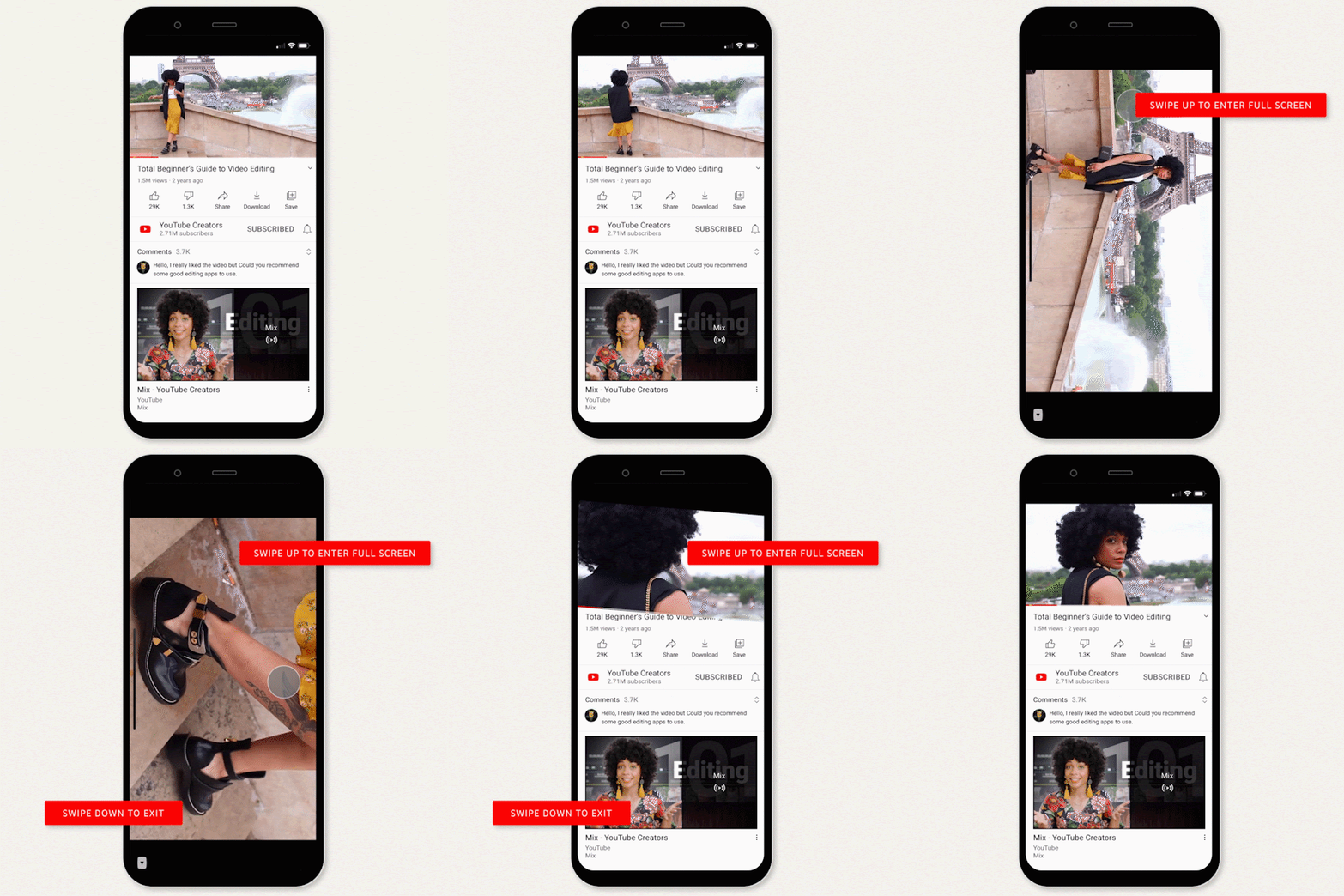
Previously, you’d need to tap the full screen button in the corner of the video, or rotate your phone sideways. YouTube’s new addition will let you also swipe up to a video you’re playing to enter full screen. To go back to the standard screen, just swipe down.

Those gestures will only work when swiping on the playback window itself. You don’t have to worry about getting it confused with the swipe gestures to exit applications on both iOS and Android.

Bedtime reminders
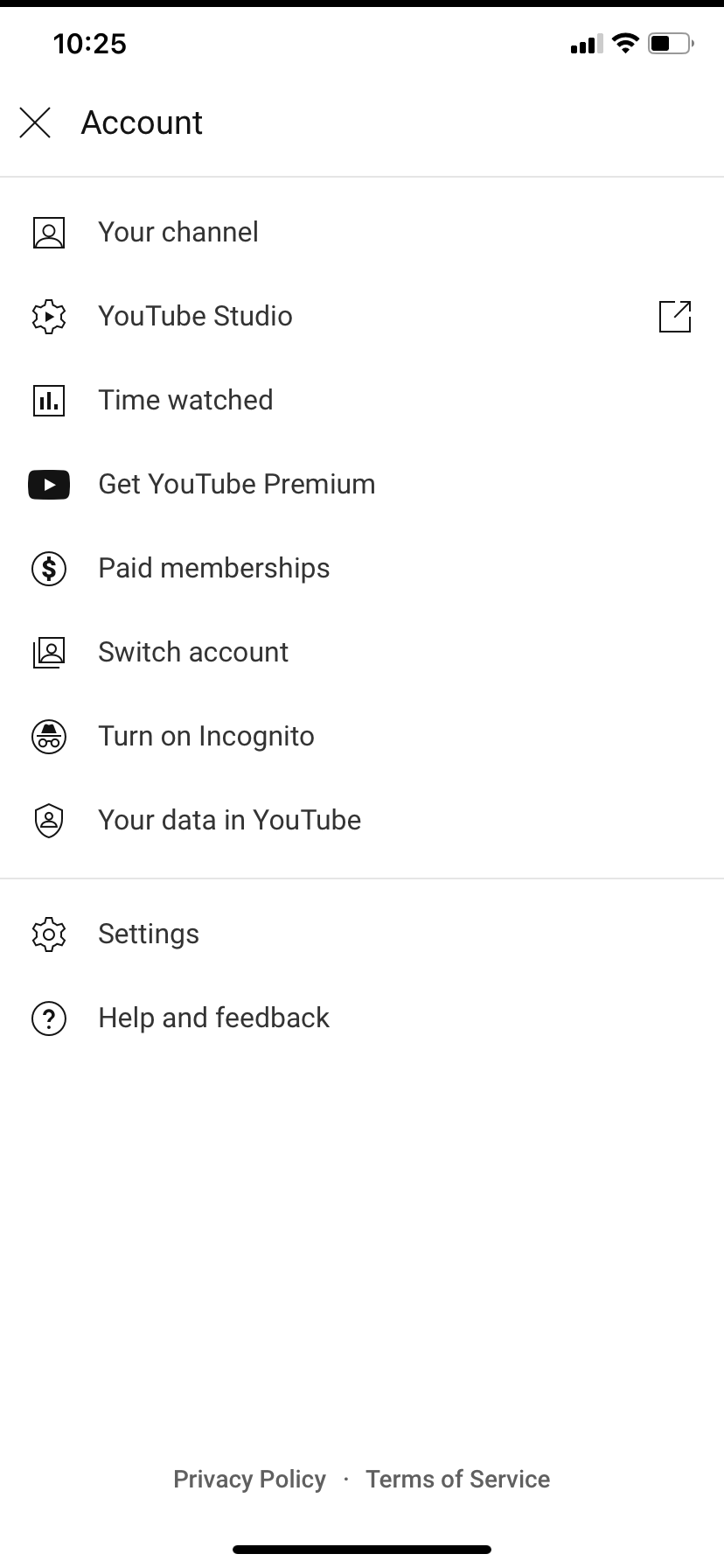
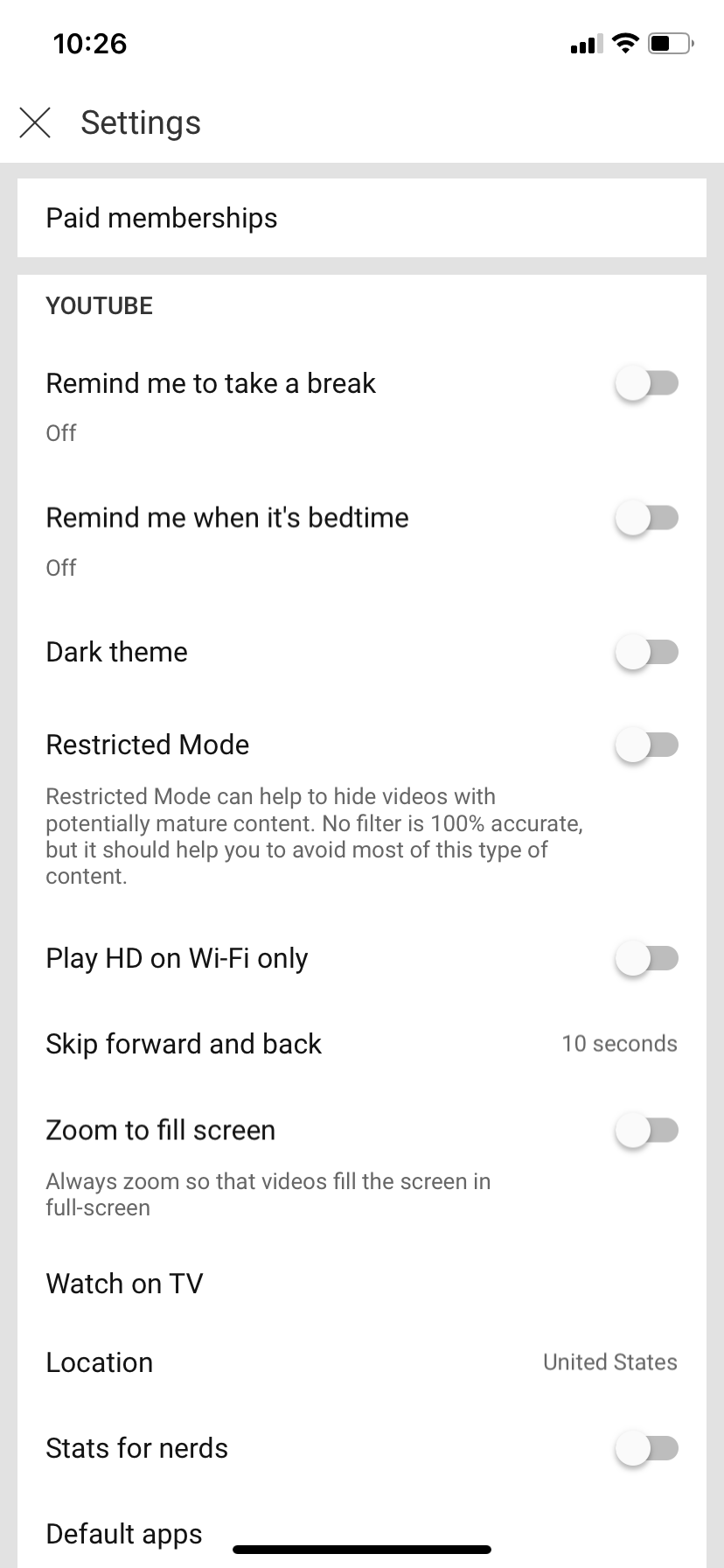
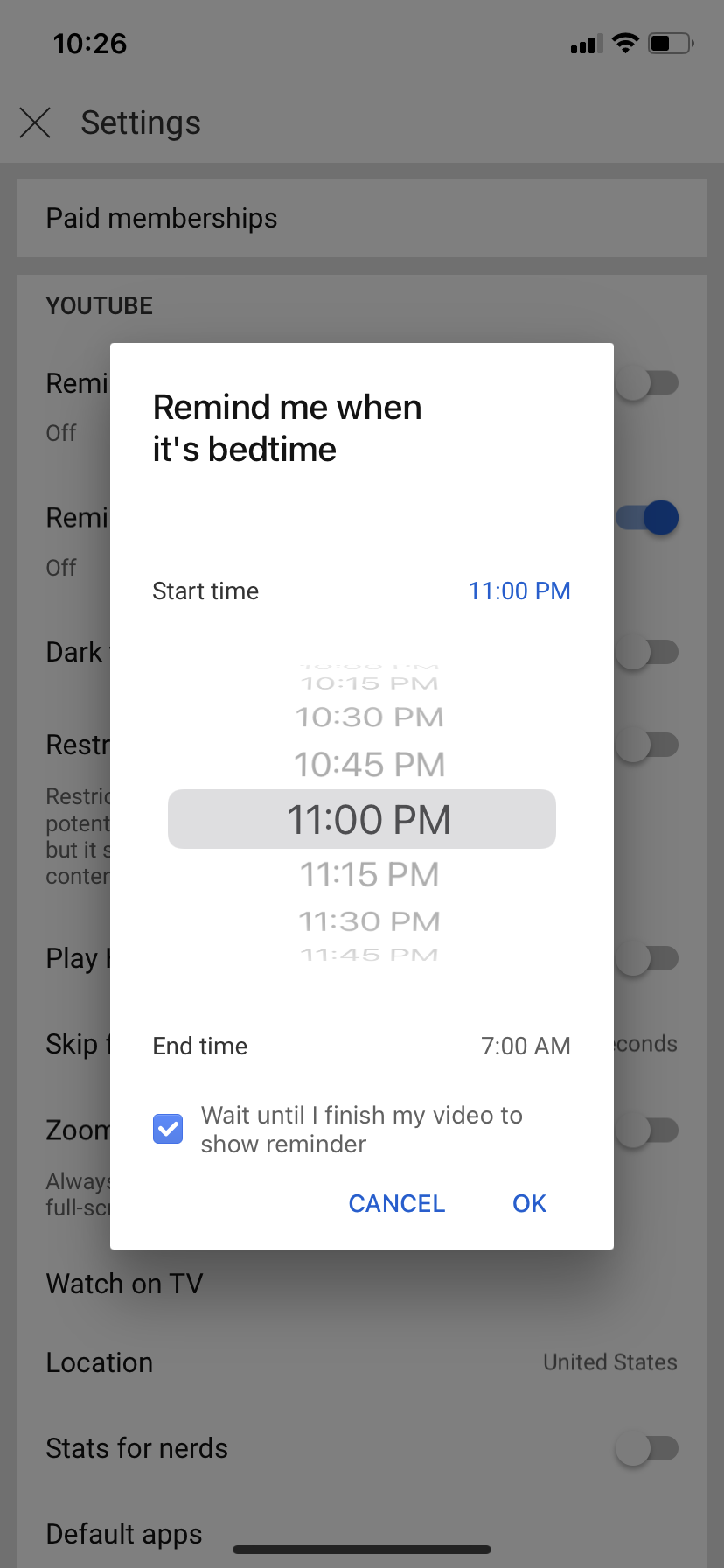
As part of YouTube’s digital wellbeing-related features, they added a bedtime reminder, just in case you’re the type of person who binges videos so often you forget the time. To find the feature, follow the steps below:

  • Go to Account, then Settings on your YouTube app (iOS, Android)
  • Press on “Remind me when it’s bedtime”
  • Choose your bedtime, wake up time, and you can even enable an option that lets you finish a video before showing you the reminder, then press ‘OK’
  • You’d now be able to receive bedtime reminders on the app
  • The feature is only available on mobile devices

Video Chapters
Source: YouTube

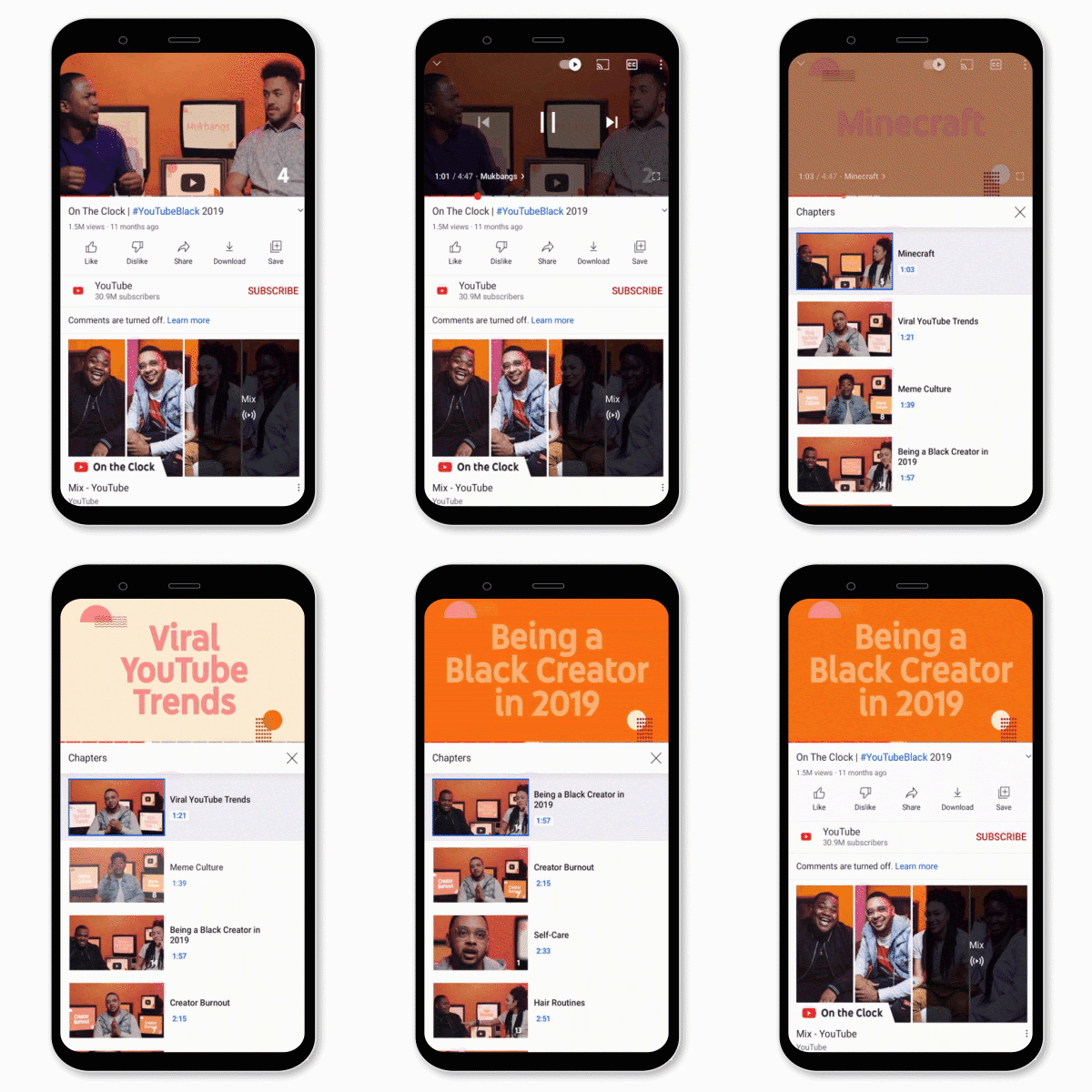
You might already know that YouTube introduced Video Chapters, which lets you navigate videos by allowing you to jump forward to a specific section of a video. But apparently, you’ll be able to see a complete list of all chapters—included in the video you’re watching, each with a preview thumbnail of what you’ll find in that chapter.

The feature hasn’t yet been added in my iOS app, but it is expected to be added in soon.

Other features
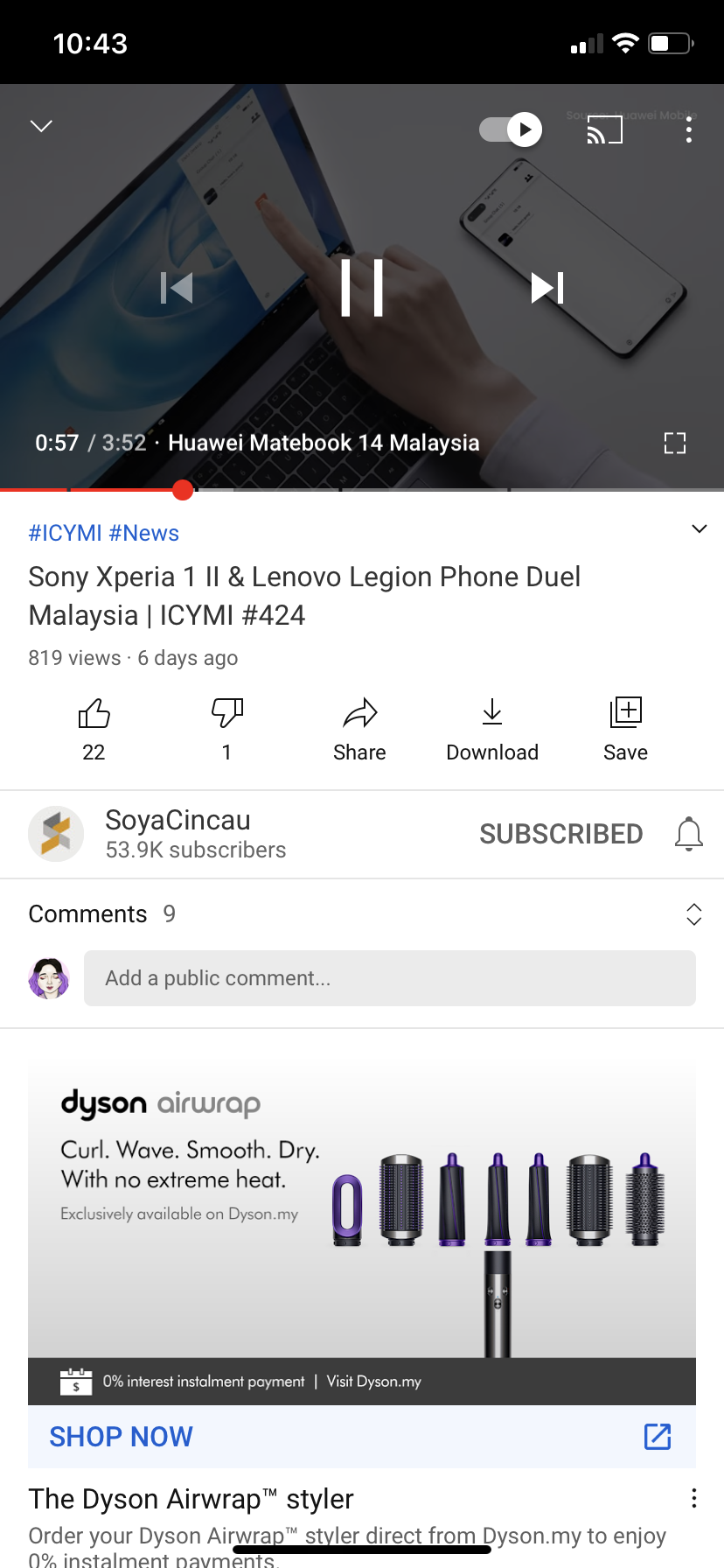
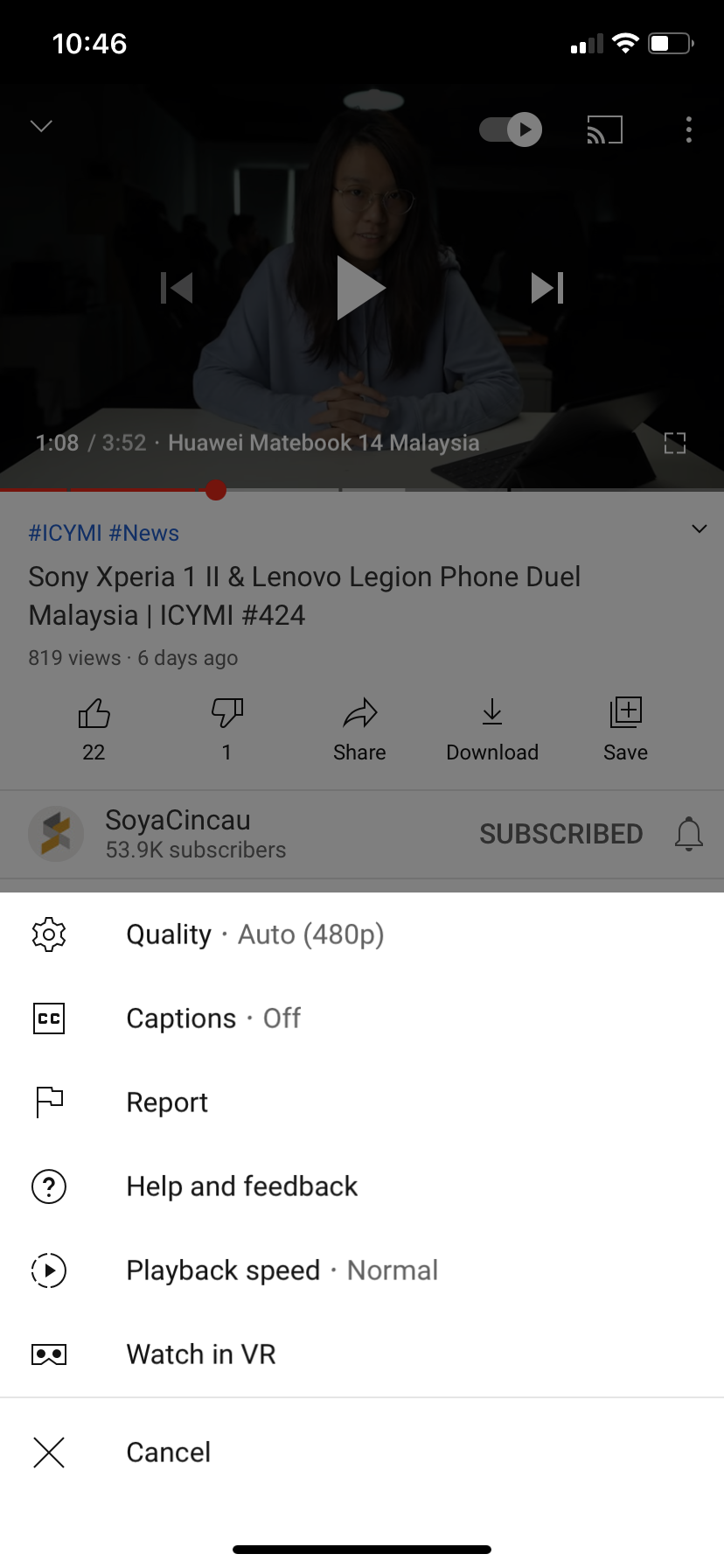
There’s a new feature which lets you tap the timestamp of a video to switch between how much time is counting down and the time that’s elapsed in a video. And to make closed captions more accessible, the button has been moved to a more prominent location, directly on the video player on phones.
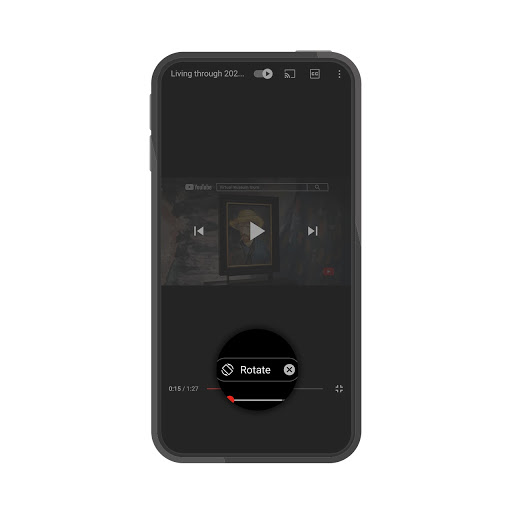
Source: YouTube

YouTube has also started to roll out suggested actions, which will give you suggestions to rotate your phone or play a video in VR. The company also plans to “introduce more suggested actions in the future” as well.

If you’re an Android user, you can no longer just tap on the progress bar to skip to another part of a video, either—similar to iOS’s YouTube app. Previously when users try to tap the progress bar to skip to another part of a video, it was easy to miss the fullscreen button.

[ SOURCE ]

Related reading

YouTube on Android will not let you tap on the video’s progress bar to skip, similar to iOS
Tags: youtubeYouTube Mobile App
Dzamira Dzafri

Dzamira Dzafri

POPULAR

YouTube: Here’s how to use the newest mobile app features and controls

October 28, 2020

Malaysia to review EV policy amid concerns over strict rules affecting BYD CKD operations in Tanjung Malim

April 17, 2026

Zeekr 8X: Premium 900V PHEV SUV, up to triple-motor setup and 0–100km/h in 2.96s

April 20, 2026
Apple Tap To Pay on iPhone Malaysia

Apple’s Tap to Pay on iPhone is now in Malaysia

April 22, 2026

Malaysia’s EV policy and the BYD debate: Are affordable EVs at risk? | Let’s Talk About #140

April 19, 2026
vivo V70 FE 200MP camera phone in Malaysia - Best value alternative for phones under RM2,000

High-Resolution Meets High-Endurance: A Closer Look at the vivo V70 FE

April 10, 2026

Copyright © 2025 · SoyaCincau.com
Mind Blow Sdn Bhd (1076827-P)

  • ADVERTISE
  • DISCLAIMER

Copyright © 2026 · SoyaCincau.com – Mind Blow Sdn Bhd (1076827-P)

  • ADVERTISE
  • DISCLAIMER