• 中文版
  • BM
  • News
  • Deals
  • Reviews
    • First Impressions
    • Hands-on
    • Comparisons
  • Tech
    • Mobile
    • Computers
    • Cameras
    • Wearables
    • Audio
    • Drones
  • Telco
    • Celcom
    • Digi
    • Maxis
    • Time
    • Tune Talk
    • U Mobile
    • Unifi
    • Yes
  • Cars
  • Contribute
  • Jobs
Menu
  • 中文版
  • BM
  • News
  • Deals
  • Reviews
    • First Impressions
    • Hands-on
    • Comparisons
  • Tech
    • Mobile
    • Computers
    • Cameras
    • Wearables
    • Audio
    • Drones
  • Telco
    • Celcom
    • Digi
    • Maxis
    • Time
    • Tune Talk
    • U Mobile
    • Unifi
    • Yes
  • Cars
  • Contribute
  • Jobs
Search
  • Tech
    • News
    • Mobile
    • Computers
    • Cameras
    • Wearables
    • Audio
    • Drones
  • Telco
    • Celcom
    • Digi
    • Maxis
    • Time
    • U Mobile
    • Unifi
    • Yes
  • Reviews
    • First Impressions
    • Hands-on
    • Comparisons
  • Buyer’s Guide
  • Opinions
  • Digital Life
  • Video
  • Deals
  • How-To
  • Cars
  • Bahasa Melayu
  • EV
  • Contribute
  • Advertise
Menu
  • Tech
    • News
    • Mobile
    • Computers
    • Cameras
    • Wearables
    • Audio
    • Drones
  • Telco
    • Celcom
    • Digi
    • Maxis
    • Time
    • U Mobile
    • Unifi
    • Yes
  • Reviews
    • First Impressions
    • Hands-on
    • Comparisons
  • Buyer’s Guide
  • Opinions
  • Digital Life
  • Video
  • Deals
  • How-To
  • Cars
  • Bahasa Melayu
  • EV
  • Contribute
  • Advertise
Search
Close
Home Digital Life

Here’s how to reinstall Fortnite on iOS

  • BY Dzamira Dzafri
  • 21 August 2020
  • 11:20 am
  • Comment
Share on FacebookShare on Twitter

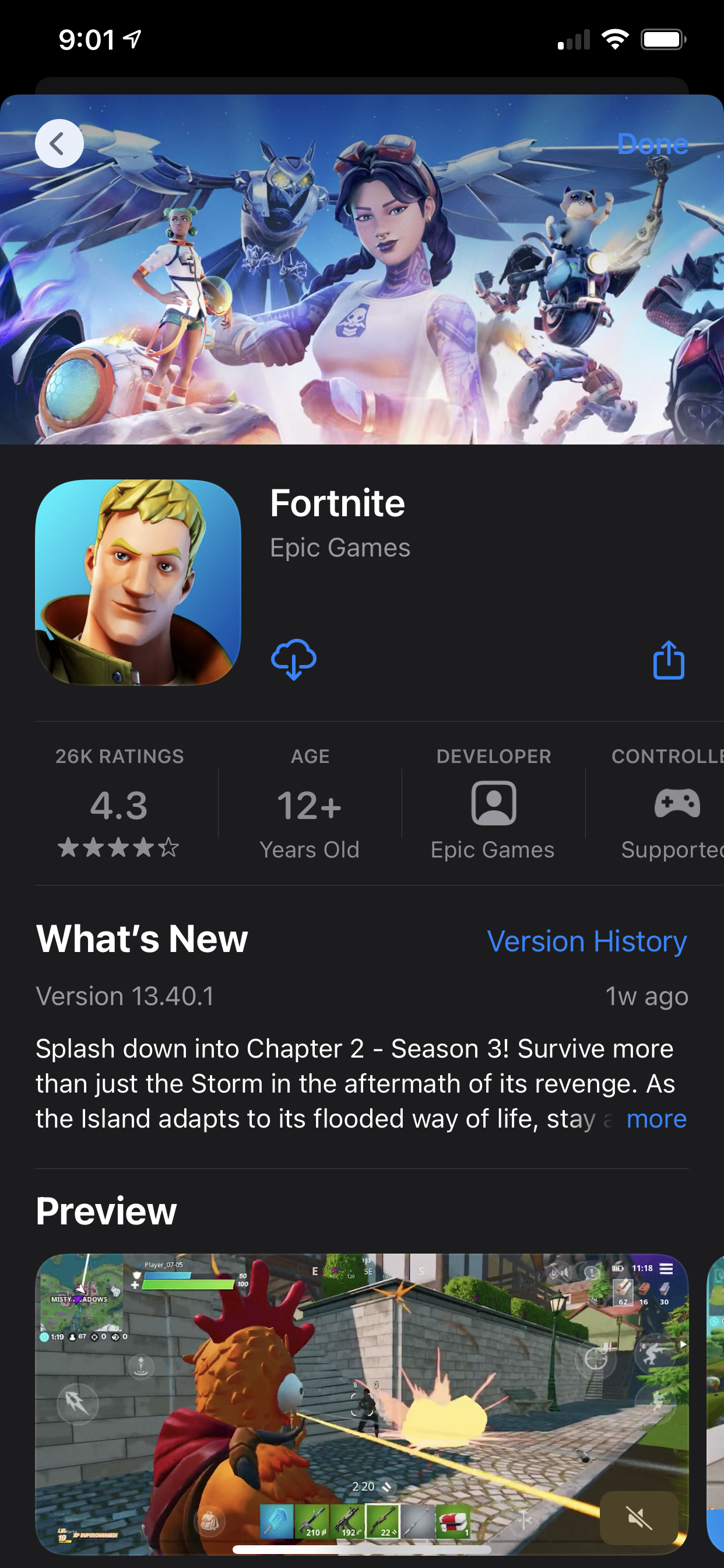
A week ago, Fortnite disappeared from the Apple App Store and the Google Play Store because of a feud between Epic Games and the two app marketplaces. However, there is still a way to reinstall the game on your iOS device.

If you haven’t yet deleted the game off your device, you can still play Fortnite and even install update files. But for anyone who has previously downloaded the game before and had it deleted, you can use this trick.

How to reinstall Fortnite
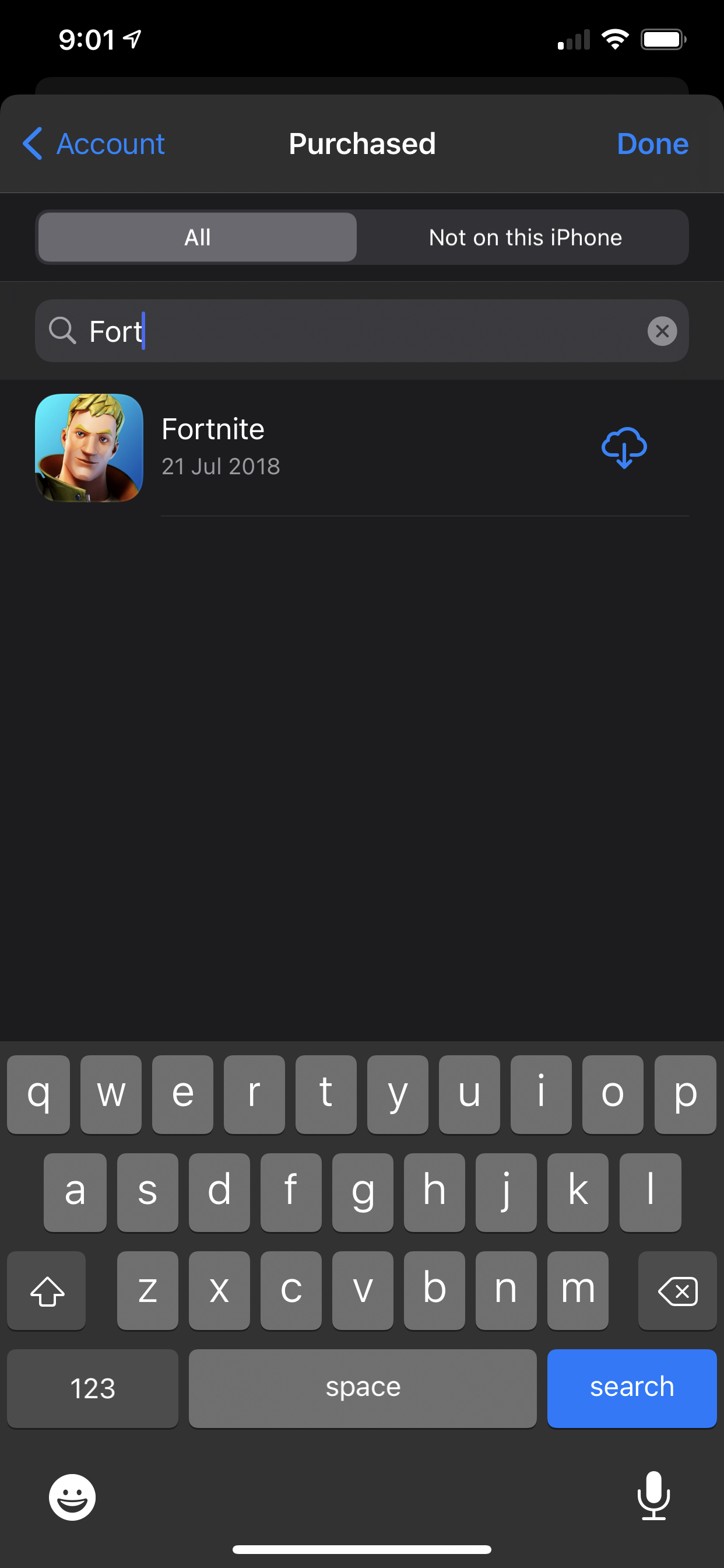
  • Go to your App Store
  • Click on your avatar on the top right corner (it will either be a Memoji or a photo you’ve chosen for your Apple ID contact image)
  • From there, tap “purchased” to find your app directory of all iOS apps you’ve ever downloaded
  • Search “Fortnite”
  • The app should show up, and tapping the cloud icon will initiate the downloading process

Enjoy it until the next big patch launches. Apple does not have the ability to forcibly remove software from your device, but you might not be able to play it if Fortnite doesn’t work with newer versions of the iOS.

You’ll still have to reinstall the nearly 10GB collection of app files. But the trick even works if any member of an Apple Family Sharing plan has ever downloaded Fortnite on iOS in the past. This process will also put the app back on your home screen and make it available to play.

The hack has always existed for old apps that have disappeared off the App Store before. If you’ve previously downloaded the game Flappy Bird—before the creator pulled the game from the App Store—you could still find it in your “purchased” section, but the game has ceased functioning since the launch of iOS 11 in 2017.

As for Android users, you can click here to download it straightaway from Fortnite’s website. You can no longer find it on the Google Play Store. The game is also offering players up to 20% discounts for purchases of V-Bucks across all versions of the game on PlayStation, Xbox, Nintendo Switch, PC, Mac and mobile.

[ SOURCE ]

Related reading

Why was Fortnite kicked out from Apple App Store and Google Play Store?
Tags: App Storeepic gamesFortniteiOS
Dzamira Dzafri

Dzamira Dzafri

POPULAR

Here’s how to reinstall Fortnite on iOS

August 21, 2020
Image source: Jakub Zerdzicki on Pexels

AEON Bank’s Personal Financing-i (PF-i): Flexible Funds to Help Ease Budget Constraints

December 24, 2025

The Xiaomi 17 Proves You Don’t Need a Giant Phone for Pro-Level Photos

February 28, 2026

Maybank MAE users: Update your app by 11 April or risk losing access

April 4, 2026

Toyota bZ4X launched in Malaysia: 227hp, 525km WLTP range, 150kW DC charging, priced at RM220,000

April 4, 2026

Is Your Current Phone Generations Behind? Here’s a Simpler Way to Close the Gap

March 13, 2026

Copyright © 2025 · SoyaCincau.com
Mind Blow Sdn Bhd (1076827-P)

  • ADVERTISE
  • DISCLAIMER

Copyright © 2026 · SoyaCincau.com – Mind Blow Sdn Bhd (1076827-P)

  • ADVERTISE
  • DISCLAIMER