• 中文版
  • BM
  • News
  • Deals
  • Reviews
    • First Impressions
    • Hands-on
    • Comparisons
  • Tech
    • Mobile
    • Computers
    • Cameras
    • Wearables
    • Audio
    • Drones
  • Telco
    • Celcom
    • Digi
    • Maxis
    • Time
    • Tune Talk
    • U Mobile
    • Unifi
    • Yes
  • Cars
  • Contribute
  • Jobs
Menu
  • 中文版
  • BM
  • News
  • Deals
  • Reviews
    • First Impressions
    • Hands-on
    • Comparisons
  • Tech
    • Mobile
    • Computers
    • Cameras
    • Wearables
    • Audio
    • Drones
  • Telco
    • Celcom
    • Digi
    • Maxis
    • Time
    • Tune Talk
    • U Mobile
    • Unifi
    • Yes
  • Cars
  • Contribute
  • Jobs
Search
  • Tech
    • News
    • Mobile
    • Computers
    • Cameras
    • Wearables
    • Audio
    • Drones
  • Telco
    • Celcom
    • Digi
    • Maxis
    • Time
    • U Mobile
    • Unifi
    • Yes
  • Reviews
    • First Impressions
    • Hands-on
    • Comparisons
  • Buyer’s Guide
  • Opinions
  • Digital Life
  • Video
  • Deals
  • How-To
  • Cars
  • Bahasa Melayu
  • EV
  • Contribute
  • Advertise
Menu
  • Tech
    • News
    • Mobile
    • Computers
    • Cameras
    • Wearables
    • Audio
    • Drones
  • Telco
    • Celcom
    • Digi
    • Maxis
    • Time
    • U Mobile
    • Unifi
    • Yes
  • Reviews
    • First Impressions
    • Hands-on
    • Comparisons
  • Buyer’s Guide
  • Opinions
  • Digital Life
  • Video
  • Deals
  • How-To
  • Cars
  • Bahasa Melayu
  • EV
  • Contribute
  • Advertise
Search
Close
Home News

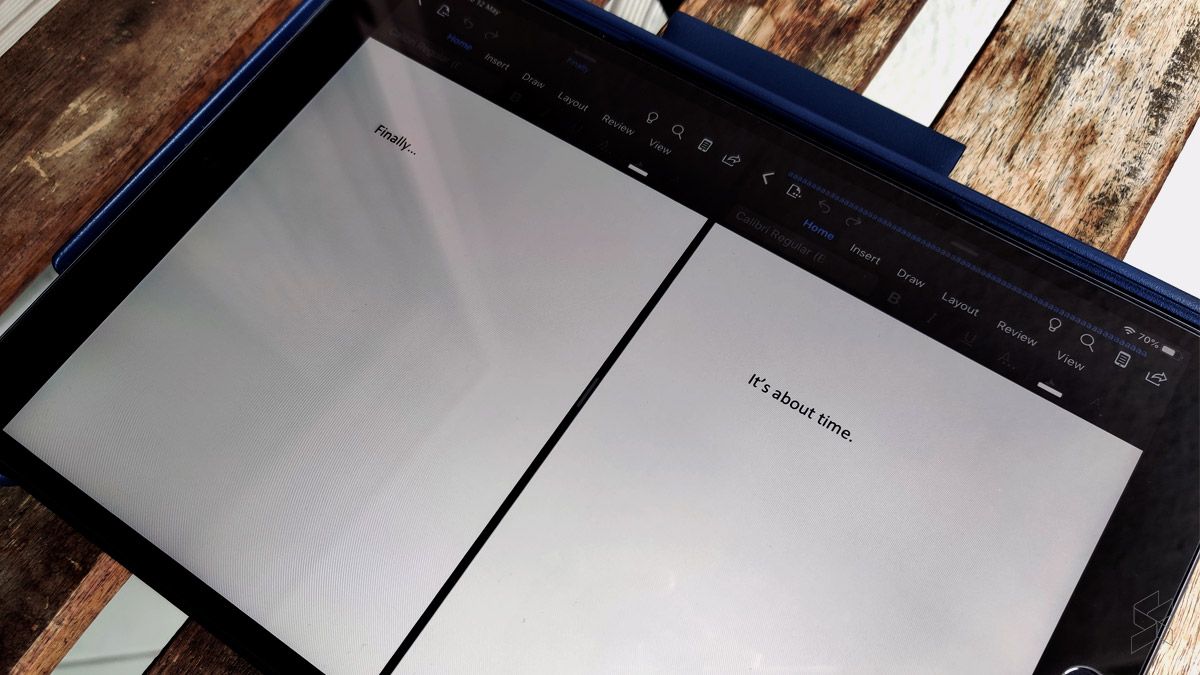
iPad: Finally, you can now use Microsoft Office in Split View

  • BY Nic Ker
  • 12 May 2020
  • 4:27 pm
  • Comment
Share on FacebookShare on Twitter

During the Apple Worldwide Developers Conference (WWDC) 2019, Apple demonstrated Office for iPad Split View, which basically allows you to have two Microsoft Word or Powerpoint documents side-by-side on the iPad. However, in the year since, iPad users have had to continue to use cumbersome workarounds, with the demonstration not actually coming to anything.

But now, Microsoft has announced that support for Split View for Microsoft Office has finally arrived for iPadOS—thankfully. In a blog post, the company shared that the multiple documents can be simultaneously opened side-by-side on Word and PowerPoint, although support for Excel is still conspicuously absent.

In the past, iPad users have been opening documents in pages or via the browser—just to have Split View available. The update is certainly one that users have been asking for; if you’ve used Split View on the iPad (or Snap Window on Microsoft Windows PCs), you’ll know how convenient the multi-tasking feature can be.
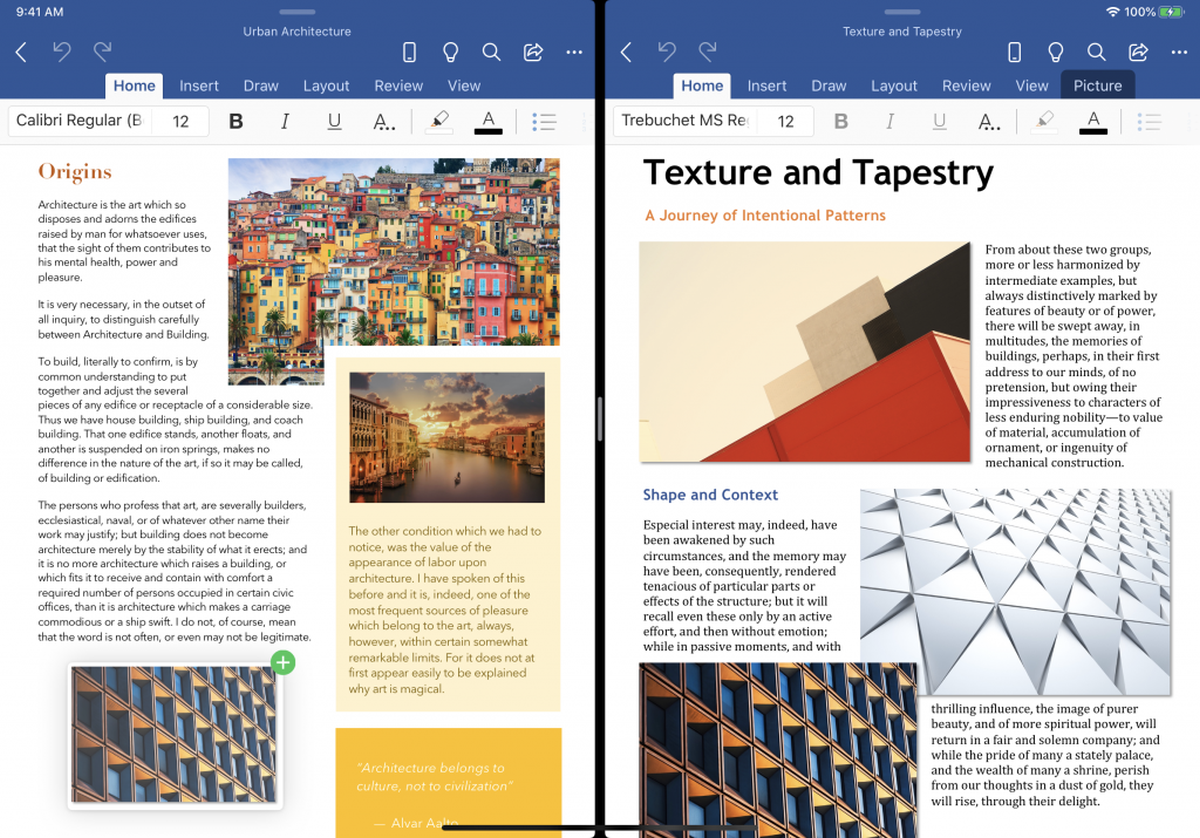
To open multiple documents in Split View, follow these steps from Microsoft:

  • Touch, hold, and drag a file from the Recent, Shared, and Open file list in the app to the iPad screen edge to open it side-by-side.
  • In Word or PowerPoint, swipe up from the bottom of the screen and open the dock. Then touch and hold the same app’s icon and drag it off the dock to the left or right edge of the screen. Then tap the document to open it.
  • In Word or PowerPoint, access the Recent, Shared, and Open views in the app start screen, tap the “…” menu for a file in the list, then tap Open in New Window.

To use Microsoft Office in Split View, you’ll need to ensure that you’re on the latest version of the app via the App Store. Additionally, support is only available for devices running iPadOS 13.

We don’t have any details on when support for Excel is arriving—or if it’s even coming at all. That’s fairly disappointing, especially when you consider how important Excel documents are to the day-to-day running of most professionals in most industries. Still, iPad users are sure to be happy with the long-awaited support for Split View on Microsoft Office.


To find out more, click here.

Tags: AppleApple ipadiPadmicrosoftMicrosoft OfficeMobile
Nic Ker

Nic Ker

POPULAR

iPad: Finally, you can now use Microsoft Office in Split View

May 12, 2020
Rear view of the OPPO Find X9 Ultra in Tundra Umber standing vertically on a stone surface with a lush green bokeh background. The device features an eco-friendly vegan leather back with a classic stitching design , vertically oriented Hasselblad and OPPO logos , and a large circular Master Lens camera module with a bronze-toned knurled ring.

Clearing Every Expectation: How the OPPO Find X9 Ultra Redefines the Modern Flagship Experience

April 16, 2026
Proton EV Plant, Tanjung Malim

MITI says EVs won’t become more expensive, but can Malaysia’s CKD industry fill the gap?

May 10, 2026

Maxis Home Solar now offers outright purchase option, with up to 80% electricity bill savings

May 11, 2026

Vibe Mobile is U Mobile’s latest MVNO partner for 5G services

May 11, 2026

SoyaCincau x Dongfeng: We’re taking over Sepang for Malaysia’s biggest EV Track Day for 2026

May 8, 2026

Copyright © 2025 · SoyaCincau.com
Mind Blow Sdn Bhd (1076827-P)

  • ADVERTISE
  • DISCLAIMER

Copyright © 2026 · SoyaCincau.com – Mind Blow Sdn Bhd (1076827-P)

  • ADVERTISE
  • DISCLAIMER