• 中文版
  • BM
  • News
  • Deals
  • Reviews
    • First Impressions
    • Hands-on
    • Comparisons
  • Tech
    • Mobile
    • Computers
    • Cameras
    • Wearables
    • Audio
    • Drones
  • Telco
    • Celcom
    • Digi
    • Maxis
    • Time
    • Tune Talk
    • U Mobile
    • Unifi
    • Yes
  • Cars
  • Contribute
  • Jobs
Menu
  • 中文版
  • BM
  • News
  • Deals
  • Reviews
    • First Impressions
    • Hands-on
    • Comparisons
  • Tech
    • Mobile
    • Computers
    • Cameras
    • Wearables
    • Audio
    • Drones
  • Telco
    • Celcom
    • Digi
    • Maxis
    • Time
    • Tune Talk
    • U Mobile
    • Unifi
    • Yes
  • Cars
  • Contribute
  • Jobs
Search
  • Tech
    • News
    • Mobile
    • Computers
    • Cameras
    • Wearables
    • Audio
    • Drones
  • Telco
    • Celcom
    • Digi
    • Maxis
    • Time
    • U Mobile
    • Unifi
    • Yes
  • Reviews
    • First Impressions
    • Hands-on
    • Comparisons
  • Buyer’s Guide
  • Opinions
  • Digital Life
  • Video
  • Deals
  • How-To
  • Cars
  • Bahasa Melayu
  • EV
  • Contribute
  • Advertise
Menu
  • Tech
    • News
    • Mobile
    • Computers
    • Cameras
    • Wearables
    • Audio
    • Drones
  • Telco
    • Celcom
    • Digi
    • Maxis
    • Time
    • U Mobile
    • Unifi
    • Yes
  • Reviews
    • First Impressions
    • Hands-on
    • Comparisons
  • Buyer’s Guide
  • Opinions
  • Digital Life
  • Video
  • Deals
  • How-To
  • Cars
  • Bahasa Melayu
  • EV
  • Contribute
  • Advertise
Search
Close
Home News

Apple’s upcoming macOS update can help prolong your MacBook’s battery lifespan

  • BY Dzamira Dzafri
  • 17 April 2020
  • 5:12 pm
  • Comment
Share on FacebookShare on Twitter

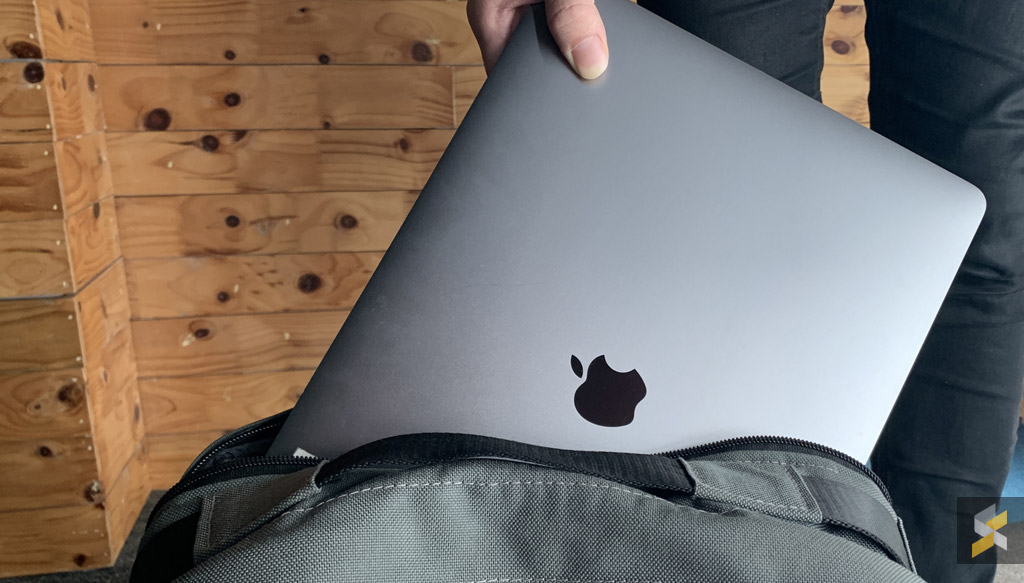
Apple announced a new feature called ‘Battery Health Management’, to extend the longterm life of their MacBook batteries. The feature is slated to become publicly available later this year as part of the new macOS Catalina 10.15.5 update.

‘Battery Health Management’ is intended to extend the overall lifespan of a MacBook battery by reducing the rate of chemical ageing. It does so by not charging the battery all the way up to the maximum in certain cases.

Some phones now avoid charging all the way to 100 percent until just before you wake up for this reason, as fully charging a battery puts more strain on it that can reduce its longevity over time. That’s especially important, as MacBook batteries are not user-replaceable. 

If you’re a MacBook user who tends to have their laptop plugged in nearly all the time, keeping your battery at 100 percent charge all the time could shorten its lifespan. However, Apple also adds that there are a variety of factors that could also be a reason to a change in your laptop’s battery health management, which includes ambient temperature, processor loads, and charging patterns.

Once you install the macOS 10.15.5 update, the ‘Battery Health Management’ feature will be enabled by default. But you’ll also be able to toggle it off through Catalina’s System Preferences menu.

Apple’s recent announcements also include a new and more affordable MacBook Air, and a new and more affordable iPhone SE. The company also plans to host an online presentation for new announcements and previews for what’s next.


[ SOURCE, 2, 3 ]

Tags: AppleMacBookmacOSmacOS Catalina
Dzamira Dzafri

Dzamira Dzafri

POPULAR

Apple’s upcoming macOS update can help prolong your MacBook’s battery lifespan

April 17, 2020

How Do You Want to Pay for Your iPhone 18 Pro? 3 Ways to Get More Value

September 18, 2026

Here’s how to catch the F1 Bahrain Grand Prix in Malaysia 2026 for free

October 3, 2026

Here is how to turn your unused GrabCoins balance into real discounts today

August 13, 2026

Proton to launch 2 new cars by end of 2026: Saga Cross and e.MAS EV sedan?

October 5, 2026

The Foldable Paradox: Why the “Best” Phone Depends Entirely on Your Routine

September 14, 2026

Copyright © 2026 · SoyaCincau.com
Mind Blow Sdn Bhd (1076827-P)

  • ADVERTISE
  • DISCLAIMER

Copyright © 2026 · SoyaCincau.com – Mind Blow Sdn Bhd (1076827-P)

  • ADVERTISE
  • DISCLAIMER