• 中文版
  • BM
  • News
  • Deals
  • Reviews
    • First Impressions
    • Hands-on
    • Comparisons
  • Tech
    • Mobile
    • Computers
    • Cameras
    • Wearables
    • Audio
    • Drones
  • Telco
    • Celcom
    • Digi
    • Maxis
    • Time
    • Tune Talk
    • U Mobile
    • Unifi
    • Yes
  • Cars
  • Contribute
  • Jobs
Menu
  • 中文版
  • BM
  • News
  • Deals
  • Reviews
    • First Impressions
    • Hands-on
    • Comparisons
  • Tech
    • Mobile
    • Computers
    • Cameras
    • Wearables
    • Audio
    • Drones
  • Telco
    • Celcom
    • Digi
    • Maxis
    • Time
    • Tune Talk
    • U Mobile
    • Unifi
    • Yes
  • Cars
  • Contribute
  • Jobs
Search
  • Tech
    • News
    • Mobile
    • Computers
    • Cameras
    • Wearables
    • Audio
    • Drones
  • Telco
    • Celcom
    • Digi
    • Maxis
    • Time
    • U Mobile
    • Unifi
    • Yes
  • Reviews
    • First Impressions
    • Hands-on
    • Comparisons
  • Buyer’s Guide
  • Opinions
  • Digital Life
  • Video
  • Deals
  • How-To
  • Cars
  • Bahasa Melayu
  • EV
  • Contribute
  • Advertise
Menu
  • Tech
    • News
    • Mobile
    • Computers
    • Cameras
    • Wearables
    • Audio
    • Drones
  • Telco
    • Celcom
    • Digi
    • Maxis
    • Time
    • U Mobile
    • Unifi
    • Yes
  • Reviews
    • First Impressions
    • Hands-on
    • Comparisons
  • Buyer’s Guide
  • Opinions
  • Digital Life
  • Video
  • Deals
  • How-To
  • Cars
  • Bahasa Melayu
  • EV
  • Contribute
  • Advertise
Search
Close
Home News

How to create your very own live wallpaper for the Apple Watch

  • BY Nic Ker
  • 25 October 2019
  • 6:54 pm
  • Comment
Share on FacebookShare on Twitter

I don’t know about you, but part of the appeal of smartwatches is the ability to customise the look and feel of your wearable to look as unique as possible. All without looking too tacky, of course. But that’s entirely up to you. And with the Apple Watch, you have the ability to use a Live Photo as an animated wallpaper.

Thanks to a user on Reddit, I recently discovered that you can create an animated wallpaper from a GIF—which opens up a plethora of options. The best part of it is that the process is relatively straightforward, with no paid apps required to get it to work.
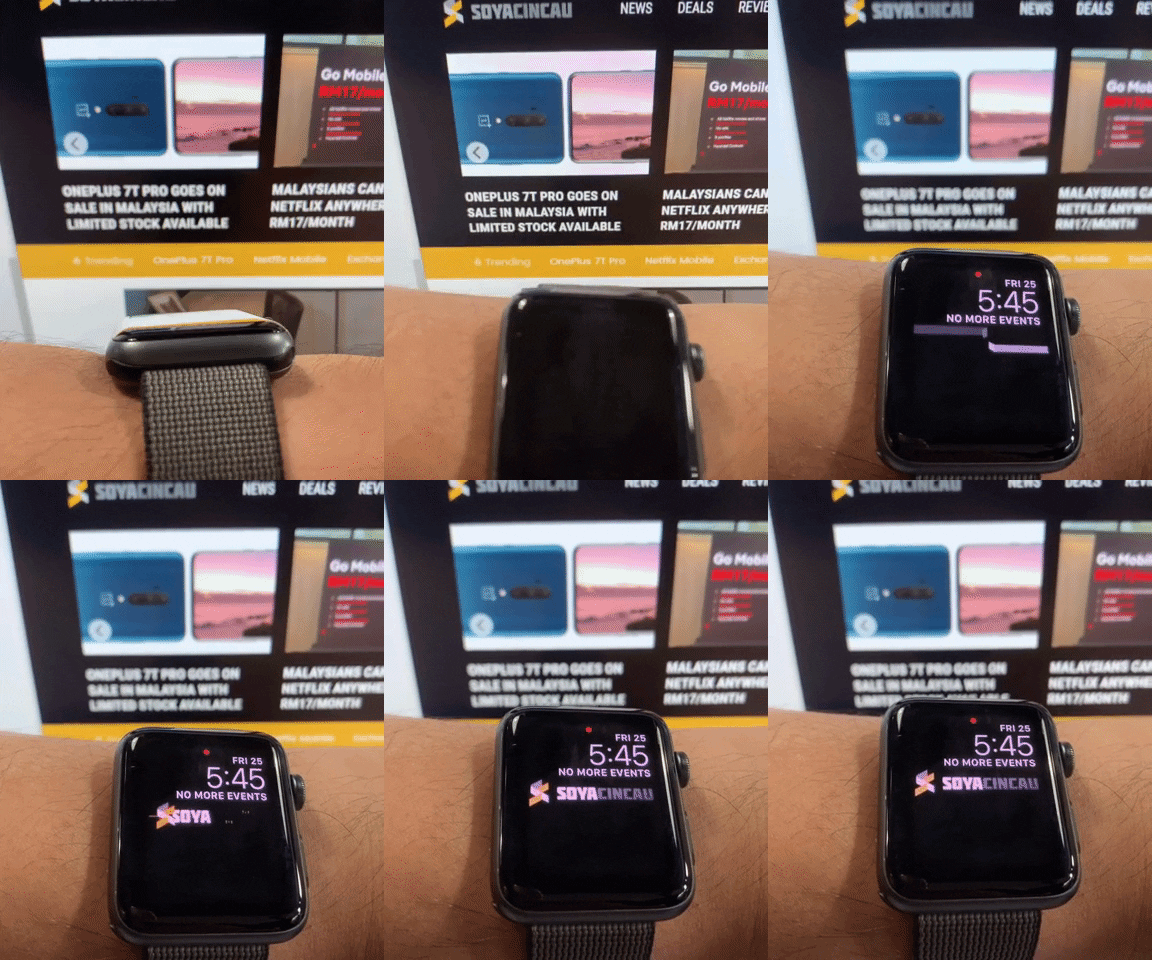
  • First, find a GIF that you want to use. You can even create your own GIF from a video, using a web-based option such as Giphy to convert the video to GIF (you can also download the Giphy app from the App Store).
  • Next, you’ll need to convert the GIF to a Live Photo. Again, you can use Giphy to do this.
  • Save the GIF as a Live Photo to the Photos app on your iPhone.
  • Head over to the Photos app, select the new Live Photo, and click “edit”.
  • Select the final frame of your Live Photo as your key photo.
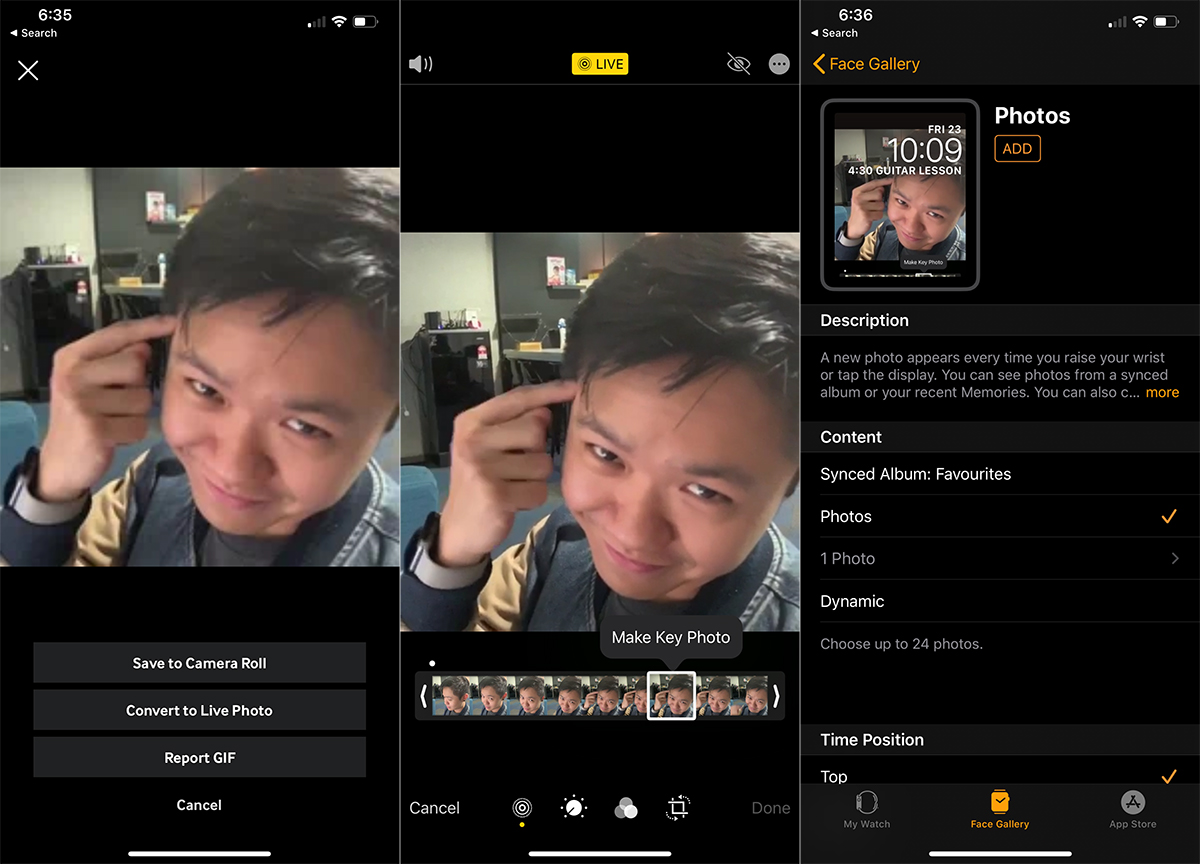
Now that you have the Live Photo you want, you’ll need to set it up on your Apple Watch.

  • Open the Watch app on your iPhone, and select the “Face Gallery” tab. Scroll till the Photos section, and under the “Content” header, select “Photos”. Pick the Live Photo you downloaded earlier.
  • All you need to do now is to add the watchface to your Apple Watch.
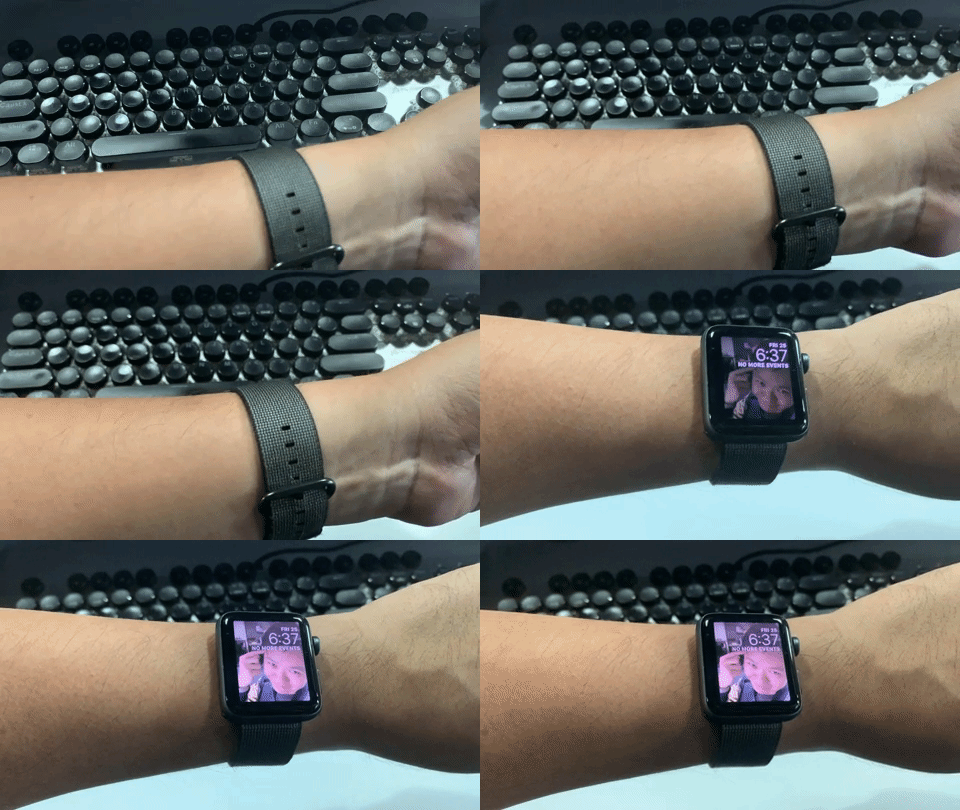
And that’s about it. You can play around with different animated photos, although it’s worth remembering that GIFs that are too long won’t work properly. Do let us know in the comments section if you’ve created a live wallpaper for your Apple Watch that’s worth sharing!

[ SOURCE , 2 ]

Tags: AppleApple WatchSmartWatchwearables
Nic Ker

Nic Ker

POPULAR

How to create your very own live wallpaper for the Apple Watch

October 25, 2019

Astro X3 lets you stream instantly with no box or installation, from RM39.99/month

July 7, 2026

The Single-Stock Trap: Why True Tech Investing Means Moving Beyond a Few Famous Tickers

June 25, 2026
Screenshot

Why some ATMs are still charging RM1 for cash withdrawals despite the fee waiver

July 3, 2026
Perodua QV-E EV

Perodua QV-E already received 1,700 bookings? Really?

July 7, 2026

RM32 Per Line with 1TB Shared Data? Inside U Mobile’s New ULTRA Family Suite

May 7, 2026

Copyright © 2025 · SoyaCincau.com
Mind Blow Sdn Bhd (1076827-P)

  • ADVERTISE
  • DISCLAIMER

Copyright © 2026 · SoyaCincau.com – Mind Blow Sdn Bhd (1076827-P)

  • ADVERTISE
  • DISCLAIMER