• 中文版
  • BM
  • News
  • Deals
  • Reviews
    • First Impressions
    • Hands-on
    • Comparisons
  • Tech
    • Mobile
    • Computers
    • Cameras
    • Wearables
    • Audio
    • Drones
  • Telco
    • Celcom
    • Digi
    • Maxis
    • Time
    • Tune Talk
    • U Mobile
    • Unifi
    • Yes
  • Cars
  • Contribute
  • Jobs
Menu
  • 中文版
  • BM
  • News
  • Deals
  • Reviews
    • First Impressions
    • Hands-on
    • Comparisons
  • Tech
    • Mobile
    • Computers
    • Cameras
    • Wearables
    • Audio
    • Drones
  • Telco
    • Celcom
    • Digi
    • Maxis
    • Time
    • Tune Talk
    • U Mobile
    • Unifi
    • Yes
  • Cars
  • Contribute
  • Jobs
Search
  • Tech
    • News
    • Mobile
    • Computers
    • Cameras
    • Wearables
    • Audio
    • Drones
  • Telco
    • Celcom
    • Digi
    • Maxis
    • Time
    • U Mobile
    • Unifi
    • Yes
  • Reviews
    • First Impressions
    • Hands-on
    • Comparisons
  • Buyer’s Guide
  • Opinions
  • Digital Life
  • Video
  • Deals
  • How-To
  • Cars
  • Bahasa Melayu
  • EV
  • Contribute
  • Advertise
Menu
  • Tech
    • News
    • Mobile
    • Computers
    • Cameras
    • Wearables
    • Audio
    • Drones
  • Telco
    • Celcom
    • Digi
    • Maxis
    • Time
    • U Mobile
    • Unifi
    • Yes
  • Reviews
    • First Impressions
    • Hands-on
    • Comparisons
  • Buyer’s Guide
  • Opinions
  • Digital Life
  • Video
  • Deals
  • How-To
  • Cars
  • Bahasa Melayu
  • EV
  • Contribute
  • Advertise
Search
Close
Home News

Dark mode for Instagram is finally here for Android and iOS—but how do you turn it off?

  • BY Nic Ker
  • 11 October 2019
  • 12:17 pm
  • Comment
Share on FacebookShare on Twitter

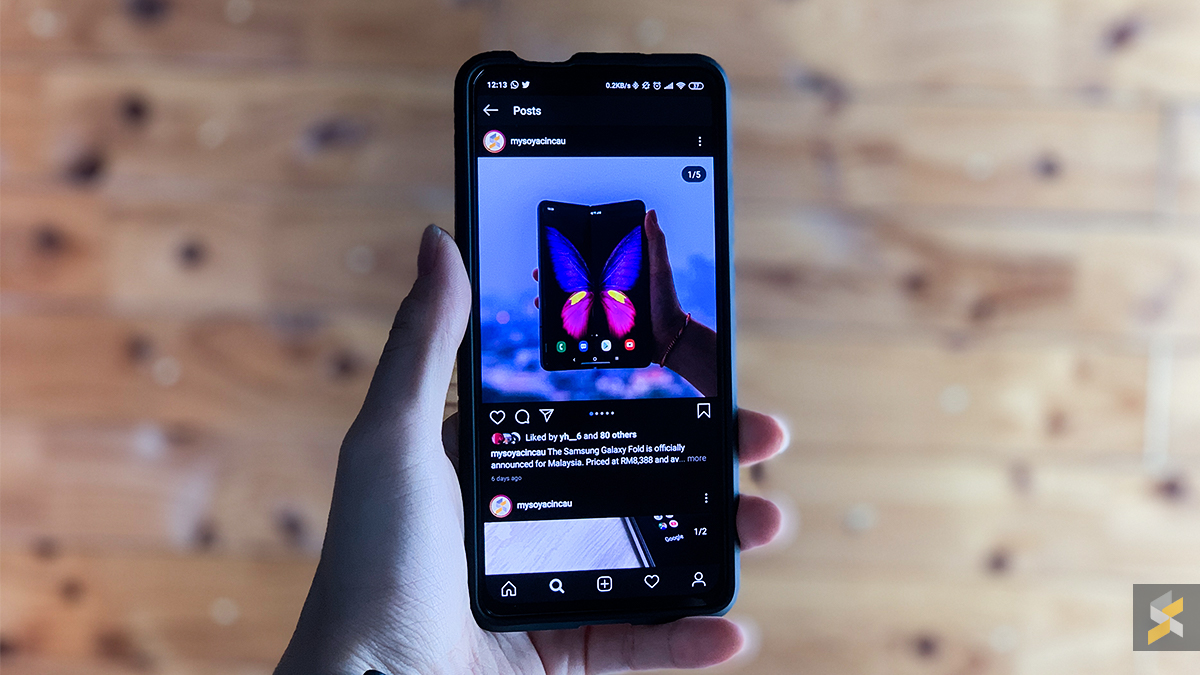
Fans of dark mode, such as myself, were thrilled to discover that the latest update for Instagram has introduced dark mode for Android 10 and iOS 13 users. Once the app is updated, Instagram will automatically go into dark mode if your system settings are set to dark mode.

https://twitter.com/mosseri/status/1181361666992115719

Instagram Head, Adam Mosseri, recently tweeted that the update is available on the latest OS versions of iPhones and Android devices, but the update appears to be available to certain Android 9 devices as well—those that have system-wide dark mode built in.

Dark mode is a feature that is included with Android 10, but for phones such those that run on Xiaomi’s MIUI or Samsung’s One UI, system-wide dark mode will still trigger the Instagram app to run in dark mode with the latest updates.

Unfortunately, there doesn’t appear to be an option to toggle dark mode within the app itself, and the only way to revert back to the more conventional coloured interface is to turn off system-wide dark mode.

[ SOURCE ]

Tags: AndroidInstagraminstagram dark modeiOSMobile
Nic Ker

Nic Ker

POPULAR

Dark mode for Instagram is finally here for Android and iOS—but how do you turn it off?

October 11, 2019

Malaysia to review EV policy amid concerns over strict rules affecting BYD CKD operations in Tanjung Malim

April 17, 2026

Zeekr 8X: Premium 900V PHEV SUV, up to triple-motor setup and 0–100km/h in 2.96s

April 20, 2026
Apple Tap To Pay on iPhone Malaysia

Apple’s Tap to Pay on iPhone is now in Malaysia

April 22, 2026

Malaysia’s EV policy and the BYD debate: Are affordable EVs at risk? | Let’s Talk About #140

April 19, 2026
vivo V70 FE 200MP camera phone in Malaysia - Best value alternative for phones under RM2,000

High-Resolution Meets High-Endurance: A Closer Look at the vivo V70 FE

April 10, 2026

Copyright © 2025 · SoyaCincau.com
Mind Blow Sdn Bhd (1076827-P)

  • ADVERTISE
  • DISCLAIMER

Copyright © 2026 · SoyaCincau.com – Mind Blow Sdn Bhd (1076827-P)

  • ADVERTISE
  • DISCLAIMER