• 中文版
  • BM
  • News
  • Deals
  • Reviews
    • First Impressions
    • Hands-on
    • Comparisons
  • Tech
    • Mobile
    • Computers
    • Cameras
    • Wearables
    • Audio
    • Drones
  • Telco
    • Celcom
    • Digi
    • Maxis
    • Time
    • Tune Talk
    • U Mobile
    • Unifi
    • Yes
  • Cars
  • Contribute
  • Jobs
Menu
  • 中文版
  • BM
  • News
  • Deals
  • Reviews
    • First Impressions
    • Hands-on
    • Comparisons
  • Tech
    • Mobile
    • Computers
    • Cameras
    • Wearables
    • Audio
    • Drones
  • Telco
    • Celcom
    • Digi
    • Maxis
    • Time
    • Tune Talk
    • U Mobile
    • Unifi
    • Yes
  • Cars
  • Contribute
  • Jobs
Search
  • Tech
    • News
    • Mobile
    • Computers
    • Cameras
    • Wearables
    • Audio
    • Drones
  • Telco
    • Celcom
    • Digi
    • Maxis
    • Time
    • U Mobile
    • Unifi
    • Yes
  • Reviews
    • First Impressions
    • Hands-on
    • Comparisons
  • Buyer’s Guide
  • Opinions
  • Digital Life
  • Video
  • Deals
  • How-To
  • Cars
  • Bahasa Melayu
  • EV
  • Contribute
  • Advertise
Menu
  • Tech
    • News
    • Mobile
    • Computers
    • Cameras
    • Wearables
    • Audio
    • Drones
  • Telco
    • Celcom
    • Digi
    • Maxis
    • Time
    • U Mobile
    • Unifi
    • Yes
  • Reviews
    • First Impressions
    • Hands-on
    • Comparisons
  • Buyer’s Guide
  • Opinions
  • Digital Life
  • Video
  • Deals
  • How-To
  • Cars
  • Bahasa Melayu
  • EV
  • Contribute
  • Advertise
Search
Close
Home News

Here’s how you can check your Unifi Turbo upgrade status

  • BY Alexander Wong
  • 30 November 2018
  • 10:46 pm
  • Comment
Share on FacebookShare on Twitter
Check Unifi Turbo

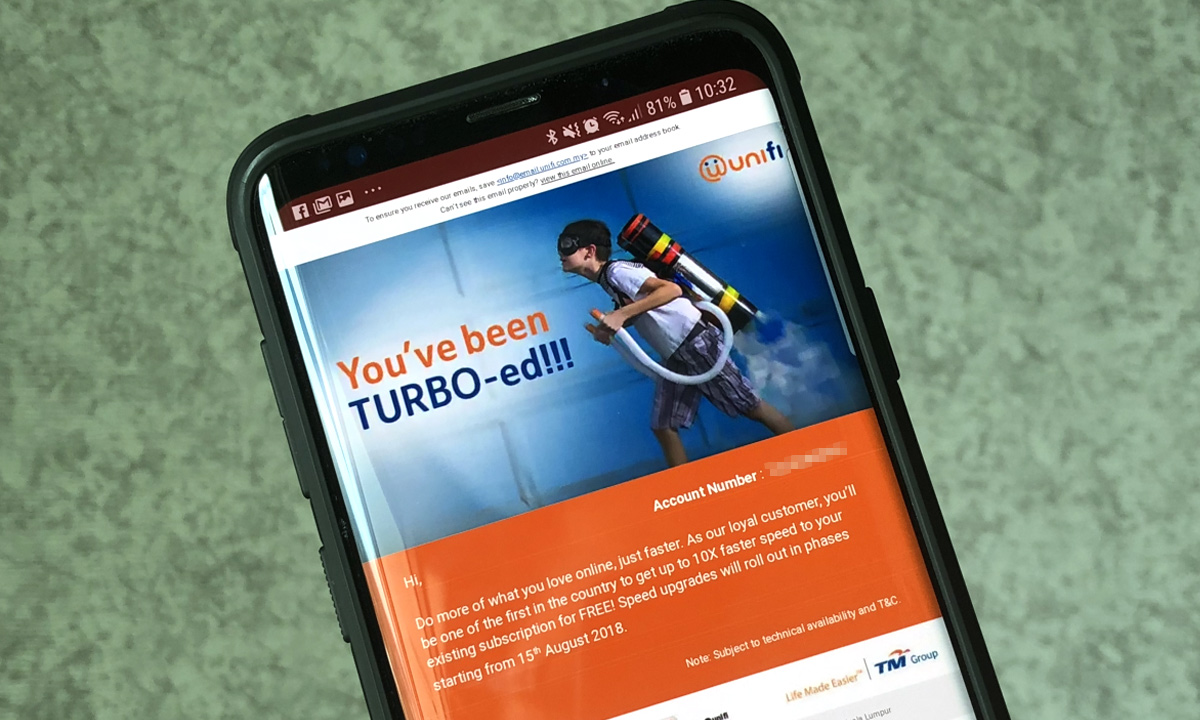
When TM announced its Unifi Turbo upgrade, they did mention that the speed upgrade will be rolled out in stages. Some customers have gotten it earlier while others are still waiting for their connection to get Turbo-ed.

Previously, TM introduced a page where customers can check if they are eligible for Unifi Turbo upgrade. Unfortunately, it couldn’t cope with the sheer traffic and TM was forced to disable the search function. Now, there’s an easier way to check and it will also inform you when your Turbo upgrade is coming.
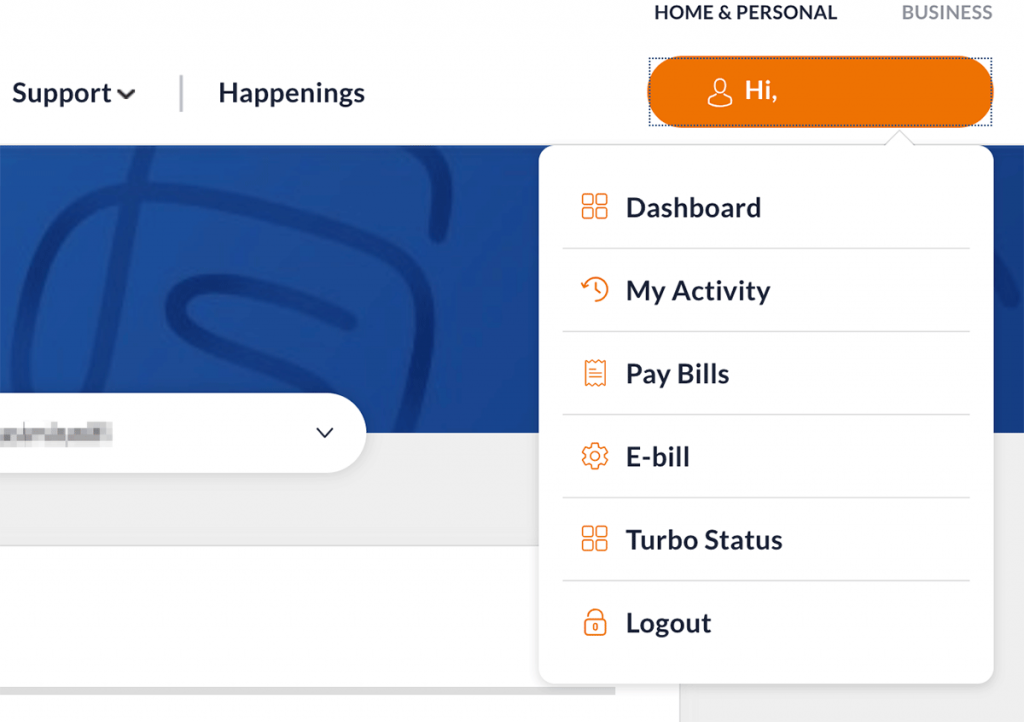
To find out if you’re eligible and what speeds you’re getting, you can login to your Unifi self-care account at unifi.com.my. From the top right menu button, click on Turbo Status. 
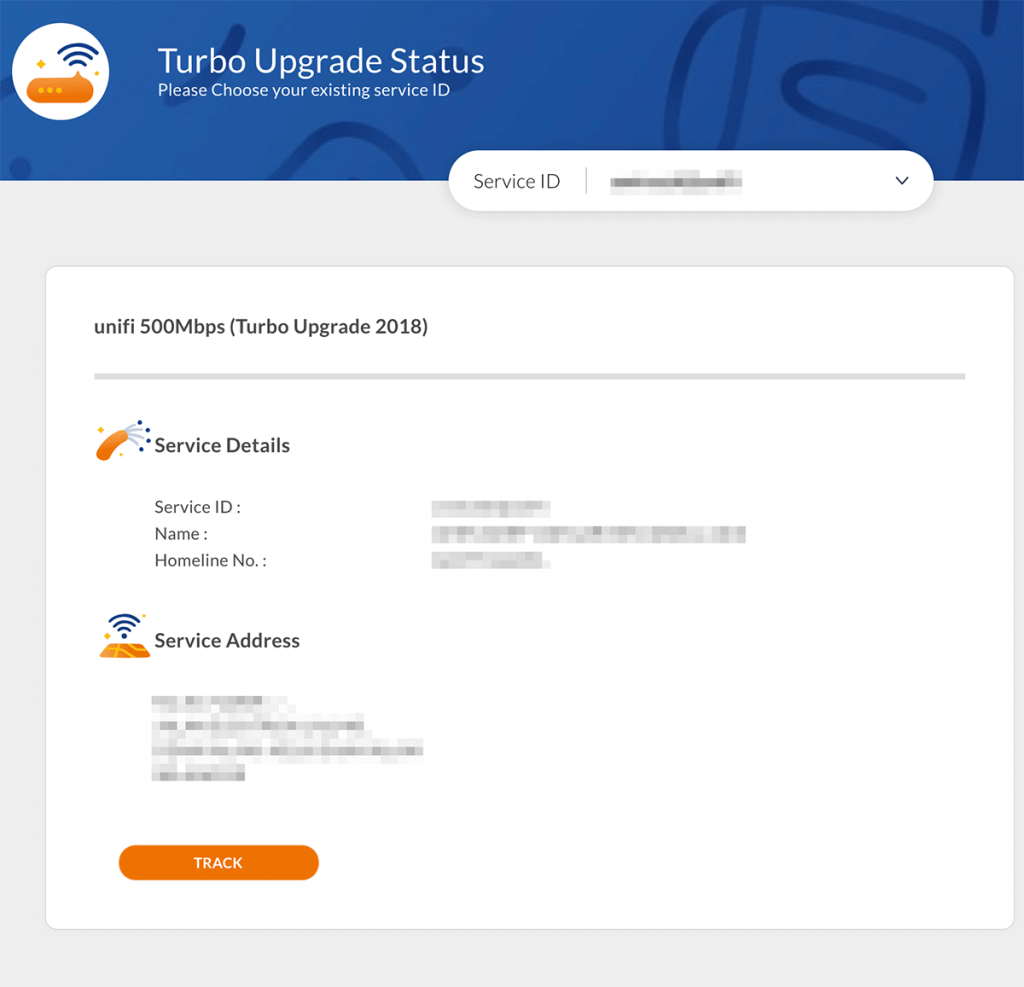
Once you’re in, will see your current package. If you’re eligible for Turbo upgrade, it will display your upcoming plan package and an expected date for the upgrade underneath your service address. 

Similar to the previous checker, the upgrade time frame is pretty broad and it would have been better if TM can narrow down the upgrade to a specific month. 

If you don’t have a self-care account, you can register an account easily with your registered IC and Unifi fixed line number. You can get started on the main Unifi website and click on the padlock icon on the top right. 

Got the Turbo upgrade but not enjoying full speeds? You might be eligible for a free modem replacement.


Tags: TMUnifi
Alexander Wong

Alexander Wong

POPULAR

Here’s how you can check your Unifi Turbo upgrade status

November 30, 2018

KTM Komuter and ETS disrupted today: Here is what’s causing the train delays

July 23, 2026
Source: Photo by kovop58 / Adobe Stock

6 Places You Can Watch the FIFA World Cup 2026 Finals Live in Malaysia

July 17, 2026

U Mobile suffers nationwide network outage in the early hours of the morning

July 22, 2026

How fast is ULTRA5G inside KL Malls? Here’s What Dedicated Indoor ULTRA5G Infrastructure Can Actually Do

July 16, 2026

Touch ‘n Go rolls out Enhanced RFID lane at AKLEH, targets 10 lanes by year-end

July 21, 2026

Copyright © 2025 · SoyaCincau.com
Mind Blow Sdn Bhd (1076827-P)

  • ADVERTISE
  • DISCLAIMER

Copyright © 2026 · SoyaCincau.com – Mind Blow Sdn Bhd (1076827-P)

  • ADVERTISE
  • DISCLAIMER