
• 中文版
  • BM
  • News
  • Deals
  • Reviews
    • First Impressions
    • Hands-on
    • Comparisons
  • Tech
    • Mobile
    • Computers
    • Cameras
    • Wearables
    • Audio
    • Drones
  • Telco
    • Celcom
    • Digi
    • Maxis
    • Time
    • Tune Talk
    • U Mobile
    • Unifi
    • Yes
  • Cars
  • Contribute
  • Jobs
Menu
  • 中文版
  • BM
  • News
  • Deals
  • Reviews
    • First Impressions
    • Hands-on
    • Comparisons
  • Tech
    • Mobile
    • Computers
    • Cameras
    • Wearables
    • Audio
    • Drones
  • Telco
    • Celcom
    • Digi
    • Maxis
    • Time
    • Tune Talk
    • U Mobile
    • Unifi
    • Yes
  • Cars
  • Contribute
  • Jobs
Search
  • Tech
    • News
    • Mobile
    • Computers
    • Cameras
    • Wearables
    • Audio
    • Drones
  • Telco
    • Celcom
    • Digi
    • Maxis
    • Time
    • U Mobile
    • Unifi
    • Yes
  • Reviews
    • First Impressions
    • Hands-on
    • Comparisons
  • Buyer’s Guide
  • Opinions
  • Digital Life
  • Video
  • Deals
  • How-To
  • Cars
  • Bahasa Melayu
  • EV
  • Contribute
  • Advertise
Menu
  • Tech
    • News
    • Mobile
    • Computers
    • Cameras
    • Wearables
    • Audio
    • Drones
  • Telco
    • Celcom
    • Digi
    • Maxis
    • Time
    • U Mobile
    • Unifi
    • Yes
  • Reviews
    • First Impressions
    • Hands-on
    • Comparisons
  • Buyer’s Guide
  • Opinions
  • Digital Life
  • Video
  • Deals
  • How-To
  • Cars
  • Bahasa Melayu
  • EV
  • Contribute
  • Advertise
Search
Close
Home News

Google revamps Drive to 2.0 with desktop-like interface

  • BY soyacincau
  • 9 July 2014
  • 11:08 am
  • Comment
Share on FacebookShare on Twitter

140709-google-drive-2.0

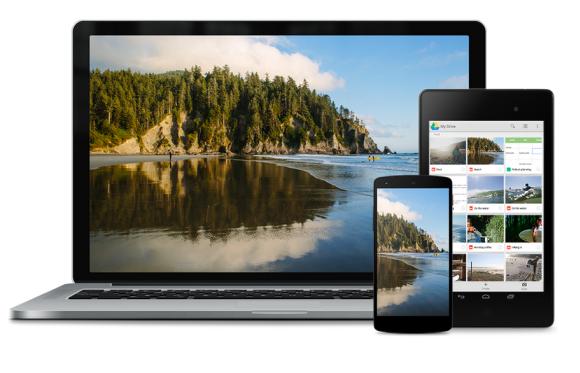
During Google I/0, they have announced a couple of new changes for Drive including its unlimited cloud storage solution for enterprise. To bring Drive to the next level, they have finally revamped its interface to make it as easy to use as your local desktop storage.

To get to your files quicker, you can view your files in thumbnail grid view and select multiple files by clicking and dragging your cursor. Alternatively, you can search in any view to jump straight to the files you are looking for. In-conjunction with the new Drive for Work file audit feature, you are also able to check your sharing history as well. For those who work a lot with MS Office files like Word, Excel and Powerpoint, you can now create and edit them directly from Drive thanks to its integration with QuickOffice.

At time of writing, the version 2.0 app on smart phones is already available but the desktop version on drive.google.com is still showing the old one at time of posting. The new 2.0 interface is rolling out in stages and we reckon it would be available very soon.

Watch the Google Drive 2.0 video after the break.

[ SOURCE ]

Tags: Cloud StorageDriveDrive 2.0googleGoogle DriveGoogle Drive 2.0
soyacincau

soyacincau

POPULAR

Maybank’s MAE Turns 5 Campaign Offers 5% p.a. Returns, Cashbacks and More!

November 4, 2025
2026 Proton Saga

Proton Saga MC3 to be priced from RM40k to RM50k: Free 1-year service for early birds

November 11, 2025

Editing Made Easy: How Galaxy AI Saves Your Not-So-Perfect Shots

October 17, 2025

Google revamps Drive to 2.0 with desktop-like interface

July 9, 2014
Proton e.MAS 5

Proton e.MAS 5 surpasses 10,000 bookings

November 11, 2025

XPeng G6 now offered with 1 year free unlimited EV charging by JomCharge, available as low as RM148K

November 14, 2025

Copyright © 2025 · SoyaCincau.com
Mind Blow Sdn Bhd (1076827-P)

  • ADVERTISE
  • DISCLAIMER

Copyright © 2025 · SoyaCincau.com – Mind Blow Sdn Bhd (1076827-P)

  • ADVERTISE
  • DISCLAIMER





