• 中文版
  • BM
  • News
  • Deals
  • Reviews
    • First Impressions
    • Hands-on
    • Comparisons
  • Tech
    • Mobile
    • Computers
    • Cameras
    • Wearables
    • Audio
    • Drones
  • Telco
    • Celcom
    • Digi
    • Maxis
    • Time
    • Tune Talk
    • U Mobile
    • Unifi
    • Yes
  • Cars
  • Contribute
  • Jobs
Menu
  • 中文版
  • BM
  • News
  • Deals
  • Reviews
    • First Impressions
    • Hands-on
    • Comparisons
  • Tech
    • Mobile
    • Computers
    • Cameras
    • Wearables
    • Audio
    • Drones
  • Telco
    • Celcom
    • Digi
    • Maxis
    • Time
    • Tune Talk
    • U Mobile
    • Unifi
    • Yes
  • Cars
  • Contribute
  • Jobs
Search
  • Tech
    • News
    • Mobile
    • Computers
    • Cameras
    • Wearables
    • Audio
    • Drones
  • Telco
    • Celcom
    • Digi
    • Maxis
    • Time
    • U Mobile
    • Unifi
    • Yes
  • Reviews
    • First Impressions
    • Hands-on
    • Comparisons
  • Buyer’s Guide
  • Opinions
  • Digital Life
  • Video
  • Deals
  • How-To
  • Cars
  • Bahasa Melayu
  • EV
  • Contribute
  • Advertise
Menu
  • Tech
    • News
    • Mobile
    • Computers
    • Cameras
    • Wearables
    • Audio
    • Drones
  • Telco
    • Celcom
    • Digi
    • Maxis
    • Time
    • U Mobile
    • Unifi
    • Yes
  • Reviews
    • First Impressions
    • Hands-on
    • Comparisons
  • Buyer’s Guide
  • Opinions
  • Digital Life
  • Video
  • Deals
  • How-To
  • Cars
  • Bahasa Melayu
  • EV
  • Contribute
  • Advertise
Search
Close
Home News

iOS 8.0.1 messed up your iPhone 6? Here’s how to fix it

  • BY soyacincau
  • 25 September 2014
  • 11:18 pm
  • Comment
Share on FacebookShare on Twitter

140925-ios-8.0.1-iphone-6-problems-fix

UPDATE: Apple has just released iOS 8.0.2 to fix the problem affecting iPhone 6 and iPhone 6 Plus users. To update, go to Settings > General > Software Updates.

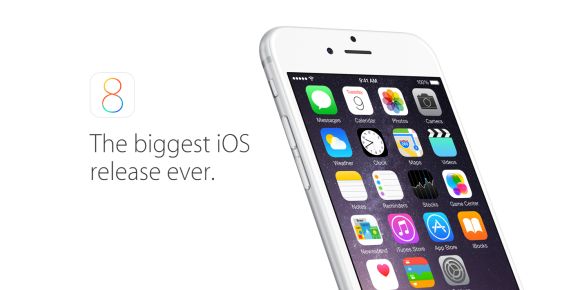
Shortly after the release of the iPhone 6 and iPhone 6 Plus, Apple has rolled out a new iOS 8.0.1 software update that was supposed to iron out some minor kinks. Unfortunately the little update was reported to be creating more problems, affecting its cellular service and TouchID Fingerprint scanner. It seems that it only affects iPhone 6 and iPhone 6 Plus that were updated to iOS 8.0.1.

Apple has responded that a fix is on its way in yet another update (iOS 8.0.2) but it would take a couple of days to release it. So for those who are affected, you can restore your iPhone 6 to proper working order by downgrading to iOS 8.0. Head after the break for the official instructions.

1. Make sure that you’re using the latest version of iTunes.

2. Connect your iPhone to iTunes.

3. Back up your iPhone in iTunes on your Mac or PC.
iCloud backups won’t restore to earlier versions, including iOS 8.0.

4. Download the file below that corresponds to your device:
– iPhone 6
– iPhone 6 Plus

5. Select the file you just downloaded by doing one of these in iTunes:
Mac: Press the Option key and click Check for Update.
Windows: Press the Shift key and click Check for Update.

6. Press Update to install iOS 8 on your iPhone.

Take note that after reverting back to iOS 8.0, the health app will not work until its newer iOS 8.0.2 is released. These steps aim to bring your iPhone 6 back to acceptable working condition, especially vital cellular service.


[ SOURCE, VIA ]

Tags: AppleiOS 8iOS 8.0.1iOS 8.0.1 IssueiOS 8.0.2iPhone 6iPhone 6 Plus
soyacincau

soyacincau

POPULAR

iOS 8.0.1 messed up your iPhone 6? Here’s how to fix it

September 25, 2014

Proton S70 i-GT 1.5 NA is now official: Priced from as low as RM56,800

September 22, 2026

New MyKad hits another snag: MyDigital ID online registration not ready yet

September 20, 2026

Don’t rush to replace your MyKad: New card faces eKYC verification issues

September 19, 2026

How Do You Want to Pay for Your iPhone 18 Pro? 3 Ways to Get More Value

September 18, 2026

Xiaomi 18 Pro series coming to Malaysia this year with Privacy Display, Snapdragon 8 Elite Gen 6

September 24, 2026

Copyright © 2026 · SoyaCincau.com
Mind Blow Sdn Bhd (1076827-P)

  • ADVERTISE
  • DISCLAIMER

Copyright © 2026 · SoyaCincau.com – Mind Blow Sdn Bhd (1076827-P)

  • ADVERTISE
  • DISCLAIMER