• 中文版
  • BM
  • News
  • Deals
  • Reviews
    • First Impressions
    • Hands-on
    • Comparisons
  • Tech
    • Mobile
    • Computers
    • Cameras
    • Wearables
    • Audio
    • Drones
  • Telco
    • Celcom
    • Digi
    • Maxis
    • Time
    • Tune Talk
    • U Mobile
    • Unifi
    • Yes
  • Cars
  • Contribute
  • Jobs
Menu
  • 中文版
  • BM
  • News
  • Deals
  • Reviews
    • First Impressions
    • Hands-on
    • Comparisons
  • Tech
    • Mobile
    • Computers
    • Cameras
    • Wearables
    • Audio
    • Drones
  • Telco
    • Celcom
    • Digi
    • Maxis
    • Time
    • Tune Talk
    • U Mobile
    • Unifi
    • Yes
  • Cars
  • Contribute
  • Jobs
Search
  • Tech
    • News
    • Mobile
    • Computers
    • Cameras
    • Wearables
    • Audio
    • Drones
  • Telco
    • Celcom
    • Digi
    • Maxis
    • Time
    • U Mobile
    • Unifi
    • Yes
  • Reviews
    • First Impressions
    • Hands-on
    • Comparisons
  • Buyer’s Guide
  • Opinions
  • Digital Life
  • Video
  • Deals
  • How-To
  • Cars
  • Bahasa Melayu
  • EV
  • Contribute
  • Advertise
Menu
  • Tech
    • News
    • Mobile
    • Computers
    • Cameras
    • Wearables
    • Audio
    • Drones
  • Telco
    • Celcom
    • Digi
    • Maxis
    • Time
    • U Mobile
    • Unifi
    • Yes
  • Reviews
    • First Impressions
    • Hands-on
    • Comparisons
  • Buyer’s Guide
  • Opinions
  • Digital Life
  • Video
  • Deals
  • How-To
  • Cars
  • Bahasa Melayu
  • EV
  • Contribute
  • Advertise
Search
Close
Home Hands-on

BlackBerry Passport gets early hands-on. QWERTY keyboard doubles up as a touchpad

  • BY soyacincau
  • 20 July 2014
  • 11:46 am
  • Comment
Share on FacebookShare on Twitter

140720-blackberry-passport-hands-on-01

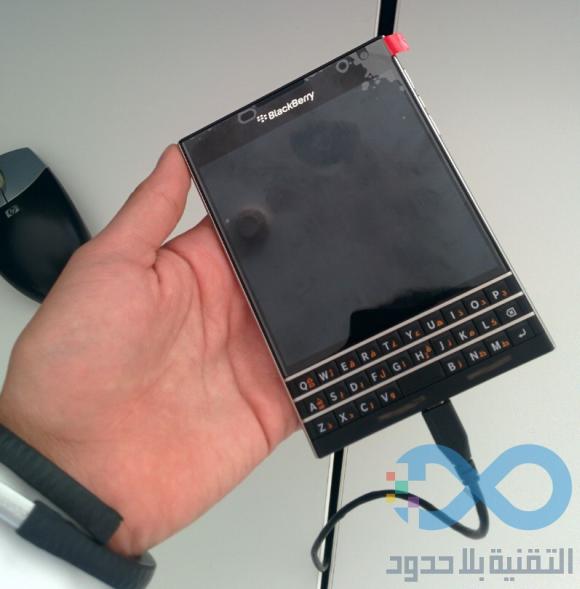
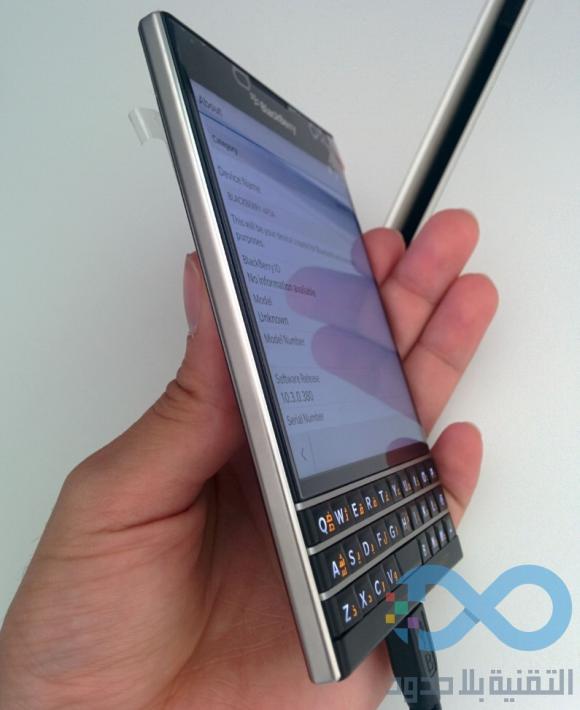
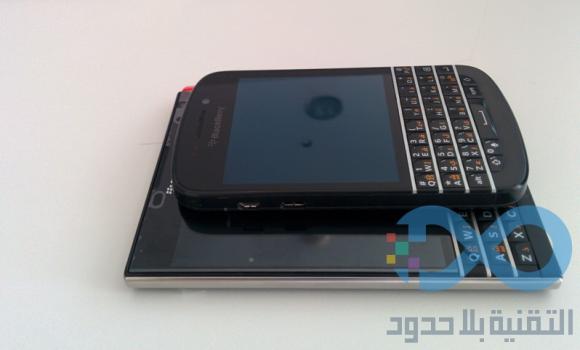
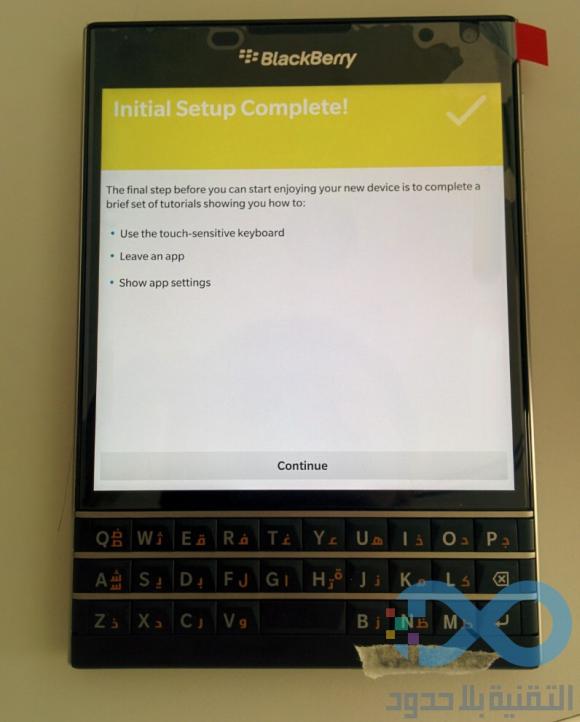
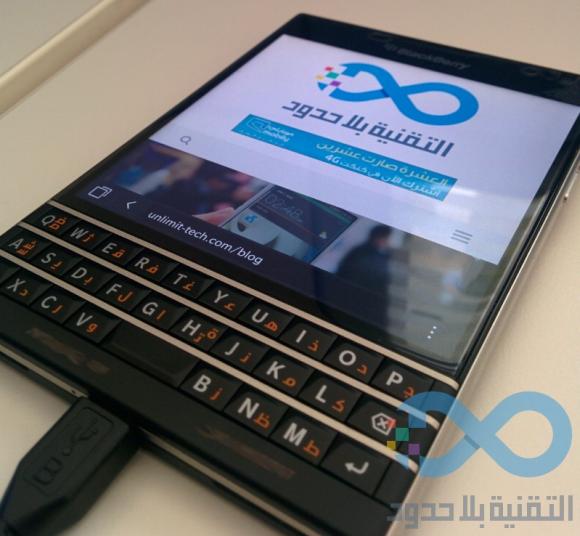
The Passport is BlackBerry’s next big thing and they are doing things differently with its squarish, Optimus VU-like form factor with a simplified 3 row QWERTY keyboard at the bottom. Targeted for a September release, the BlackBerry Passport has gotten another extensive hands-on and this time it shows off its hidden touchpad on the keyboard. With your thumbs being on the QWERTY keyboard most of the time, having a full-on touchpad at the bottom seems to be more practical than the usual swiping on-screen or on a traditional trackpad in the middle.

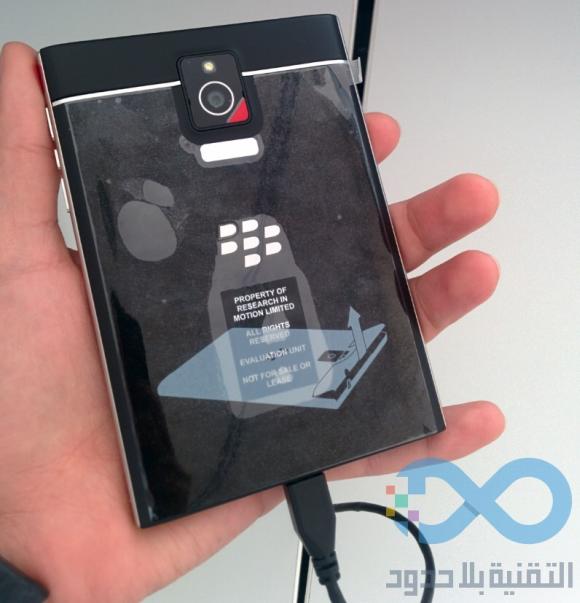
To recap on the specs, this quirky looking device has the means to match up with other flagship models. The front 4.5″ display does a high resolution 1440×1440 pixels and it is powered by a Quad-Core Snapdragon 800 processor with 3GB of RAM. It also gets a 13MP main camera with a 2MP front facing unit and it is juiced up with a large 3,450mAh capacity battery. The keyboard may look simple with just 3 rows, but the Passport is able to extend additional set of keys onto the display. On the software side, it will be released with their latest BlackBerry 10.3 that offers BlackBerry Assistant.

Check out its hands-on video and photos after the break.
140720-blackberry-passport-hands-on-02

140720-blackberry-passport-hands-on-03

140720-blackberry-passport-hands-on-04

140720-blackberry-passport-hands-on-05

140720-blackberry-passport-hands-on-06

[ SOURCE, VIA ]

Tags: blackberryBlackBerry PassportBlackBerry Passport KeyboardBlackBerry Passport SpecsBlackBerry Passport TouchpadTrackpad
soyacincau

soyacincau

POPULAR

BlackBerry Passport gets early hands-on. QWERTY keyboard doubles up as a touchpad

July 20, 2014

Why are Malaysians still buying EVs in 2026? | Let’s Talk About #138

March 15, 2026

iPhone to support 5G SA for Yes 5G, U Mobile and Maxis via iOS 26.4

March 16, 2026

MCMC urges iPhone users to update iOS immediately following “Darksword” exploit

March 20, 2026

Is Your Current Phone Generations Behind? Here’s a Simpler Way to Close the Gap

March 13, 2026

BMW i3: Fully electric 3 Series, 800V EV with up to 900km range and 400kW DC charging

March 18, 2026

Copyright © 2025 · SoyaCincau.com
Mind Blow Sdn Bhd (1076827-P)

  • ADVERTISE
  • DISCLAIMER

Copyright © 2026 · SoyaCincau.com – Mind Blow Sdn Bhd (1076827-P)

  • ADVERTISE
  • DISCLAIMER