• 中文版
  • BM
  • News
  • Deals
  • Reviews
    • First Impressions
    • Hands-on
    • Comparisons
  • Tech
    • Mobile
    • Computers
    • Cameras
    • Wearables
    • Audio
    • Drones
  • Telco
    • Celcom
    • Digi
    • Maxis
    • Time
    • Tune Talk
    • U Mobile
    • Unifi
    • Yes
  • Cars
  • Contribute
  • Jobs
Menu
  • 中文版
  • BM
  • News
  • Deals
  • Reviews
    • First Impressions
    • Hands-on
    • Comparisons
  • Tech
    • Mobile
    • Computers
    • Cameras
    • Wearables
    • Audio
    • Drones
  • Telco
    • Celcom
    • Digi
    • Maxis
    • Time
    • Tune Talk
    • U Mobile
    • Unifi
    • Yes
  • Cars
  • Contribute
  • Jobs
Search
  • Tech
    • News
    • Mobile
    • Computers
    • Cameras
    • Wearables
    • Audio
    • Drones
  • Telco
    • Celcom
    • Digi
    • Maxis
    • Time
    • U Mobile
    • Unifi
    • Yes
  • Reviews
    • First Impressions
    • Hands-on
    • Comparisons
  • Buyer’s Guide
  • Opinions
  • Digital Life
  • Video
  • Deals
  • How-To
  • Cars
  • Bahasa Melayu
  • EV
  • Contribute
  • Advertise
Menu
  • Tech
    • News
    • Mobile
    • Computers
    • Cameras
    • Wearables
    • Audio
    • Drones
  • Telco
    • Celcom
    • Digi
    • Maxis
    • Time
    • U Mobile
    • Unifi
    • Yes
  • Reviews
    • First Impressions
    • Hands-on
    • Comparisons
  • Buyer’s Guide
  • Opinions
  • Digital Life
  • Video
  • Deals
  • How-To
  • Cars
  • Bahasa Melayu
  • EV
  • Contribute
  • Advertise
Search
Close
Home News

Meet Cortana, Windows Phone’s answer to Siri and Google Now

  • BY soyacincau
  • 3 April 2014
  • 11:34 am
  • Comment
Share on FacebookShare on Twitter

140403-windows-phone-cortana-voice-command

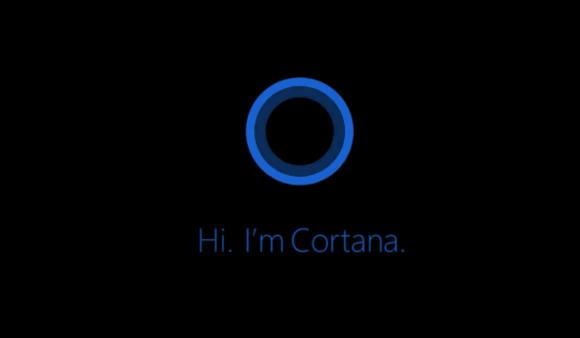
Microsoft has just announced Cortana, its new Voice Assistant which comes with the latest Windows Phone 8.1. It is a rather interesting mobile assistant feature which takes on the likes of Siri and Google Now. To trigger Cortana, just tap on the physical Search Icon from any screen in Windows Phone 8.1.

As you would expect from a Voice Assistant, you can use Cortana to run search, call contacts, write SMS and set Alarms or reminders at specific times. Apart from the usual voice search commands, Cortana also offers contextual content such as traffic info to work, current weather, favourite game scores and preferred news which is similar to Google Now. There’s a new feature called Quiet Hours which is kinda like DND mode that mutes notifications during specific hours. You’ll also get to create a list of family and close friend contacts to bypass the Quiet Hours and there’s also an option to alert you if the same number tried to call you twice within 3 minutes. The usage of Cortana is also expandable with 3rd party app integration. In the hands-on video by WPCentral, you can launch app specific commands such as FourSquare Check-in through Cortana.

Check out the promo and a rather detail hands-on video by WPCentral after the break.

[ SOURCE ]

Tags: CortanamicrosoftVoice assistantwindows phoneWindows Phone 8Windows Phone 8.1Windows Phone 8.1 Voice Assistant
soyacincau

soyacincau

POPULAR

Meet Cortana, Windows Phone’s answer to Siri and Google Now

April 3, 2014

The Single-Stock Trap: Why True Tech Investing Means Moving Beyond a Few Famous Tickers

June 25, 2026

Proton Saga Cross AMA02 spotted undergoing testing at Federal Highway

July 14, 2026

Jaecoo J5 EV: First look at the potential Proton e.MAS and BYD challenger

July 11, 2026

NanoMalaysia: Malaysia’s upcoming homegrown EV battery can help deliver over 600km of range

July 13, 2026

The OPPO Reno16 Pro 5G Lands in Malaysia: A Look at the New 200MP All-in-One Content Studio

July 13, 2026

Copyright © 2025 · SoyaCincau.com
Mind Blow Sdn Bhd (1076827-P)

  • ADVERTISE
  • DISCLAIMER

Copyright © 2026 · SoyaCincau.com – Mind Blow Sdn Bhd (1076827-P)

  • ADVERTISE
  • DISCLAIMER