• 中文版
  • BM
  • News
  • Deals
  • Reviews
    • First Impressions
    • Hands-on
    • Comparisons
  • Tech
    • Mobile
    • Computers
    • Cameras
    • Wearables
    • Audio
    • Drones
  • Telco
    • Celcom
    • Digi
    • Maxis
    • Time
    • Tune Talk
    • U Mobile
    • Unifi
    • Yes
  • Cars
  • Contribute
  • Jobs
Menu
  • 中文版
  • BM
  • News
  • Deals
  • Reviews
    • First Impressions
    • Hands-on
    • Comparisons
  • Tech
    • Mobile
    • Computers
    • Cameras
    • Wearables
    • Audio
    • Drones
  • Telco
    • Celcom
    • Digi
    • Maxis
    • Time
    • Tune Talk
    • U Mobile
    • Unifi
    • Yes
  • Cars
  • Contribute
  • Jobs
Search
  • Tech
    • News
    • Mobile
    • Computers
    • Cameras
    • Wearables
    • Audio
    • Drones
  • Telco
    • Celcom
    • Digi
    • Maxis
    • Time
    • U Mobile
    • Unifi
    • Yes
  • Reviews
    • First Impressions
    • Hands-on
    • Comparisons
  • Buyer’s Guide
  • Opinions
  • Digital Life
  • Video
  • Deals
  • How-To
  • Cars
  • Bahasa Melayu
  • EV
  • Contribute
  • Advertise
Menu
  • Tech
    • News
    • Mobile
    • Computers
    • Cameras
    • Wearables
    • Audio
    • Drones
  • Telco
    • Celcom
    • Digi
    • Maxis
    • Time
    • U Mobile
    • Unifi
    • Yes
  • Reviews
    • First Impressions
    • Hands-on
    • Comparisons
  • Buyer’s Guide
  • Opinions
  • Digital Life
  • Video
  • Deals
  • How-To
  • Cars
  • Bahasa Melayu
  • EV
  • Contribute
  • Advertise
Search
Close
Home Digital Life Apps

Microsoft Paint will be getting layers, transparency and background removal support – just like Photoshop

  • BY Sharil Abdul Rahman
  • 20 September 2023
  • 6:40 pm
  • Comment
Share on FacebookShare on Twitter

According to the Windows blog, Microsoft is adding some high-end photo editing features into Windows Paint with the upcoming Windows 11 Insider build heading to the Beta, Canary and Dev channels. Layers and Transparency will be available for uses to use, and will be joining Background Removal in the application from now on.
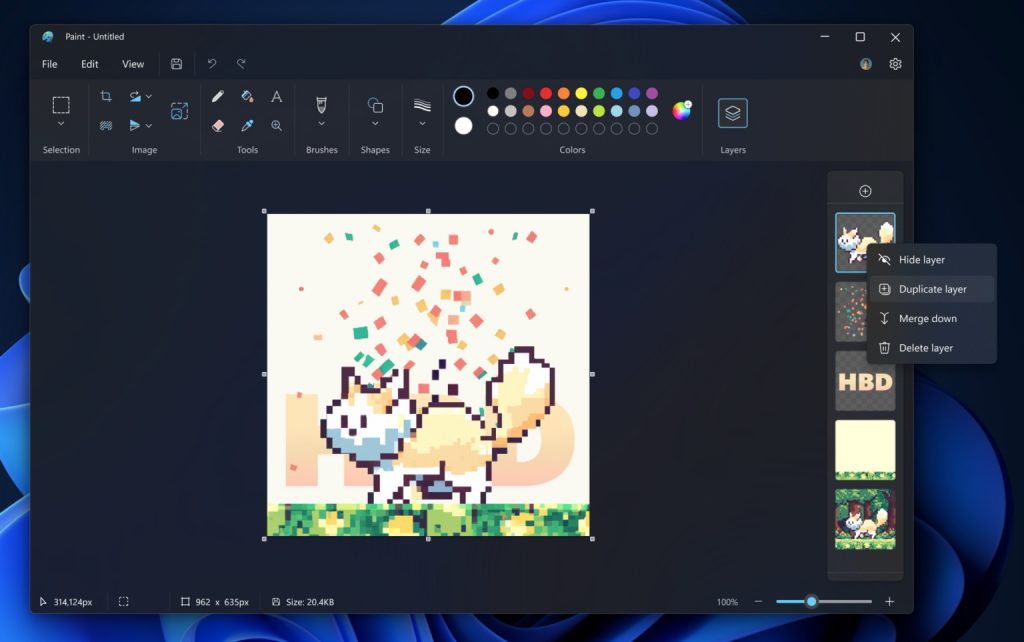
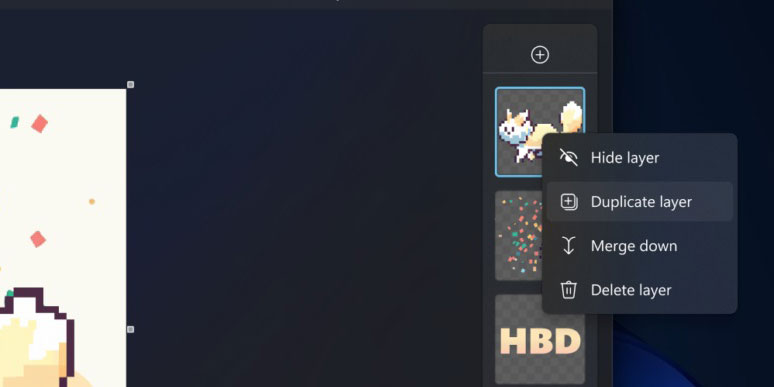
Quoting Microsoft, “You can now add, remove, and manage layers on the canvas to create richer and more complex digital art. With layers, you can stack shapes, text, and other image elements on top of each other.”

While Paint always has the ability to save images in PNG, with the upcoming build users will now be able to save PNG files with transparency layers. The transparency support will be complete – users can delete content from one layer, which will expose the content from the layer below just like Adobe Photoshop.
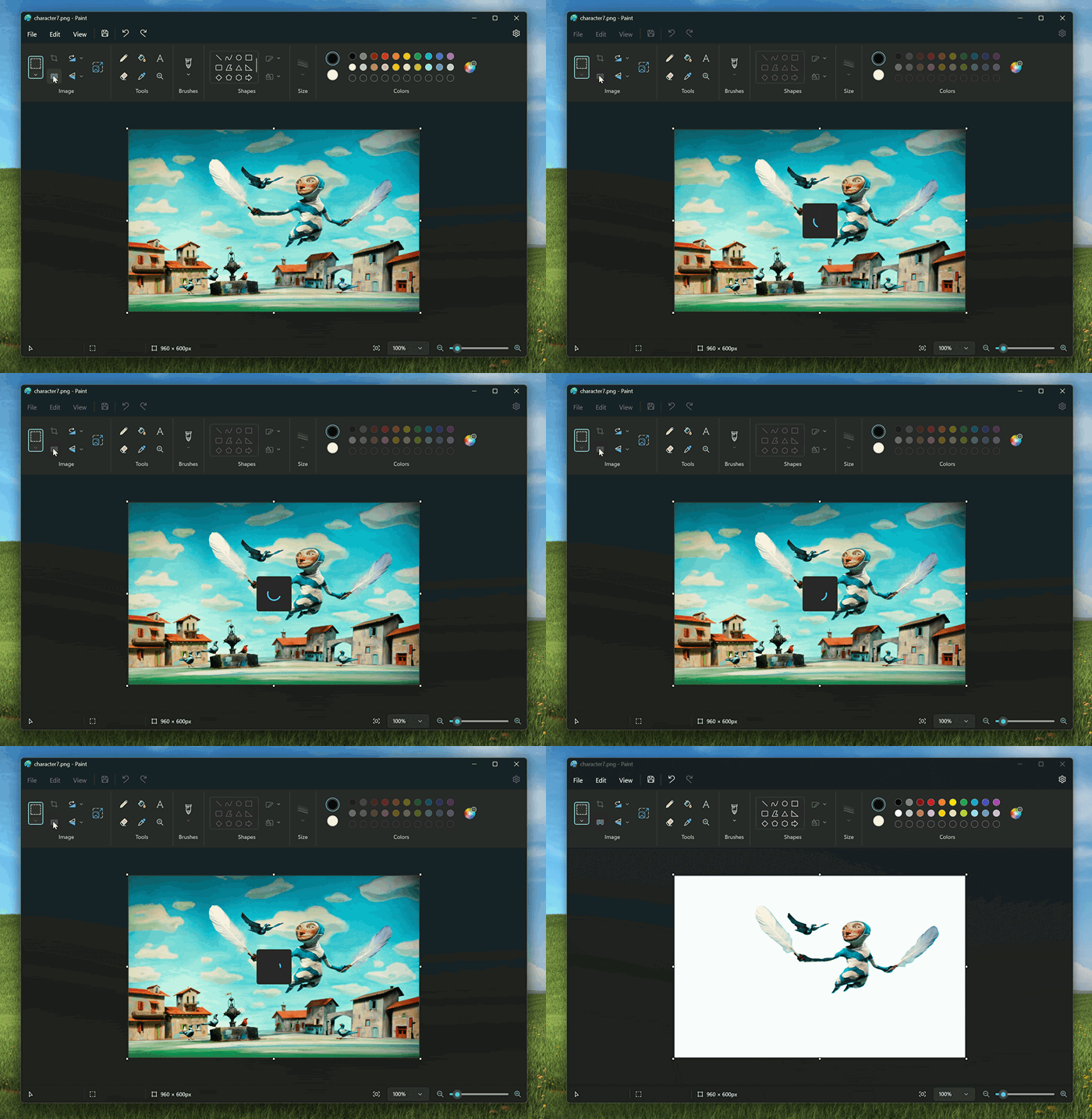
For background removal, it will be a function where users can remove the background of any image automatically in just one click leaving a smooth cutout of the subject. Background removal can detect the subject from the entire canvas or from a selection using the selection tool.

The new additions mean that for most people, you don’t need to get the much more powerful Adobe Photoshop to get intermediate image editing tools. Next time, you just need to fire up Paint. It is no longer just a meme image editor – it is becoming a legitimate editing tool for everyone.

Tags: Adobe PhotoshopmicrosoftMicrosoft Paintmicrosoft windows 11windows 11
Sharil Abdul Rahman

Sharil Abdul Rahman

POPULAR

sooka’s Gilerrr Streaming Challenge Draws 273 Participants, Clinches Malaysia Book of Records Title

December 5, 2025

BOMBA investigating fire involving two EVs parked at home

December 19, 2025

U Mobile Unbeatable Phone Sale: Travel with FREE Global Roaming Across 60+ Destinations

December 10, 2025

Microsoft Paint will be getting layers, transparency and background removal support – just like Photoshop

September 20, 2023

Perodua Traz: B-segment SUV with 1.5L engine and 471L boot, priced from RM76,100

December 17, 2025

JPJePlate: Is the Malaysian flag printed wrongly on EV plates?

December 12, 2025

Copyright © 2025 · SoyaCincau.com
Mind Blow Sdn Bhd (1076827-P)

  • ADVERTISE
  • DISCLAIMER

Copyright © 2025 · SoyaCincau.com – Mind Blow Sdn Bhd (1076827-P)

  • ADVERTISE
  • DISCLAIMER