• 中文版
  • BM
  • News
  • Deals
  • Reviews
    • First Impressions
    • Hands-on
    • Comparisons
  • Tech
    • Mobile
    • Computers
    • Cameras
    • Wearables
    • Audio
    • Drones
  • Telco
    • Celcom
    • Digi
    • Maxis
    • Time
    • Tune Talk
    • U Mobile
    • Unifi
    • Yes
  • Cars
  • Contribute
  • Jobs
Menu
  • 中文版
  • BM
  • News
  • Deals
  • Reviews
    • First Impressions
    • Hands-on
    • Comparisons
  • Tech
    • Mobile
    • Computers
    • Cameras
    • Wearables
    • Audio
    • Drones
  • Telco
    • Celcom
    • Digi
    • Maxis
    • Time
    • Tune Talk
    • U Mobile
    • Unifi
    • Yes
  • Cars
  • Contribute
  • Jobs
Search
  • Tech
    • News
    • Mobile
    • Computers
    • Cameras
    • Wearables
    • Audio
    • Drones
  • Telco
    • Celcom
    • Digi
    • Maxis
    • Time
    • U Mobile
    • Unifi
    • Yes
  • Reviews
    • First Impressions
    • Hands-on
    • Comparisons
  • Buyer’s Guide
  • Opinions
  • Digital Life
  • Video
  • Deals
  • How-To
  • Cars
  • Bahasa Melayu
  • EV
  • Contribute
  • Advertise
Menu
  • Tech
    • News
    • Mobile
    • Computers
    • Cameras
    • Wearables
    • Audio
    • Drones
  • Telco
    • Celcom
    • Digi
    • Maxis
    • Time
    • U Mobile
    • Unifi
    • Yes
  • Reviews
    • First Impressions
    • Hands-on
    • Comparisons
  • Buyer’s Guide
  • Opinions
  • Digital Life
  • Video
  • Deals
  • How-To
  • Cars
  • Bahasa Melayu
  • EV
  • Contribute
  • Advertise
Search
Close
Home News

iOS4 now available for download

  • BY ccsoya
  • 22 June 2010
  • 10:20 am
  • Comment
Share on FacebookShare on Twitter

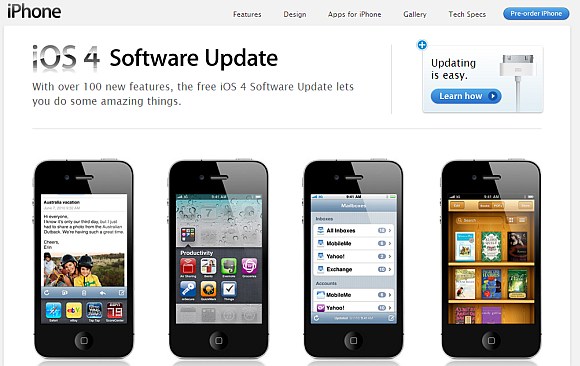
The iPhone 4 might still be months away from Malaysian shores but that doesn’t mean you can’t try out the brand spanking new OS that comes with it (albeit with some limitations depending on which iPhone you’re using)

Yes, ladies and gents, the iOS4 is now available for download complete with multitasking and folders. But before you begin downloading the new OS, you have to have the latest iTunes (ver9.2) installed as well.

While you’re waiting for the downloads to be completed here’s a here’s a 10 minute video guide on the iOS4 to get you familiarized with the new features and what not.

The video demo is running on an iPhone 3GS which gets to use almost all of the new features iOS4. But if you’re running the iPhone do note that you will not be getting multitasking and a few other things. So we’d advice those running on iPhone 3G not to upgrade for risk of making your phone slower.

Don’t say we didn’t warn you.

Check out the video after the jump.

[source]

Tags: Appleguide to iOS4iOS4iOS4 videoiOS4 video walkthroughiPhoneiTunes
ccsoya

ccsoya

POPULAR

Nissan Finally Gives the Serena a Real Hybrid Powertrain in Malaysia. Estimated from RM160k to RM180k

January 16, 2026

iOS4 now available for download

June 22, 2010

MITI officially sets RM250,000 as the minimum price for CBU EVs in Malaysia

January 21, 2026

Tired of cracked screens or short battery life? The REDMI Note 15 Series take a durability-first approach

January 15, 2026

Malaysia’s first 5g advanced Broadband: What You Get for RM68/month

January 14, 2026

Here’s How Samsung Galaxy AI Can Help Change the Way You Work

December 30, 2025

Copyright © 2025 · SoyaCincau.com
Mind Blow Sdn Bhd (1076827-P)

  • ADVERTISE
  • DISCLAIMER

Copyright © 2026 · SoyaCincau.com – Mind Blow Sdn Bhd (1076827-P)

  • ADVERTISE
  • DISCLAIMER