This post is brought to you by Tenaga Nasional Berhad.
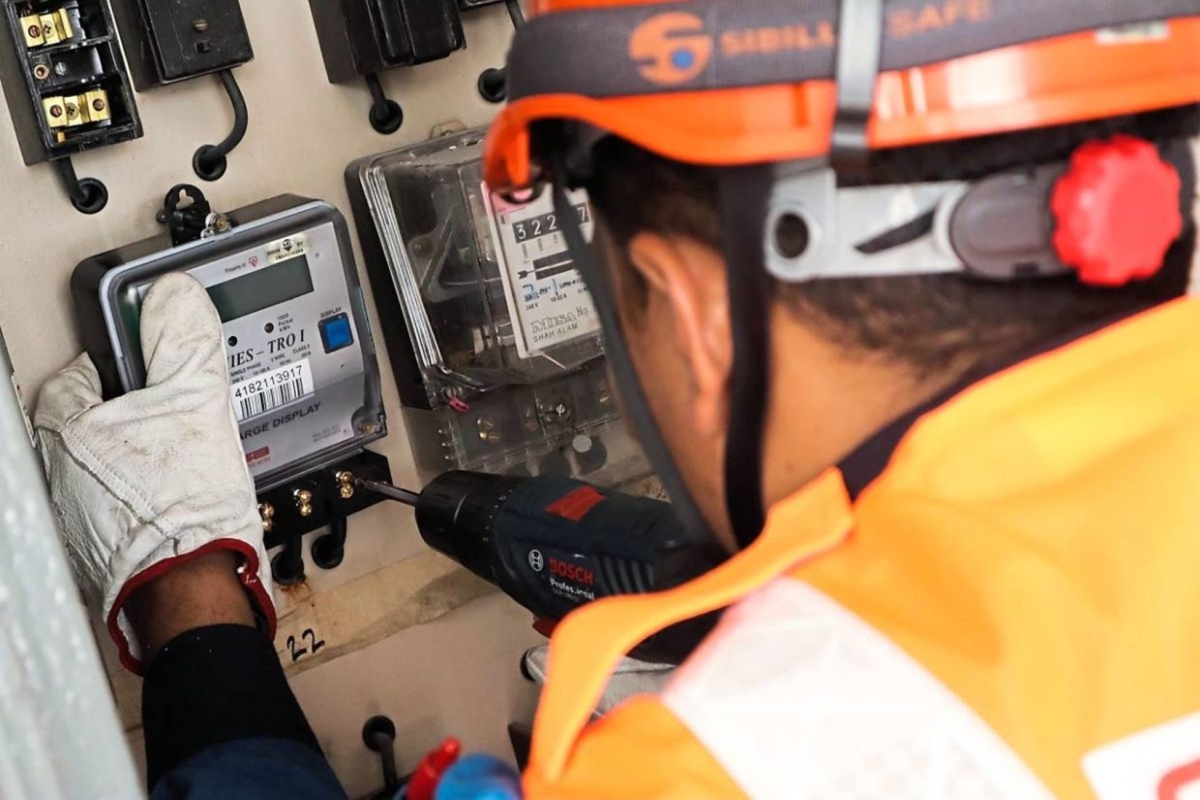
Who doesn’t want to be more well-informed of their energy and electricity consumption? After all, not only will you be doing the world a favour, being able to keep track of your electricity usage is one easy way to lighten the load on your wallet. And that’s where Tenaga Nasional Berhad (TNB)’s Smart Meters come into play.
With over 2 million Smart Meters installed, TNB has made big strides in getting this technology out and into the hands of the consumer. But, why should you care about the TNB Smart Meter? Well, there are a couple of reasons.
For starters, the Smart Meter is designed to let users monitor and manage their daily energy consumption via the myTNB app. This will allow you to be a more prudent consumer. The myTNB app will also allow users to view current and previous electricity bills as well as make payments anytime and anywhere.
This will also reduce the reliance on paper and paper bills. Having everything in an easy-to-access page on the myTNB app is not only better for you, but also for the environment.
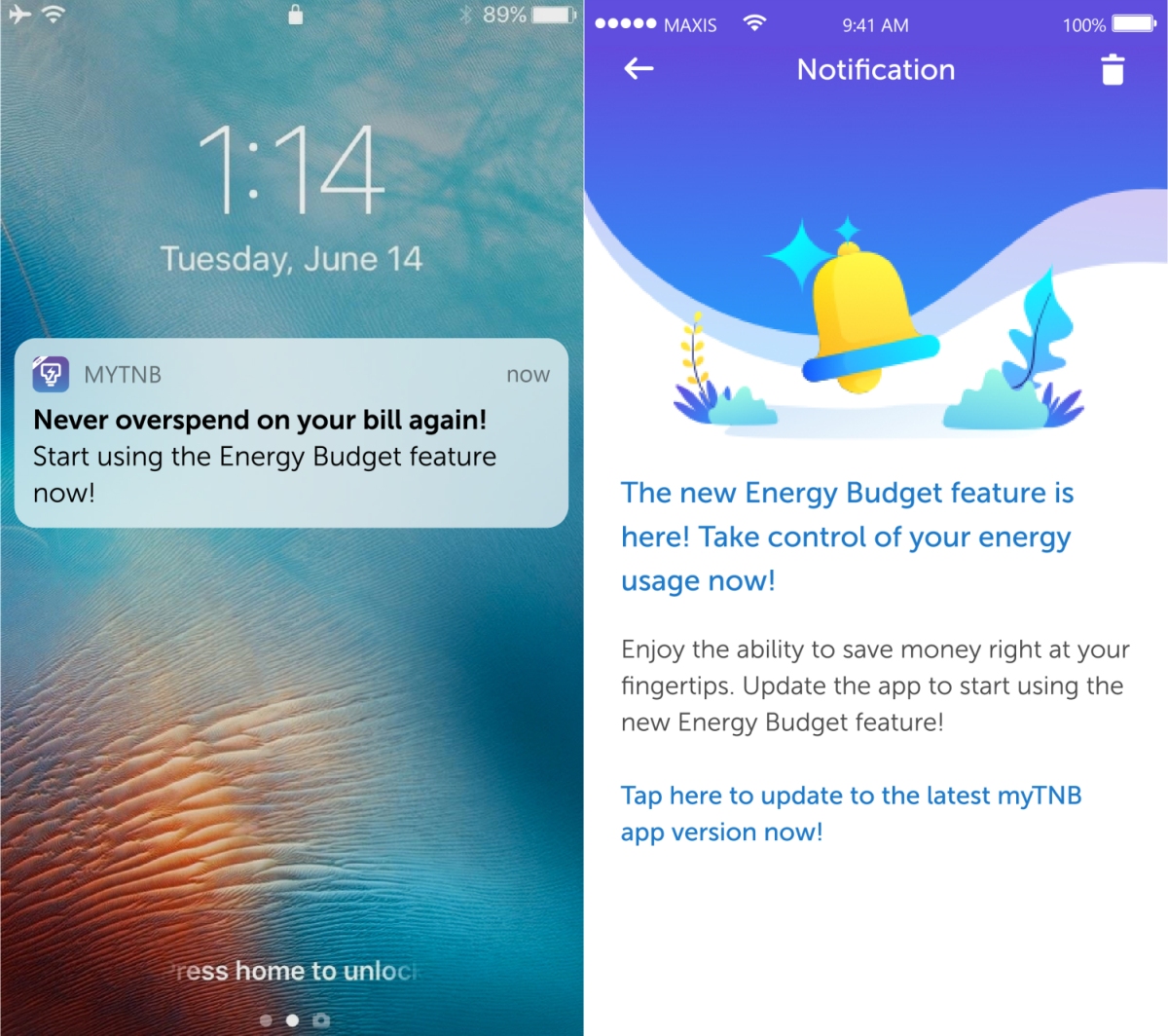
TNB is also introducing the Energy Budget feature, which is designed to help customers with Smart Meter installed at their premises to better manage their residential energy consumption by allowing them to set a limit and monitor in real time.
In order to enjoy the benefits of this new and exclusive feature for Smart Meter users, you will need to make sure your myTNB app is updated to the latest version. Once it is, you will be greeted with the Energy Budget Introduction screen.
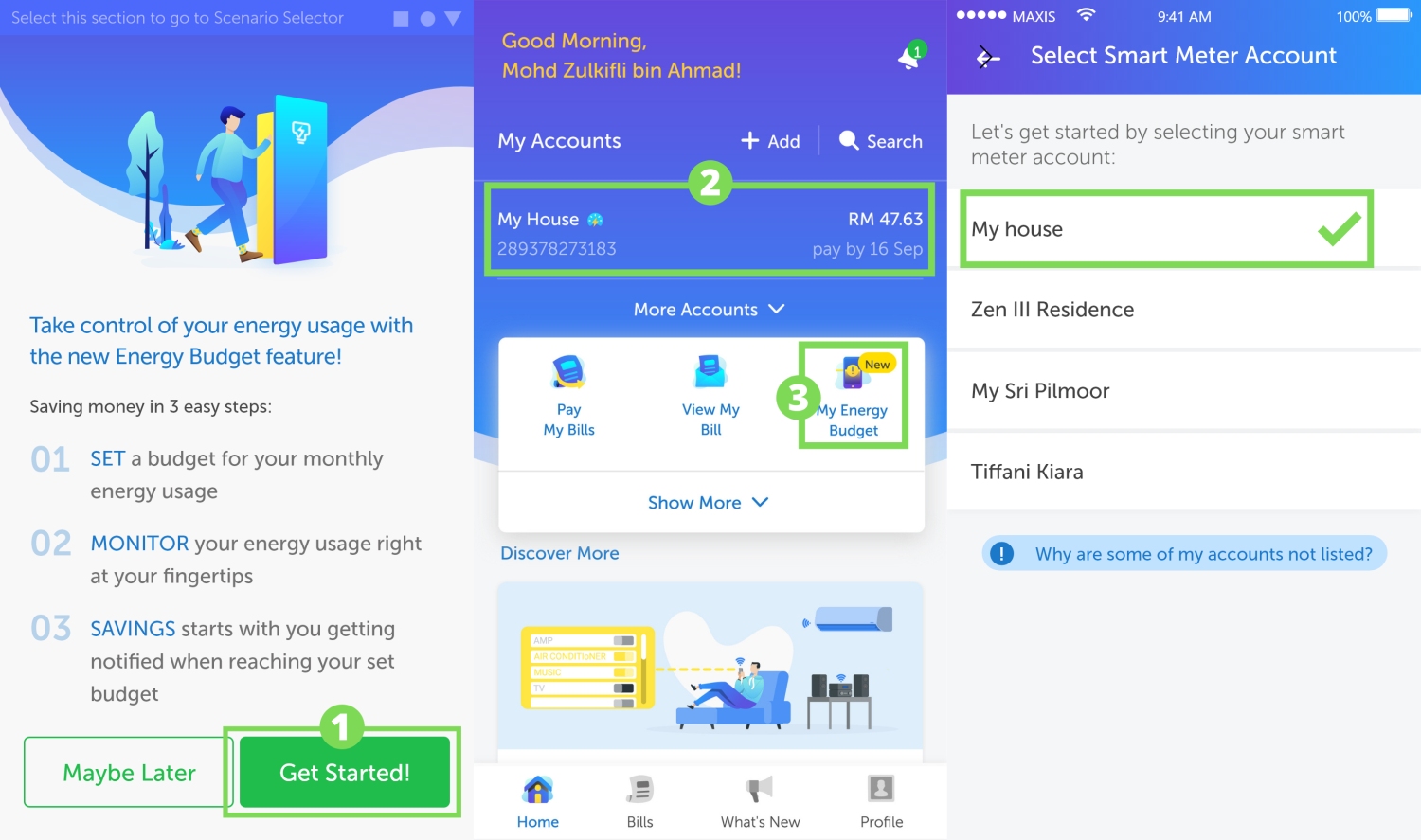
Tap on the “Get Started!” button and you’ll be able to set your Energy Budget by tapping the “Set Now” button. Customers with more than one residential Smart Meter Account will need to select which account they want to set up for Energy Budget. After that, you can enter the monetary budget limit (in RM) and tap “Save New Budget”. Now, you’ll see horizontal bar that fills up as you gradually consume energy, giving you a clear visual representation of how much energy you’ve used in RM and you have left before reaching your budget limit.
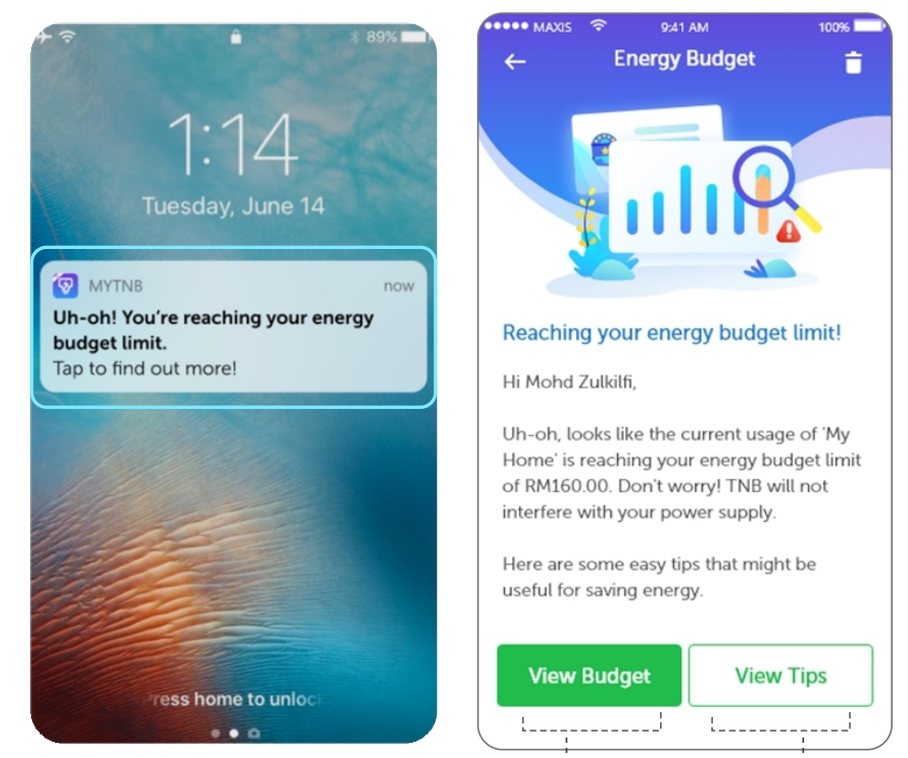
It will also alert you once you’ve reached the threshold of your Energy Budget, at 75% and 100%. Worry not, reaching 100% of the Energy Budget limit doesn’t mean your electricity supply would be disconnected; it simply means that you have reached the monetary budget level you have set for your household’s energy consumption. It also means that it is time to apply some saving tips, which can be found on the myTNB app, too.
But how does one get a Smart Meter? Well, first you should wait for an official letter from TNB informing you that your home has been identified to have the Smart Meter installed. Currently, Smart Meters have been installed across the Klang Valley, Putrajaya, Cyberjaya, Malacca, Langkawi, and Kuala Nerang, while expansion to Johor and Penang have been planned. Fret not, the installation is free.
Download the myTNB app on both Android, iOS and App Gallery. For more details on the Smart Meter, head to TNB’s website.