
• 中文版
  • BM
  • News
  • Deals
  • Reviews
    • First Impressions
    • Hands-on
    • Comparisons
  • Tech
    • Mobile
    • Computers
    • Cameras
    • Wearables
    • Audio
    • Drones
  • Telco
    • Celcom
    • Digi
    • Maxis
    • Time
    • Tune Talk
    • U Mobile
    • Unifi
    • Yes
  • Cars
  • Contribute
  • Jobs
Menu
  • 中文版
  • BM
  • News
  • Deals
  • Reviews
    • First Impressions
    • Hands-on
    • Comparisons
  • Tech
    • Mobile
    • Computers
    • Cameras
    • Wearables
    • Audio
    • Drones
  • Telco
    • Celcom
    • Digi
    • Maxis
    • Time
    • Tune Talk
    • U Mobile
    • Unifi
    • Yes
  • Cars
  • Contribute
  • Jobs
Search
  • Tech
    • News
    • Mobile
    • Computers
    • Cameras
    • Wearables
    • Audio
    • Drones
  • Telco
    • Celcom
    • Digi
    • Maxis
    • Time
    • U Mobile
    • Unifi
    • Yes
  • Reviews
    • First Impressions
    • Hands-on
    • Comparisons
  • Buyer’s Guide
  • Opinions
  • Digital Life
  • Video
  • Deals
  • How-To
  • Cars
  • Bahasa Melayu
  • EV
  • Contribute
  • Advertise
Menu
  • Tech
    • News
    • Mobile
    • Computers
    • Cameras
    • Wearables
    • Audio
    • Drones
  • Telco
    • Celcom
    • Digi
    • Maxis
    • Time
    • U Mobile
    • Unifi
    • Yes
  • Reviews
    • First Impressions
    • Hands-on
    • Comparisons
  • Buyer’s Guide
  • Opinions
  • Digital Life
  • Video
  • Deals
  • How-To
  • Cars
  • Bahasa Melayu
  • EV
  • Contribute
  • Advertise
Search
Close
Home Digital Life Apps

Zoom introduces Focus mode, meant to stop students from getting distracted during online classes

  • BY Dzamira Dzafri
  • 12 August 2021
  • 11:32 am
  • Comment
Share on FacebookShare on Twitter

Zoom announced that they now have a new feature called Focus Mode, which is meant to keep students from getting distracted during online classes. The announcement was made in a “back-to-school” blog post as many schools are still opting for remote learning.

“…Back-to-school preparation may look a little different—instead of shopping for backpacks or going over bus schedules, your student may be learning how to join a Zoom class session or log on to their school’s learning management system (LMS),” wrote Zoom.

Focus Mode works by giving the host and co-hosts (the teachers, in this case) the ability to view all of the participants’ (the students) videos, but the participants won’t be able to see other participants during the call. This also applies during screen sharing, as the hosts can view and switch between each participant’s shared screen while the participants can only view their own content.

However, if the hosts want a participant’s content to be shared with others, they can easily opt to. According to Zoom, the new feature will allow students to “stay attentive or work on their tasks while under supervision, without being distracted by others and their tasks”.
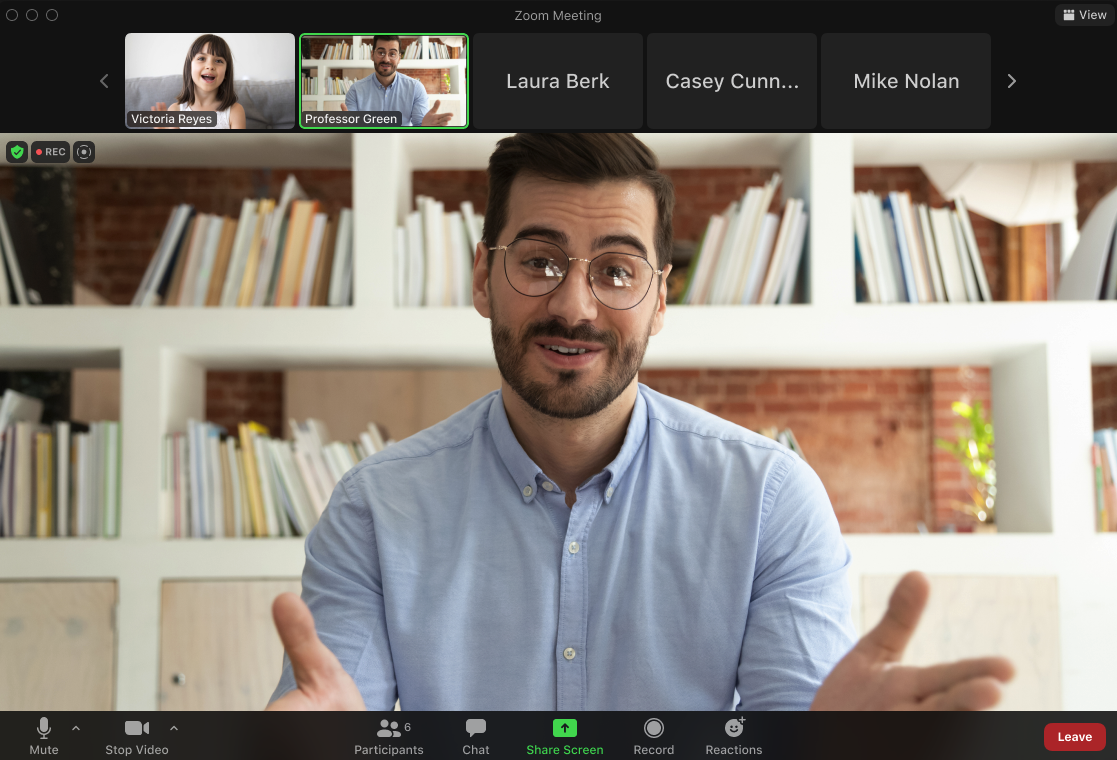
“With this feature, teachers can supervise their class, but students won’t be distracted by their peers’ video feeds or feel self-conscious about turning on their own camera,” explained Zoom.

I can’t imagine how difficult it would be to concentrate in a class using a video conferincing platform, especially if it’s a rather long class and you’re no longer in an environment where a teacher can give you face-to-face attention. Zoom’s new feature might be able to help the situation, especially as I’ve seen quite a few videos online where students would pull pranks during Zoom classes.

To use Focus mode in your next online class, start a meeting as the host or co-host, then click ‘More’ on the meeting toolbar. You’ll then be able to click ‘Start Focus Mode’. When Focus Mode begins, you and the participants are notified with a banner along the top of the video window. The Focus Mode icon is also always visible in the top-left corner of the video window while focus mode is active. You can find more information on how Focus Mode works here.

Besides the new feature announcement, Zoom also shares ways to help students get ready for video conference classes. The tips include setting up a dedicated spot for studying and joining Zoom class sessions, learning Zoom’s video and audio settings, and other features you can learn to use on the platform like the ‘Raise Hand’ option.


[ SOURCE, 2 ]

Related reading

You can use Snap Camera to turn yourself into a Disney Princess in your next Zoom meeting
Zoom to pay RM358 million to users for making false claims about its end-to-end encryption
Tags: Focus ModeOnline ClassesVideo Conferencingzoom
Dzamira Dzafri

Dzamira Dzafri

POPULAR

Upgraded To a New Phone? Cool. But When Was the Last Time you Upgraded your Shaver?

November 10, 2025

5 Reasons Every Home Should Have a Smart Security System

November 11, 2025

Solar ATAP: The new solar programme for consumers will only start in 2026

December 2, 2025

Zoom introduces Focus mode, meant to stop students from getting distracted during online classes

August 12, 2021
Perodua QV-E EV

Perodua QV-E is now official: Electric sportback with 201hp, 445km NEDC range, priced at RM80k not inclusive of battery subscription

December 1, 2025

GrabRewards is now GrabCoins: Now with even more ways to earn and save

November 17, 2025

Copyright © 2025 · SoyaCincau.com
Mind Blow Sdn Bhd (1076827-P)

  • ADVERTISE
  • DISCLAIMER

Copyright © 2025 · SoyaCincau.com – Mind Blow Sdn Bhd (1076827-P)

  • ADVERTISE
  • DISCLAIMER