• 中文版
  • BM
  • News
  • Deals
  • Reviews
    • First Impressions
    • Hands-on
    • Comparisons
  • Tech
    • Mobile
    • Computers
    • Cameras
    • Wearables
    • Audio
    • Drones
  • Telco
    • Celcom
    • Digi
    • Maxis
    • Time
    • Tune Talk
    • U Mobile
    • Unifi
    • Yes
  • Cars
  • Contribute
  • Jobs
Menu
  • 中文版
  • BM
  • News
  • Deals
  • Reviews
    • First Impressions
    • Hands-on
    • Comparisons
  • Tech
    • Mobile
    • Computers
    • Cameras
    • Wearables
    • Audio
    • Drones
  • Telco
    • Celcom
    • Digi
    • Maxis
    • Time
    • Tune Talk
    • U Mobile
    • Unifi
    • Yes
  • Cars
  • Contribute
  • Jobs
Search
  • Tech
    • News
    • Mobile
    • Computers
    • Cameras
    • Wearables
    • Audio
    • Drones
  • Telco
    • Celcom
    • Digi
    • Maxis
    • Time
    • U Mobile
    • Unifi
    • Yes
  • Reviews
    • First Impressions
    • Hands-on
    • Comparisons
  • Buyer’s Guide
  • Opinions
  • Digital Life
  • Video
  • Deals
  • How-To
  • Cars
  • Bahasa Melayu
  • EV
  • Contribute
  • Advertise
Menu
  • Tech
    • News
    • Mobile
    • Computers
    • Cameras
    • Wearables
    • Audio
    • Drones
  • Telco
    • Celcom
    • Digi
    • Maxis
    • Time
    • U Mobile
    • Unifi
    • Yes
  • Reviews
    • First Impressions
    • Hands-on
    • Comparisons
  • Buyer’s Guide
  • Opinions
  • Digital Life
  • Video
  • Deals
  • How-To
  • Cars
  • Bahasa Melayu
  • EV
  • Contribute
  • Advertise
Search
Close
Home Digital Life Apps

You can use Snap Camera to turn yourself into a Disney Princess in your next Zoom meeting

  • BY Dzamira Dzafri
  • 28 July 2021
  • 1:29 pm
  • Comment
Share on FacebookShare on Twitter

Let’s be real—sometimes you aren’t looking or feeling your best, but video calls are abundant. Enter: the Disney animation-esque Snap Camera filter to use in case you aren’t really feeling like showing your face on camera, while technically showing your face on camera.

But first, you’d need to take note that Snap Camera—a Snapchat product for your desktop—so far only works with Zoom. I tried using it with Google Meet, with no avail. Here’s a little tutorial on how to use the filter for your next Zoom meeting:
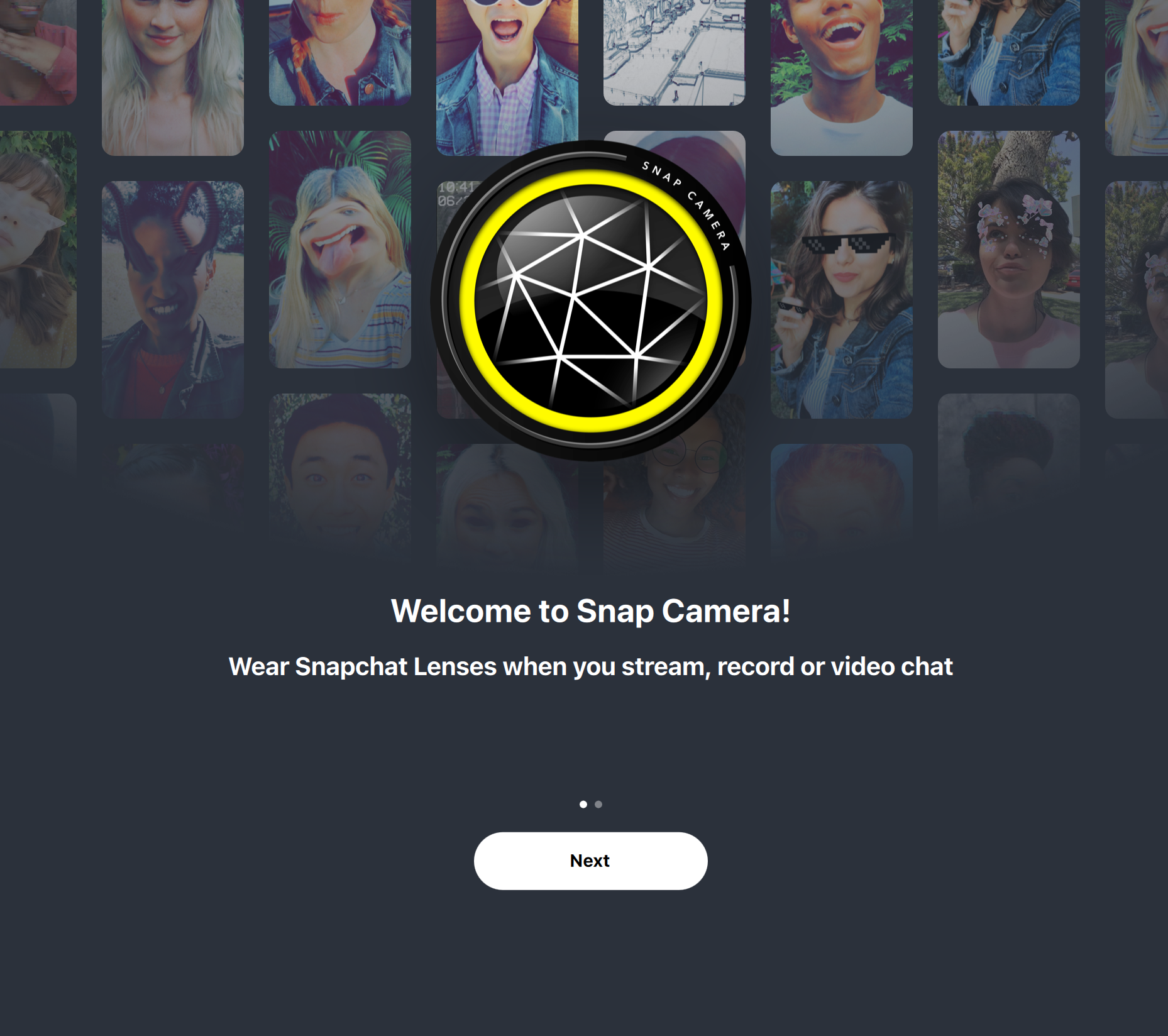
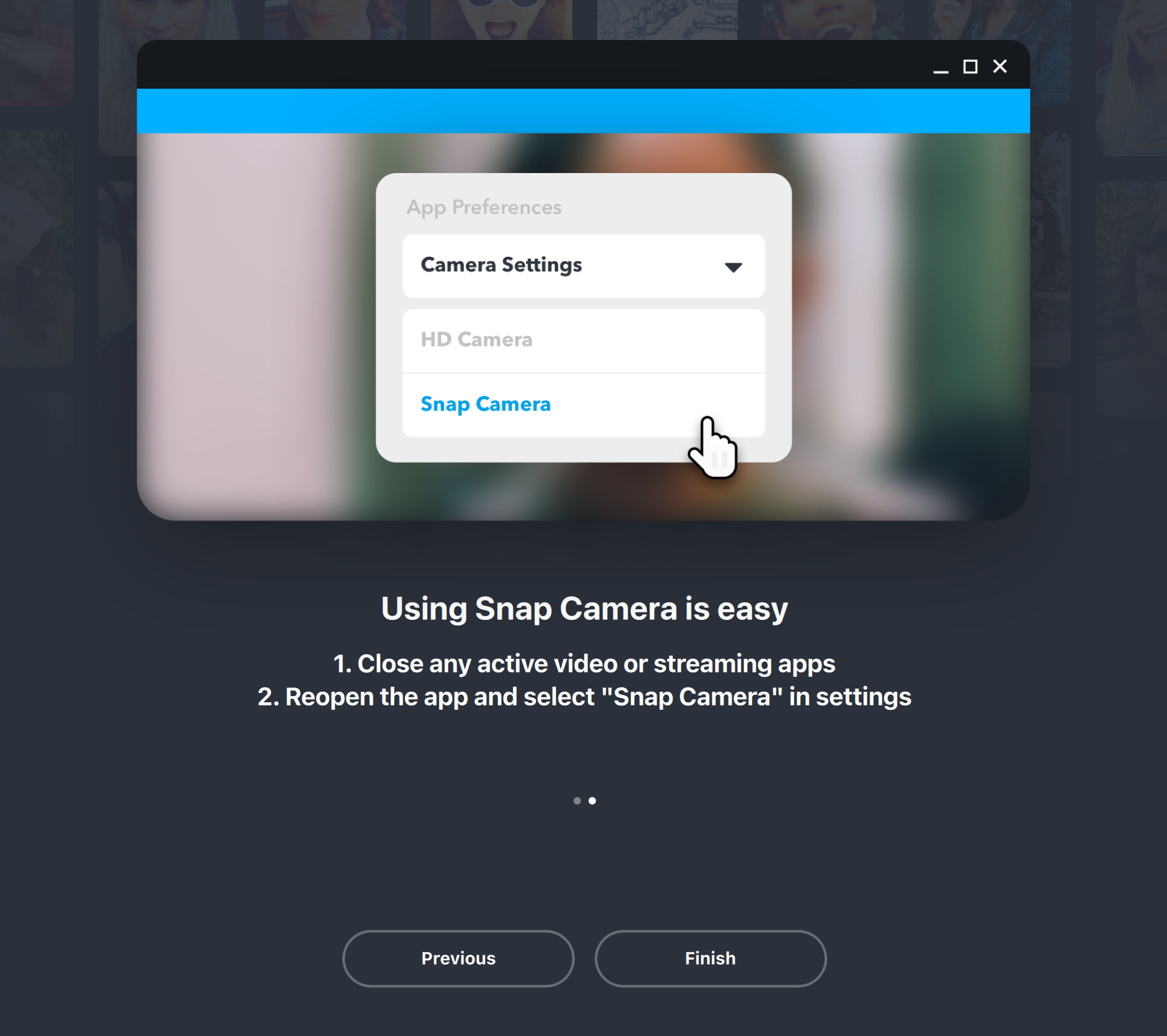
  • Download Snap Camera
  • To use Snap Camera, make sure you close active video or streaming apps
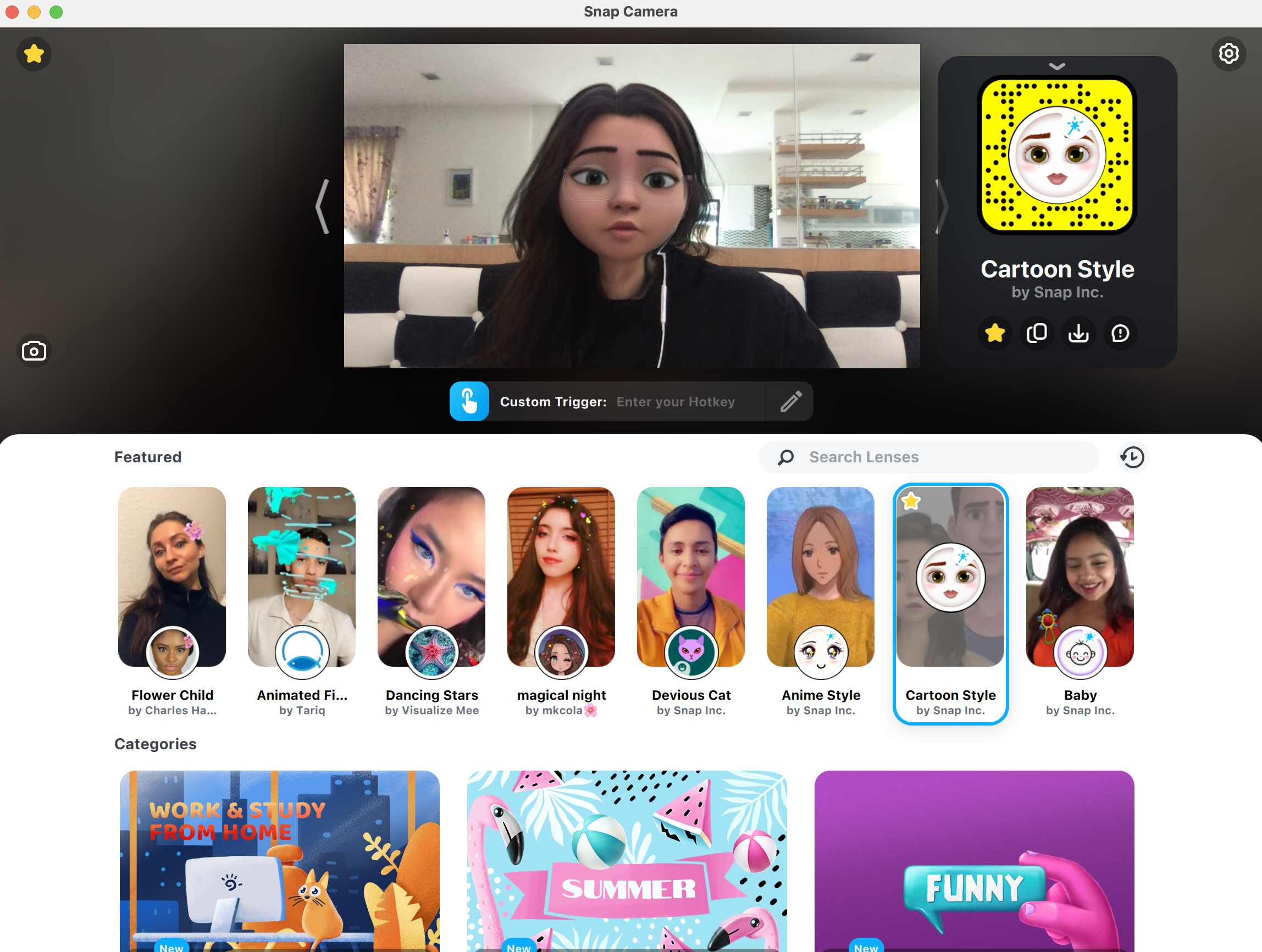
  • You can use the Snap Camera application to choose your favourite filters to use
  • You’re able to “fave” the filters you like best by clicking the star button while using the filter
  • Once you’re satisfied with the chosen filter (the Disney Princess filter is called “Cartoon Style”), join or start a Zoom call
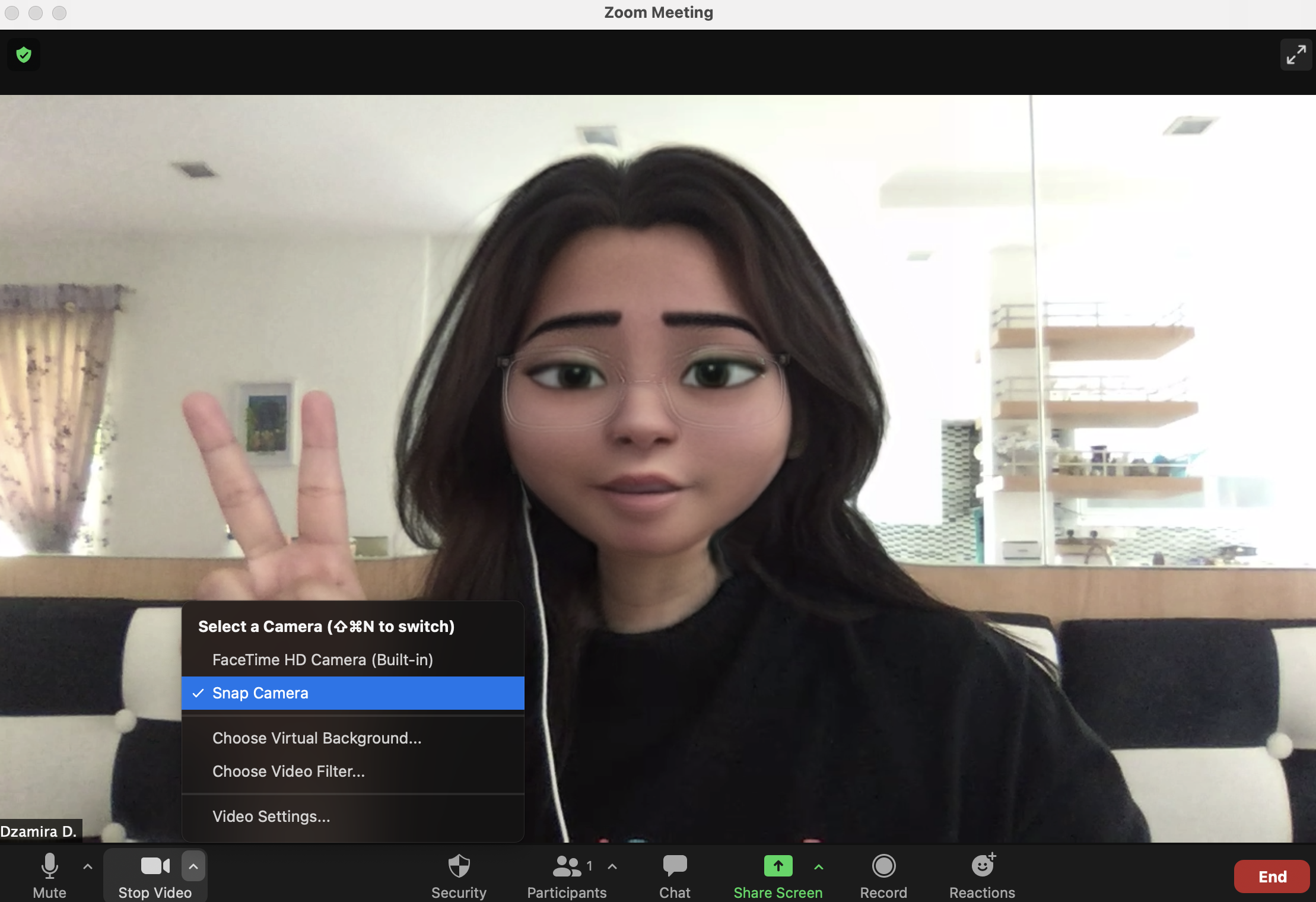
  • Select “Snap Camera” as your chosen camera. It should be showing you with the filter you chose through the Snap Camera application
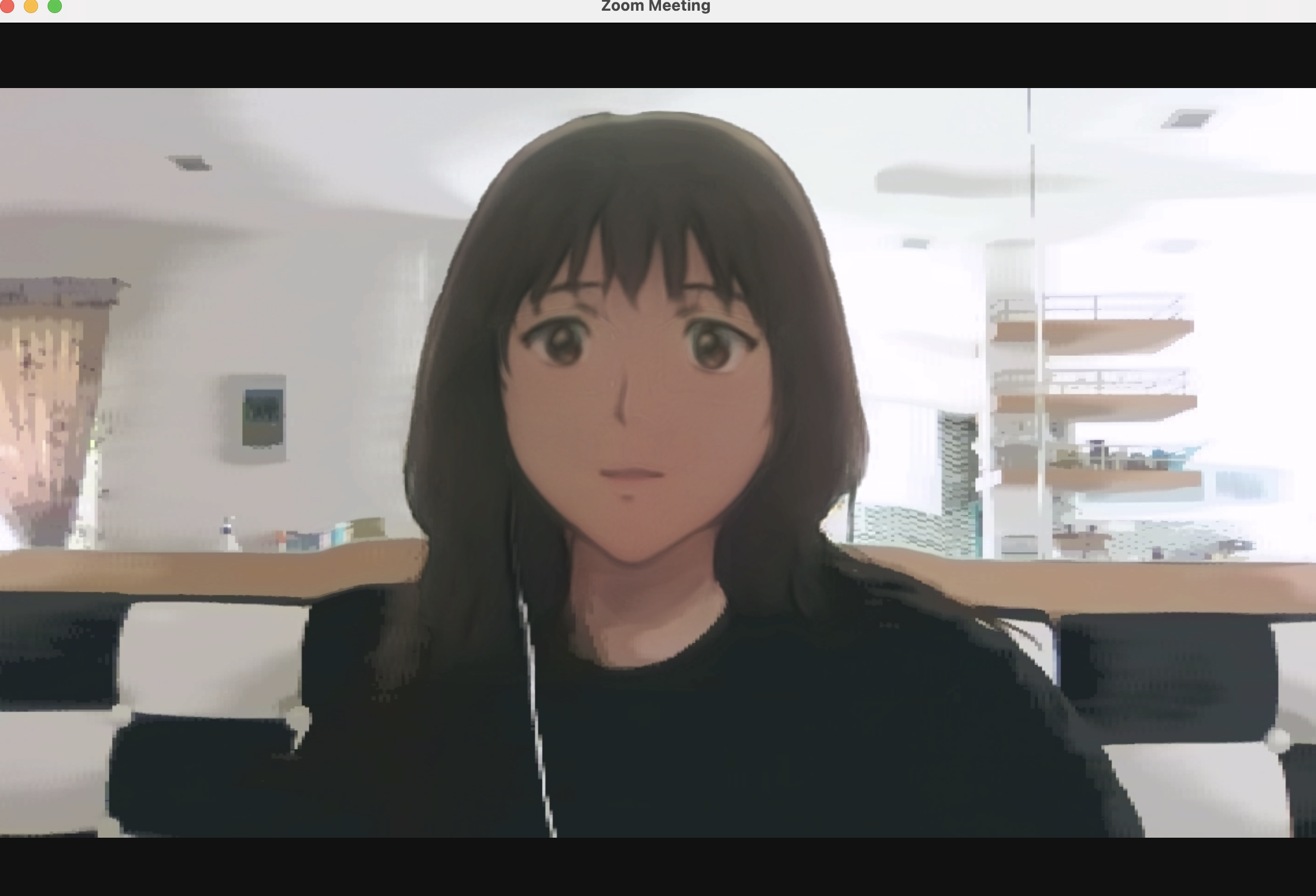
If you want to change the filter, you have to go back to the Snap Camera application and choose another filter. The filter will automatically change on Zoom. And yes, Snap Camera also has an anime filter.

These filters are also available on the Snapchat app itself, but Snap Camera lets you utilise these fun filters during your video conferences. Having yourself look like a Disney Princess once in a while can give you a little extra cheer to your day, but if you’re a guy—or have more generic male features—the filter might turn you into Linguini from the Pixar movie Ratatouille.
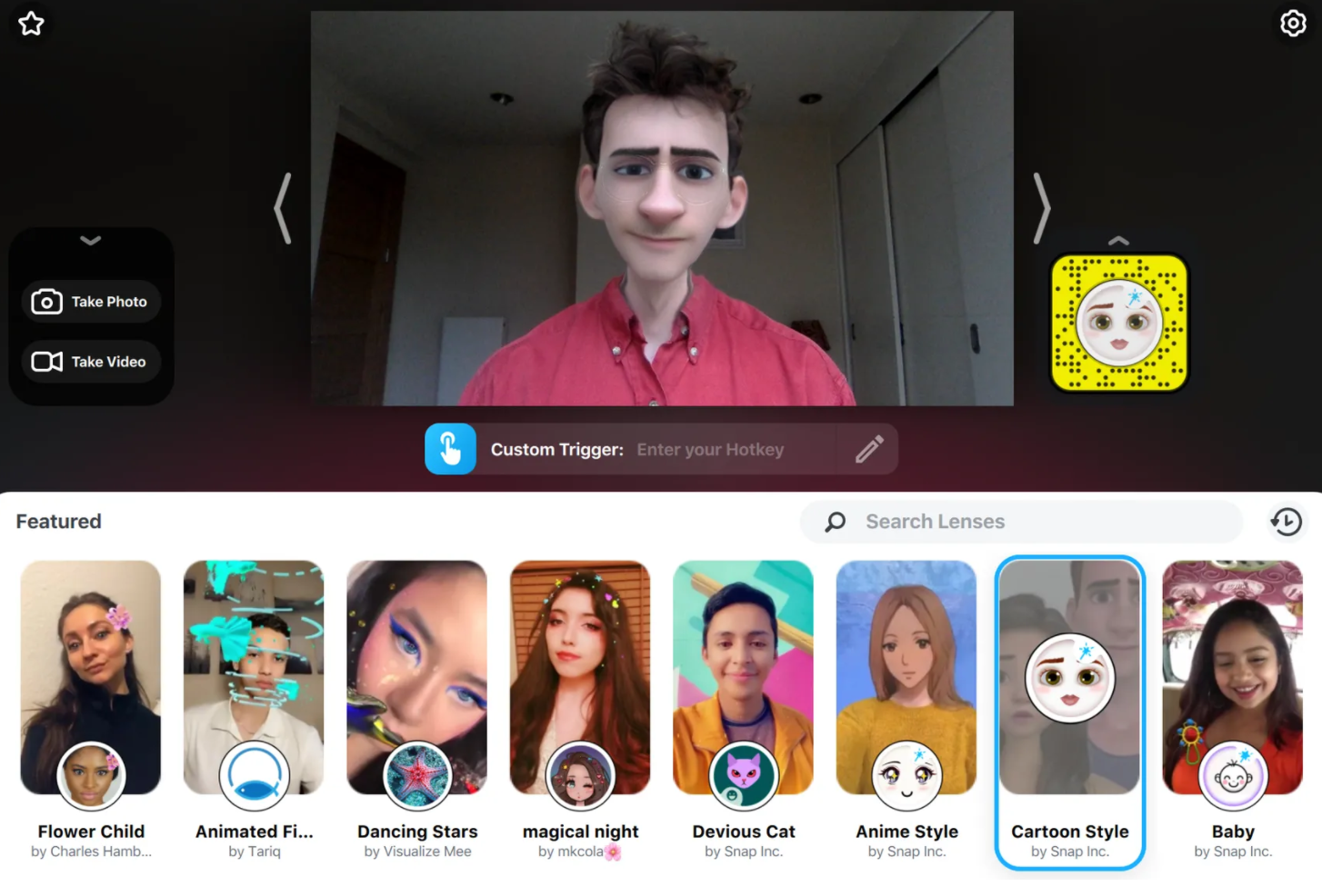
Source: The Verge

Snapchat also let you use AR filters on their app to bring your Bitmojis to life. Additionally, you can turn your character into a master painter, chef or even tennis player—as well as other fun stuff.

[ SOURCE ]

Tags: snap camerasnapchatzoom
Dzamira Dzafri

Dzamira Dzafri

POPULAR

You can use Snap Camera to turn yourself into a Disney Princess in your next Zoom meeting

July 28, 2021
Rear view of the OPPO Find X9 Ultra in Tundra Umber standing vertically on a stone surface with a lush green bokeh background. The device features an eco-friendly vegan leather back with a classic stitching design , vertically oriented Hasselblad and OPPO logos , and a large circular Master Lens camera module with a bronze-toned knurled ring.

Clearing Every Expectation: How the OPPO Find X9 Ultra Redefines the Modern Flagship Experience

April 16, 2026
Proton EV Plant, Tanjung Malim

MITI says EVs won’t become more expensive, but can Malaysia’s CKD industry fill the gap?

May 10, 2026

Maxis Home Solar now offers outright purchase option, with up to 80% electricity bill savings

May 11, 2026

Vibe Mobile is U Mobile’s latest MVNO partner for 5G services

May 11, 2026

SoyaCincau x Dongfeng: We’re taking over Sepang for Malaysia’s biggest EV Track Day for 2026

May 8, 2026

Copyright © 2025 · SoyaCincau.com
Mind Blow Sdn Bhd (1076827-P)

  • ADVERTISE
  • DISCLAIMER

Copyright © 2026 · SoyaCincau.com – Mind Blow Sdn Bhd (1076827-P)

  • ADVERTISE
  • DISCLAIMER