• 中文版
  • BM
  • News
  • Deals
  • Reviews
    • First Impressions
    • Hands-on
    • Comparisons
  • Tech
    • Mobile
    • Computers
    • Cameras
    • Wearables
    • Audio
    • Drones
  • Telco
    • Celcom
    • Digi
    • Maxis
    • Time
    • Tune Talk
    • U Mobile
    • Unifi
    • Yes
  • Cars
  • Contribute
  • Jobs
Menu
  • 中文版
  • BM
  • News
  • Deals
  • Reviews
    • First Impressions
    • Hands-on
    • Comparisons
  • Tech
    • Mobile
    • Computers
    • Cameras
    • Wearables
    • Audio
    • Drones
  • Telco
    • Celcom
    • Digi
    • Maxis
    • Time
    • Tune Talk
    • U Mobile
    • Unifi
    • Yes
  • Cars
  • Contribute
  • Jobs
Search
  • Tech
    • News
    • Mobile
    • Computers
    • Cameras
    • Wearables
    • Audio
    • Drones
  • Telco
    • Celcom
    • Digi
    • Maxis
    • Time
    • U Mobile
    • Unifi
    • Yes
  • Reviews
    • First Impressions
    • Hands-on
    • Comparisons
  • Buyer’s Guide
  • Opinions
  • Digital Life
  • Video
  • Deals
  • How-To
  • Cars
  • Bahasa Melayu
  • EV
  • Contribute
  • Advertise
Menu
  • Tech
    • News
    • Mobile
    • Computers
    • Cameras
    • Wearables
    • Audio
    • Drones
  • Telco
    • Celcom
    • Digi
    • Maxis
    • Time
    • U Mobile
    • Unifi
    • Yes
  • Reviews
    • First Impressions
    • Hands-on
    • Comparisons
  • Buyer’s Guide
  • Opinions
  • Digital Life
  • Video
  • Deals
  • How-To
  • Cars
  • Bahasa Melayu
  • EV
  • Contribute
  • Advertise
Search
Close
Home Digital Life

iOS 14.4 lets you label your Bluetooth devices. Here’s why it will help

  • BY Dzamira Dzafri
  • 27 January 2021
  • 9:37 pm
  • Comment
Share on FacebookShare on Twitter

iOS 14.4 has rolled out, and along with fixes to security flaws, the new update allowed iPhone and iPad users to label Bluetooth devices as more specific types of devices. You can differentiate them as speakers, headphones, hearing aids, and car stereos.

How to label your Bluetooth device
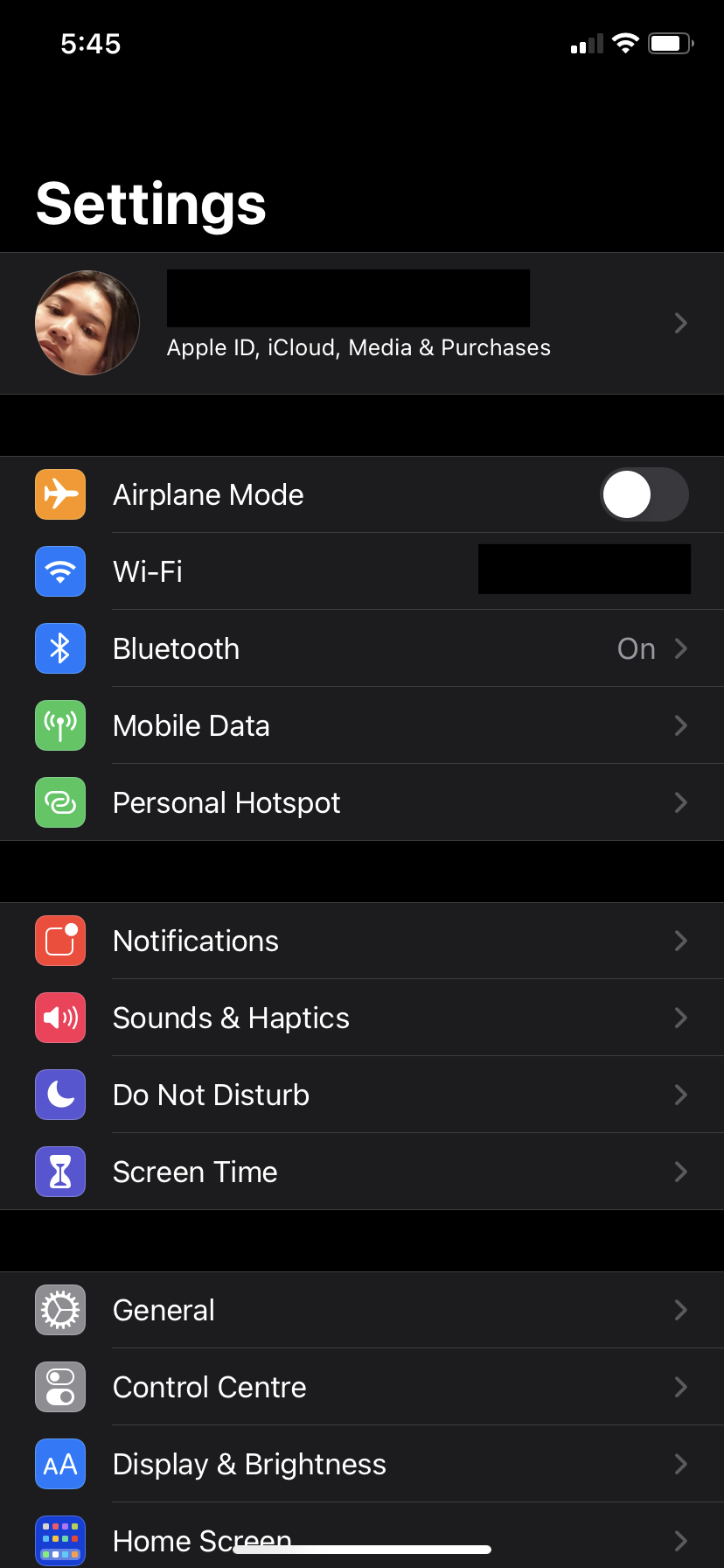
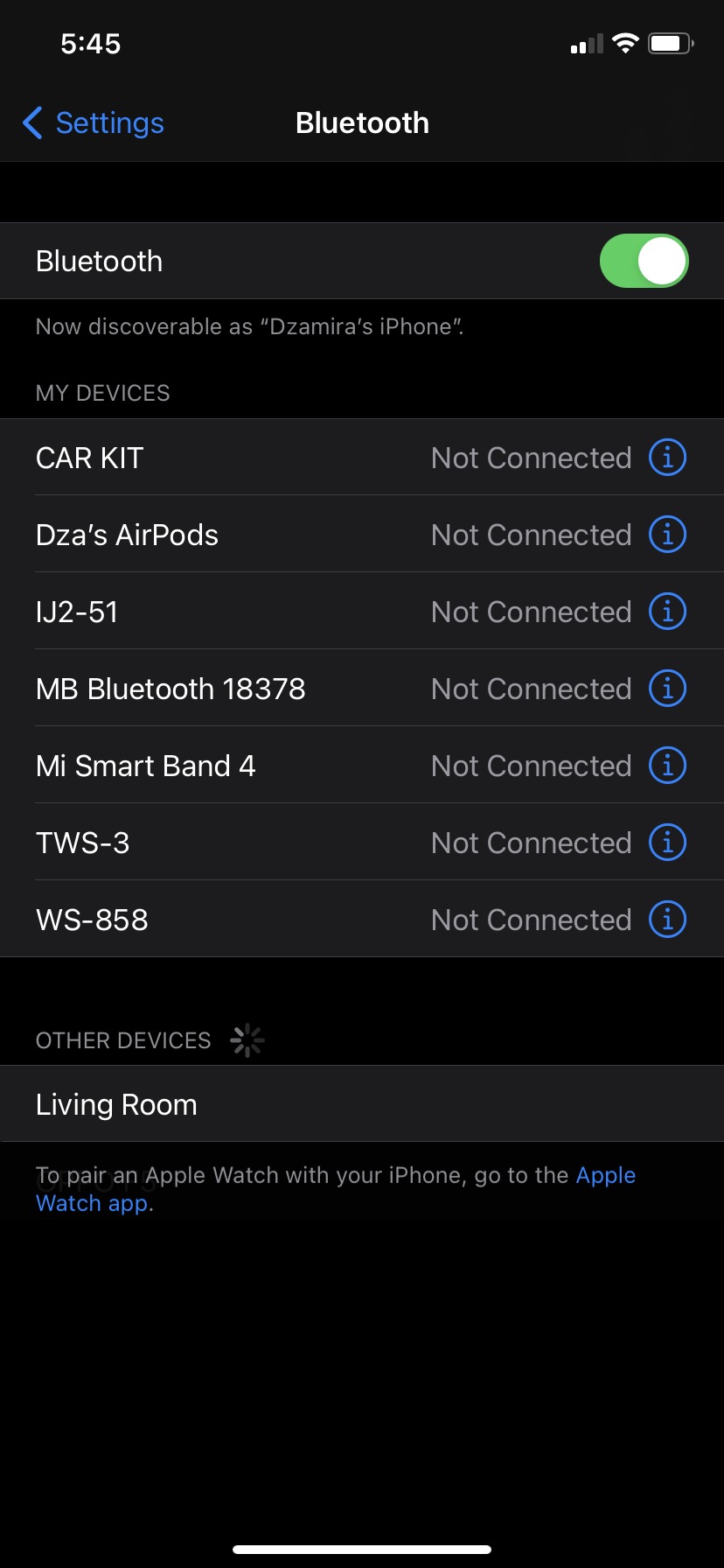
  • Make sure you’ve updated your iPhone/iPad to iOS 14.4. You can do so manually at Settings > General > Software Update
  • Go to Settings
  • Select Bluetooth
  • Tap the “i” icon next to a Bluetooth device (it doesn’t have to be connected)
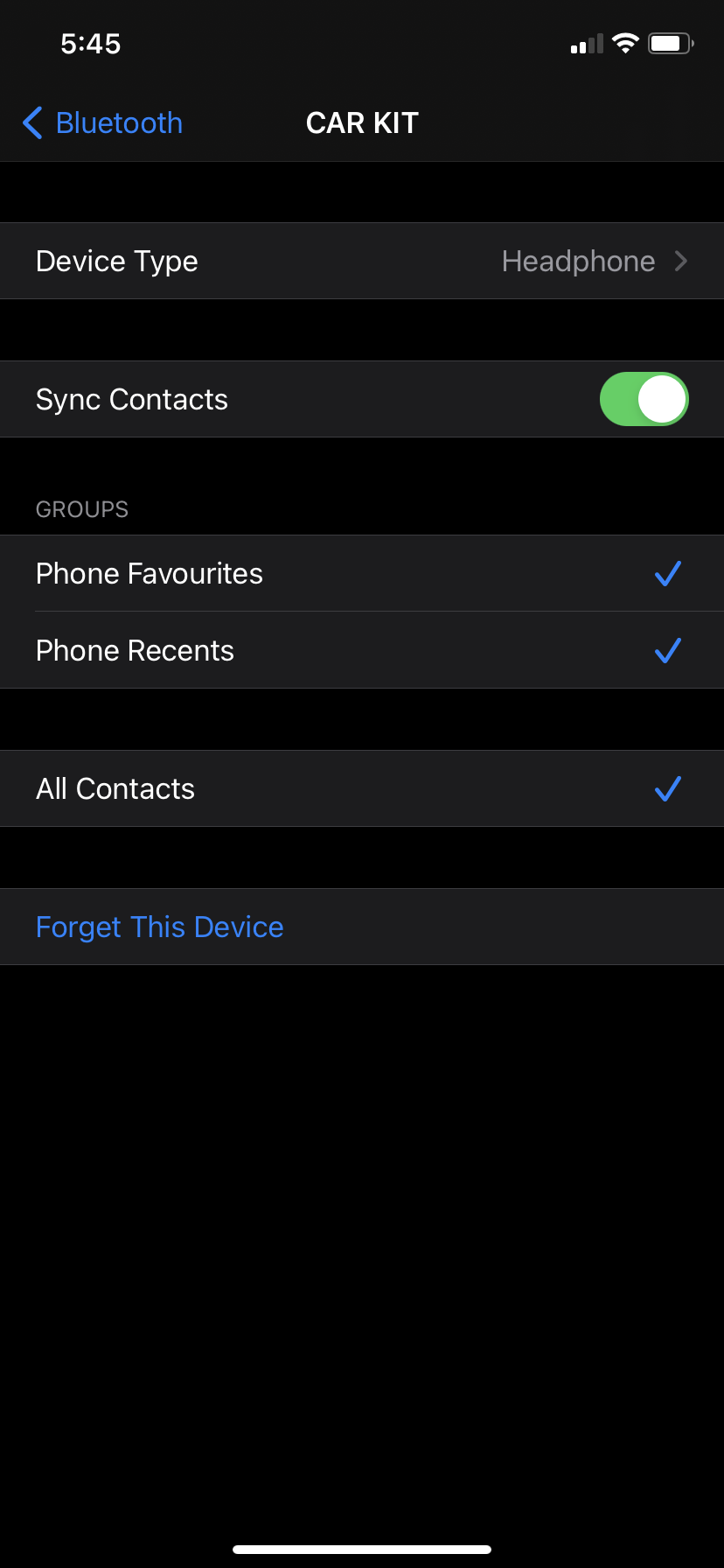
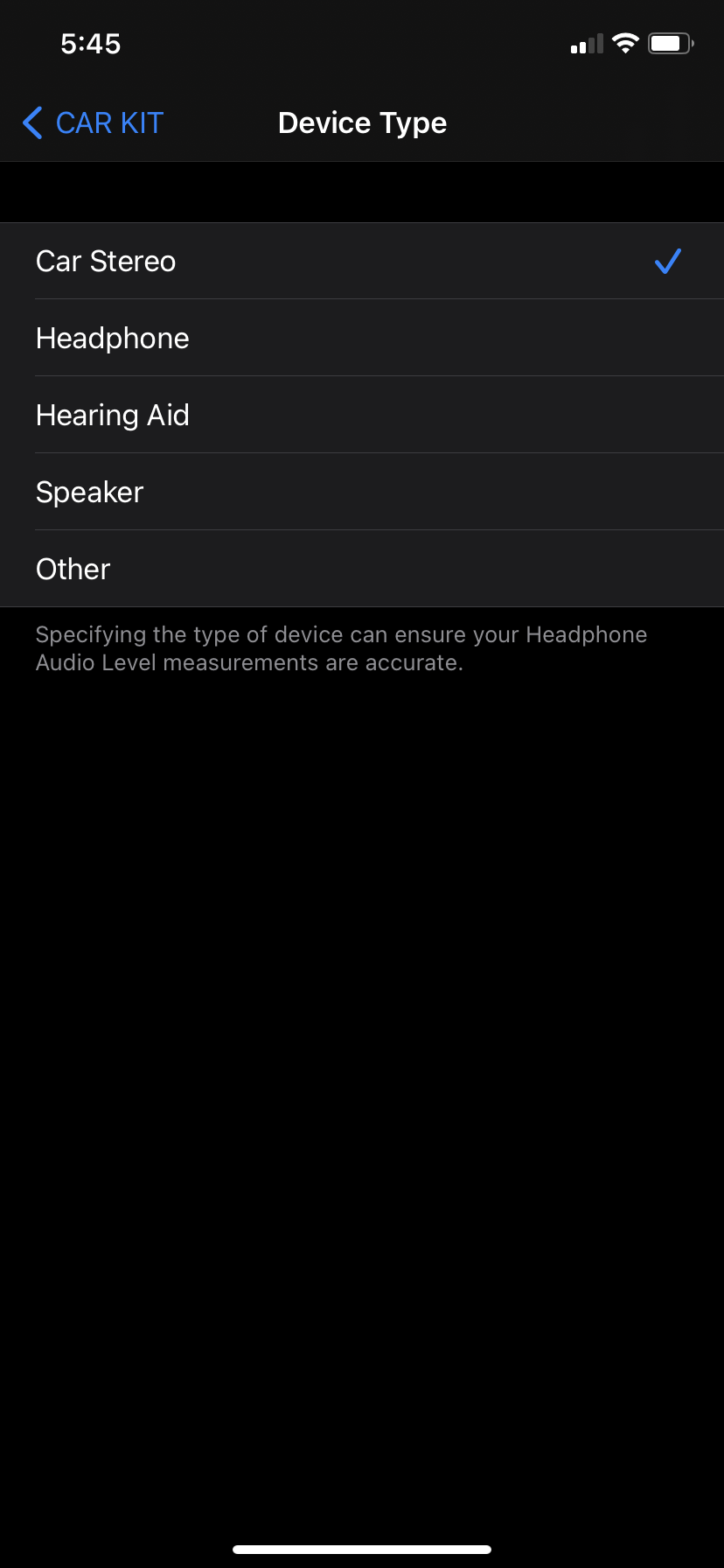
  • Select “Device Type”
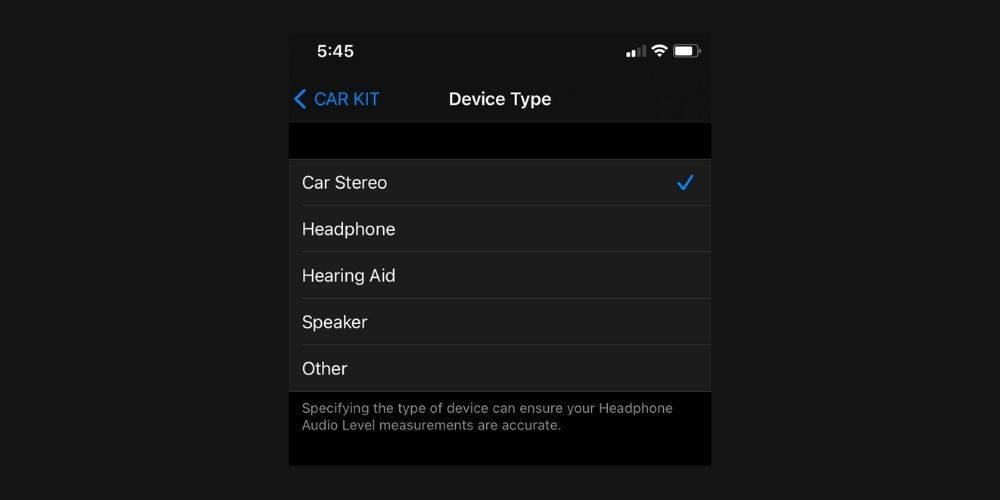
  • You’ll get five options to choose from—car stereo, headphone, hearing aid, speaker, and other. Select the one that fits your device best

Take note that you don’t have to do this for your Airpods, as they are already known by iOS as headphones. Airpods won’t have the option to change the Bluetooth label.

According to Apple, the new feature will do two main things. Bluetooth labelling will improved audio notifications, and specifying the type of device can also “ensure your Headphone Audio Level measurements are accurate”.

Headphone audio levels could already be tweaked and customised in real-time on iOS 14. Tweaking it yourself for when you use headphones can help prevent hearing damage—as certain volumes could damage your hearing after 30 minutes of exposure per day.

Besides these updates, iOS 14.4 gives devices the ability to recognise smaller QR codes in the camera app. It also fixes other issues like artefacts in HDR photos taken on the iPhone 12 Pro, and notification will pop-up if you’re using a non-genuine camera on the iPhone 12 series.

[ SOURCE ]

Related reading

iOS 14.4 fixes security flaw that may have been actively exploited by malicious apps
Tags: AppleBluetoothiOS 14.4iPhone
Dzamira Dzafri

Dzamira Dzafri

POPULAR

Upgraded To a New Phone? Cool. But When Was the Last Time you Upgraded your Shaver?

November 10, 2025

5 Reasons Every Home Should Have a Smart Security System

November 11, 2025

Solar ATAP: The new solar programme for consumers will only start in 2026

December 2, 2025

iOS 14.4 lets you label your Bluetooth devices. Here’s why it will help

January 27, 2021
Perodua QV-E EV

Perodua QV-E is now official: Electric sportback with 201hp, 445km NEDC range, priced at RM80k not inclusive of battery subscription

December 1, 2025

GrabRewards is now GrabCoins: Now with even more ways to earn and save

November 17, 2025

Copyright © 2025 · SoyaCincau.com
Mind Blow Sdn Bhd (1076827-P)

  • ADVERTISE
  • DISCLAIMER

Copyright © 2025 · SoyaCincau.com – Mind Blow Sdn Bhd (1076827-P)

  • ADVERTISE
  • DISCLAIMER