• 中文版
  • BM
  • News
  • Deals
  • Reviews
    • First Impressions
    • Hands-on
    • Comparisons
  • Tech
    • Mobile
    • Computers
    • Cameras
    • Wearables
    • Audio
    • Drones
  • Telco
    • Celcom
    • Digi
    • Maxis
    • Time
    • Tune Talk
    • U Mobile
    • Unifi
    • Yes
  • Cars
  • Contribute
  • Jobs
Menu
  • 中文版
  • BM
  • News
  • Deals
  • Reviews
    • First Impressions
    • Hands-on
    • Comparisons
  • Tech
    • Mobile
    • Computers
    • Cameras
    • Wearables
    • Audio
    • Drones
  • Telco
    • Celcom
    • Digi
    • Maxis
    • Time
    • Tune Talk
    • U Mobile
    • Unifi
    • Yes
  • Cars
  • Contribute
  • Jobs
Search
  • Tech
    • News
    • Mobile
    • Computers
    • Cameras
    • Wearables
    • Audio
    • Drones
  • Telco
    • Celcom
    • Digi
    • Maxis
    • Time
    • U Mobile
    • Unifi
    • Yes
  • Reviews
    • First Impressions
    • Hands-on
    • Comparisons
  • Buyer’s Guide
  • Opinions
  • Digital Life
  • Video
  • Deals
  • How-To
  • Cars
  • Bahasa Melayu
  • EV
  • Contribute
  • Advertise
Menu
  • Tech
    • News
    • Mobile
    • Computers
    • Cameras
    • Wearables
    • Audio
    • Drones
  • Telco
    • Celcom
    • Digi
    • Maxis
    • Time
    • U Mobile
    • Unifi
    • Yes
  • Reviews
    • First Impressions
    • Hands-on
    • Comparisons
  • Buyer’s Guide
  • Opinions
  • Digital Life
  • Video
  • Deals
  • How-To
  • Cars
  • Bahasa Melayu
  • EV
  • Contribute
  • Advertise
Search
Close
Home Digital Life

iOS 14.4 lets you label your Bluetooth devices. Here’s why it will help

  • BY Dzamira Dzafri
  • 27 January 2021
  • 9:37 pm
  • Comment
Share on FacebookShare on Twitter

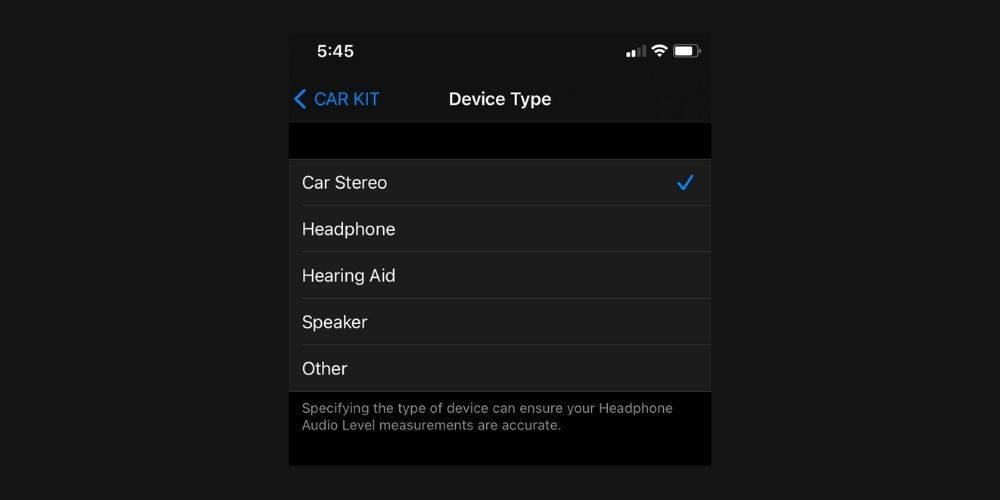
iOS 14.4 has rolled out, and along with fixes to security flaws, the new update allowed iPhone and iPad users to label Bluetooth devices as more specific types of devices. You can differentiate them as speakers, headphones, hearing aids, and car stereos.

How to label your Bluetooth device
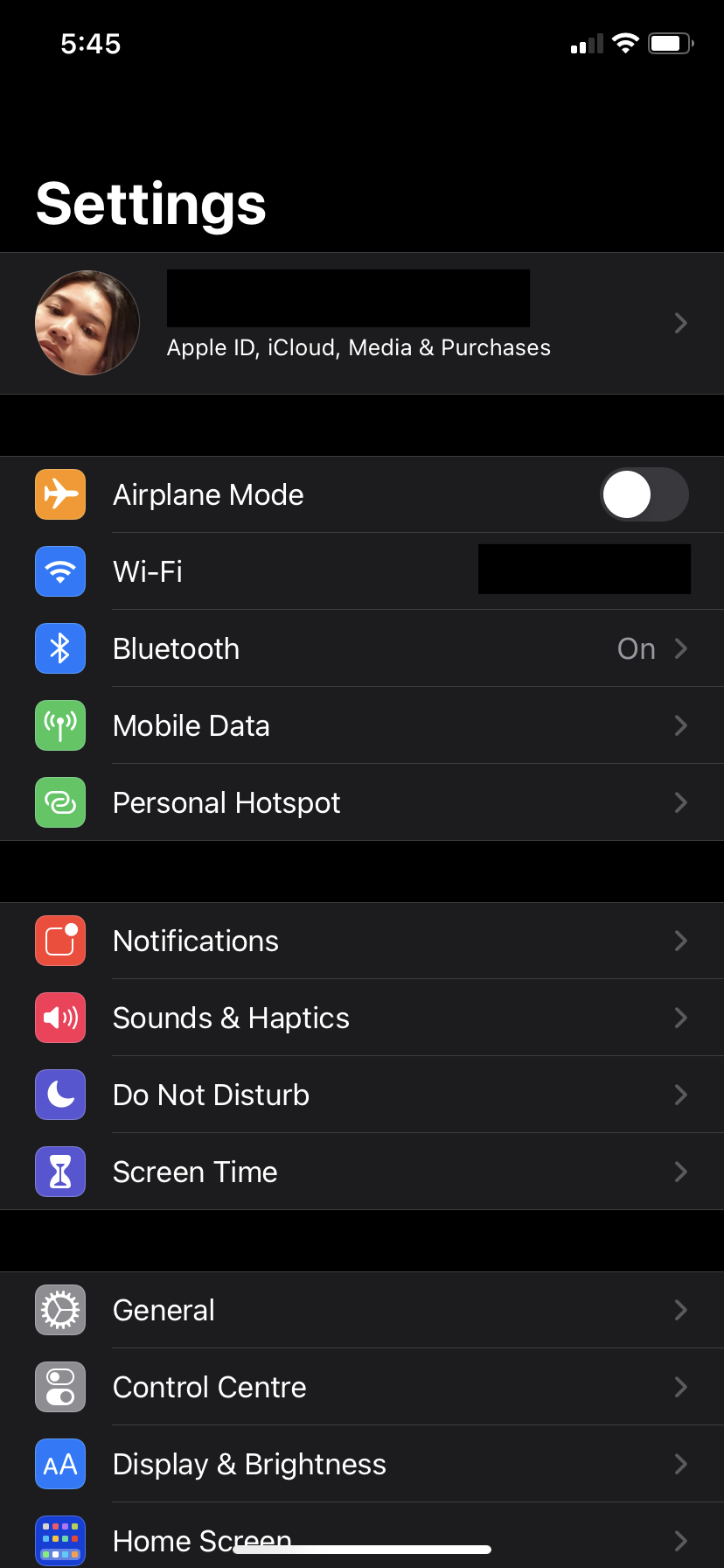
  • Make sure you’ve updated your iPhone/iPad to iOS 14.4. You can do so manually at Settings > General > Software Update
  • Go to Settings
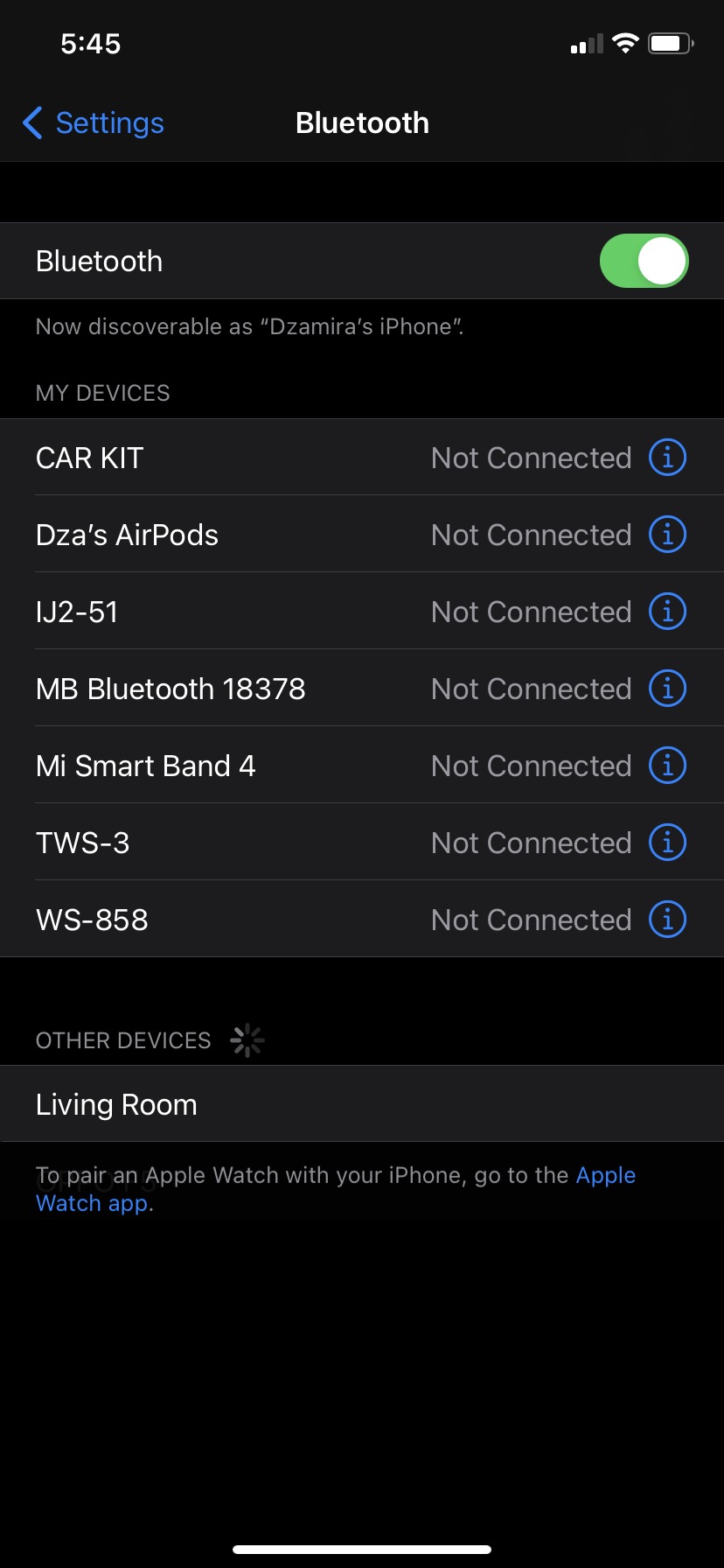
  • Select Bluetooth
  • Tap the “i” icon next to a Bluetooth device (it doesn’t have to be connected)
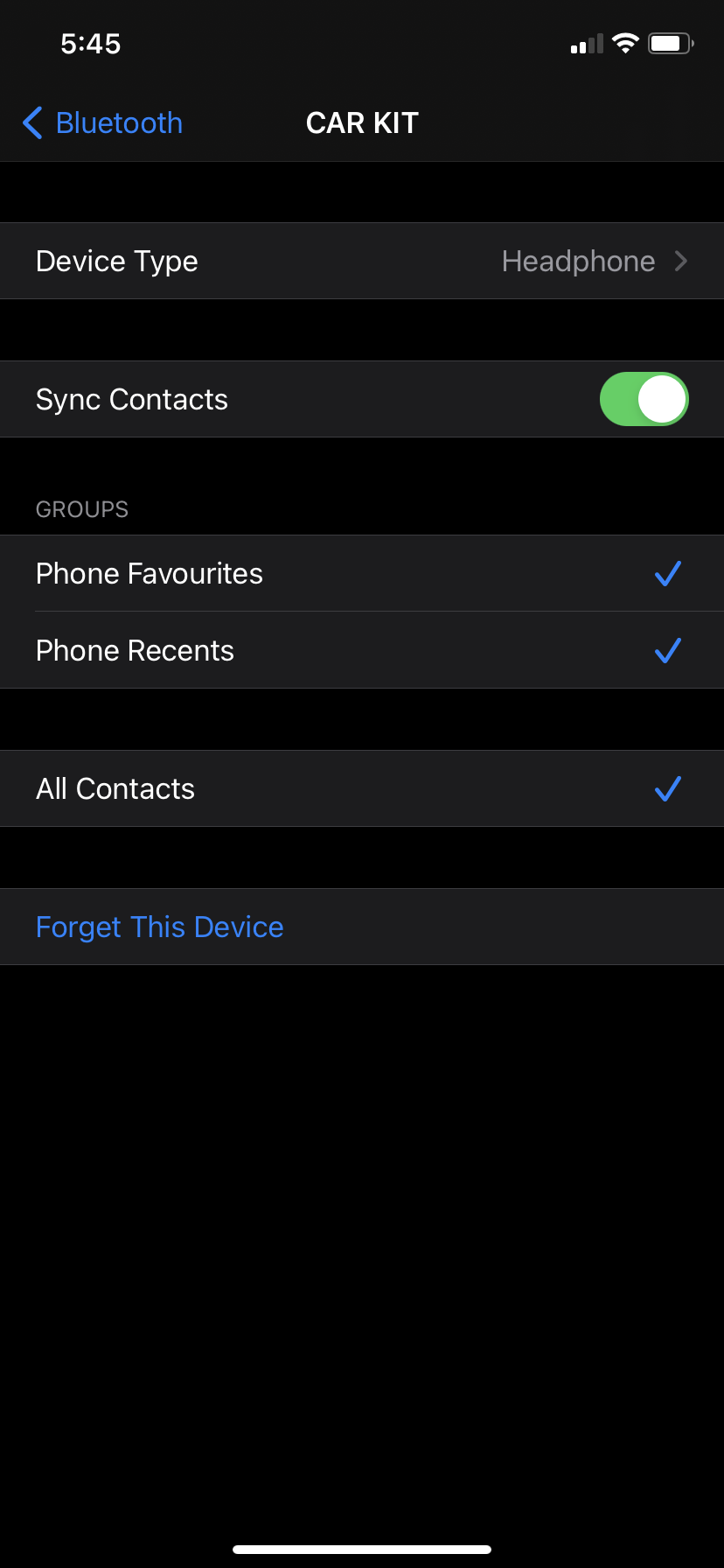
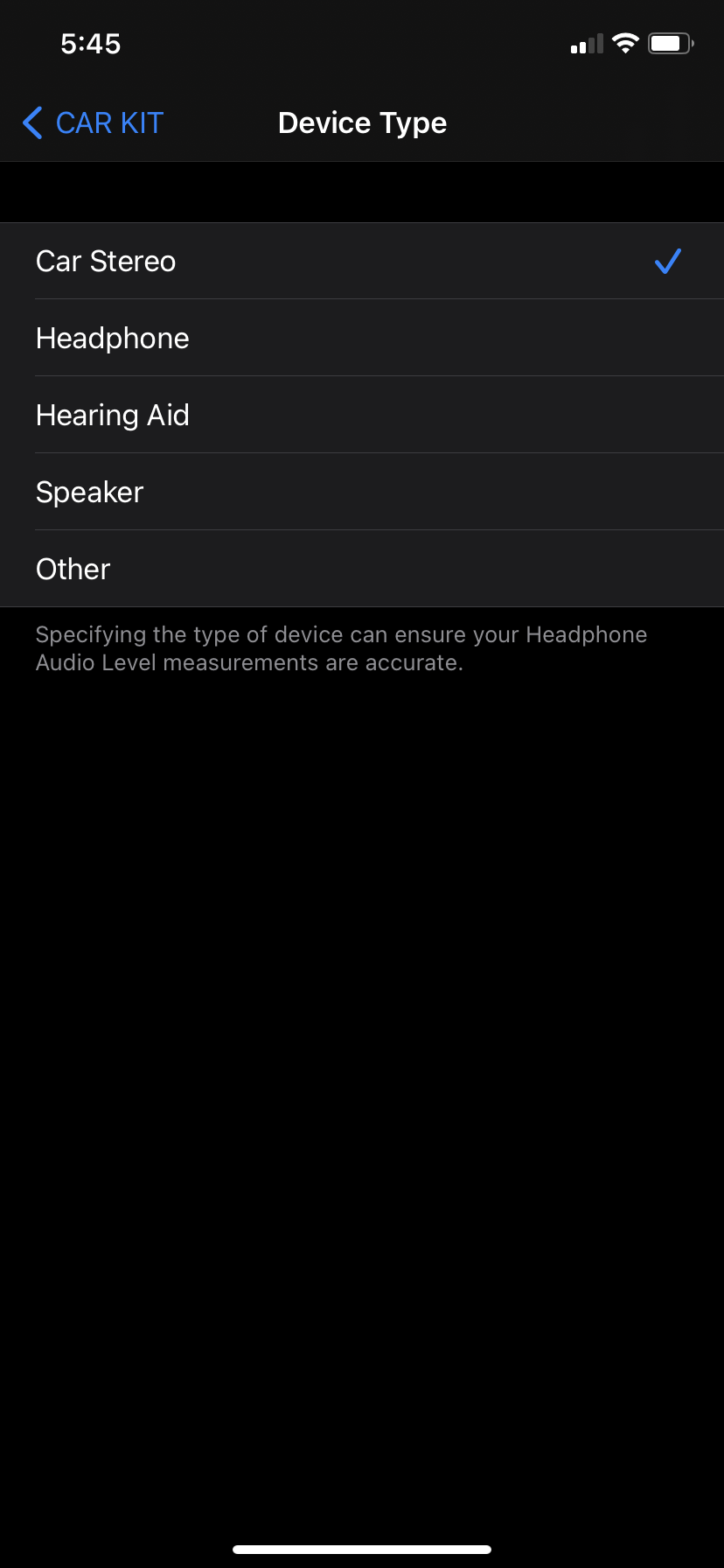
  • Select “Device Type”
  • You’ll get five options to choose from—car stereo, headphone, hearing aid, speaker, and other. Select the one that fits your device best

Take note that you don’t have to do this for your Airpods, as they are already known by iOS as headphones. Airpods won’t have the option to change the Bluetooth label.

According to Apple, the new feature will do two main things. Bluetooth labelling will improved audio notifications, and specifying the type of device can also “ensure your Headphone Audio Level measurements are accurate”.

Headphone audio levels could already be tweaked and customised in real-time on iOS 14. Tweaking it yourself for when you use headphones can help prevent hearing damage—as certain volumes could damage your hearing after 30 minutes of exposure per day.

Besides these updates, iOS 14.4 gives devices the ability to recognise smaller QR codes in the camera app. It also fixes other issues like artefacts in HDR photos taken on the iPhone 12 Pro, and notification will pop-up if you’re using a non-genuine camera on the iPhone 12 series.

[ SOURCE ]

Related reading

iOS 14.4 fixes security flaw that may have been actively exploited by malicious apps
Tags: AppleBluetoothiOS 14.4iPhone
Dzamira Dzafri

Dzamira Dzafri

POPULAR

iOS 14.4 lets you label your Bluetooth devices. Here’s why it will help

January 27, 2021

Malaysia to review EV policy amid concerns over strict rules affecting BYD CKD operations in Tanjung Malim

April 17, 2026

Zeekr 8X: Premium 900V PHEV SUV, up to triple-motor setup and 0–100km/h in 2.96s

April 20, 2026
Apple Tap To Pay on iPhone Malaysia

Apple’s Tap to Pay on iPhone is now in Malaysia

April 22, 2026

Malaysia’s EV policy and the BYD debate: Are affordable EVs at risk? | Let’s Talk About #140

April 19, 2026
vivo V70 FE 200MP camera phone in Malaysia - Best value alternative for phones under RM2,000

High-Resolution Meets High-Endurance: A Closer Look at the vivo V70 FE

April 10, 2026

Copyright © 2025 · SoyaCincau.com
Mind Blow Sdn Bhd (1076827-P)

  • ADVERTISE
  • DISCLAIMER

Copyright © 2026 · SoyaCincau.com – Mind Blow Sdn Bhd (1076827-P)

  • ADVERTISE
  • DISCLAIMER