• 中文版
  • BM
  • News
  • Deals
  • Reviews
    • First Impressions
    • Hands-on
    • Comparisons
  • Tech
    • Mobile
    • Computers
    • Cameras
    • Wearables
    • Audio
    • Drones
  • Telco
    • Celcom
    • Digi
    • Maxis
    • Time
    • Tune Talk
    • U Mobile
    • Unifi
    • Yes
  • Cars
  • Contribute
  • Jobs
Menu
  • 中文版
  • BM
  • News
  • Deals
  • Reviews
    • First Impressions
    • Hands-on
    • Comparisons
  • Tech
    • Mobile
    • Computers
    • Cameras
    • Wearables
    • Audio
    • Drones
  • Telco
    • Celcom
    • Digi
    • Maxis
    • Time
    • Tune Talk
    • U Mobile
    • Unifi
    • Yes
  • Cars
  • Contribute
  • Jobs
Search
  • Tech
    • News
    • Mobile
    • Computers
    • Cameras
    • Wearables
    • Audio
    • Drones
  • Telco
    • Celcom
    • Digi
    • Maxis
    • Time
    • U Mobile
    • Unifi
    • Yes
  • Reviews
    • First Impressions
    • Hands-on
    • Comparisons
  • Buyer’s Guide
  • Opinions
  • Digital Life
  • Video
  • Deals
  • How-To
  • Cars
  • Bahasa Melayu
  • EV
  • Contribute
  • Advertise
Menu
  • Tech
    • News
    • Mobile
    • Computers
    • Cameras
    • Wearables
    • Audio
    • Drones
  • Telco
    • Celcom
    • Digi
    • Maxis
    • Time
    • U Mobile
    • Unifi
    • Yes
  • Reviews
    • First Impressions
    • Hands-on
    • Comparisons
  • Buyer’s Guide
  • Opinions
  • Digital Life
  • Video
  • Deals
  • How-To
  • Cars
  • Bahasa Melayu
  • EV
  • Contribute
  • Advertise
Search
Close
Home Tech

How to get the most out of iPadOS 14 and your iPad

  • BY Nic Ker
  • 3 November 2020
  • 1:54 pm
  • Comment
Share on FacebookShare on Twitter

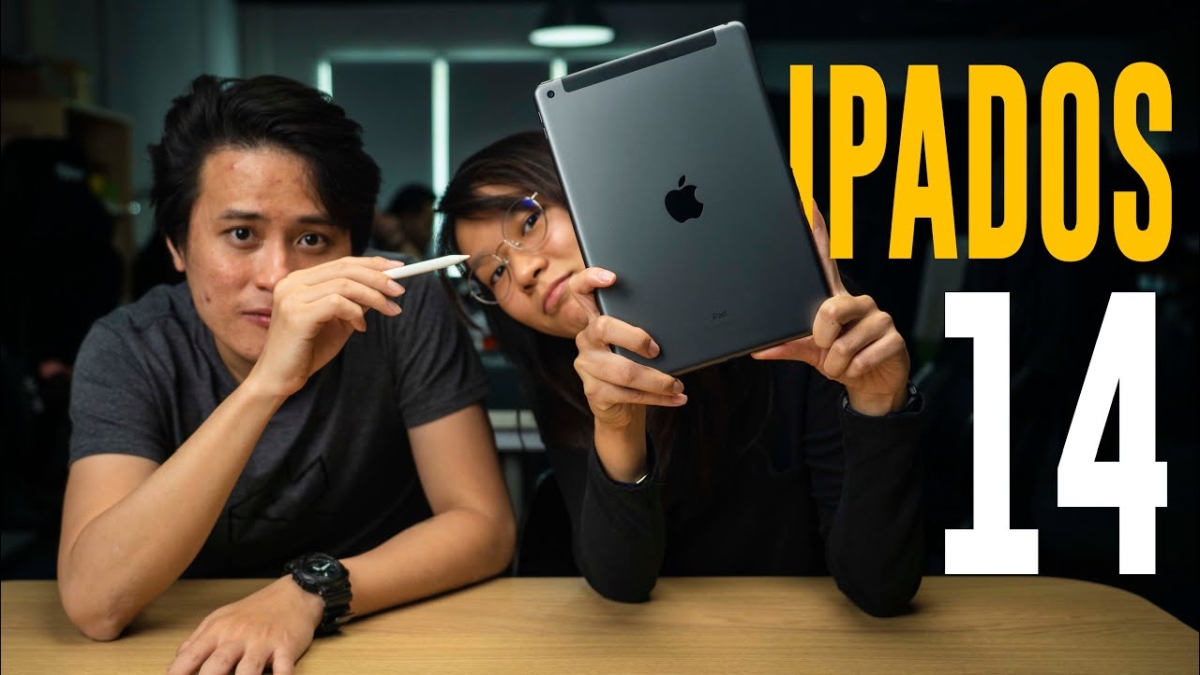
When iPadOS was first released, it was certainly a game-changer for the iPad. iPadOS 13 introduced a series of subtle, but significant changes to Apple’s tablet operating system—including a UI that better suited the large display on the iPad.

Meanwhile, they’ve continued to release new iPad models such as the 2020 iPad Air, and it’s pretty clear that the Cupertino-based company is looking to solidify its dominance in the tablet market (sorry, Samsung).

So, if you have an iPad, and you’re on iPadOS 14, here are a couple of nifty features/tricks that Ray and I have discovered. Ready? Welcome to today’s episode of How-To-What-Is!

Some of the features we discussed—such as Split View—aren’t new to iPadOS 14. However, these software optimisations are the driving force behind the iPad’s success, and we feel that they offer a lot when it comes to the iPad experience. Meanwhile, other features have clearly been brought over from iOS 14, and tailored to fit iPadOS instead.

So, what do you guys think? Did these tips help you get the most out of iPadOS 14—and your iPad? Let us know in the comments section below.

On a side note, we’re looking for suggestions and ideas for the show! If you have any topics that you’d like for us to explore, leave them in the comments section below. Or, you can join the chitchat over at RKMD, our Facebook group!


Tags: AppleHow To What IshtwiiOS 14iPadiPadOS 14Mobiletablets
Nic Ker

Nic Ker

POPULAR

Tune Talk introduces #TheRealTuney campaign, highlights focus on all-day Ultra Fast 5G Connectivity for 2026

January 23, 2026

How to get the most out of iPadOS 14 and your iPad

November 3, 2020

Is your TNG eWallet suspended? Here’s what you should do

January 27, 2026
Perodua QV-E at Perodua Glenmarie

Less than 40 registered in 2025: What’s next for Perodua’s first EV? | Let’s Talk About #136

February 9, 2026

Top 5 OnePlus smartphones: Looking back at a once-beloved enthusiast brand

February 9, 2026

Gentari Go introduces two new EV subscription plans, from RM350/year

February 11, 2026

Copyright © 2025 · SoyaCincau.com
Mind Blow Sdn Bhd (1076827-P)

  • ADVERTISE
  • DISCLAIMER

Copyright © 2026 · SoyaCincau.com – Mind Blow Sdn Bhd (1076827-P)

  • ADVERTISE
  • DISCLAIMER