• 中文版
  • BM
  • News
  • Deals
  • Reviews
    • First Impressions
    • Hands-on
    • Comparisons
  • Tech
    • Mobile
    • Computers
    • Cameras
    • Wearables
    • Audio
    • Drones
  • Telco
    • Celcom
    • Digi
    • Maxis
    • Time
    • Tune Talk
    • U Mobile
    • Unifi
    • Yes
  • Cars
  • Contribute
  • Jobs
Menu
  • 中文版
  • BM
  • News
  • Deals
  • Reviews
    • First Impressions
    • Hands-on
    • Comparisons
  • Tech
    • Mobile
    • Computers
    • Cameras
    • Wearables
    • Audio
    • Drones
  • Telco
    • Celcom
    • Digi
    • Maxis
    • Time
    • Tune Talk
    • U Mobile
    • Unifi
    • Yes
  • Cars
  • Contribute
  • Jobs
Search
  • Tech
    • News
    • Mobile
    • Computers
    • Cameras
    • Wearables
    • Audio
    • Drones
  • Telco
    • Celcom
    • Digi
    • Maxis
    • Time
    • U Mobile
    • Unifi
    • Yes
  • Reviews
    • First Impressions
    • Hands-on
    • Comparisons
  • Buyer’s Guide
  • Opinions
  • Digital Life
  • Video
  • Deals
  • How-To
  • Cars
  • Bahasa Melayu
  • EV
  • Contribute
  • Advertise
Menu
  • Tech
    • News
    • Mobile
    • Computers
    • Cameras
    • Wearables
    • Audio
    • Drones
  • Telco
    • Celcom
    • Digi
    • Maxis
    • Time
    • U Mobile
    • Unifi
    • Yes
  • Reviews
    • First Impressions
    • Hands-on
    • Comparisons
  • Buyer’s Guide
  • Opinions
  • Digital Life
  • Video
  • Deals
  • How-To
  • Cars
  • Bahasa Melayu
  • EV
  • Contribute
  • Advertise
Search
Close
Home News

Finally, a way to protect your WhatsApp messages on Android

  • BY Nic Ker
  • 4 November 2019
  • 11:27 am
  • Comment
Share on FacebookShare on Twitter

Privacy is a matter of paramount importance to most, if not all, of us. And even with the protection that WhatsApp promises with end-to-end encryption and the rest of it, sometimes the easiest way for your messages to be compromised is when someone simply has physical access to your smartphone.

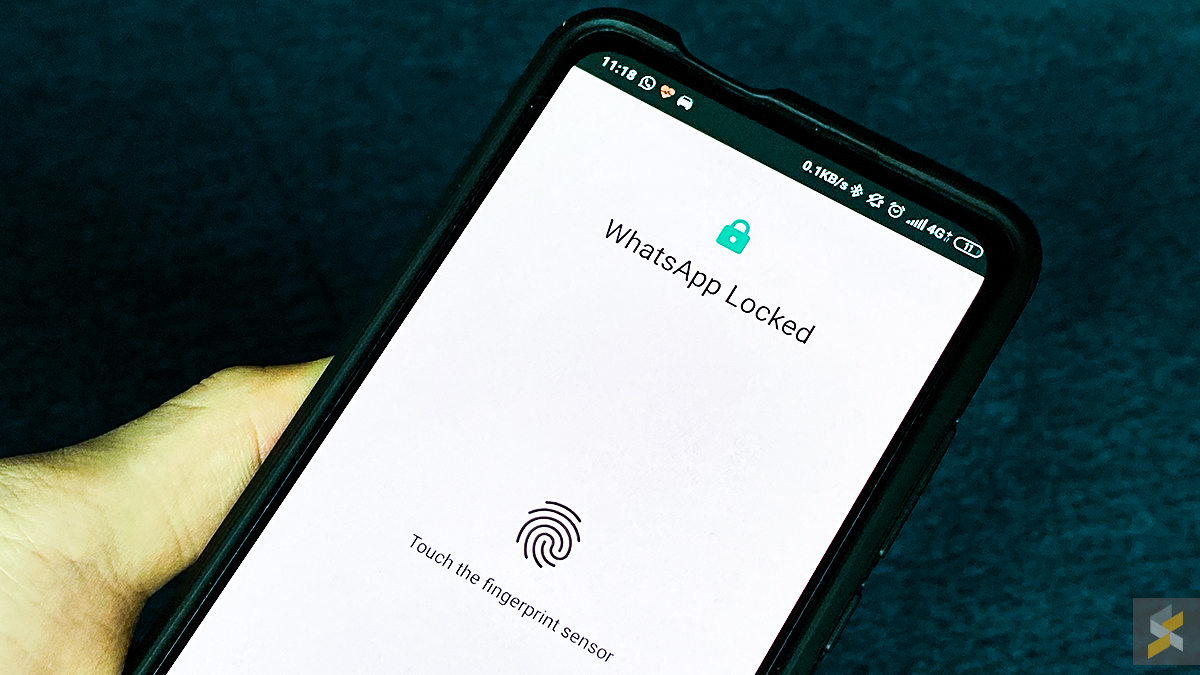
Earlier this year, WhatsApp released a feature for iOS users that brought Face ID and Touch ID to secure their conversations. After trialling something similar for Android beta, the fingerprint lock feature has now been officially rolled out for Android users.

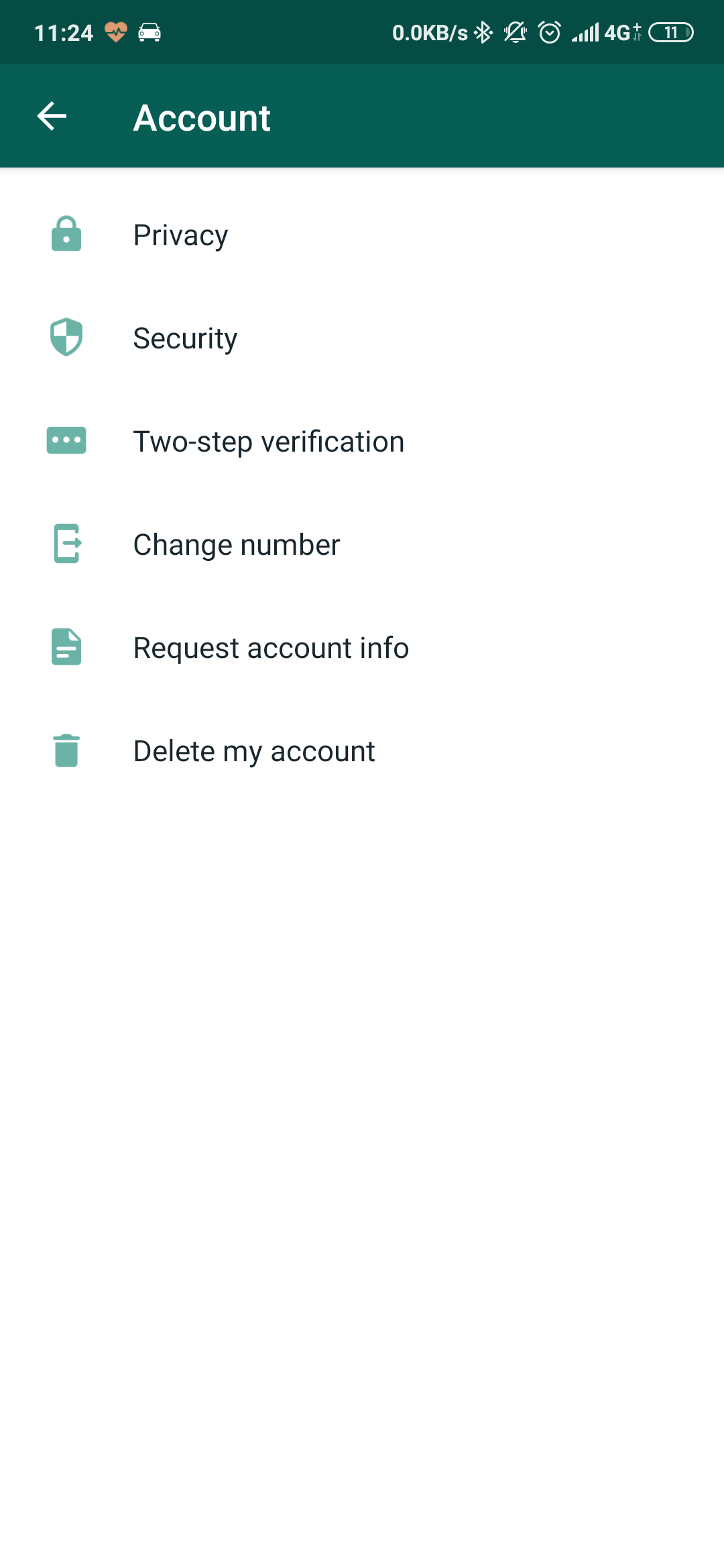
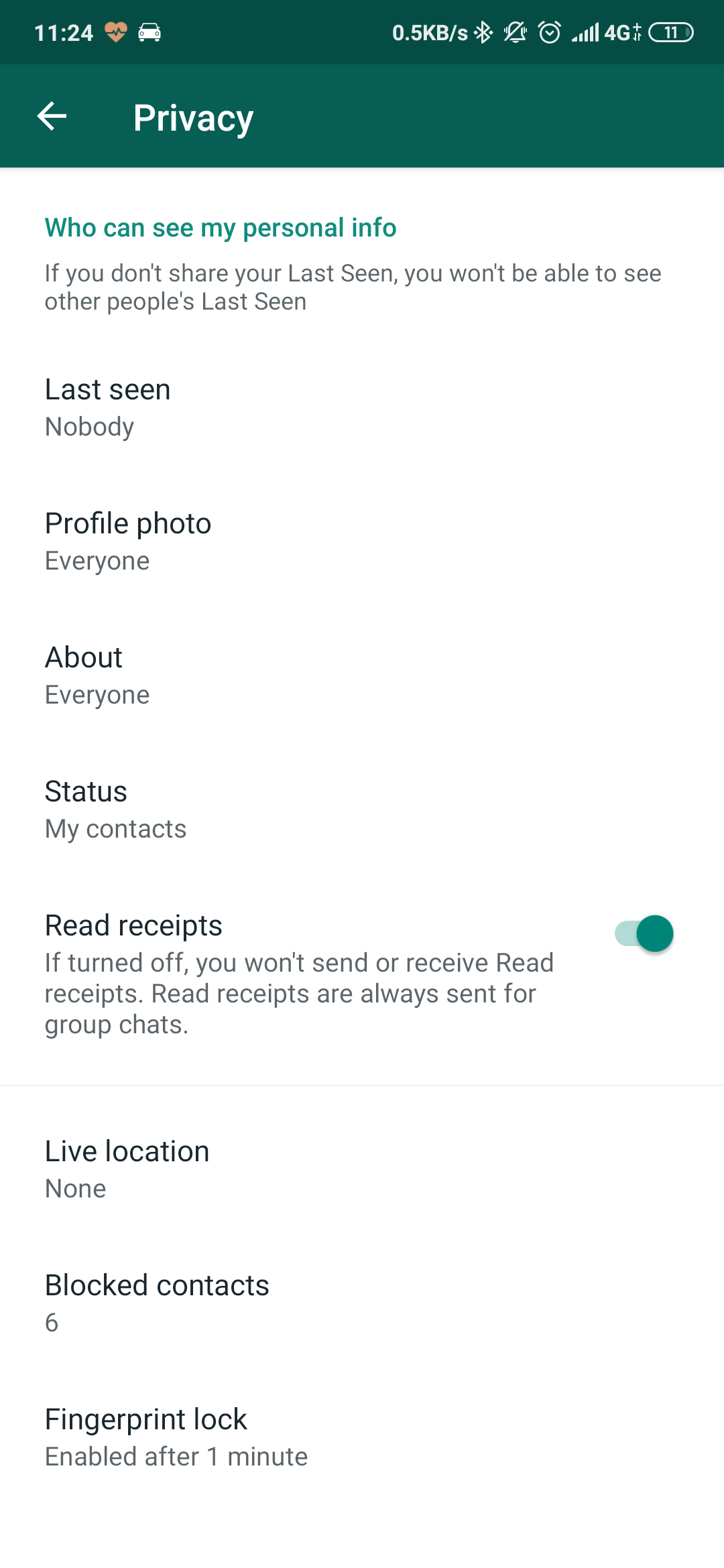
While others have reported that the feature isn’t available to everyone just yet, we can confirm that the fingerprint lock feature is available on our Android devices currently. To enable the feature on WhatsApp, head over to Settings > Account > Privacy > Fingerprint lock.
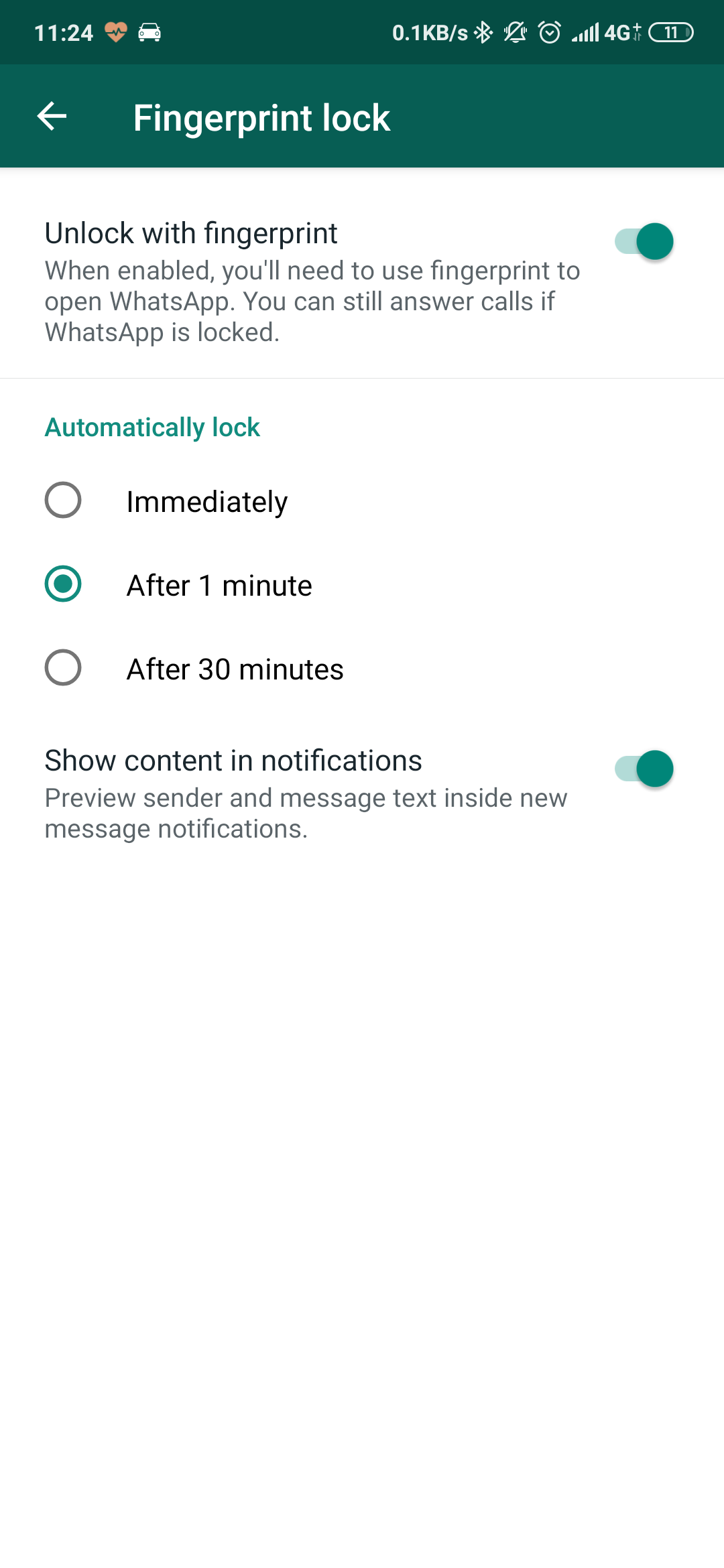
You have a few options to fiddle with inside the fingerprint lock settings. Set the lock to engage immediately, after 1 minute, or after 30 minutes, and you can also choose not to “show content in notifications” to further protect your privacy.

And of course, you’ll need to ensure that you’re on the latest version of WhatsApp to enable the feature. While iOS users also have Face ID unlock as well, it appears that Android users don’t have that feature just yet.

[ SOURCE ]

Tags: AndroidMobileWhatsapp
Nic Ker

Nic Ker

POPULAR

Tune Talk introduces #TheRealTuney campaign, highlights focus on all-day Ultra Fast 5G Connectivity for 2026

January 23, 2026

Is your TNG eWallet suspended? Here’s what you should do

January 27, 2026

Finally, a way to protect your WhatsApp messages on Android

November 4, 2019

Astro drops HBO channels after nearly 30 years, introduces 4 new channels under Astro One Epic Pack

February 16, 2026

Samsung Galaxy S26 launching on 26 Feb, full specs leaked: Another year of playing it safe?

February 12, 2026

A Look Inside the All-New Maxis Centre at 1 Utama: What’s Different?

February 12, 2026

Copyright © 2025 · SoyaCincau.com
Mind Blow Sdn Bhd (1076827-P)

  • ADVERTISE
  • DISCLAIMER

Copyright © 2026 · SoyaCincau.com – Mind Blow Sdn Bhd (1076827-P)

  • ADVERTISE
  • DISCLAIMER