
• 中文版
  • BM
  • News
  • Deals
  • Reviews
    • First Impressions
    • Hands-on
    • Comparisons
  • Tech
    • Mobile
    • Computers
    • Cameras
    • Wearables
    • Audio
    • Drones
  • Telco
    • Celcom
    • Digi
    • Maxis
    • Time
    • Tune Talk
    • U Mobile
    • Unifi
    • Yes
  • Cars
  • Contribute
  • Jobs
Menu
  • 中文版
  • BM
  • News
  • Deals
  • Reviews
    • First Impressions
    • Hands-on
    • Comparisons
  • Tech
    • Mobile
    • Computers
    • Cameras
    • Wearables
    • Audio
    • Drones
  • Telco
    • Celcom
    • Digi
    • Maxis
    • Time
    • Tune Talk
    • U Mobile
    • Unifi
    • Yes
  • Cars
  • Contribute
  • Jobs
Search
  • Tech
    • News
    • Mobile
    • Computers
    • Cameras
    • Wearables
    • Audio
    • Drones
  • Telco
    • Celcom
    • Digi
    • Maxis
    • Time
    • U Mobile
    • Unifi
    • Yes
  • Reviews
    • First Impressions
    • Hands-on
    • Comparisons
  • Buyer’s Guide
  • Opinions
  • Digital Life
  • Video
  • Deals
  • How-To
  • Cars
  • Bahasa Melayu
  • EV
  • Contribute
  • Advertise
Menu
  • Tech
    • News
    • Mobile
    • Computers
    • Cameras
    • Wearables
    • Audio
    • Drones
  • Telco
    • Celcom
    • Digi
    • Maxis
    • Time
    • U Mobile
    • Unifi
    • Yes
  • Reviews
    • First Impressions
    • Hands-on
    • Comparisons
  • Buyer’s Guide
  • Opinions
  • Digital Life
  • Video
  • Deals
  • How-To
  • Cars
  • Bahasa Melayu
  • EV
  • Contribute
  • Advertise
Search
Close
Home News

Got drop call issues on your iPhone 12 and 13? Apple releases a fix with iOS 15.1.1

  • BY Alexander Wong
  • 18 November 2021
  • 11:13 am
  • Comment
Share on FacebookShare on Twitter

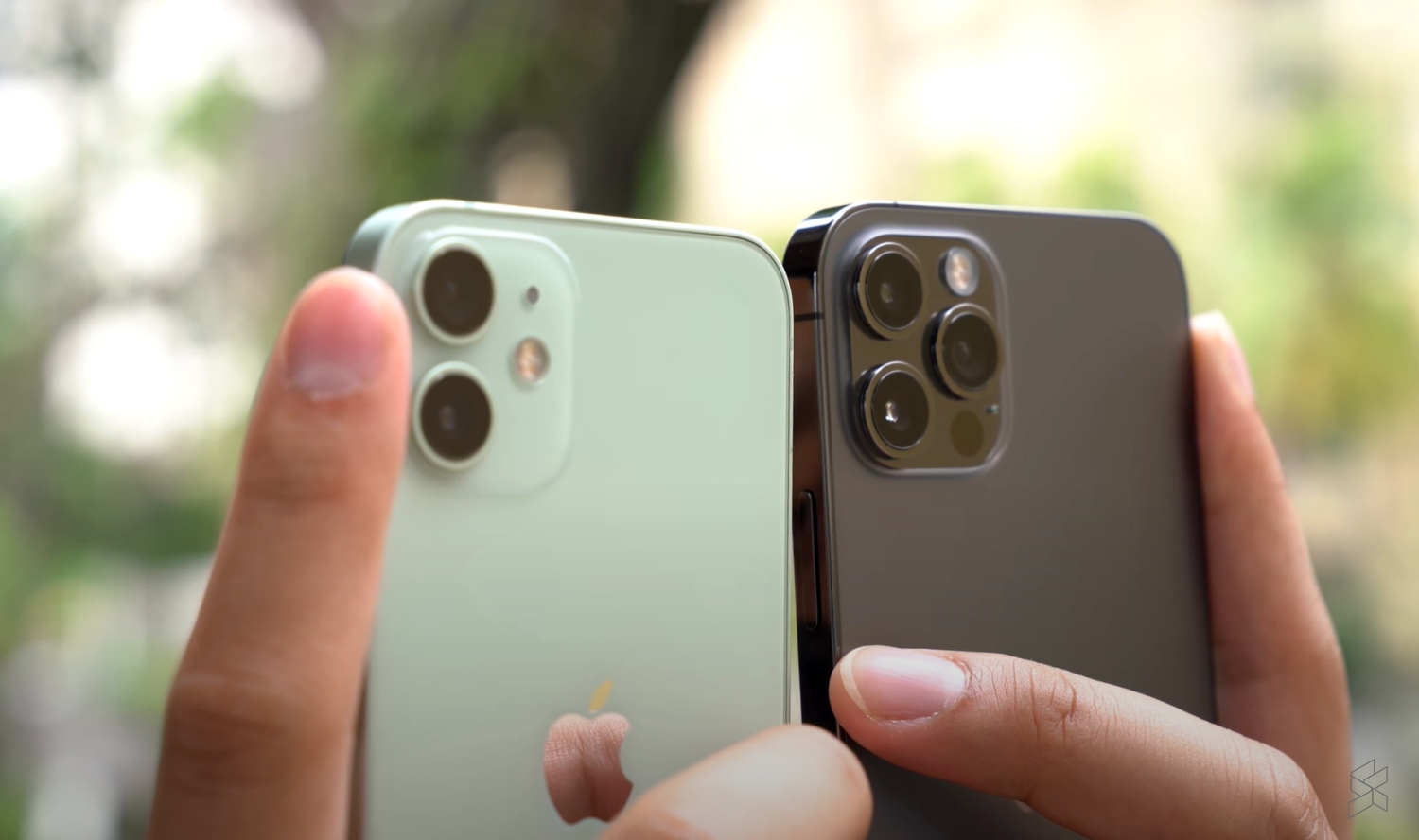
If you’re using an iPhone 12 or iPhone 13 series, Apple has pushed out a minor iOS 15.1.1 update which fixes an issue related to voice calls. According to the description, the update improves call-drop performance for both iPhone 12 and iPhone 13 models.
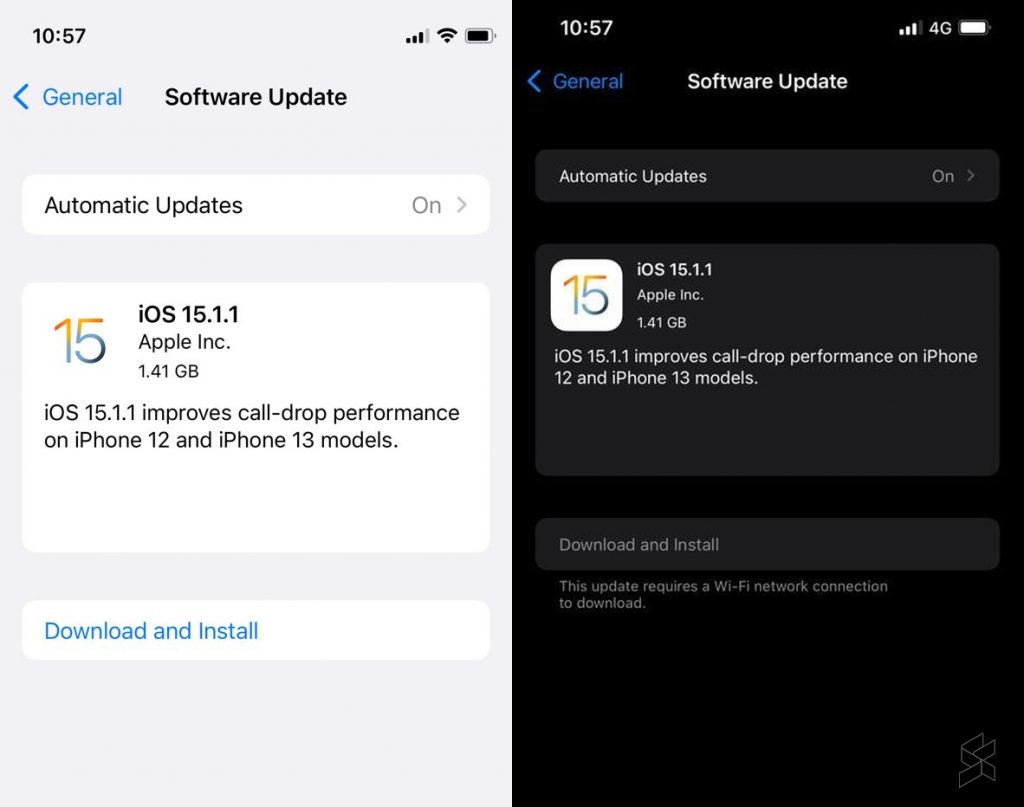
If you haven’t gotten a notification, you can upgrade manually by going into Settings > General > Software Update. It is advisable to have sufficient charge and to download the update via WiFi connection. If you’re already on iOS 15.1, the update should be less than 400MB in size but it can be more than 1.4GB if you haven’t updated to iOS 15.1. The new update isn’t showing for older devices such as the iPhone 11 since this is a minor update specifically for the iPhone 12 and 13 series.

iOS 15.1 was released last month and it brings a host of new features including ProRes video for the iPhone 13 Pro as well as SharePlay. If you’re using an iPhone 13 Pro, you can turn off auto macro permanently under settings but it appears that this isn’t good enough for most users. As reported recently, Apple will improve its macro interface by adding a macro button in the camera app for the upcoming iOS 15.2 update.

Have you experienced drop calls on your new iPhone 12 or 13? Let us know in the comments below.

[ VIA ]

Tags: Appledrop callsiOS 15ios 15.1.1iPhone 12iPhone 12 ProiPhone 13iPhone 13 Pro
Alexander Wong

Alexander Wong

POPULAR

Got drop call issues on your iPhone 12 and 13? Apple releases a fix with iOS 15.1.1

November 18, 2021
vivo V70 FE 200MP camera phone in Malaysia - Best value alternative for phones under RM2,000

High-Resolution Meets High-Endurance: A Closer Look at the vivo V70 FE

April 10, 2026
Apple Tap To Pay on iPhone Malaysia

Apple’s Tap to Pay on iPhone is now in Malaysia

April 22, 2026

Zeekr 8X: Premium 900V PHEV SUV, up to triple-motor setup and 0–100km/h in 2.96s

April 20, 2026

Can you and your family enjoy a 100% electric drive without ever plugging in?

April 23, 2026

Huawei MatePad Mini: Compact tablet with 8.8″ OLED PaperMatte Display, now available for RM2,199

April 22, 2026

Copyright © 2025 · SoyaCincau.com
Mind Blow Sdn Bhd (1076827-P)

  • ADVERTISE
  • DISCLAIMER

Copyright © 2026 · SoyaCincau.com – Mind Blow Sdn Bhd (1076827-P)

  • ADVERTISE
  • DISCLAIMER





