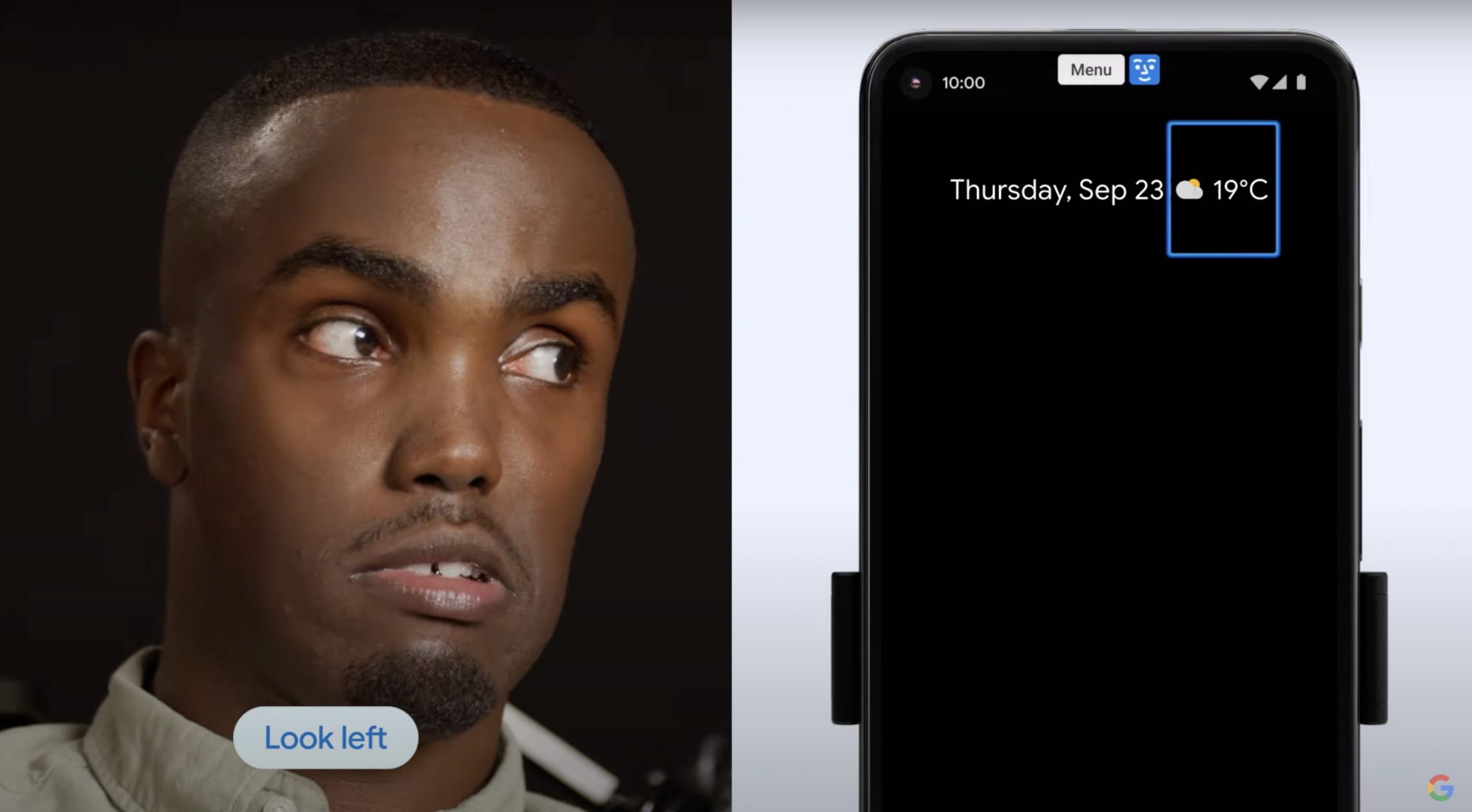
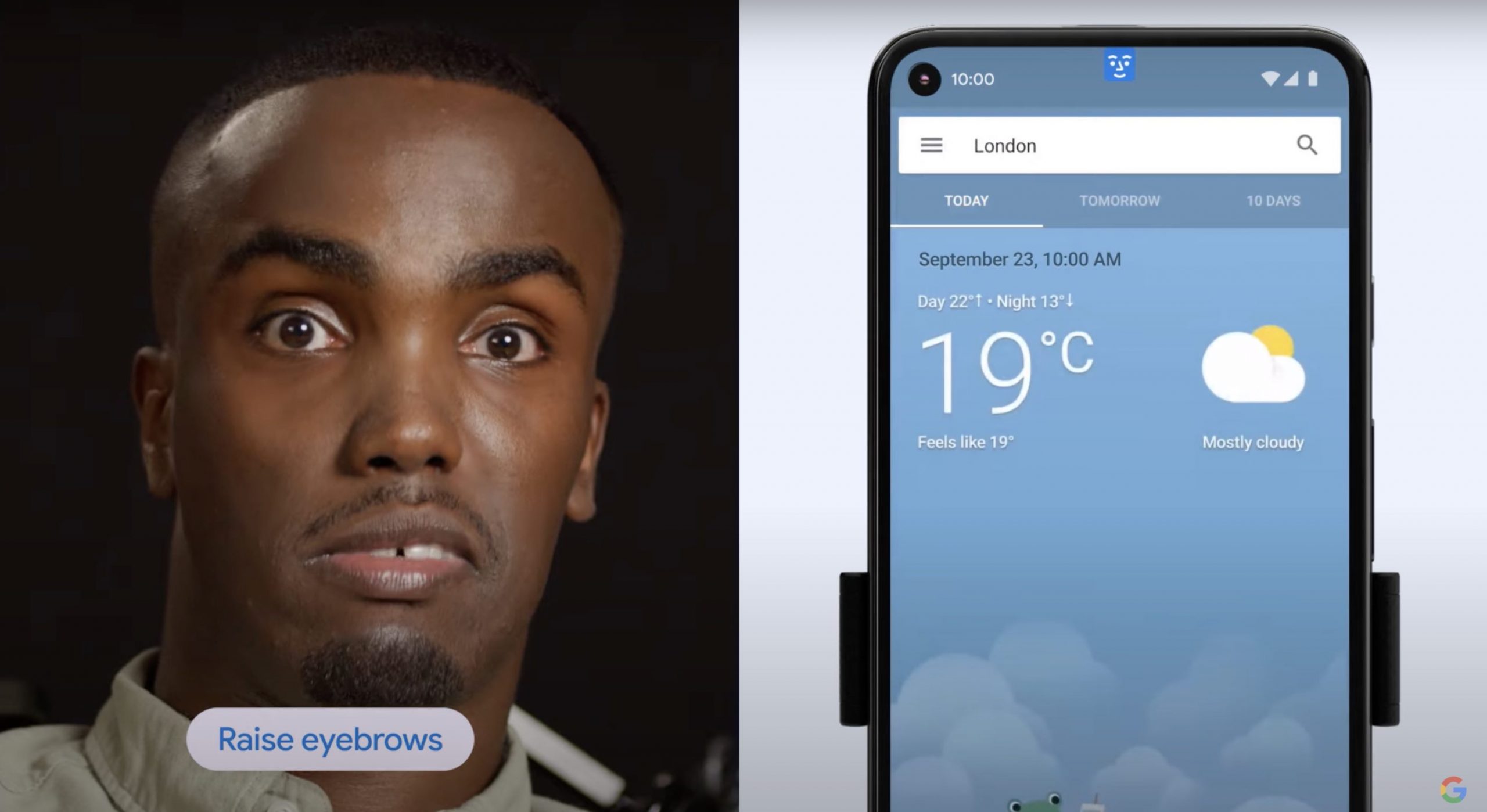
Google announced that they are introducing two new features—Camera Switches and Project Activate for Android to help people with disabilities. Both of these tools use the phone’s front-facing camera and machine learning technology to detect face and eye gestures.
The first feature, Camera Switches, makes it possible for anyone to use eye movements and facial gestures to navigate their phone. Users with disabilities, or their caregivers, would be able to enable it through Switch Access in Accessibility.
Switch Access was already available since 2015, letting people with limited dexterity navigate their devices using adaptive buttons. But with the new Camera Switches option, users would be able to use facial gestures to navigate their device.
“We heard from people who have varying speech and motor impairments that customisation options would be critical. With Camera Switches, you or a caregiver can select how long to hold a gesture and how big it has to be to be detected. You can use the test screen to confirm what works best for you,” wrote Google.
Users will also be able to choose their preferred method of scanning—like linear scanning which scans items on your device one at a time, row-column scanning which scans one row at a time, or group selection where all items are assigned a colour and responds to a chosen face gesture. You can also assign any face gesture for a specific switch, like looking left to gesture for Next.
You can assign gestures to open notifications, jump back to the home screen or pause gesture detection. Camera Switches can also be used in tandem with physical switches. The feature will roll out within the Android Accessibility Suite this week, and will be fully available by the end of the month.
Also using facial gestures, Project Activate is a new Android application that lets people with disabilities pair their movements with a preset action. Users would be able to speak a preset phrase, send a text, make a phone call or play audio with ease.
For example, you’re able to set up the app to tell your driver “Yes” if you look to your left, or raise your eyebrows to “Cheer”—as long as you have easy access to your mobile device. However, Project Activate is currently only available in the U.S., U.K., Canada, and Australia in English.
Apple also has introduced accessibility features like AssistiveTouch which lets users adjust volume, lock screen, use multi-finger gestures, restart the device, or replace pressing buttons with just a tap. It also works with VoiceOver so you can navigate Apple Watch with one hand. However, it doesn’t have anything like facial gesture navigation like with what Android is introducing.
[ SOURCE, IMAGE SOURCE ]
Xiaomi Malaysia has announced what could be the best compact mid-range smartphone at the moment.…
After being delayed twice, one of the most anticipated games for 2026, Grand Theft Auto…
Sony has officially introduced the MDR-3R, a pair of lightweight wired headphones modelled after the…
This post is brought to you by CIMB. CIMB has officially introduced OCTO Collect, an…
DJI has officially introduced the Power Auro 2000 Elite in Malaysia. This is their new…
With the 11.11 shopping season underway, mobile phones remain a frequent contact channel for digital…
This website uses cookies.