• 中文版
  • BM
  • News
  • Deals
  • Reviews
    • First Impressions
    • Hands-on
    • Comparisons
  • Tech
    • Mobile
    • Computers
    • Cameras
    • Wearables
    • Audio
    • Drones
  • Telco
    • Celcom
    • Digi
    • Maxis
    • Time
    • Tune Talk
    • U Mobile
    • Unifi
    • Yes
  • Cars
  • Contribute
  • Jobs
Menu
  • 中文版
  • BM
  • News
  • Deals
  • Reviews
    • First Impressions
    • Hands-on
    • Comparisons
  • Tech
    • Mobile
    • Computers
    • Cameras
    • Wearables
    • Audio
    • Drones
  • Telco
    • Celcom
    • Digi
    • Maxis
    • Time
    • Tune Talk
    • U Mobile
    • Unifi
    • Yes
  • Cars
  • Contribute
  • Jobs
Search
  • Tech
    • News
    • Mobile
    • Computers
    • Cameras
    • Wearables
    • Audio
    • Drones
  • Telco
    • Celcom
    • Digi
    • Maxis
    • Time
    • U Mobile
    • Unifi
    • Yes
  • Reviews
    • First Impressions
    • Hands-on
    • Comparisons
  • Buyer’s Guide
  • Opinions
  • Digital Life
  • Video
  • Deals
  • How-To
  • Cars
  • Bahasa Melayu
  • EV
  • Contribute
  • Advertise
Menu
  • Tech
    • News
    • Mobile
    • Computers
    • Cameras
    • Wearables
    • Audio
    • Drones
  • Telco
    • Celcom
    • Digi
    • Maxis
    • Time
    • U Mobile
    • Unifi
    • Yes
  • Reviews
    • First Impressions
    • Hands-on
    • Comparisons
  • Buyer’s Guide
  • Opinions
  • Digital Life
  • Video
  • Deals
  • How-To
  • Cars
  • Bahasa Melayu
  • EV
  • Contribute
  • Advertise
Search
Close
Home News

iOS 14.7 bug might not let you unlock an Apple Watch with a Touch ID iPhone

  • BY Dzamira Dzafri
  • 21 July 2021
  • 12:02 pm
  • Comment
Share on FacebookShare on Twitter

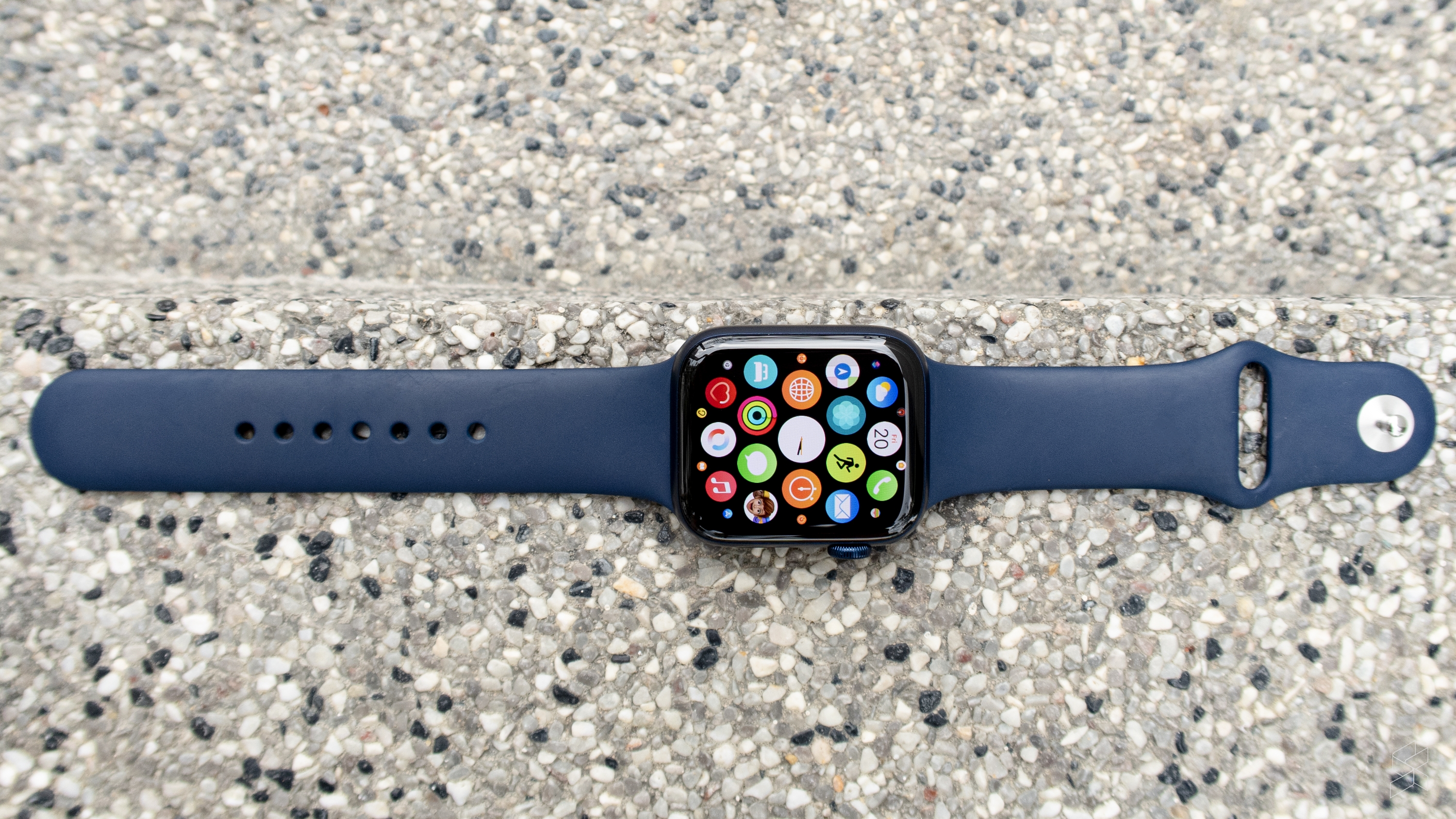
The Apple iOS 14.7 update is now available for download, which enables support for the new MagSafe Battery Pack for the iPhone 12, as well as a new update for Apple Card support (for countries that support it). But the update also might come with a bug that could prevent users from being able to unlock their Apple Watches by unlocking their Touch ID iPhones (e.g. iPhone 7, iPhone 8, iPhone SE).

Apple acknowledged the bug, which shows up after updating a Touch ID iPhone to iOS 14.7. They also provided a temporary solution, which is to type your passcode into their Apple Watch to unlock it rather than relying on the iPhone.

Usually, there are two ways to unlock an Apple Watch after you first put it on your wrist. The first one is to manually type in a passcode on the Watch itself, but the second (and much easier) option is to unlock your iPhone—and its easiest if you’re able to unlock your iPhone wih Face or Touch ID.

However, the bug has prevented users of Touch ID iPhones to do so. The company hasn’t yet announced when they will be fixing the bug, but the issue “will be addressed in a future software update”.

“This is required only one time, as long as you keep your Apple Watch on your wrist. If you forgot your passcode, you need to reset your Apple Watch,” said Apple.

Here’s how to reset your Apple Watch in case you’ve forgotten your passcode:

  • Put your watch on its charger and keep it there until you complete these steps.
  • Press and hold the side button until you see Power Off.
  • Press and hold the Digital Crown until you see Erase all content and settings.
  • Tap Reset, then tap Reset again to confirm.
  • Wait for the process to finish, then set up your Apple Watch again.
  • When asked, restore from a backup.

WatchOS 7.6 has also rolled out alongside iOS 14.7. The update fixes some minor bugs as well as enabling ECG and irregular heart rhythm notification (for Series 4, 5 and 6) in 30 more countries.

[ SOURCE, 2 ]

Related reading

Apple’s iOS 14.7 and watchOS 7.6 are now available for download
Tags: AppleApple WatchiOS 14.7Touch ID
Dzamira Dzafri

Dzamira Dzafri

POPULAR

iOS 14.7 bug might not let you unlock an Apple Watch with a Touch ID iPhone

July 21, 2021
Rear view of the OPPO Find X9 Ultra in Tundra Umber standing vertically on a stone surface with a lush green bokeh background. The device features an eco-friendly vegan leather back with a classic stitching design , vertically oriented Hasselblad and OPPO logos , and a large circular Master Lens camera module with a bronze-toned knurled ring.

Clearing Every Expectation: How the OPPO Find X9 Ultra Redefines the Modern Flagship Experience

April 16, 2026
Proton EV Plant, Tanjung Malim

MITI says EVs won’t become more expensive, but can Malaysia’s CKD industry fill the gap?

May 10, 2026

Maxis Home Solar now offers outright purchase option, with up to 80% electricity bill savings

May 11, 2026

Vibe Mobile is U Mobile’s latest MVNO partner for 5G services

May 11, 2026

SoyaCincau x Dongfeng: We’re taking over Sepang for Malaysia’s biggest EV Track Day for 2026

May 8, 2026

Copyright © 2025 · SoyaCincau.com
Mind Blow Sdn Bhd (1076827-P)

  • ADVERTISE
  • DISCLAIMER

Copyright © 2026 · SoyaCincau.com – Mind Blow Sdn Bhd (1076827-P)

  • ADVERTISE
  • DISCLAIMER