• 中文版
  • BM
  • News
  • Deals
  • Reviews
    • First Impressions
    • Hands-on
    • Comparisons
  • Tech
    • Mobile
    • Computers
    • Cameras
    • Wearables
    • Audio
    • Drones
  • Telco
    • Celcom
    • Digi
    • Maxis
    • Time
    • Tune Talk
    • U Mobile
    • Unifi
    • Yes
  • Cars
  • Contribute
  • Jobs
Menu
  • 中文版
  • BM
  • News
  • Deals
  • Reviews
    • First Impressions
    • Hands-on
    • Comparisons
  • Tech
    • Mobile
    • Computers
    • Cameras
    • Wearables
    • Audio
    • Drones
  • Telco
    • Celcom
    • Digi
    • Maxis
    • Time
    • Tune Talk
    • U Mobile
    • Unifi
    • Yes
  • Cars
  • Contribute
  • Jobs
Search
  • Tech
    • News
    • Mobile
    • Computers
    • Cameras
    • Wearables
    • Audio
    • Drones
  • Telco
    • Celcom
    • Digi
    • Maxis
    • Time
    • U Mobile
    • Unifi
    • Yes
  • Reviews
    • First Impressions
    • Hands-on
    • Comparisons
  • Buyer’s Guide
  • Opinions
  • Digital Life
  • Video
  • Deals
  • How-To
  • Cars
  • Bahasa Melayu
  • EV
  • Contribute
  • Advertise
Menu
  • Tech
    • News
    • Mobile
    • Computers
    • Cameras
    • Wearables
    • Audio
    • Drones
  • Telco
    • Celcom
    • Digi
    • Maxis
    • Time
    • U Mobile
    • Unifi
    • Yes
  • Reviews
    • First Impressions
    • Hands-on
    • Comparisons
  • Buyer’s Guide
  • Opinions
  • Digital Life
  • Video
  • Deals
  • How-To
  • Cars
  • Bahasa Melayu
  • EV
  • Contribute
  • Advertise
Search
Close
Home Digital Life

You can now use only security keys for two-factor login on Twitter

  • BY Raymond Saw
  • 1 July 2021
  • 6:25 pm
  • Comment
Share on FacebookShare on Twitter

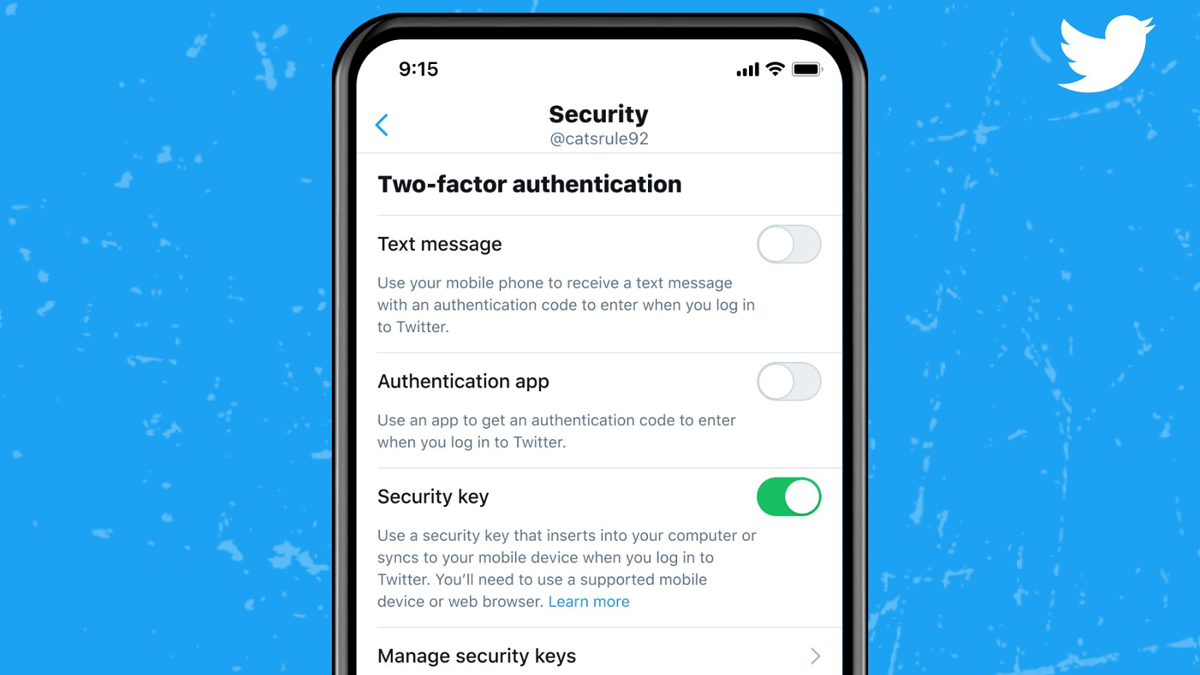
Twitter has finally introduced an improved security feature to further discourage unauthorised logins and account breaches: using physical security keys as the only two-factor authentication (2FA) option.

For context, a security key is a type of hardware-based safety net. Apart from a password to access something on your computer or smartphone, adding a security key means an extra layer of security that can’t be breached by others elsewhere. Once set up, everytime you log into something on a browser or app, it will ask for your key to be connected before allowing you in.
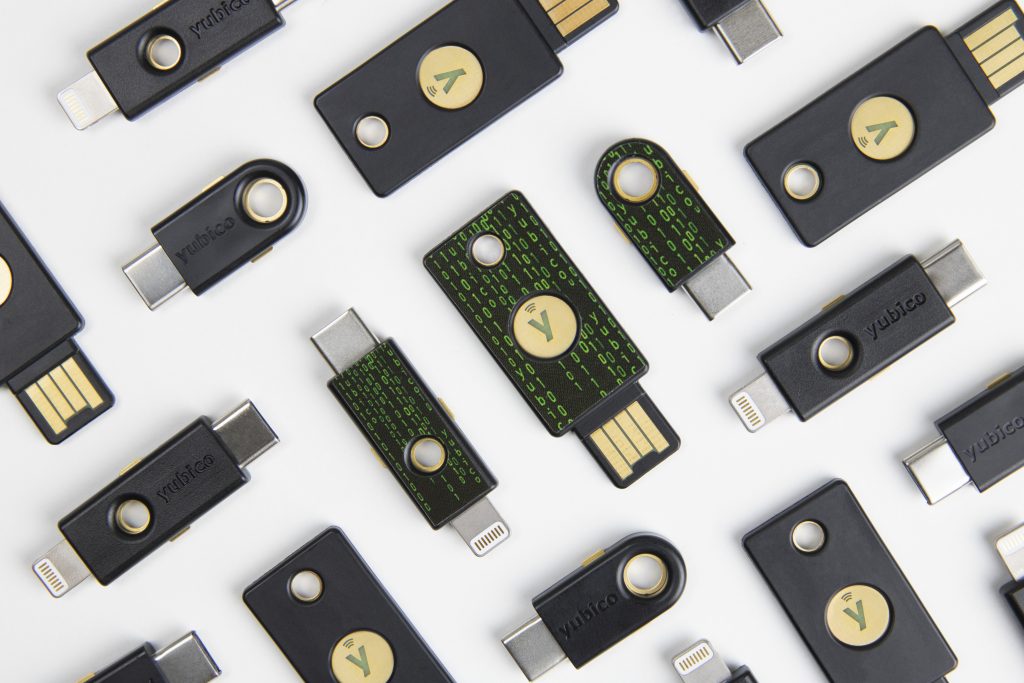
Yubico security keys

It typically looks like a pendrive and has a either a USB-A, USB-C or Lightning connector on one end to connect to your device when you need to access something. The really high-end security keys will even support NFC connections for speedy access to your smartphone.

Twitter users have actually always been able to use security keys as a 2FA option since 2018. However, users would still need to have a backup form of 2FA, such as sending an SMS code to your smartphone to gain access. That changes now though, with Twitter allowing you to use the hardware-based 2FA method as your only form of 2FA to log in.

Now security keys can be your one and only two-factor authentication method on mobile and web.

Learn more about how security keys can protect your account from attacks: https://t.co/Ta7uQSFhi6 pic.twitter.com/aPDOnbRtVk

— Support (@Support) June 30, 2021

To add a physical security key as a 2FA option on your Twitter account, you’ll first need to log into your account on a web browser. Click the More button on the left, then click Settings and Privacy from the options. From there, hit Settings followed by Security and account access which should lead you to this screen:
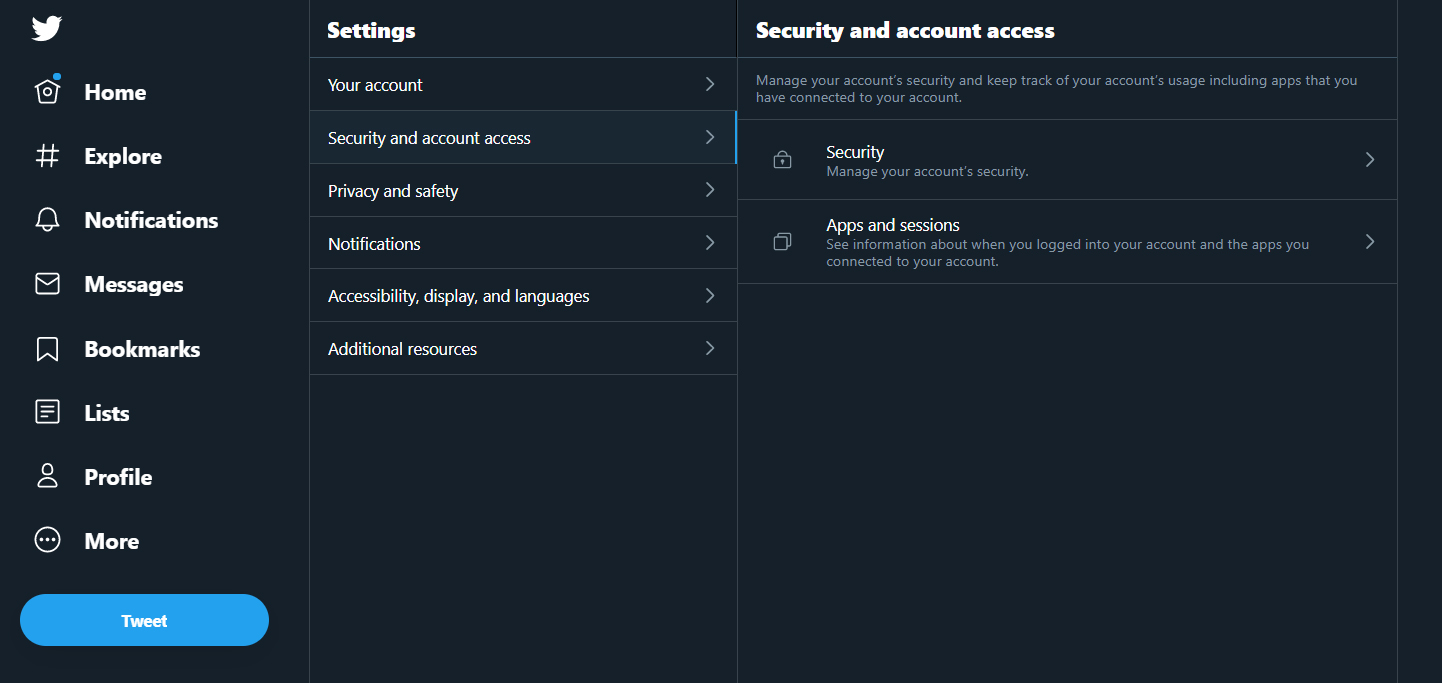
Once there, simply click on Security, Two-factor Authentication and then you’ll see the options to add 2FA via SMS, an authentication app or a security key. Of course, any form of 2FA will be better than having no 2FA at all, so even if you don’t have a physical security key on hand, you can still set up 2FA via SMS or an app if you’d like to this way.

To read more about what Twitter are doing with security keys, you can check out their blogpost here.

[ SOURCE ]

Related reading

Twitter Blue: Twitter’s paid subscription service lets you undo your tweets
How to apply for a verified blue tick on your Twitter account in 2021
Tags: Cybersecuritysecuritysecurity keysocial media securityTwitter
Raymond Saw

Raymond Saw

POPULAR

Upgraded To a New Phone? Cool. But When Was the Last Time you Upgraded your Shaver?

November 10, 2025

5 Reasons Every Home Should Have a Smart Security System

November 11, 2025

Solar ATAP: The new solar programme for consumers will only start in 2026

December 2, 2025

You can now use only security keys for two-factor login on Twitter

July 1, 2021
Perodua QV-E EV

Perodua QV-E is now official: Electric sportback with 201hp, 445km NEDC range, priced at RM80k not inclusive of battery subscription

December 1, 2025

GrabRewards is now GrabCoins: Now with even more ways to earn and save

November 17, 2025

Copyright © 2025 · SoyaCincau.com
Mind Blow Sdn Bhd (1076827-P)

  • ADVERTISE
  • DISCLAIMER

Copyright © 2025 · SoyaCincau.com – Mind Blow Sdn Bhd (1076827-P)

  • ADVERTISE
  • DISCLAIMER