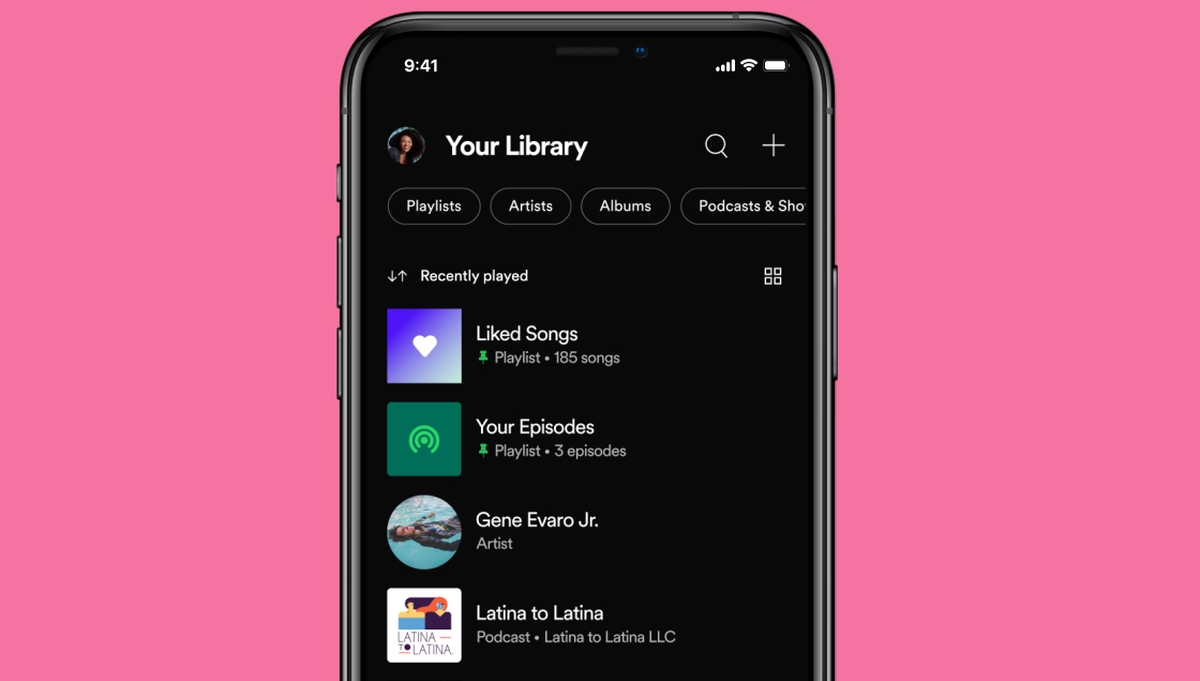
Spotify has rolled out an update to its iOS and Android apps—one that supposedly m makes it easier to find what you’re looking for (within your own Library, that is). The streaming platform announced a couple of changes to Your Library, all of which are designed to offer a more streamlined approach to your collection of saved tracks.
As someone that has thousands and thousands of tracks in my Library (just like most of you, I’m sure), the new updates should certainly help when you’re looking for individual tracks, or even specific genres or types of music. These include dynamic filters, new sorting options, and a Grid view to offer a more visual view of your content. Plus, you now have the ability to pin stuff like playlists or albums so you have easy access to your favourite content.
Here’s a the gist of it, in Spotify’s words:
- A streamlined way to browse and search your entire collection—both music and podcasts—in one place.
- New dynamic filters to help you browse that collection. Choose between album, artist, playlist, or podcast to see the audio you’ve saved that matches. Then, if you’re on the go, simply tap the Downloaded filter to view all your content available offline* at once.
- Better sorting options. Choose between viewing your audio alphabetically, by recently played, or by creator name. Now that’s organized.
- More control and easier access to what you listen to most. Choose up to four playlists, albums, or podcast shows to keep pinned for instant access so you can quickly dive back into that work playlist or sleep podcast. Simply swipe right on these items to see the “pin” option.
- Use the new Grid view to sort through your liked content in a more visual way with large-tiled album, playlist, and podcast cover art.
The changes aren’t exactly drastic, monumental updates, but it’s nice to Spotify is continuing to work at streamlining the mobile interface. These don’t apply to the desktop app or web browser version of Spotify, which makes some sense, given the fact that most users generally prefer to use Spotify on their smartphones these days.
And as someone that uses Spotify on a daily basis (and as someone that generally neglects to keep their playlists and saved tracks in order), it’s nice that there are new ways to navigate through the mountain of music tracks and podcasts that are saved in my Library.
In any case, the new update should be rolling out to all users on iOS and Android now. I’ve personally already received the update on my iOS device, so do let us know if you’ve gotten the new “Your Library”—and if you like the new interface.