
• 中文版
  • BM
  • News
  • Deals
  • Reviews
    • First Impressions
    • Hands-on
    • Comparisons
  • Tech
    • Mobile
    • Computers
    • Cameras
    • Wearables
    • Audio
    • Drones
  • Telco
    • Celcom
    • Digi
    • Maxis
    • Time
    • Tune Talk
    • U Mobile
    • Unifi
    • Yes
  • Cars
  • Contribute
  • Jobs
Menu
  • 中文版
  • BM
  • News
  • Deals
  • Reviews
    • First Impressions
    • Hands-on
    • Comparisons
  • Tech
    • Mobile
    • Computers
    • Cameras
    • Wearables
    • Audio
    • Drones
  • Telco
    • Celcom
    • Digi
    • Maxis
    • Time
    • Tune Talk
    • U Mobile
    • Unifi
    • Yes
  • Cars
  • Contribute
  • Jobs
Search
  • Tech
    • News
    • Mobile
    • Computers
    • Cameras
    • Wearables
    • Audio
    • Drones
  • Telco
    • Celcom
    • Digi
    • Maxis
    • Time
    • U Mobile
    • Unifi
    • Yes
  • Reviews
    • First Impressions
    • Hands-on
    • Comparisons
  • Buyer’s Guide
  • Opinions
  • Digital Life
  • Video
  • Deals
  • How-To
  • Cars
  • Bahasa Melayu
  • EV
  • Contribute
  • Advertise
Menu
  • Tech
    • News
    • Mobile
    • Computers
    • Cameras
    • Wearables
    • Audio
    • Drones
  • Telco
    • Celcom
    • Digi
    • Maxis
    • Time
    • U Mobile
    • Unifi
    • Yes
  • Reviews
    • First Impressions
    • Hands-on
    • Comparisons
  • Buyer’s Guide
  • Opinions
  • Digital Life
  • Video
  • Deals
  • How-To
  • Cars
  • Bahasa Melayu
  • EV
  • Contribute
  • Advertise
Search
Close
Home News

Samsung releases One Hand Operation app and it’s useful for phones with larger displays

  • BY Alexander Wong
  • 11 March 2019
  • 11:58 am
  • Comment
Share on FacebookShare on Twitter

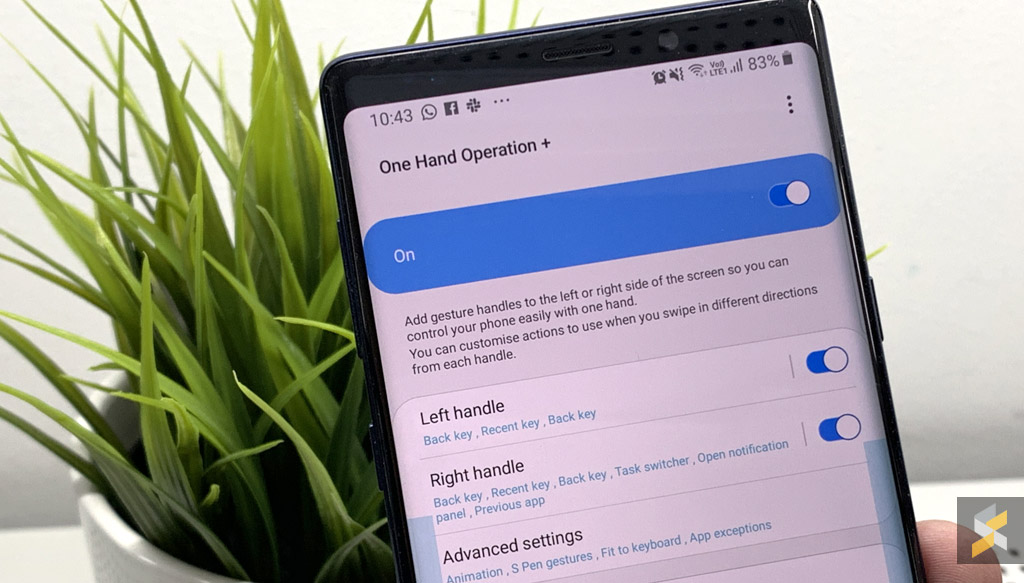
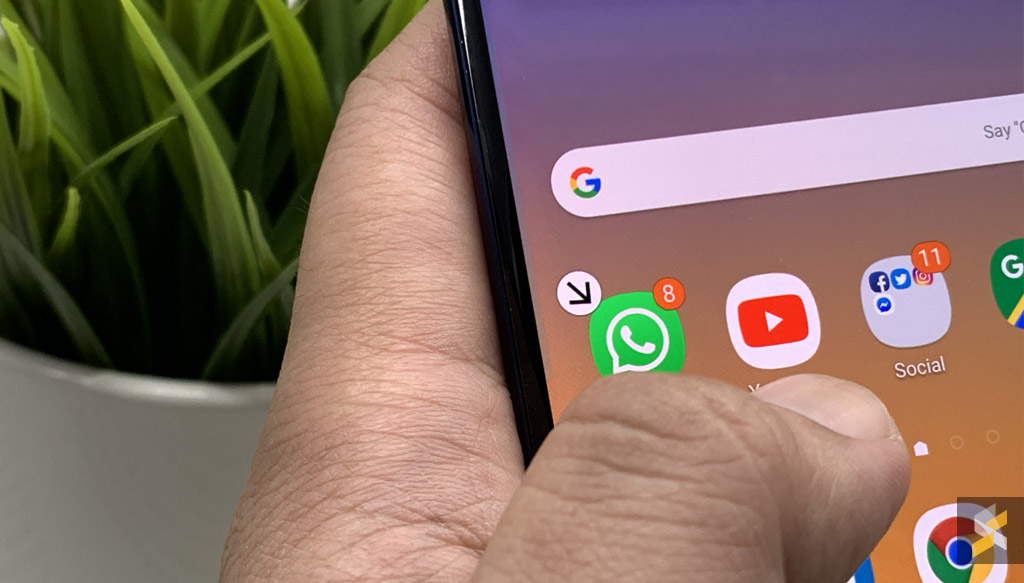
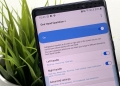
If you prefer to do things with a single hand, Samsung has just released a One Hand Operation + app which allows you to perform various functions with just your thumb. Unless you’re using a Samsung Galaxy 10e, most of the new smartphones announced by Samsung are rather large with a display that’s bigger than 6-inches. This makes it hard to reach with one hand especially the notification bar.

By default, most Samsung smartphones have a one-handed mode, which basically reduces the display so that your thumb is able to reach the topmost corner of the screen. Of course, this is a waste of display and the One Hand Operation + allows you to do toggle frequently used actions with simple gestures.

From the side edge, you can customise up to 6 actions which include swiping straight, swipe diagonally up or down and you can have another different set for long swipes.
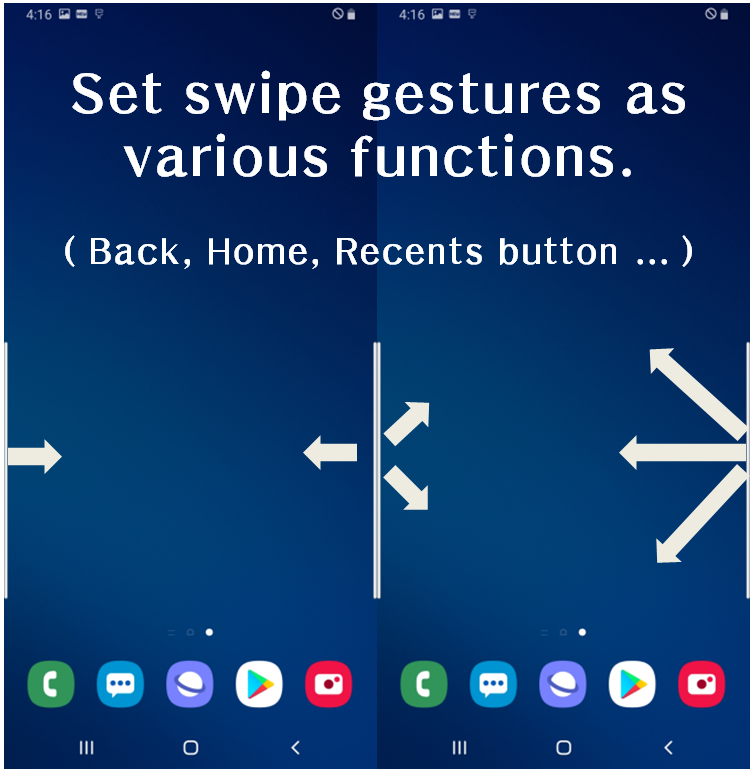
The gesture feature is fully customisable, and you can adjust the gesture “hot spot” area by height, thickness and position. On the display, it appears as a thin translucent line on the sides, similar to the “Edge Panel”.
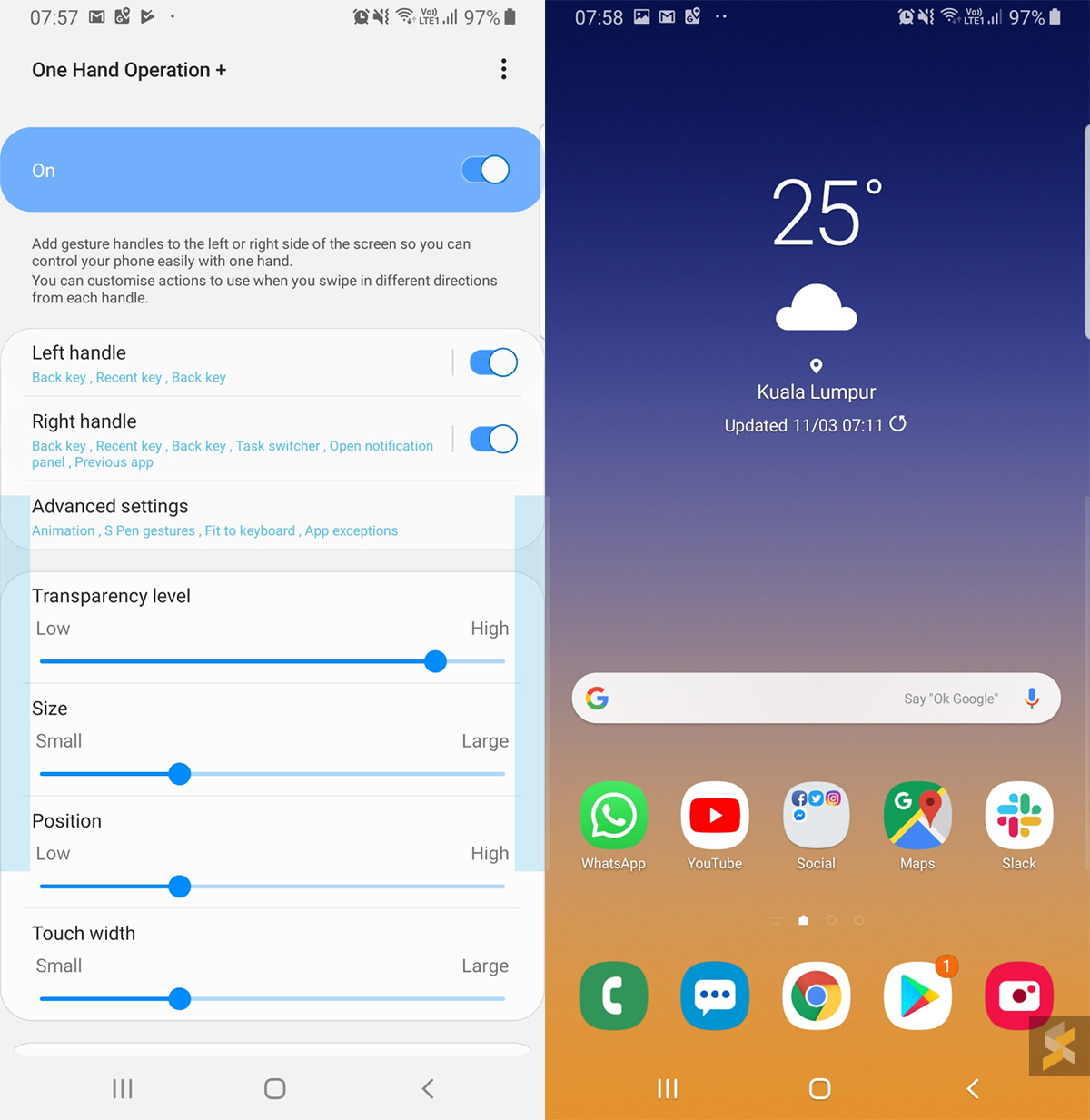
Apart from the usual Home, Recent Apps and Back key action, you can set a swipe action to bring up the notification panel, taking a screenshot, turn off the screen or even display floating navigation buttons on the sides. Unfortunately, you can’t set it to launch your favourite apps.

At the moment, this only works for Samsung smartphones only. If you’re interested, you can download the Samsung One Hand Operation + app here.

[ SOURCE, VIA ]

Tags: AppSamsungSamsung Galaxy Note9Samsung Galaxy S10 PlusSamsung One Hand Operation
Alexander Wong

Alexander Wong

POPULAR

Samsung releases One Hand Operation app and it’s useful for phones with larger displays

March 11, 2019
vivo V70 FE 200MP camera phone in Malaysia - Best value alternative for phones under RM2,000

High-Resolution Meets High-Endurance: A Closer Look at the vivo V70 FE

April 10, 2026
Apple Tap To Pay on iPhone Malaysia

Apple’s Tap to Pay on iPhone is now in Malaysia

April 22, 2026

Zeekr 009 upgraded for 2026: 900V architecture, 912hp, swiveling seats and 10-80% charge in 10 minutes

April 26, 2026

Can you and your family enjoy a 100% electric drive without ever plugging in?

April 23, 2026

Huawei MatePad Mini: Compact tablet with 8.8″ OLED PaperMatte Display, now available for RM2,199

April 22, 2026

Copyright © 2025 · SoyaCincau.com
Mind Blow Sdn Bhd (1076827-P)

  • ADVERTISE
  • DISCLAIMER

Copyright © 2026 · SoyaCincau.com – Mind Blow Sdn Bhd (1076827-P)

  • ADVERTISE
  • DISCLAIMER





