• 中文版
  • BM
  • News
  • Deals
  • Reviews
    • First Impressions
    • Hands-on
    • Comparisons
  • Tech
    • Mobile
    • Computers
    • Cameras
    • Wearables
    • Audio
    • Drones
  • Telco
    • Celcom
    • Digi
    • Maxis
    • Time
    • Tune Talk
    • U Mobile
    • Unifi
    • Yes
  • Cars
  • Contribute
  • Jobs
Menu
  • 中文版
  • BM
  • News
  • Deals
  • Reviews
    • First Impressions
    • Hands-on
    • Comparisons
  • Tech
    • Mobile
    • Computers
    • Cameras
    • Wearables
    • Audio
    • Drones
  • Telco
    • Celcom
    • Digi
    • Maxis
    • Time
    • Tune Talk
    • U Mobile
    • Unifi
    • Yes
  • Cars
  • Contribute
  • Jobs
Search
  • Tech
    • News
    • Mobile
    • Computers
    • Cameras
    • Wearables
    • Audio
    • Drones
  • Telco
    • Celcom
    • Digi
    • Maxis
    • Time
    • U Mobile
    • Unifi
    • Yes
  • Reviews
    • First Impressions
    • Hands-on
    • Comparisons
  • Buyer’s Guide
  • Opinions
  • Digital Life
  • Video
  • Deals
  • How-To
  • Cars
  • Bahasa Melayu
  • EV
  • Contribute
  • Advertise
Menu
  • Tech
    • News
    • Mobile
    • Computers
    • Cameras
    • Wearables
    • Audio
    • Drones
  • Telco
    • Celcom
    • Digi
    • Maxis
    • Time
    • U Mobile
    • Unifi
    • Yes
  • Reviews
    • First Impressions
    • Hands-on
    • Comparisons
  • Buyer’s Guide
  • Opinions
  • Digital Life
  • Video
  • Deals
  • How-To
  • Cars
  • Bahasa Melayu
  • EV
  • Contribute
  • Advertise
Search
Close
Home Digital Life

Can’t remove Facebook on Samsung smartphones: 3 things you need to know

  • BY Alexander Wong
  • 10 January 2019
  • 2:10 pm
  • Comment
Share on FacebookShare on Twitter

It was recently reported that you can’t uninstall Facebook on your Samsung Galaxy smartphone. Several users complained that they can’t completely remove the app and they are worried that Facebook can still track their every move.

If you’re using a Samsung device, you will find a “Disable” option rather than the usual “Uninstall” button for Facebook. Should you be worried about this? Not really, and here are three things you need to know.

Pre-installed apps is not a new thing

Samsung and other smartphone makers would usually pre-install some apps on their smartphones out of the box. Apart from Facebook, Samsung has also included Microsoft Word, OneDrive, PowerPoint, Linkedin and Excel on their latest devices. These are often included so that you can get started on the device immediately without having to download each app individually.It is not unusual for smartphone brands to include 3rd party apps as part of a distribution deal. This could even include local services like ride-hailing, hotel booking and video on demand providers. Sometimes such partnership deals can help to bring the cost of smartphones down especially in the budget segment.

While it can be useful, these apps are also seen as bloatware and that’s the reason why some would prefer to get an Android One device. Not only it’s free of unnecessary apps, but it is also guaranteed to get faster updates compared to typical custom skins.

Disabling Facebook is as good as uninstall

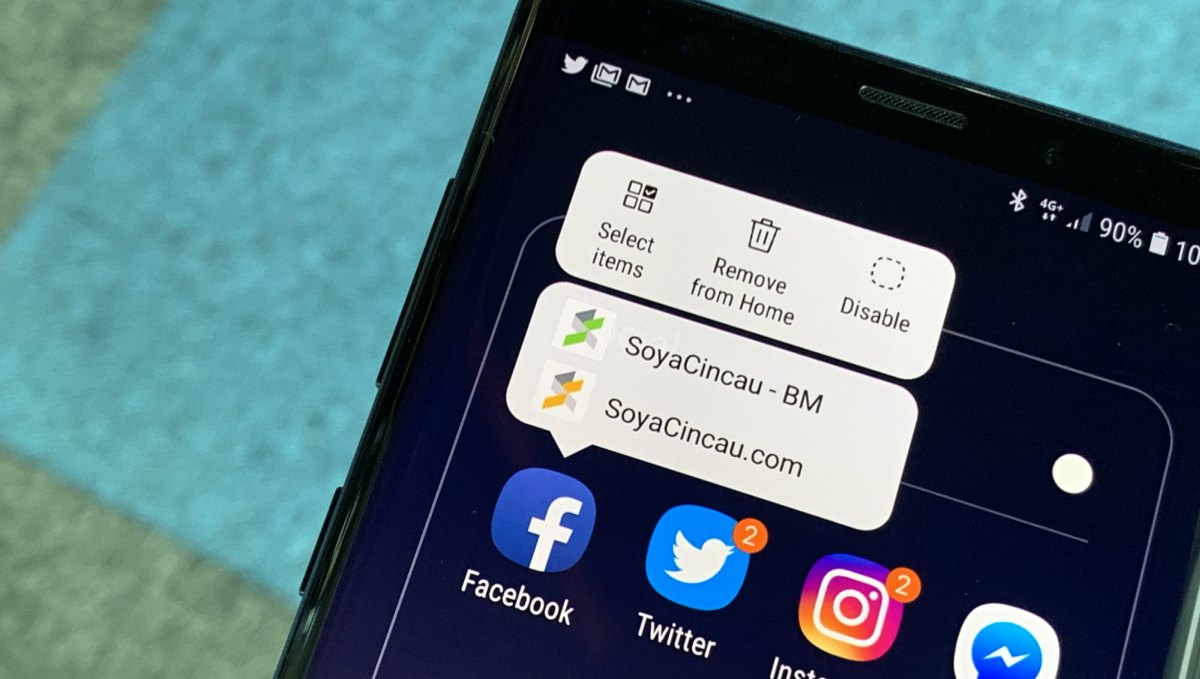
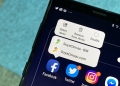
If you want to delete Facebook completely from your phone and your life, you can still disable it on your Samsung smartphone. Just long press on the Facebook icon and you should see a disable button.
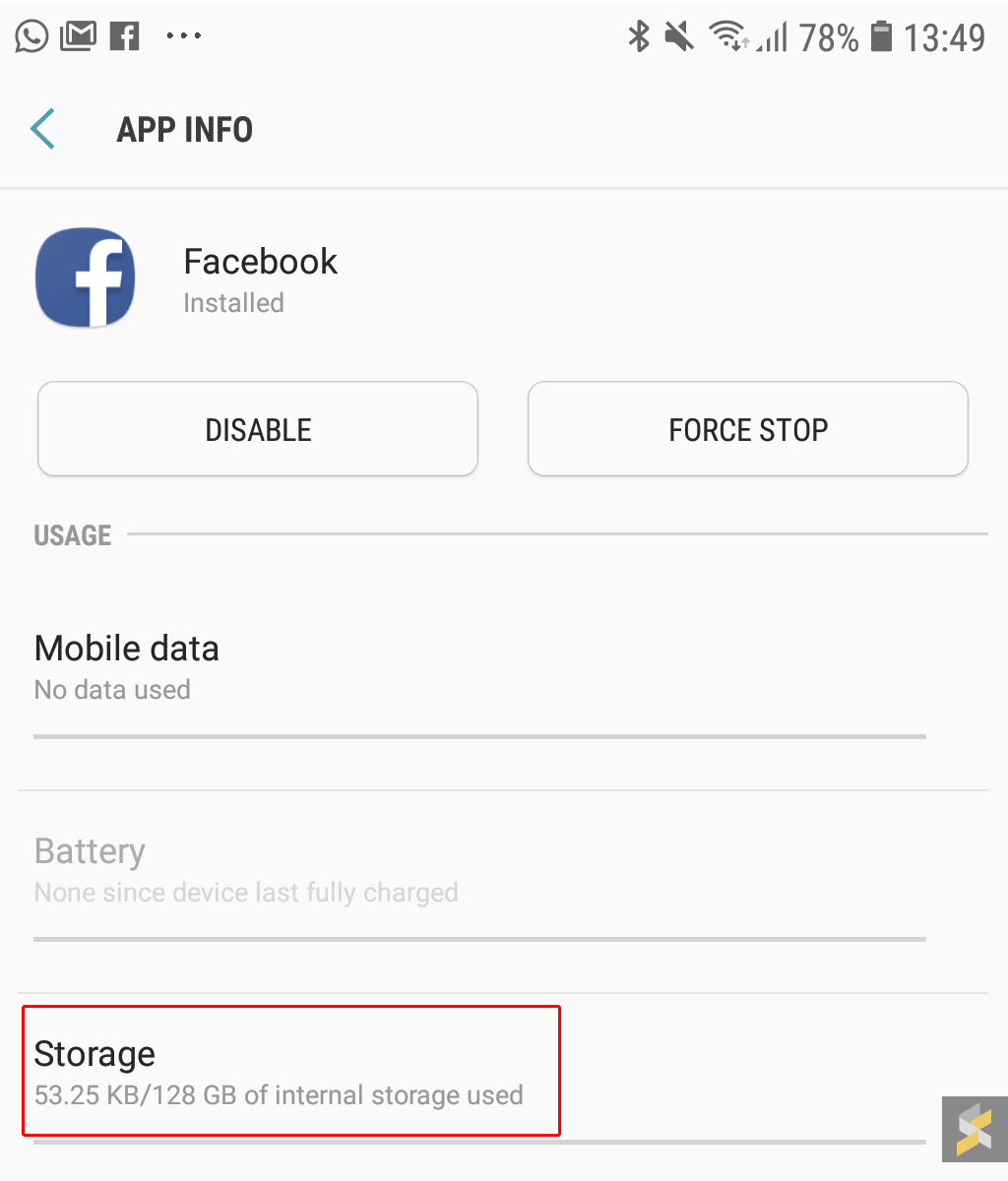
By doing this, you’re removing most of the core files that are required for Facebook to work. After disabling Facebook, it only takes up 53.25KB on our Galaxy Note9. Basically it’s just an empty shell.

Facebook can’t collect information if the app is disabled
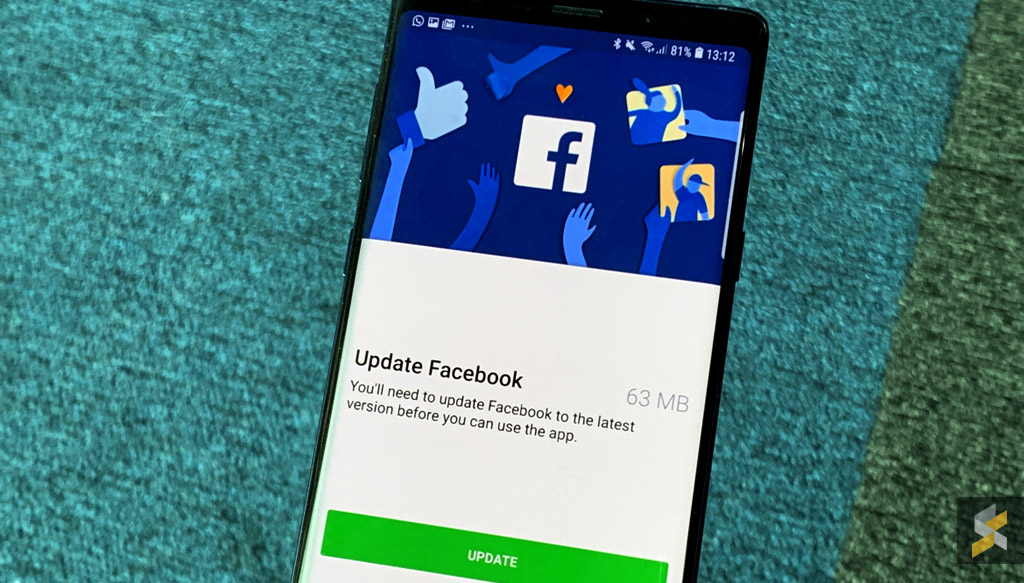
On concerns that Facebook can continue to track you, you shouldn’t have anything to worry about. What’s left is basically a placeholder or a shortcut for you to install Facebook.

On Android, when a system app (in this case, Facebook app) is disabled, it’ll be reverted to the version that comes with the phone. In this case, on phones that comes with Facebook app, when the app has been disabled, it’ll be reverted back to the non-functional stub anyways

— Jane Manchun Wong (@wongmjane) January 8, 2019

All Facebook functions will be disabled until you reactivate it again under settings or through the Google Play Store. If you try to open the app, it will prompt you to update Facebook which requires a 63MB download. On top of that, the app will still need your login details and you have to grant it permission to access your location and camera.

According to Facebook, a disabled version of the app acts like it’s been deleted and it won’t collect data or send information back to Facebook.

[ SOURCE 2 ]

Tags: FacebookMobileSamsung
Alexander Wong

Alexander Wong

POPULAR

Can’t remove Facebook on Samsung smartphones: 3 things you need to know

January 10, 2019
vivo V70 FE 200MP camera phone in Malaysia - Best value alternative for phones under RM2,000

High-Resolution Meets High-Endurance: A Closer Look at the vivo V70 FE

April 10, 2026

Zeekr 8X: Premium 900V PHEV SUV, up to triple-motor setup and 0–100km/h in 2.96s

April 20, 2026
Apple Tap To Pay on iPhone Malaysia

Apple’s Tap to Pay on iPhone is now in Malaysia

April 22, 2026

Can you and your family enjoy a 100% electric drive without ever plugging in?

April 23, 2026

Huawei MatePad Mini: Compact tablet with 8.8″ OLED PaperMatte Display, now available for RM2,199

April 22, 2026

Copyright © 2025 · SoyaCincau.com
Mind Blow Sdn Bhd (1076827-P)

  • ADVERTISE
  • DISCLAIMER

Copyright © 2026 · SoyaCincau.com – Mind Blow Sdn Bhd (1076827-P)

  • ADVERTISE
  • DISCLAIMER