• 中文版
  • BM
  • News
  • Deals
  • Reviews
    • First Impressions
    • Hands-on
    • Comparisons
  • Tech
    • Mobile
    • Computers
    • Cameras
    • Wearables
    • Audio
    • Drones
  • Telco
    • Celcom
    • Digi
    • Maxis
    • Time
    • Tune Talk
    • U Mobile
    • Unifi
    • Yes
  • Cars
  • Contribute
  • Jobs
Menu
  • 中文版
  • BM
  • News
  • Deals
  • Reviews
    • First Impressions
    • Hands-on
    • Comparisons
  • Tech
    • Mobile
    • Computers
    • Cameras
    • Wearables
    • Audio
    • Drones
  • Telco
    • Celcom
    • Digi
    • Maxis
    • Time
    • Tune Talk
    • U Mobile
    • Unifi
    • Yes
  • Cars
  • Contribute
  • Jobs
Search
  • Tech
    • News
    • Mobile
    • Computers
    • Cameras
    • Wearables
    • Audio
    • Drones
  • Telco
    • Celcom
    • Digi
    • Maxis
    • Time
    • U Mobile
    • Unifi
    • Yes
  • Reviews
    • First Impressions
    • Hands-on
    • Comparisons
  • Buyer’s Guide
  • Opinions
  • Digital Life
  • Video
  • Deals
  • How-To
  • Cars
  • Bahasa Melayu
  • EV
  • Contribute
  • Advertise
Menu
  • Tech
    • News
    • Mobile
    • Computers
    • Cameras
    • Wearables
    • Audio
    • Drones
  • Telco
    • Celcom
    • Digi
    • Maxis
    • Time
    • U Mobile
    • Unifi
    • Yes
  • Reviews
    • First Impressions
    • Hands-on
    • Comparisons
  • Buyer’s Guide
  • Opinions
  • Digital Life
  • Video
  • Deals
  • How-To
  • Cars
  • Bahasa Melayu
  • EV
  • Contribute
  • Advertise
Search
Close
Home News

Sketching on the Samsung Galaxy Note

  • BY ccsoya
  • 9 November 2011
  • 9:30 am
  • Comment
Share on FacebookShare on Twitter

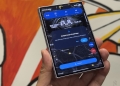
Here’s a demonstration of an artist live sketching using the S Pen and the Galaxy Note. The artist say that its easy to get use to sketching on the Galaxy Note and it offers a few advantages over pen and paper, mainly the ability to switch drawing tips and choose colours on the fly and that’s a definite plus. With some talent, the Galaxy Note is practical to use as a sketch pad and its not just a gimmick.

While doodling and sketching is an obvious use for the S Pen on the Galaxy Note, Samsung is targeting business users as well. The S Pen with custom applications like the S Planner opens up a whole list of features allowing users to edit calendar entries on the fly and more.

You can also draw on videos and record the drawing motion on the video itself on the fly and that’s simply amazing. The S Pen also adds a new dimension of finesse to photo editing giving you additional precision to cropping and cutting, to name a few.

The S Pen defines the typical user that will use the Galaxy Note. One that wants to use a smartphone for more than just a communication device, more than texting and making calls, more than tweeting and facebooking. The Note user makes the most of the capabilities of the device to get things done on the fly. And so the size is more of an advantage than a hindrance but for those who will be primarily be making a lot of calls and text messaging, we’re inclined to say that perhaps the Galaxy Note might not be right for you.

Tags: S PenSamsungSamsung Galaxy NoteSamsung Galaxy Note MalaysiaSketchSketchingVideo
ccsoya

ccsoya

POPULAR

Sketching on the Samsung Galaxy Note

November 9, 2011

Here is how to turn your unused GrabCoins balance into real discounts today

August 13, 2026

U Mobile introduces SIM-based Phone Number Verification, lets apps verify your number securely without SMS OTP

October 9, 2026

Budget 2027: AI subscriptions will be eligible for income tax relief

October 9, 2026

JPJ suspends Chery Omoda 5 VTA, orders recall after detached rear axle incident

October 11, 2026

Chery Malaysia recalls Omoda 5 again over rear axle issue: How to check if you’re affected

October 11, 2026

Copyright © 2026 · SoyaCincau.com
Mind Blow Sdn Bhd (1076827-P)

  • ADVERTISE
  • DISCLAIMER

Copyright © 2026 · SoyaCincau.com – Mind Blow Sdn Bhd (1076827-P)

  • ADVERTISE
  • DISCLAIMER