U Mobile has started rolling out 5G Standalone (5G SA) support for iPhone users with the latest iOS 26.4 update. However, not everyone seems to be able to enable it right away.
If you’re seeing the error “Your current SIM doesn’t support 5G Standalone”, here’s what you need to know and how to fix it.
What you need before enabling 5G SA
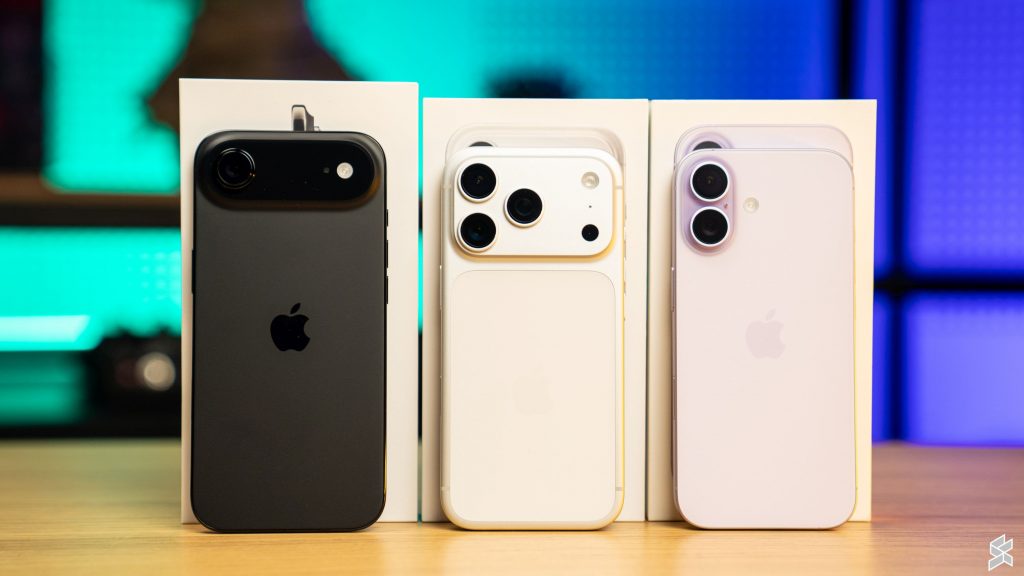
Here’s what’s required to enjoy 5G SA on your iPhone
- iPhone 15 series or newer
- Updated to the iOS 26.4
- U Mobile Postpaid plan that supports 5G SA. Sorry, prepaid isn’t supported yet.
As of 13th March 2026, U Mobile has enabled 5G SA for the following postpaid plans:
- U Family 128
- U Family Share
- U Postpaid 98
- U Postpaid 68
- U Postpaid 38
- U Postpaid Borneo 68
- U Postpaid Borneo 38
- Postpaid GX55
- U Biz 98
- U Premium
- U Platinum
How to enable 5G SA on iPhone
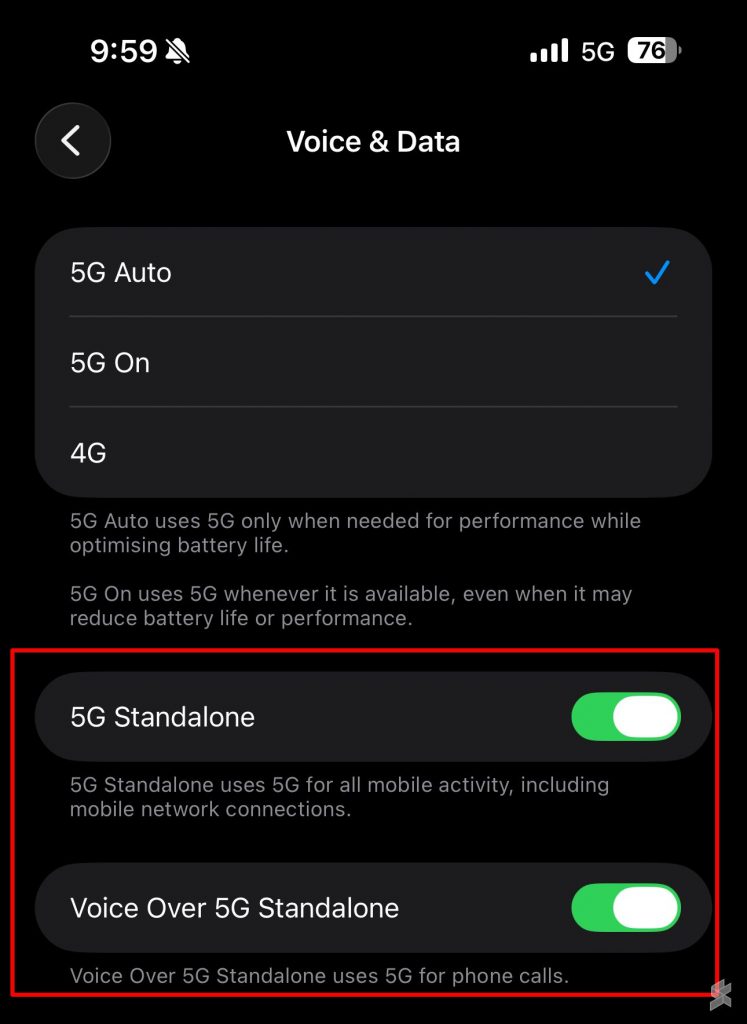
Once you have the compatible device and plan, here’s how to enable 5G SA on your iPhone:
- Go to Settings > Mobile Data > Mobile Data Options
- Tap Voice & Data
- Select 5G Auto or 5G On
- Enable 5G Standalone
- Enable Voice over 5G Standalone.
If the option still doesn’t show up, your SIM/eSIM is likely not compatible.
Why your SIM may not work
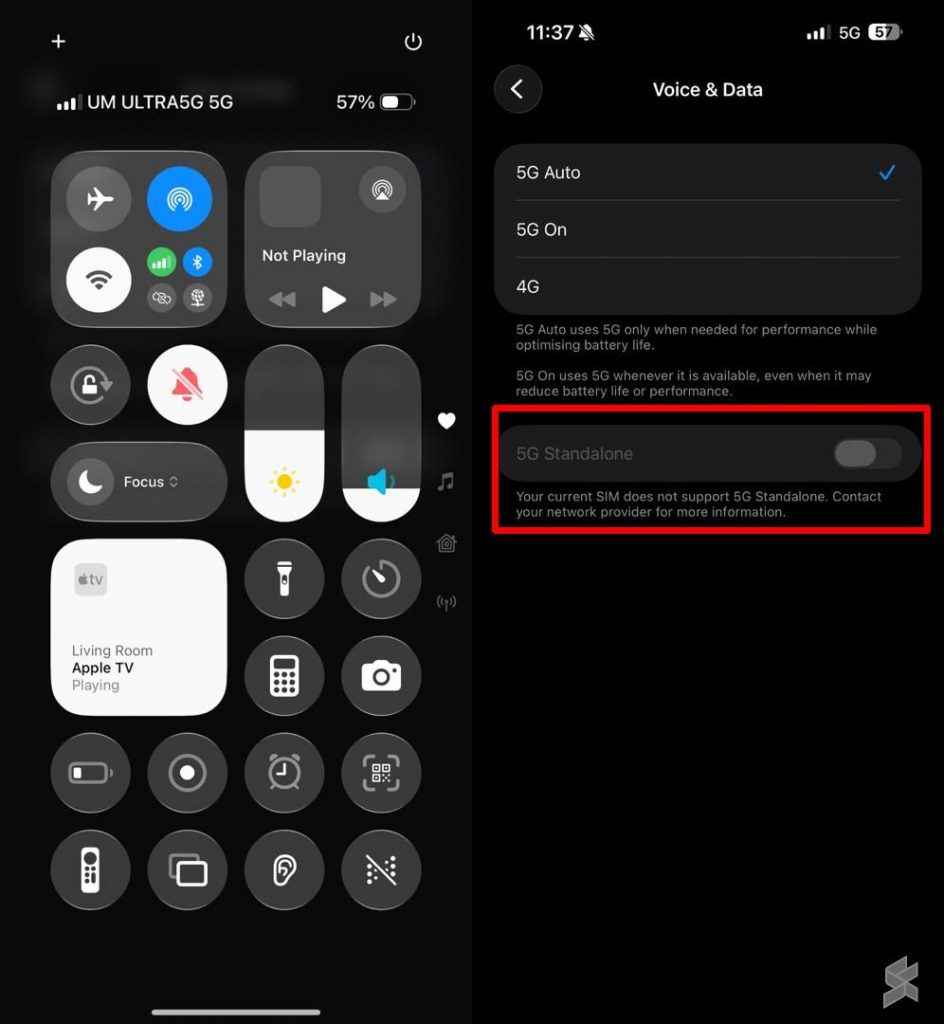
If you have the right iPhone, the right postpaid plan, the latest iOS 26.4 update but you can’t turn on 5G Standalone as shown above, here’s why.
Apple requires a SIM that supports Subscription Concealed Identifier (SUCI) for 5G SA due to security requirements. This isn’t an issue to use 5G SA on most Android smartphones but it seems that Apple is more stringent in this case.
If you’re using a physical SIM, you may also need a newer SIM card that supports SUCI.
For those who are using an eSIM, take note that eSIM profiles activated before March 2025 are not compatible. You’ll need a replacement eSIM.
Take note that U Mobile charges RM10.60 for SIM or eSIM replacement.
How to check if you’re on 5G SA
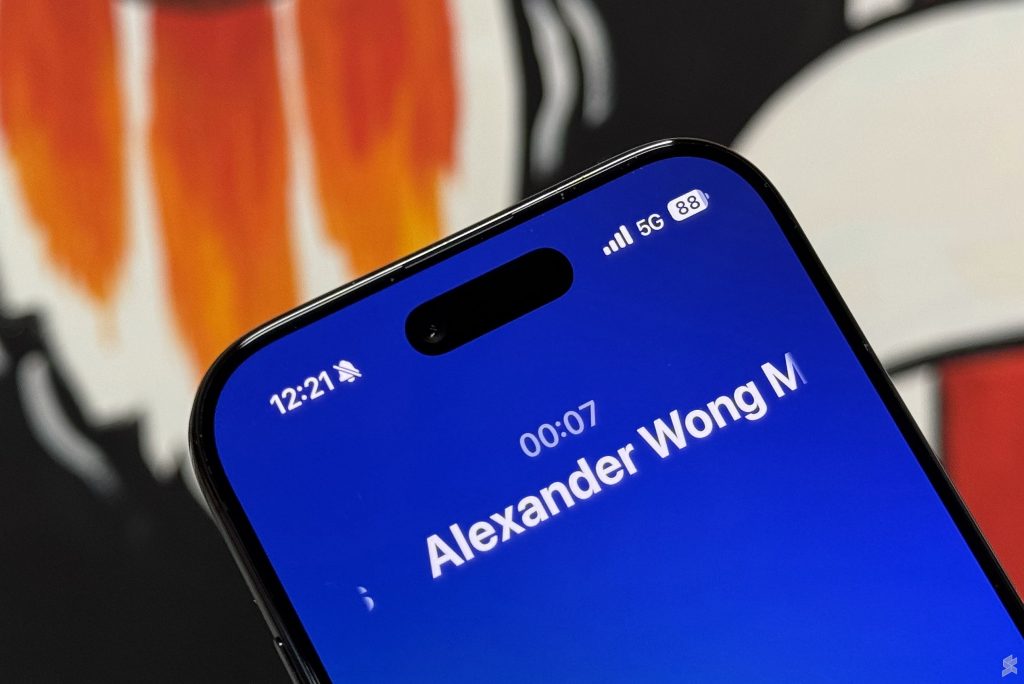
The easiest way to verify if you’re on 5G SA is simply make a voice call.
If your iPhone connection remains on 5G while on a call, you’re on 5G SA. This is because 5G SA allows voice calls to run fully on 5G without relying on 4G fallback.
However, it drops from 5G to 4G, that means you’re still on 5G NSA (5G Non-Standalone).
What’s the benefit of 5G SA?
5G SA is widely regarded as “true 5G” as it does not rely on existing 4G infrastructure as an anchor. As a result, users on 5G SA can expect lower latency, wider coverage and better battery life.
Since 5G SA runs purely on a 5G core, devices won’t need to maintain connections to both 4G and 5G networks. As a result, your devices should get improved battery life compared to connecting to 5G NSA.
For more info, you can check out the official U Mobile 5G SA FAQ.