• 中文版
  • BM
  • News
  • Deals
  • Reviews
    • First Impressions
    • Hands-on
    • Comparisons
  • Tech
    • Mobile
    • Computers
    • Cameras
    • Wearables
    • Audio
    • Drones
  • Telco
    • Celcom
    • Digi
    • Maxis
    • Time
    • Tune Talk
    • U Mobile
    • Unifi
    • Yes
  • Cars
  • Contribute
  • Jobs
Menu
  • 中文版
  • BM
  • News
  • Deals
  • Reviews
    • First Impressions
    • Hands-on
    • Comparisons
  • Tech
    • Mobile
    • Computers
    • Cameras
    • Wearables
    • Audio
    • Drones
  • Telco
    • Celcom
    • Digi
    • Maxis
    • Time
    • Tune Talk
    • U Mobile
    • Unifi
    • Yes
  • Cars
  • Contribute
  • Jobs
Search
  • Tech
    • News
    • Mobile
    • Computers
    • Cameras
    • Wearables
    • Audio
    • Drones
  • Telco
    • Celcom
    • Digi
    • Maxis
    • Time
    • U Mobile
    • Unifi
    • Yes
  • Reviews
    • First Impressions
    • Hands-on
    • Comparisons
  • Buyer’s Guide
  • Opinions
  • Digital Life
  • Video
  • Deals
  • How-To
  • Cars
  • Bahasa Melayu
  • EV
  • Contribute
  • Advertise
Menu
  • Tech
    • News
    • Mobile
    • Computers
    • Cameras
    • Wearables
    • Audio
    • Drones
  • Telco
    • Celcom
    • Digi
    • Maxis
    • Time
    • U Mobile
    • Unifi
    • Yes
  • Reviews
    • First Impressions
    • Hands-on
    • Comparisons
  • Buyer’s Guide
  • Opinions
  • Digital Life
  • Video
  • Deals
  • How-To
  • Cars
  • Bahasa Melayu
  • EV
  • Contribute
  • Advertise
Search
Close
Home Digital Life

Celcom Life app removed from the Google Play Store? CelcomDigi explains why

  • BY Alexander Wong
  • 20 August 2024
  • 12:02 am
  • Comment
Share on FacebookShare on Twitter

Are you an Android user and can’t seem to find the Celcom official app on the Google Play Store? You’re not alone. The Celcom Life app was removed from the Play Store last Friday and CelcomDigi has issued a response to the matter.

The Celcom Life app is the official self-care app for Celcom customers to monitor, pay bills and manage their services on their smartphones.

Celcom Life app was delisted by Google
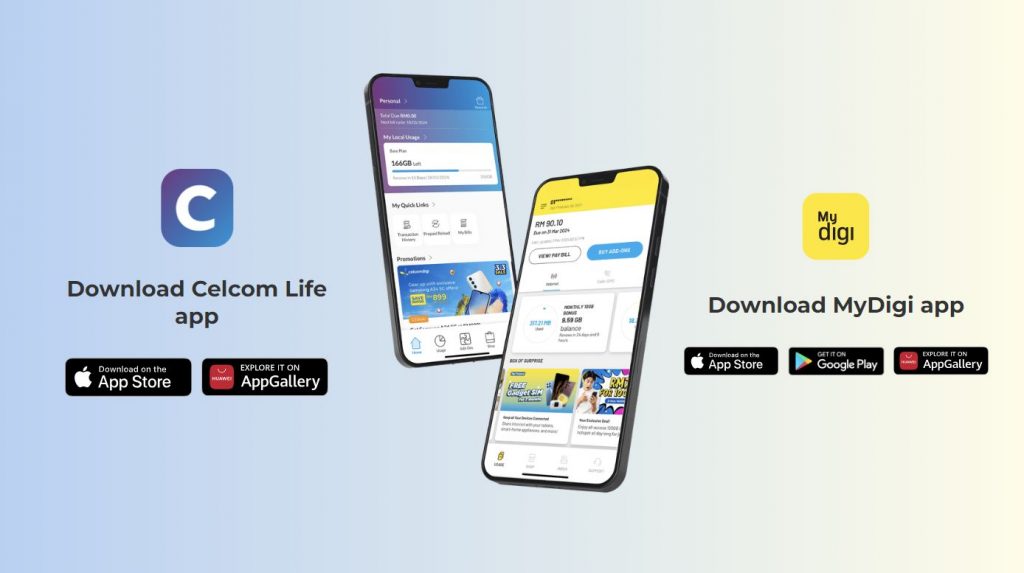
At the time of writing, the Celcom Life app is only available on the Apple App Store and the Huawei AppGallery. However, Digi customers are still able to download the MyDigi app on the Apple App Store, Huawei AppGallery and also the Google Play Store.

According to CelcomDigi, the Celcom Life app was delisted by Google due to a banner within the app which allowed customers to access Netflix directly. The CelcomDigi team has already fixed the issue and resubmitted the new version on Friday itself and it is still pending approval from Google.

What can CelcomDigi users do for the time being?

CelcomDigi added that existing customers who have downloaded the app are not impacted as they can continue using the app on their phones as usual. However, for new customers who have not downloaded the app, you would need to wait a while for Google to approve the app on the Play Store.

For the time being, Celcom customers who require assistance can reach out to their customer support here. They can also pay their bills online and perform prepaid reloads online.

Tags: AndroidCelcom AppCelcom LifeCelcom Life AppCelcomDigigoogleGoogle Play Store
Alexander Wong

Alexander Wong

POPULAR

Celcom Life app removed from the Google Play Store? CelcomDigi explains why

August 20, 2024

HUAWEI Pura 90s Series: Elevating How You See, Create, and Stay Connected

July 23, 2026

The OPPO Reno16 Pro 5G Lands in Malaysia: A Look at the New 200MP All-in-One Content Studio

July 13, 2026

How fast is ULTRA5G inside KL Malls? Here’s What Dedicated Indoor ULTRA5G Infrastructure Can Actually Do

July 16, 2026

ChargEV and Maybank partner up: Get up to 16% rebate on EV charging

July 28, 2026

GSC Malaysia confirms Infinity Vision certification ahead of Avengers: Doomsday release

July 28, 2026

Copyright © 2026 · SoyaCincau.com
Mind Blow Sdn Bhd (1076827-P)

  • ADVERTISE
  • DISCLAIMER

Copyright © 2026 · SoyaCincau.com – Mind Blow Sdn Bhd (1076827-P)

  • ADVERTISE
  • DISCLAIMER