
• 中文版
  • BM
  • News
  • Deals
  • Reviews
    • First Impressions
    • Hands-on
    • Comparisons
  • Tech
    • Mobile
    • Computers
    • Cameras
    • Wearables
    • Audio
    • Drones
  • Telco
    • Celcom
    • Digi
    • Maxis
    • Time
    • Tune Talk
    • U Mobile
    • Unifi
    • Yes
  • Cars
  • Contribute
  • Jobs
Menu
  • 中文版
  • BM
  • News
  • Deals
  • Reviews
    • First Impressions
    • Hands-on
    • Comparisons
  • Tech
    • Mobile
    • Computers
    • Cameras
    • Wearables
    • Audio
    • Drones
  • Telco
    • Celcom
    • Digi
    • Maxis
    • Time
    • Tune Talk
    • U Mobile
    • Unifi
    • Yes
  • Cars
  • Contribute
  • Jobs
Search
  • Tech
    • News
    • Mobile
    • Computers
    • Cameras
    • Wearables
    • Audio
    • Drones
  • Telco
    • Celcom
    • Digi
    • Maxis
    • Time
    • U Mobile
    • Unifi
    • Yes
  • Reviews
    • First Impressions
    • Hands-on
    • Comparisons
  • Buyer’s Guide
  • Opinions
  • Digital Life
  • Video
  • Deals
  • How-To
  • Cars
  • Bahasa Melayu
  • EV
  • Contribute
  • Advertise
Menu
  • Tech
    • News
    • Mobile
    • Computers
    • Cameras
    • Wearables
    • Audio
    • Drones
  • Telco
    • Celcom
    • Digi
    • Maxis
    • Time
    • U Mobile
    • Unifi
    • Yes
  • Reviews
    • First Impressions
    • Hands-on
    • Comparisons
  • Buyer’s Guide
  • Opinions
  • Digital Life
  • Video
  • Deals
  • How-To
  • Cars
  • Bahasa Melayu
  • EV
  • Contribute
  • Advertise
Search
Close
Home Digital Life

This tool lets you know if your computer supports Windows 11

  • BY Raymond Saw
  • 25 June 2021
  • 1:54 pm
  • Comment
Share on FacebookShare on Twitter

Windows 11 isn’t here just yet, but if you’re already unsure whether your old laptop can handle Windows 11 when it comes out, fret not. Microsoft has released both the minimum requirements for Windows 11 and a tool that scans your computer to see if it surpasses it.
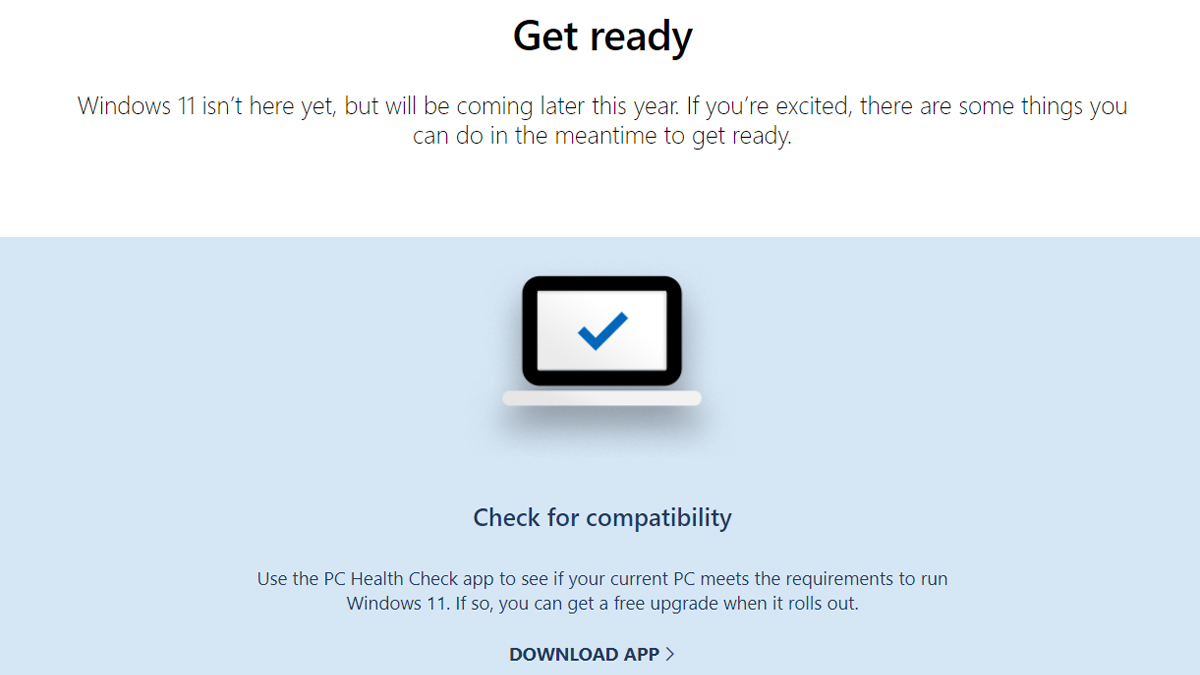
The minimum system requirements this time round is a little higher than that for Windows 10, which is perhaps expected given that it’s been six years since then. Here’s the minimum requirements in full:

Processor: 1GHz or faster, 2 or more cores on compatible 64-bit processor or system-on-chip

RAM: 4GB

Storage: 64GB or larger storage device

System firmware: UEFI, Secure Boot capable

TPM: Trusted Platform Module 2.0

Graphics card: GPU with DirectX 12 or later with WDDM 2.0 driver

Display: 720p, bigger than 9-inch display, 8-bits per colour channel

Internet connection: Internet connectivity and a Microsoft account required to setup Windows 11

You can also head to the Windows 11 page on Microsoft’s website to download a tool that checks for Windows 11 compatibility. Do note though that it may require you to fiddle with your motherboard’s BIOS settings for Secure Boot and TPM to meet the tool’s requirements.

I flipped the switch in my BIOS to enable TPM and the Windows 11 upgrade checker says my PC is now compatible. Check your BIOS for the setting, as practically every modern CPU has TPM support. Look for Intel PTT or AMD PSP fTPM in the BIOS https://t.co/bKo1UfTvk5 pic.twitter.com/xdu8s9ojS1

— Tom Warren (@tomwarren) June 24, 2021

Of course, these are just the minimum requirements. Microsoft has listed down numerous other requirements for specific features that Windows 11 will bring. For instance, if you want to use Auto HDR for your video games, you will need an HDR-ready monitor. DirectStorage meanwhile requires an NVMe SSD, some drivers and a DirectX 12 GPU with Shader Model 6.0. Even the new Snap Layout feature will need your display to be at least 1920 pixels in width.

With Windows 11 however, a number of features familiar to Windows 10 users have also been removed. Live Tiles in your Start Menu for instance will no longer be available, while Cortana will also no longer be included in the first boot experience. Skype, Paint 3D and OneNote for Windows 10 have also been removed, while Internet Explorer will be replaced with Microsoft Edge.

For more information on Windows 11 and its requirements, you can visit its product and specifications page.

[ SOURCE 2 ]

Related reading

Windows 11 is official: new Start Menu, Android app support and Snap Layouts
Tags: microsoftMicrosoft Windowsmicrosoft windows 11windows 11
Raymond Saw

Raymond Saw

POPULAR

Upgraded To a New Phone? Cool. But When Was the Last Time you Upgraded your Shaver?

November 10, 2025

5 Reasons Every Home Should Have a Smart Security System

November 11, 2025

Solar ATAP: The new solar programme for consumers will only start in 2026

December 2, 2025

This tool lets you know if your computer supports Windows 11

June 25, 2021
Perodua QV-E EV

Perodua QV-E is now official: Electric sportback with 201hp, 445km NEDC range, priced at RM80k not inclusive of battery subscription

December 1, 2025

GrabRewards is now GrabCoins: Now with even more ways to earn and save

November 17, 2025

Copyright © 2025 · SoyaCincau.com
Mind Blow Sdn Bhd (1076827-P)

  • ADVERTISE
  • DISCLAIMER

Copyright © 2025 · SoyaCincau.com – Mind Blow Sdn Bhd (1076827-P)

  • ADVERTISE
  • DISCLAIMER





