
At Google I/O 2010, Larry Page has mentioned that Android’s battery life is pretty good and added that “if you are not getting a day, there is something wrong.” Most issues of short battery life for Android are partly blamed on apps and unnecessary data usage that sucks out battery life without you realising it.
Initially we thought Larry Page was just giving an arrogant response to those who doubts Android’s power management but we ended up agreeing with what he had just said. After playing around with Android devices, we admit that how you set up your device does make a big difference when it comes to battery life.
We’ve compiled a guide on how to improve and optimise your battery life for Android devices.
Display Brightness
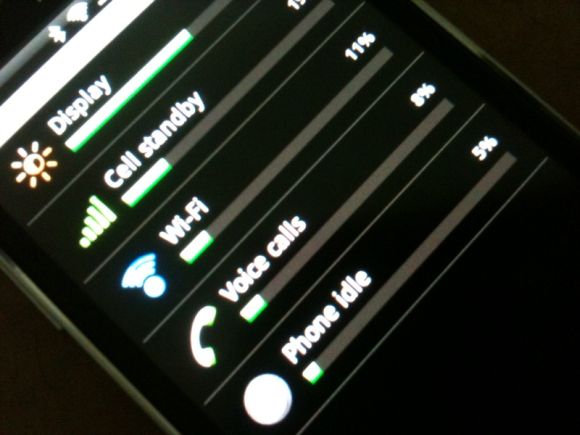
Most if not all Android devices boast an incredible AMOLED display that’s simply impressive. However the display also takes a toll on your battery life. Checking your Battery usage which you can find under [ Settings > About phone > Battery > Battery use ] will reveal that the display will often take the biggest chunk out of your battery.
We would recommend turning off or turn down the display brightness when you’re indoors at home or at the office. On the HTC Legend, switching off the brightness completely is still very much readable indoors and that saves a lot of power. Turn up the brightness only right before you go outdoors. From our experience, the default automatic brightness isn’t doing a good job in preserving battery and we recommend adjusting manually according to your lighting conditions.
Solution: We recommend adding the Power Control (Android) widget to your home screen for instant brightness adjustment. This widgets allows you to turn off completely, low brightness or full brightness directly from your home screen.
Updates. Sync & Mobile Data
Who can live without emails, twitter and heaps of data hungry apps these days. With an Android device, most people would like to stay updated on everything as it happen but think about it, how often do you really need to be updated? Another battery life killer is unnecessary syncing or push updates.
From our observation, most people working from 9-5 are already busy in front of their computers all the time. Sometimes it is unnecessary to have both your office computer and mobile constantly checking for updates. Syncing uses a lot of power to connect to Mobile Data in order to fetch updates and that translate to waste of power as well.
Whenever you’re in a place with WiFi connectivity, use WiFi instead of Mobile Data. Not only do you spare your mobile data charges or monthly quota but WiFi is usually faster and use somewhat less battery compared to 3G/HSDPA mobile data.
Solution: We would recommend reducing your sync frequency and even better, switching it to manual completely to only check when required. To be extra efficient, turn off all Mobile Data, Bluetooth, GPS and WiFi before going to sleep or when there’s no need to use them for extended length of time. When WiFi is available, use it instead of Mobile Data.
For more extreme measure, you can turn off always-on mobile data which can be found at [ Settings > Wireless & networks > Mobile Networks > Enable always-on Mobile ]. This may interrupt some apps that require constant data connection.
Apps & Services
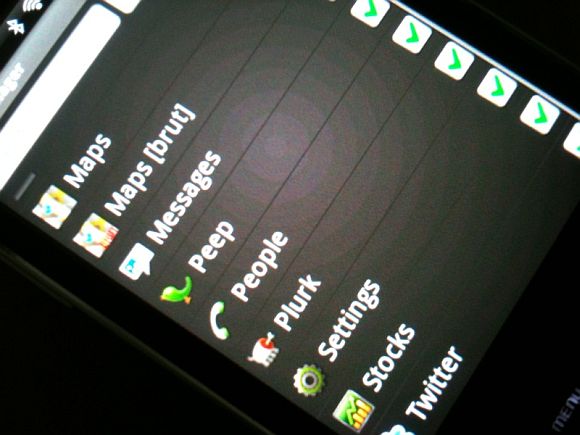
Multitasking is an advantage of the Android which often used as a teasing factor towards iPhone users. However this is also a disadvantage when it comes to battery life. Just like Pocket PC/Windows mobile, multiple running Android apps and services do take up memory and CPU resource that will gladly drain your battery life.
Keep your apps in check by killing (terminating) unnecessary apps. Another battery draining app we discovered is Google Latitude under Maps. If you’ve enabled Google Latitude, your Android device will constantly update Latitude automatically without you knowing at a rate between 5-15 minutes interval. Such service is unnecessary and drains your battery life big time!
Solution: To manage what’s running on your Android, download Task manager by Rhythm Software for Free in the Android Market. This app lets you see what’s running and even lets you kill all runing apps with a single click on its Widget icon. If you got annoying apps that keep on running without you knowing, you can even set some application to auto kill list where it kills it for you each time you switch off your screen. Also, please don’t forget to turn off Latitude when you are not using it!
More battery saving tips
If you’re more obsessed about pushing out more battery life, you can also do the following:
- Disable all audible sounds and haptic (vibration) feedback
- Reduce screen timeout time & turn off animation
- Disable Live Backgrounds
- Cut down the number of dynamic widgets that require constant updates
- Force to run on GSM only (no WCDMA) when data is not required
Another app worth installing is Sweet Dreams which is a winner of Android Developer Challenge 2. What this app does is to put your device into silent and battery saving mode at your regular sleeping time configured. It can turn off your alerts, switch off data, gps and wifi service when your device meets the “Sleeping time” rules. There’s even filters for location, motion and sound detection to really give that precised personalisation for the service. Best of all, its FREE.
Conclusion
Hopefully this guide will improve your Android’s battery life to a full day like what Larry has mentioned. With all the necessary tweaks and proper habits, we managed to get almost a full day of usage on a HTC Legend on a single full charge unplugged in the morning. With the right set up, we do hope that you won’t need to buy a battery pack or scrambling for a micro USB power source anytime soon.
Got a power saving tip? Do share it with us on the comments below or via twitter.






