• 中文版
  • BM
  • News
  • Deals
  • Reviews
    • First Impressions
    • Hands-on
    • Comparisons
  • Tech
    • Mobile
    • Computers
    • Cameras
    • Wearables
    • Audio
    • Drones
  • Telco
    • Celcom
    • Digi
    • Maxis
    • Time
    • Tune Talk
    • U Mobile
    • Unifi
    • Yes
  • Cars
  • Contribute
  • Jobs
Menu
  • 中文版
  • BM
  • News
  • Deals
  • Reviews
    • First Impressions
    • Hands-on
    • Comparisons
  • Tech
    • Mobile
    • Computers
    • Cameras
    • Wearables
    • Audio
    • Drones
  • Telco
    • Celcom
    • Digi
    • Maxis
    • Time
    • Tune Talk
    • U Mobile
    • Unifi
    • Yes
  • Cars
  • Contribute
  • Jobs
Search
  • Tech
    • News
    • Mobile
    • Computers
    • Cameras
    • Wearables
    • Audio
    • Drones
  • Telco
    • Celcom
    • Digi
    • Maxis
    • Time
    • U Mobile
    • Unifi
    • Yes
  • Reviews
    • First Impressions
    • Hands-on
    • Comparisons
  • Buyer’s Guide
  • Opinions
  • Digital Life
  • Video
  • Deals
  • How-To
  • Cars
  • Bahasa Melayu
  • EV
  • Contribute
  • Advertise
Menu
  • Tech
    • News
    • Mobile
    • Computers
    • Cameras
    • Wearables
    • Audio
    • Drones
  • Telco
    • Celcom
    • Digi
    • Maxis
    • Time
    • U Mobile
    • Unifi
    • Yes
  • Reviews
    • First Impressions
    • Hands-on
    • Comparisons
  • Buyer’s Guide
  • Opinions
  • Digital Life
  • Video
  • Deals
  • How-To
  • Cars
  • Bahasa Melayu
  • EV
  • Contribute
  • Advertise
Search
Close
Home News

TM reveals why the Unifi TV app doesn’t work on your Android TV device

  • BY Alexander Wong
  • 29 September 2020
  • 4:53 pm
  • Comment
Share on FacebookShare on Twitter

A couple of months ago, Unifi has released its Unifi TV app for Android TV which enables subscribers to watch their IPTV and VOD content on the big screen. This would be useful for subscribers without the set-top-box as the app allows them to enjoy Unifi’s TV content on media boxes and Smart TVs that run on Google’s Android TV.

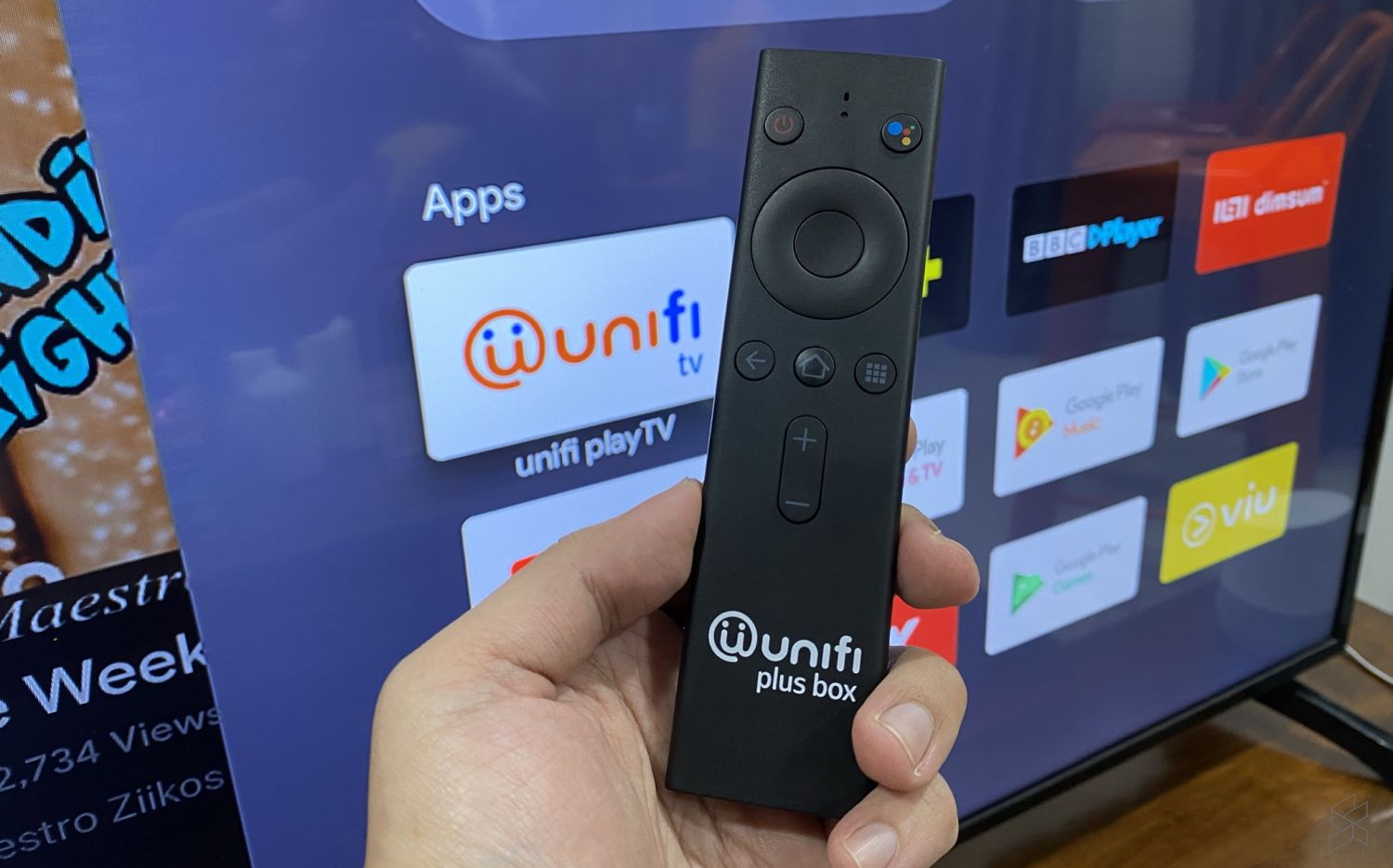
Although you can download and install the app from the Android TV’s Play Store, some of our readers have received errors like “Account in the midst of migrating”. We asked TM’s CMO Lai Shu Wei about the issue and we are told that the app is best experienced with TM’s Unifi Plus Box. He added that other Android TV devices are not optimised at this point.
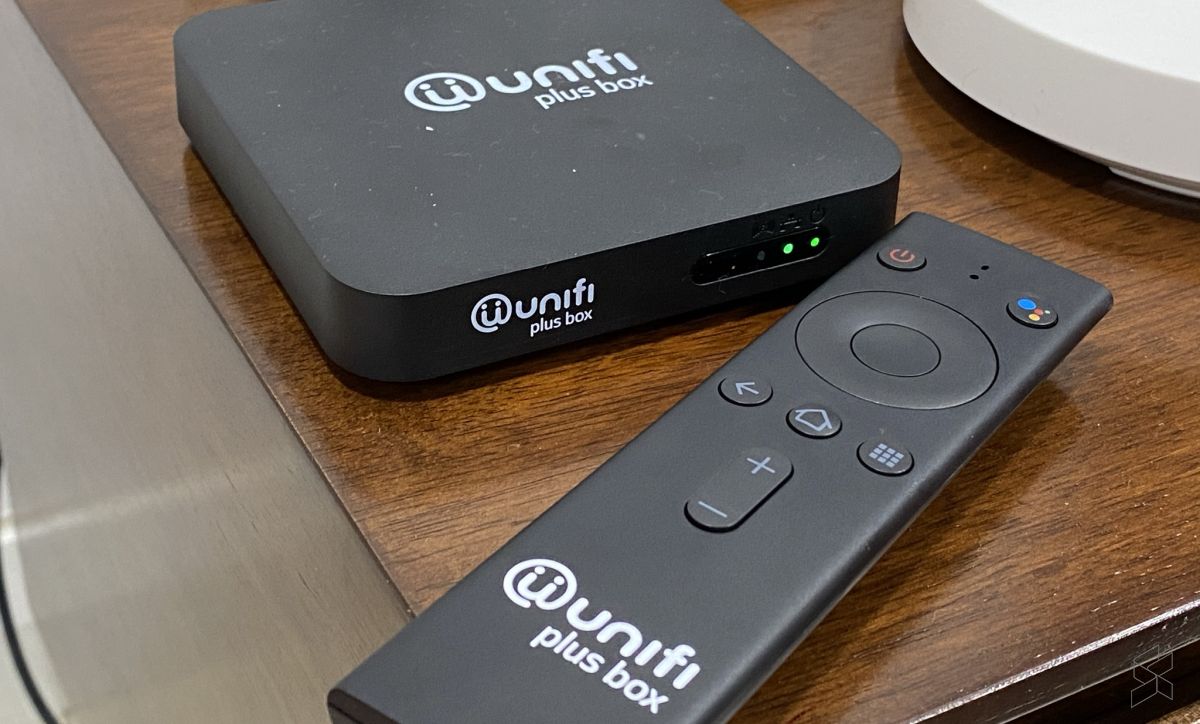
TM Unifi Plus Box

The Android TV-powered Unifi Plus Box is currently offered for free for Unifi subscribers with the TV Ultimate Pack bundle which costs an extra RM60/month. If you need an extra Unifi Plus Box, it is offered for RM20/month with a 24-month contract.

For users without the Plus Box, TM recommends its customers to download the Unifi Play TV app on their smartphones or tablets. The app is available on both Apple AppStore and Google Play Store.
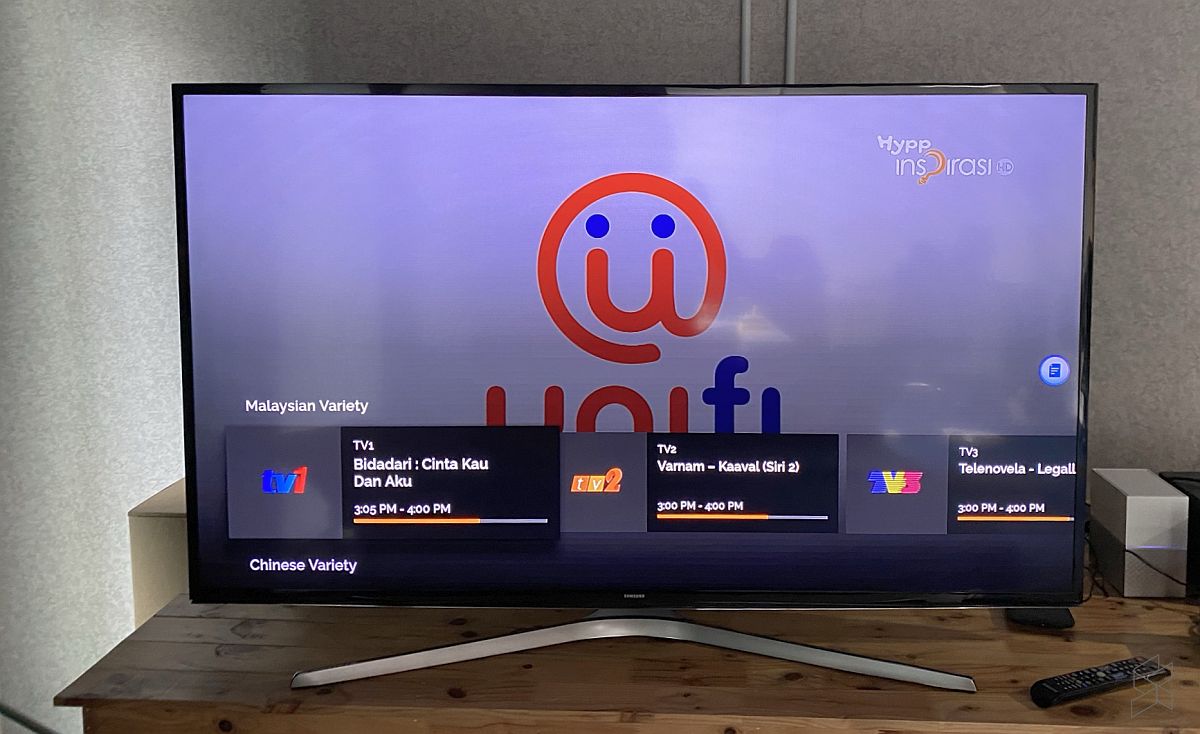
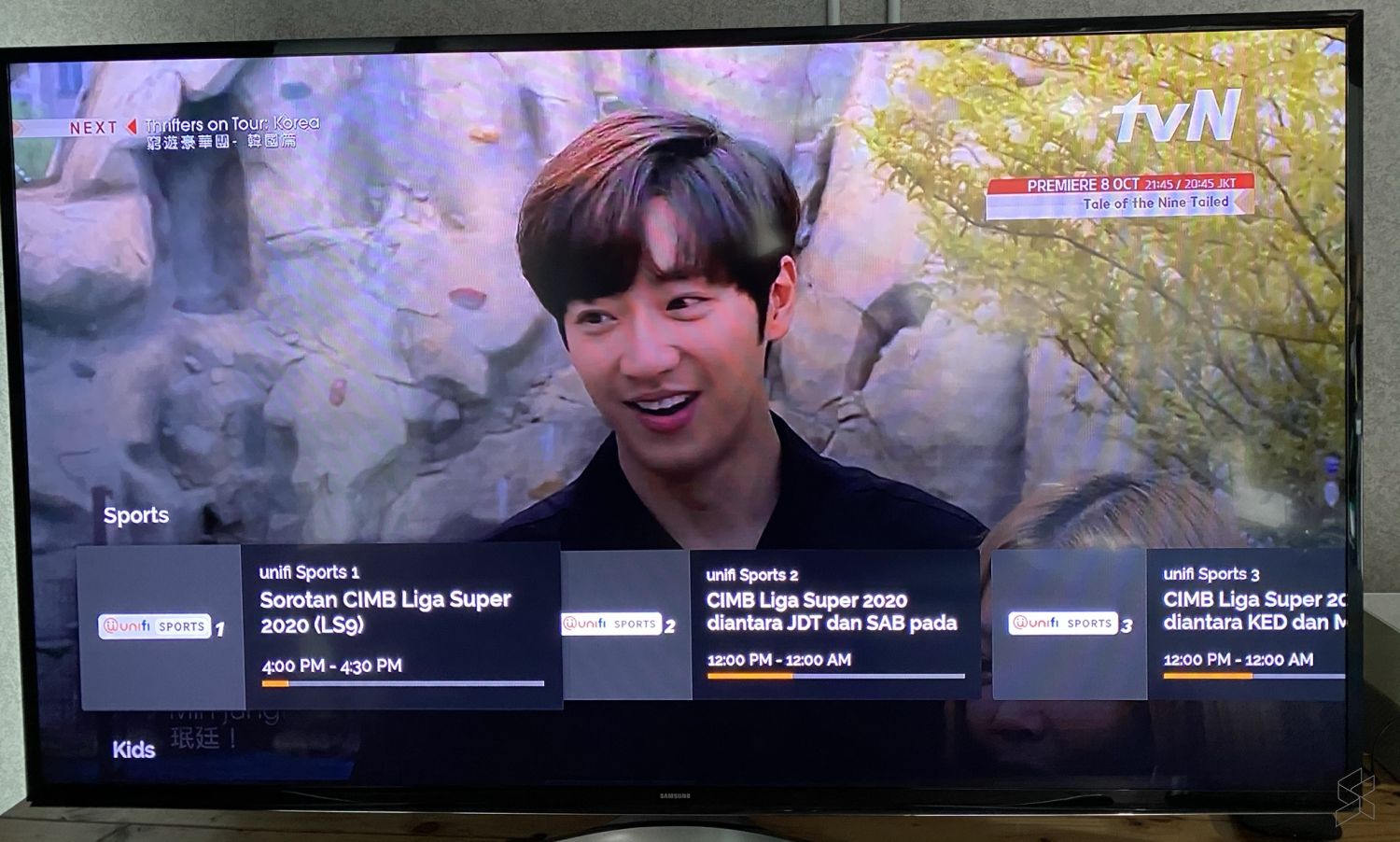
Unifi TV app works on our Xiaomi Mi Box

It is odd that TM hasn’t optimised the app for all Android TV devices as the app would help to boost viewership of its IPTV service. We managed to install and login to an account on a 1st gen Xiaomi Mi Box that runs on Android TV 8.0. Switching between live TV channels was pretty seamless and you also get to view the list of Video on Demand content.
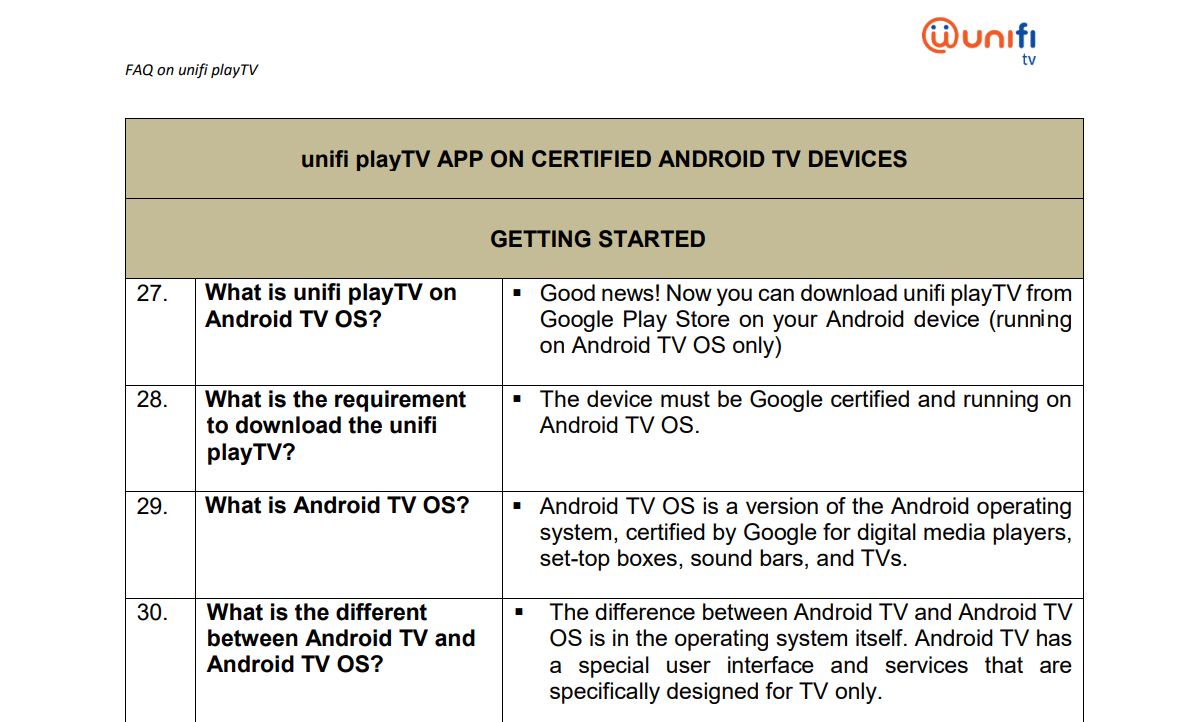
According to the FAQ as shown above, the app was supposed to be compatible for Android TV devices that are certified by Google. If the Android TV OS device could run YouTube and Netflix without issues, most users would expect Unifi’s app to be supported.
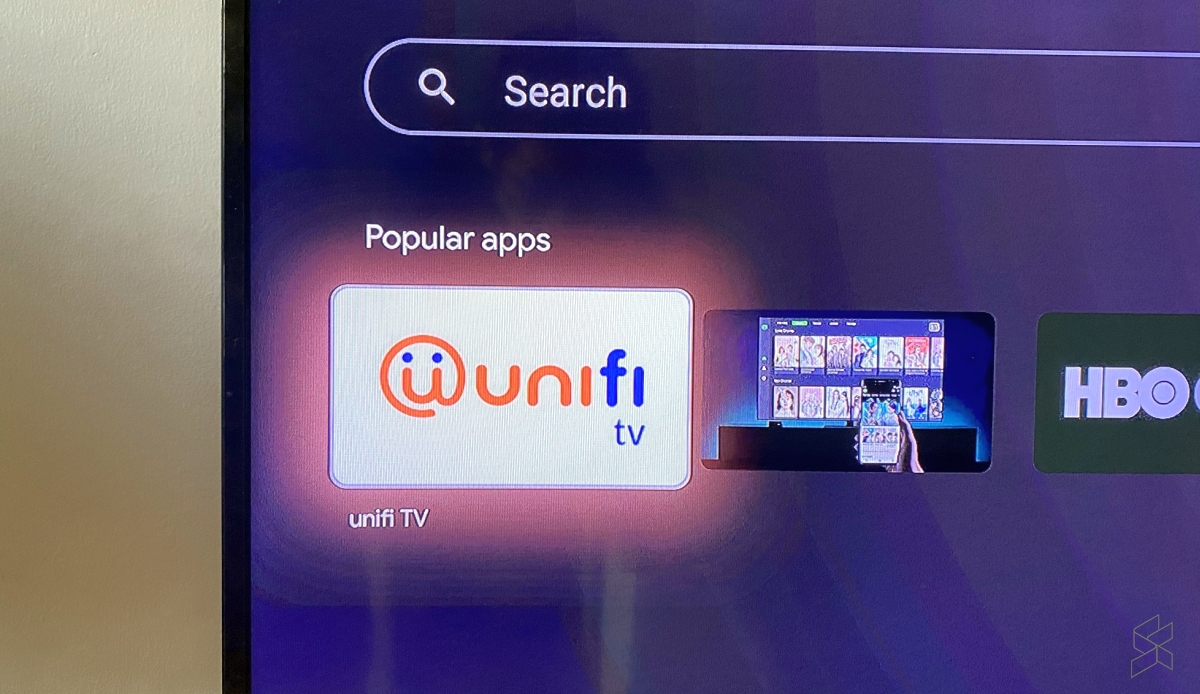
Unifi TV Search Android TV store

Have you managed to install Unifi TV on your Xiaomi Mi Box, Mi TV Stick or Android TV-powered TVs? Let us know your experience in the comments below. To give it a try, search for “Unifi” on your Android TV device’s Play Store. There’s a high chance that it should appear under its Popular apps listing.

Related reading

Here’s how to watch Unifi TV on your Android TV device
Tags: Android TVTMUnifiUnifi PlayTVunifi TV
Alexander Wong

Alexander Wong

POPULAR

TM reveals why the Unifi TV app doesn’t work on your Android TV device

September 29, 2020
Rear view of the OPPO Find X9 Ultra in Tundra Umber standing vertically on a stone surface with a lush green bokeh background. The device features an eco-friendly vegan leather back with a classic stitching design , vertically oriented Hasselblad and OPPO logos , and a large circular Master Lens camera module with a bronze-toned knurled ring.

Clearing Every Expectation: How the OPPO Find X9 Ultra Redefines the Modern Flagship Experience

April 16, 2026

SoyaCincau x Dongfeng Pop Up EV Clinic: Track Edition 2026: Chase a podium or cruise with friends; we’re opening the grid to everyone

May 13, 2026

Volvo EX30 owners affected by recall told not to charge above 70% following two fire incidents in Thailand

May 19, 2026
BYD Inokom Visit - May 2026

BYD is here to stay in Malaysia: CKD with Sime Motors set to happen soon?

May 18, 2026

Sarawak’s Batang Lupar 1 Bridge: Malaysia’s longest river-crossing bridge opens today

May 21, 2026

Copyright © 2025 · SoyaCincau.com
Mind Blow Sdn Bhd (1076827-P)

  • ADVERTISE
  • DISCLAIMER

Copyright © 2026 · SoyaCincau.com – Mind Blow Sdn Bhd (1076827-P)

  • ADVERTISE
  • DISCLAIMER