
• 中文版
  • BM
  • News
  • Deals
  • Reviews
    • First Impressions
    • Hands-on
    • Comparisons
  • Tech
    • Mobile
    • Computers
    • Cameras
    • Wearables
    • Audio
    • Drones
  • Telco
    • Celcom
    • Digi
    • Maxis
    • Time
    • Tune Talk
    • U Mobile
    • Unifi
    • Yes
  • Cars
  • Contribute
  • Jobs
Menu
  • 中文版
  • BM
  • News
  • Deals
  • Reviews
    • First Impressions
    • Hands-on
    • Comparisons
  • Tech
    • Mobile
    • Computers
    • Cameras
    • Wearables
    • Audio
    • Drones
  • Telco
    • Celcom
    • Digi
    • Maxis
    • Time
    • Tune Talk
    • U Mobile
    • Unifi
    • Yes
  • Cars
  • Contribute
  • Jobs
Search
  • Tech
    • News
    • Mobile
    • Computers
    • Cameras
    • Wearables
    • Audio
    • Drones
  • Telco
    • Celcom
    • Digi
    • Maxis
    • Time
    • U Mobile
    • Unifi
    • Yes
  • Reviews
    • First Impressions
    • Hands-on
    • Comparisons
  • Buyer’s Guide
  • Opinions
  • Digital Life
  • Video
  • Deals
  • How-To
  • Cars
  • Bahasa Melayu
  • EV
  • Contribute
  • Advertise
Menu
  • Tech
    • News
    • Mobile
    • Computers
    • Cameras
    • Wearables
    • Audio
    • Drones
  • Telco
    • Celcom
    • Digi
    • Maxis
    • Time
    • U Mobile
    • Unifi
    • Yes
  • Reviews
    • First Impressions
    • Hands-on
    • Comparisons
  • Buyer’s Guide
  • Opinions
  • Digital Life
  • Video
  • Deals
  • How-To
  • Cars
  • Bahasa Melayu
  • EV
  • Contribute
  • Advertise
Search
Close
Home News

The physical button on Apple’s iPhone Smart Battery Case explained

  • BY Nic Ker
  • 27 November 2019
  • 4:49 pm
  • Comment
Share on FacebookShare on Twitter

Apple recently launched a Smart Battery Case that brings a physical camera button to the iPhone 11 series—along with extended battery life, of course. But given that there isn’t a dedicated camera button on the iPhone 11 itself, many of us have wondered how the case actually works.

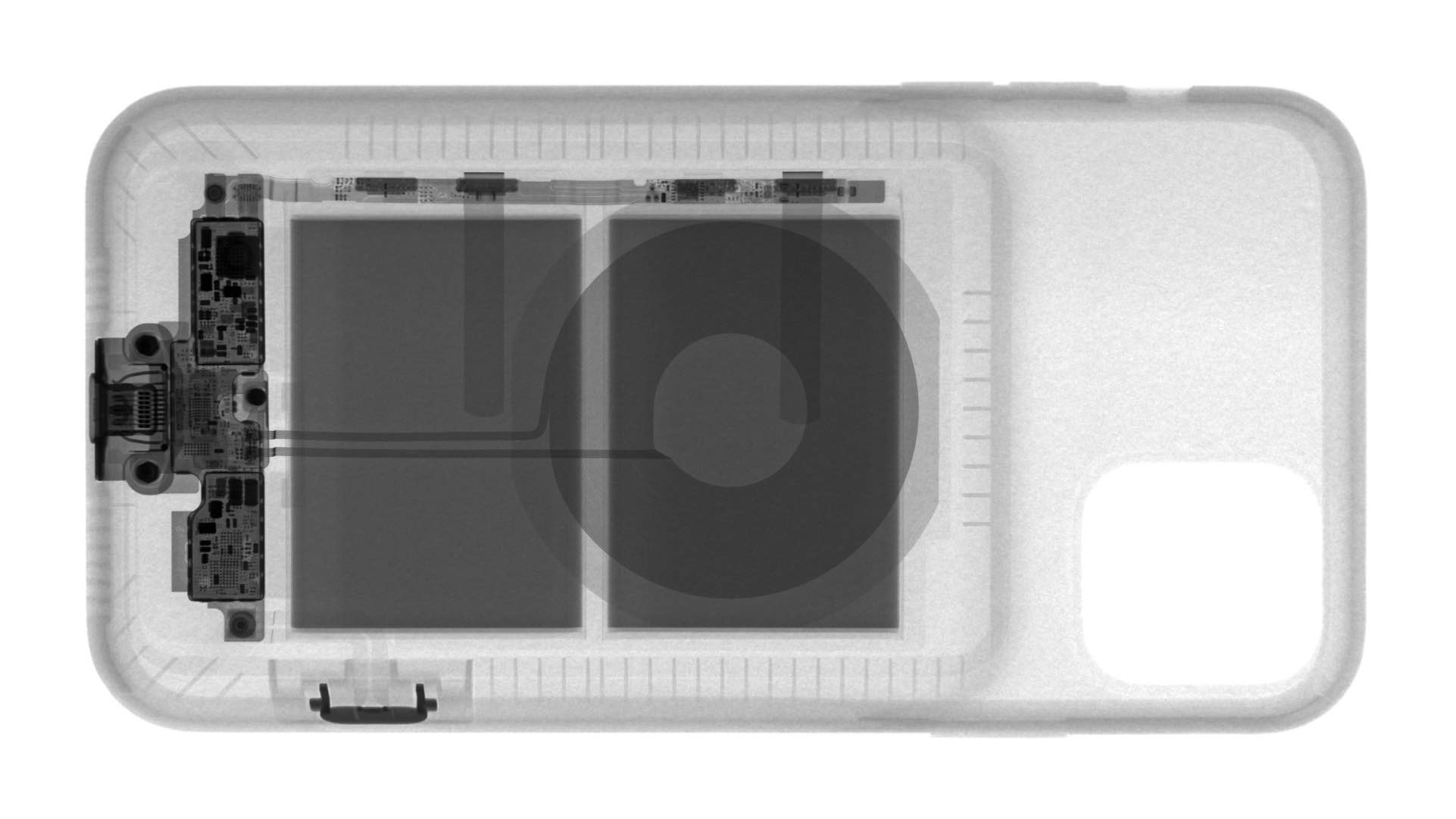
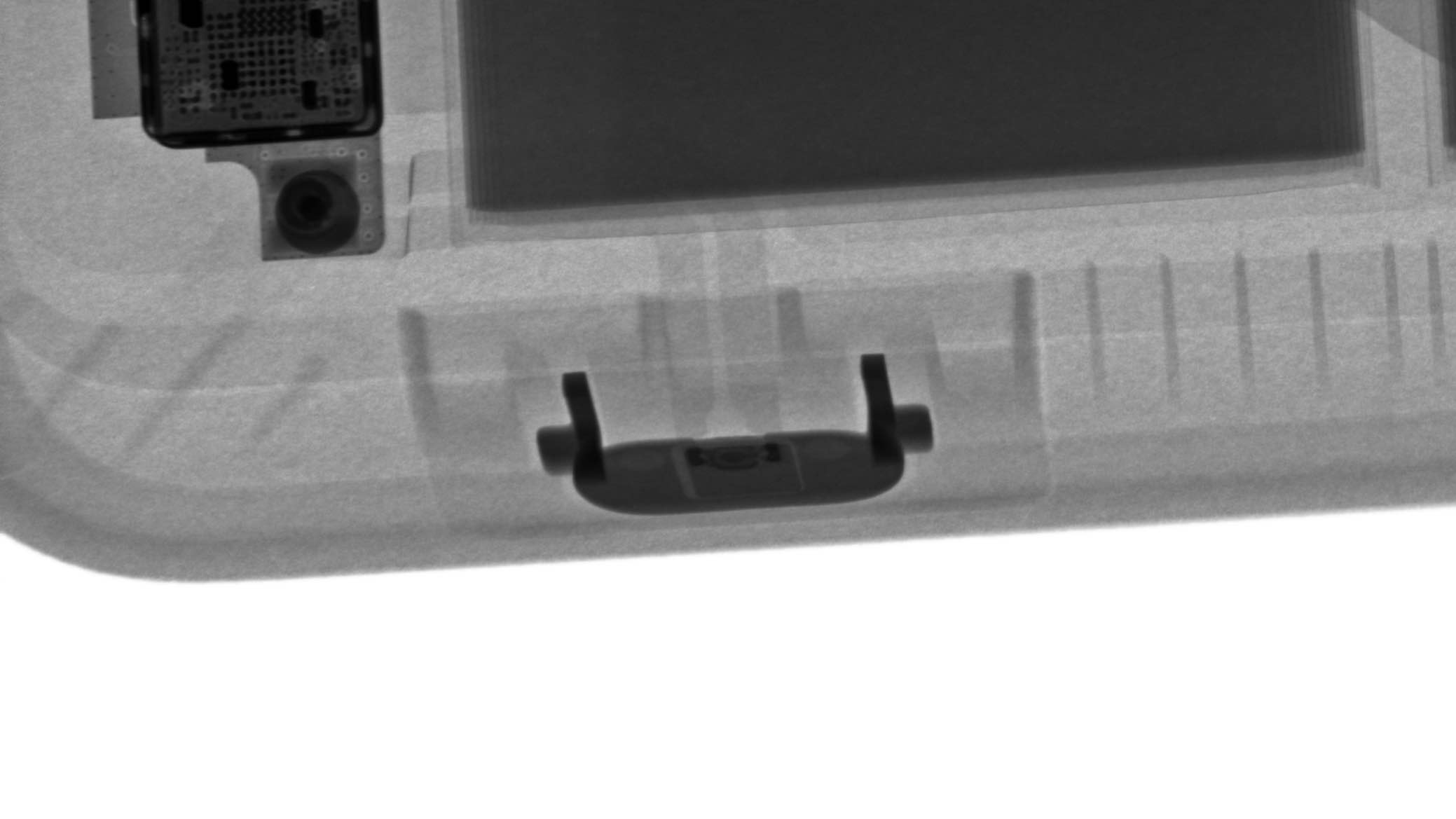
Does it work wirelessly? Is it software based? To solve the mystery, the folks over at iFixit and Creative Electron have done a little digging to find out how the case actually works. It turns out, Apple has put in quite a lot of work to get something as simple as a camera shortcut on their case—and perhaps that’s why the cases are so pricey.
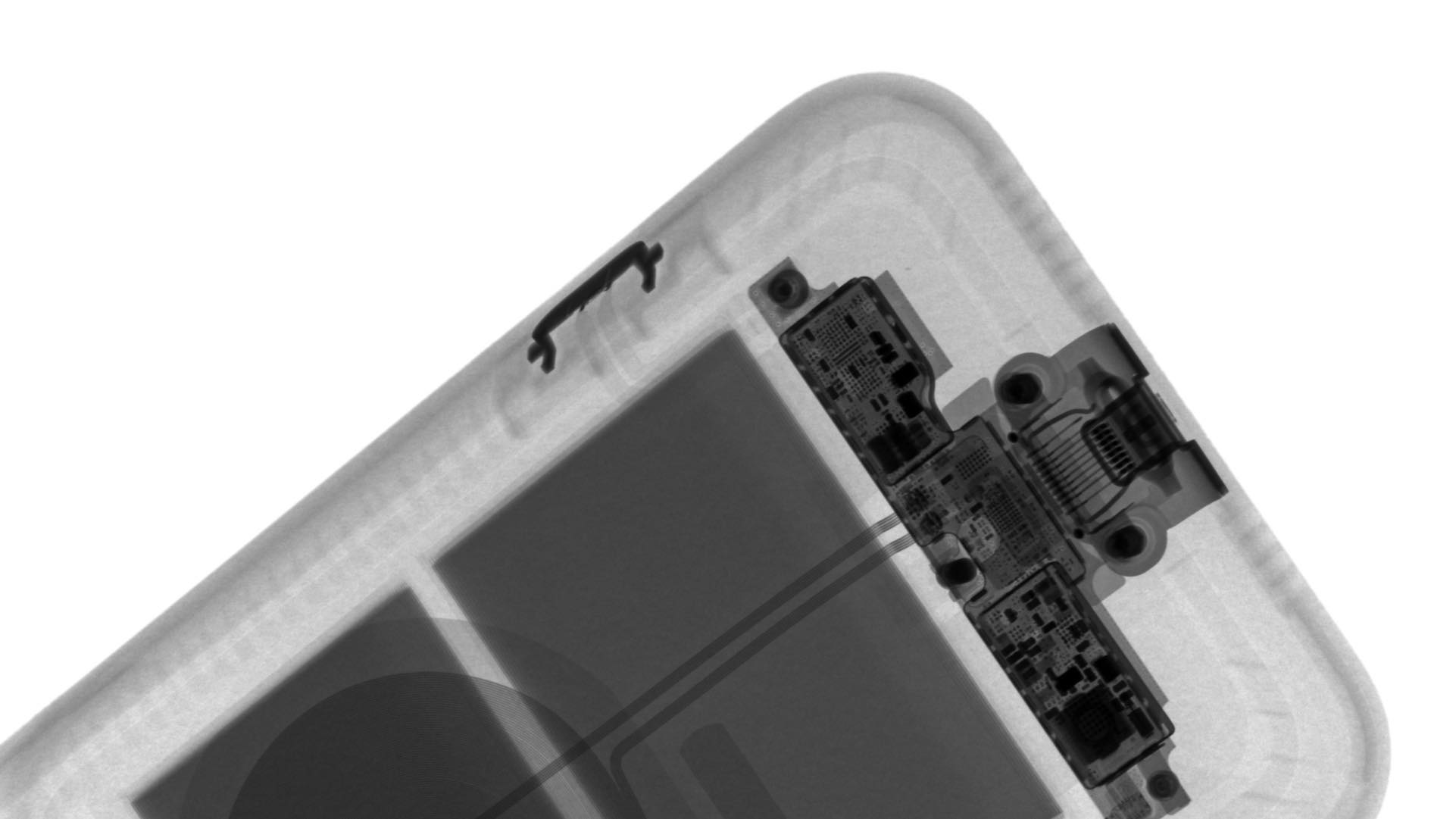
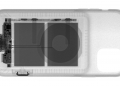
Based on X-rays, the case has a small circuit board within. If you take a closer look at the photos above, you’ll see two thin circuits running from the physical camera button, which connect to the the circuit board, which presumably sends the information to the phone via the Lightning port.
It seems like a lot of work just to have a physical camera button, but it’s an interesting bit of insight into how the new cases actually work. Of course, it’s worth noting that many Android phones already offer easy access to their camera apps by simply double-pressing the power button.

Instead, you’ll have to pay RM539 for the privilege on the iPhone. There are other options, however, although most require Bluetooth connectivity with your iPhone—which presumably drains your battery a little faster. This solution, on the other hand, appears to be a first on an iPhone case.
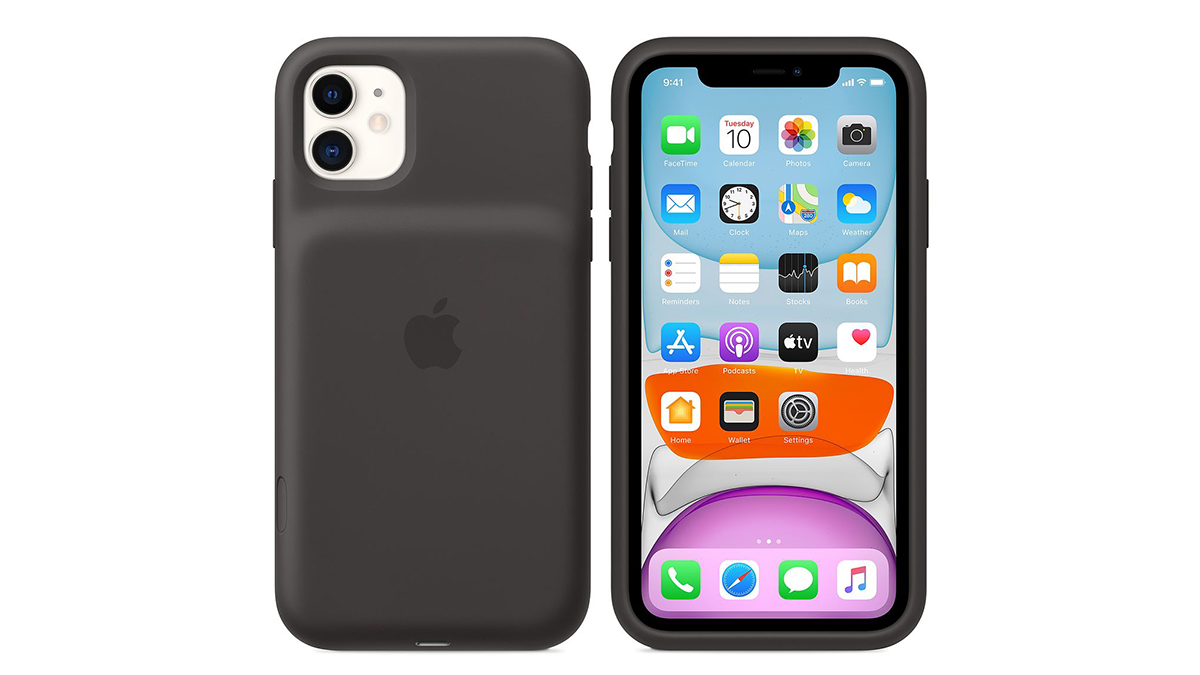
Unfortunately, it looks like this functionality will be limited to the battery case for now. Standard iPhone cases (that don’t have bulging batteries on the back) won’t be able to use the same methodology, as they don’t have any circuits running within them.

Would you pay RM539 for the added function—and up to 50% of the added battery life that Apple is promising? Let us know in the comments below.

[ SOURCE , 2 ]

Related reading

Finally, a physical camera button on the iPhone
Tags: AppleApple iPhone 11Apple Smart Battery CaseiPhoneiPhone 11
Nic Ker

Nic Ker

POPULAR

Malaysia’s first 5g advanced Broadband: What You Get for RM68/month

January 14, 2026

Nissan Finally Gives the Serena a Real Hybrid Powertrain in Malaysia. Estimated from RM160k to RM180k

January 16, 2026

Neta V now available for only RM40k, but with a limited 6-month warranty

January 31, 2026

The physical button on Apple’s iPhone Smart Battery Case explained

November 27, 2019

Perodua QV-E only costs RM1.4k to maintain for 5 years, cheaper than Axia

January 30, 2026

CelcomDigi updates 5G prepaid plan for 2026, no more 28 day validity for “unlimited” options

January 28, 2026

Copyright © 2025 · SoyaCincau.com
Mind Blow Sdn Bhd (1076827-P)

  • ADVERTISE
  • DISCLAIMER

Copyright © 2026 · SoyaCincau.com – Mind Blow Sdn Bhd (1076827-P)

  • ADVERTISE
  • DISCLAIMER





