
• 中文版
  • BM
  • News
  • Deals
  • Reviews
    • First Impressions
    • Hands-on
    • Comparisons
  • Tech
    • Mobile
    • Computers
    • Cameras
    • Wearables
    • Audio
    • Drones
  • Telco
    • Celcom
    • Digi
    • Maxis
    • Time
    • Tune Talk
    • U Mobile
    • Unifi
    • Yes
  • Cars
  • Contribute
  • Jobs
Menu
  • 中文版
  • BM
  • News
  • Deals
  • Reviews
    • First Impressions
    • Hands-on
    • Comparisons
  • Tech
    • Mobile
    • Computers
    • Cameras
    • Wearables
    • Audio
    • Drones
  • Telco
    • Celcom
    • Digi
    • Maxis
    • Time
    • Tune Talk
    • U Mobile
    • Unifi
    • Yes
  • Cars
  • Contribute
  • Jobs
Search
  • Tech
    • News
    • Mobile
    • Computers
    • Cameras
    • Wearables
    • Audio
    • Drones
  • Telco
    • Celcom
    • Digi
    • Maxis
    • Time
    • U Mobile
    • Unifi
    • Yes
  • Reviews
    • First Impressions
    • Hands-on
    • Comparisons
  • Buyer’s Guide
  • Opinions
  • Digital Life
  • Video
  • Deals
  • How-To
  • Cars
  • Bahasa Melayu
  • EV
  • Contribute
  • Advertise
Menu
  • Tech
    • News
    • Mobile
    • Computers
    • Cameras
    • Wearables
    • Audio
    • Drones
  • Telco
    • Celcom
    • Digi
    • Maxis
    • Time
    • U Mobile
    • Unifi
    • Yes
  • Reviews
    • First Impressions
    • Hands-on
    • Comparisons
  • Buyer’s Guide
  • Opinions
  • Digital Life
  • Video
  • Deals
  • How-To
  • Cars
  • Bahasa Melayu
  • EV
  • Contribute
  • Advertise
Search
Close
Home Tech Gaming

Sony now lets users add PlayStation 5 storage but not every SSD will fit

  • BY Raymond Saw
  • 30 July 2021
  • 4:25 pm
  • Comment
Share on FacebookShare on Twitter

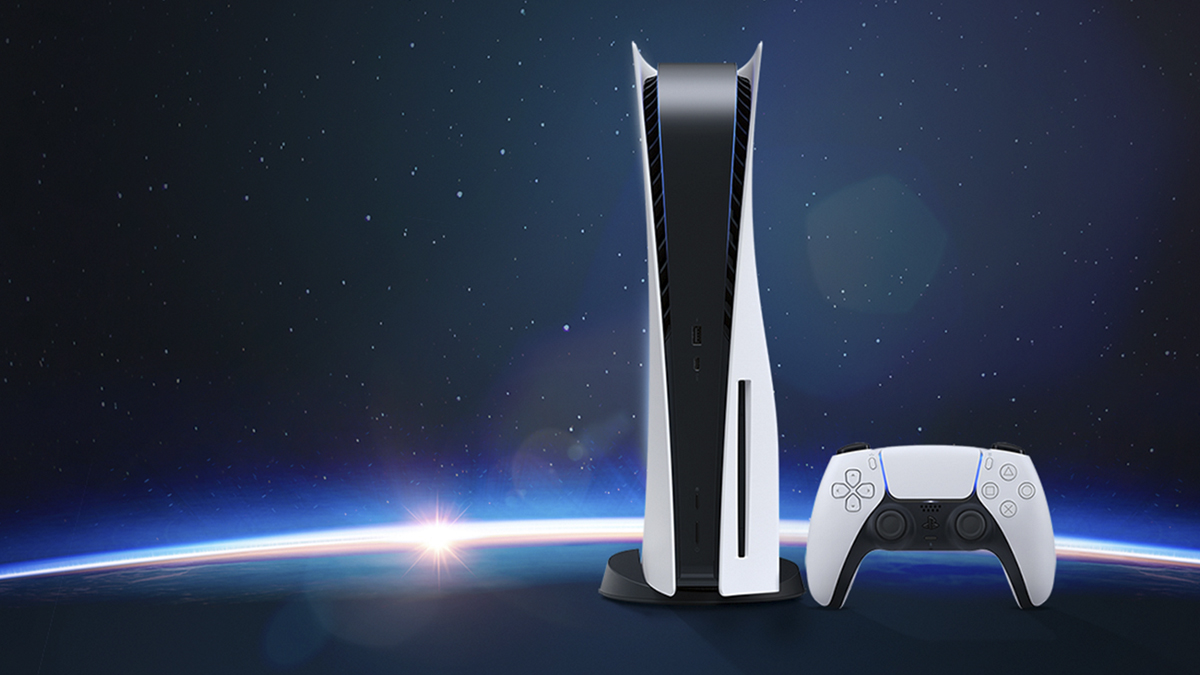
When the Sony PlayStation 5 first launched, the 825GB SSD already seemed quite small. Thankfully for console gamers, Sony has finally released a new software update for beta users that also allows the addition of another SSD. However, it won’t be as easy as dropping in any old gumstick NVMe drive that you have lying around.

First off, because of the next-gen PCIe 4.0 storage that the PlayStation 5 uses, you’ll need PCIe Gen4 SSDs capable of read speeds 5,500MB/s or higher. While these drives may be pretty expensive, that’s actually the easy part. Sony also points out that you’ll need an M.2 SSD with a heatsink on it due to the intense workloads of running your games off it. You’ll then also need to make sure that your SSD with the heatsink attached will fit in the slot. Other things you’ll need to take note of include only using SSDs 22mm wide.
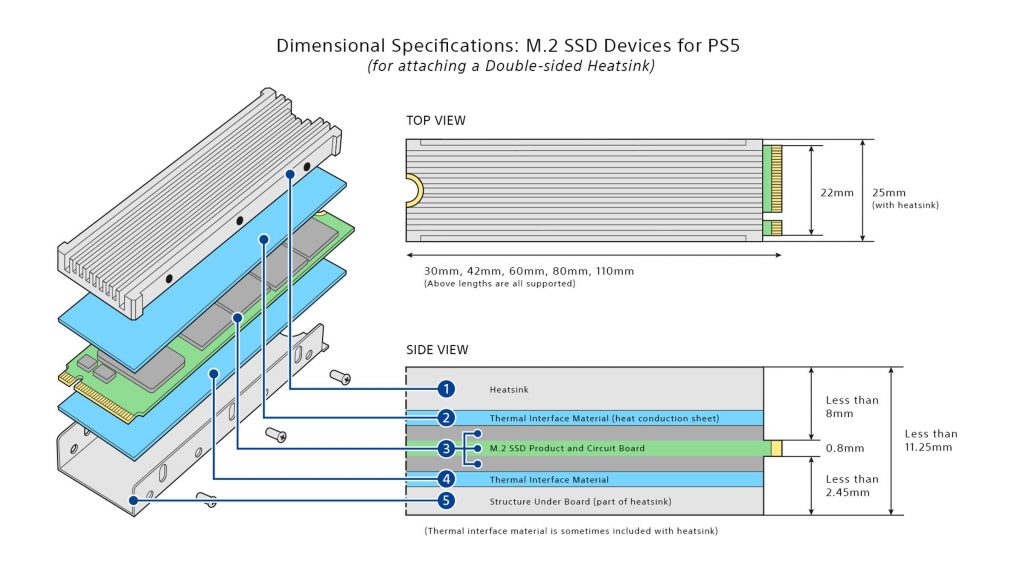
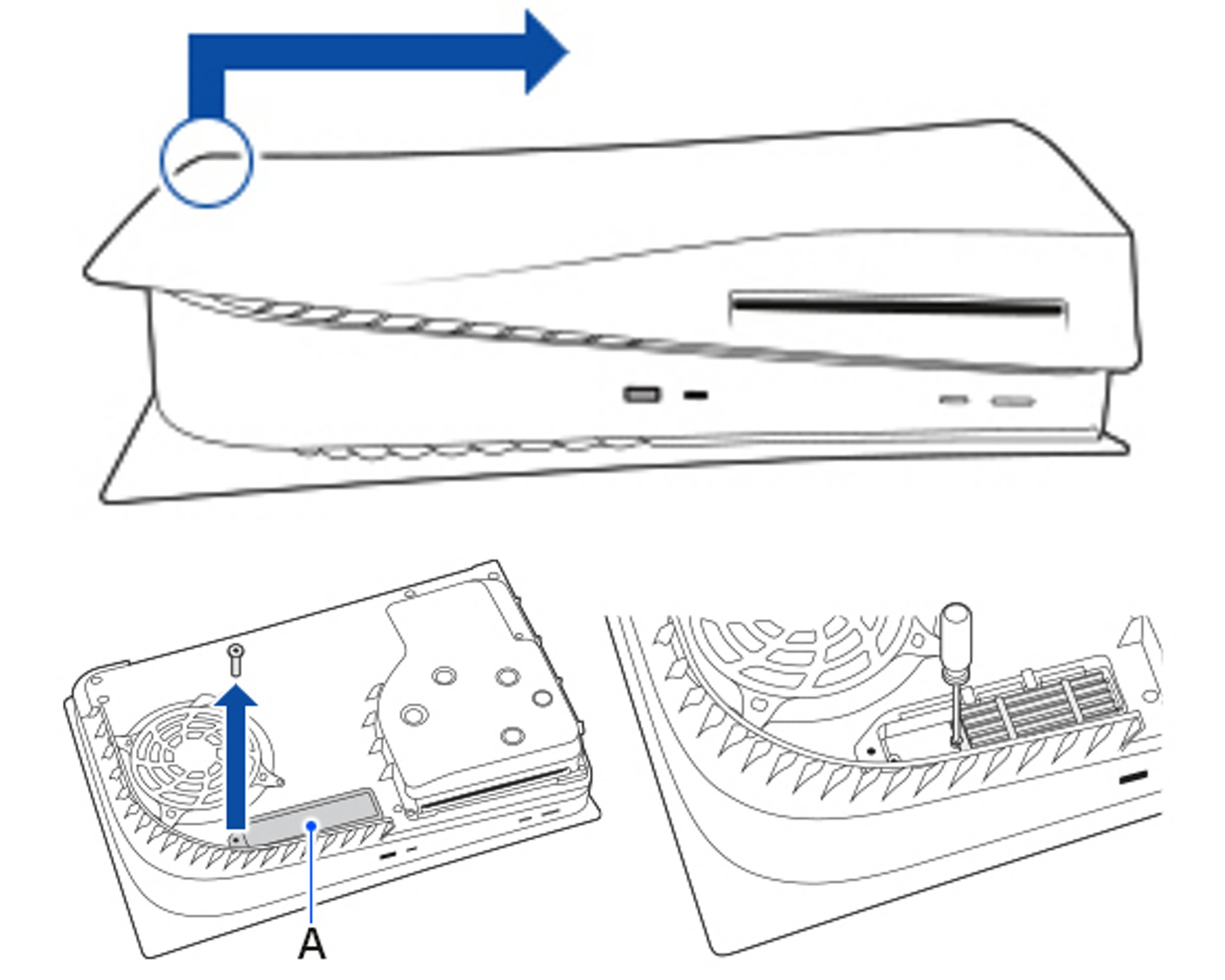
Fortunately, it does get reasonably simpler after that. Sony’s support page will have all the steps in full detail, but you’ll essentially need a table, a Phillips screwdriver and a flashlight to help you see through all the nooks and crannies. Of course it goes without saying that you’ll also need to install the beta software that Sony has released—if you have installed your extra SSD, you’ll need to remove it again before updating the console’s software. You can check if the beta is installed by going to ‘Console Information’ in your settings page.

Once that’s done, you can simply lay the console down flat, unscrew and pop open the side panel and expansion slot cover to expose the M.2 slot. You’ll then be able to put in your additional SSD. Once that’s done you can put it all back together, and then simply turn the PlayStation back on to format and install your new drive.
The heatsink will likely be one factor that will get users scratching their heads. While generally any SSD that meets those speed requirements will suffice, because every manufacturer makes their own heatsink designs, you’ll have to make sure the heatsink will fit in the PlayStation 5’s expansion slot. For example, the heatsink on the popular Corsair Force MP600 is too high for the console, while the WD Black SN850’s heatsink ought to be fine. Alternatively, you can get SSDs with official approval by Sony for PlayStation 5 compatibility.
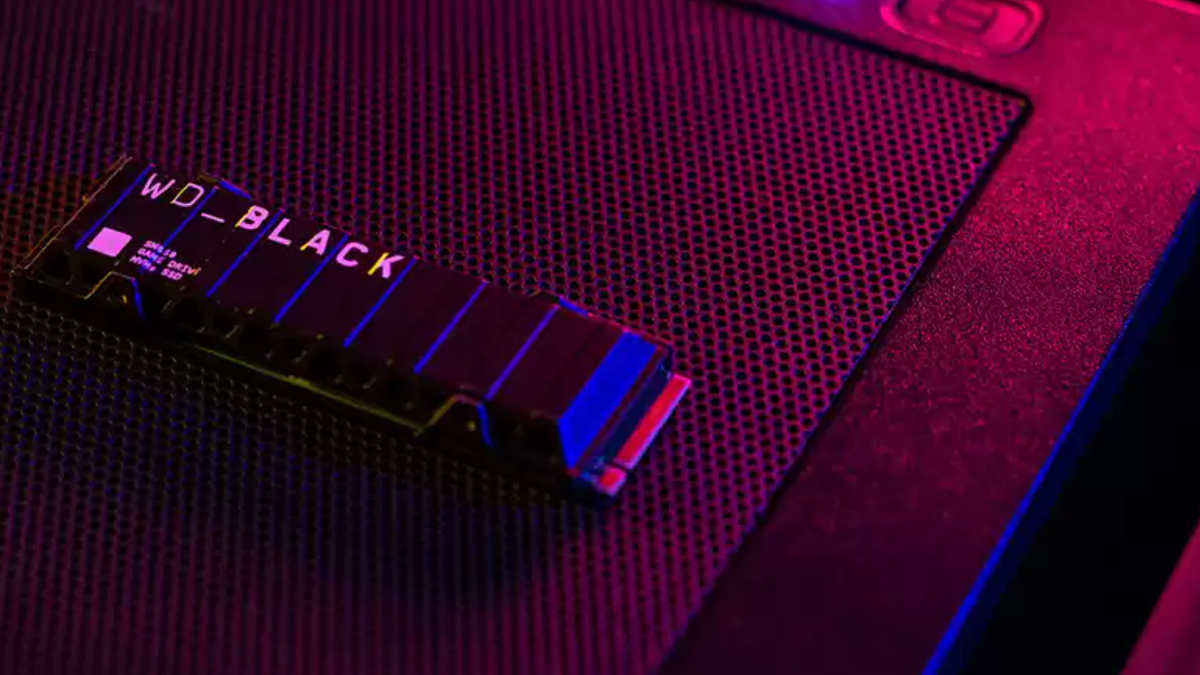
The WD Black SN850 SSD

If you do plan to add in your own drive into your Sony PlayStation 5, you can check out the full step-by-step guide on Sony’s support page.


Tags: PlayStationSonysony playstation 5
Raymond Saw

Raymond Saw

POPULAR

Sony now lets users add PlayStation 5 storage but not every SSD will fit

July 30, 2021
Rear view of the OPPO Find X9 Ultra in Tundra Umber standing vertically on a stone surface with a lush green bokeh background. The device features an eco-friendly vegan leather back with a classic stitching design , vertically oriented Hasselblad and OPPO logos , and a large circular Master Lens camera module with a bronze-toned knurled ring.

Clearing Every Expectation: How the OPPO Find X9 Ultra Redefines the Modern Flagship Experience

April 16, 2026

SoyaCincau x Dongfeng Pop Up EV Clinic: Track Edition 2026: Chase a podium or cruise with friends; we’re opening the grid to everyone

May 13, 2026

Volvo EX30 owners affected by recall told not to charge above 70% following two fire incidents in Thailand

May 19, 2026
BYD Inokom Visit - May 2026

BYD is here to stay in Malaysia: CKD with Sime Motors set to happen soon?

May 18, 2026

Sarawak’s Batang Lupar 1 Bridge: Malaysia’s longest river-crossing bridge opens today

May 21, 2026

Copyright © 2025 · SoyaCincau.com
Mind Blow Sdn Bhd (1076827-P)

  • ADVERTISE
  • DISCLAIMER

Copyright © 2026 · SoyaCincau.com – Mind Blow Sdn Bhd (1076827-P)

  • ADVERTISE
  • DISCLAIMER





