• 中文版
  • BM
  • News
  • Deals
  • Reviews
    • First Impressions
    • Hands-on
    • Comparisons
  • Tech
    • Mobile
    • Computers
    • Cameras
    • Wearables
    • Audio
    • Drones
  • Telco
    • Celcom
    • Digi
    • Maxis
    • Time
    • Tune Talk
    • U Mobile
    • Unifi
    • Yes
  • Cars
  • Contribute
  • Jobs
Menu
  • 中文版
  • BM
  • News
  • Deals
  • Reviews
    • First Impressions
    • Hands-on
    • Comparisons
  • Tech
    • Mobile
    • Computers
    • Cameras
    • Wearables
    • Audio
    • Drones
  • Telco
    • Celcom
    • Digi
    • Maxis
    • Time
    • Tune Talk
    • U Mobile
    • Unifi
    • Yes
  • Cars
  • Contribute
  • Jobs
Search
  • Tech
    • News
    • Mobile
    • Computers
    • Cameras
    • Wearables
    • Audio
    • Drones
  • Telco
    • Celcom
    • Digi
    • Maxis
    • Time
    • U Mobile
    • Unifi
    • Yes
  • Reviews
    • First Impressions
    • Hands-on
    • Comparisons
  • Buyer’s Guide
  • Opinions
  • Digital Life
  • Video
  • Deals
  • How-To
  • Cars
  • Bahasa Melayu
  • EV
  • Contribute
  • Advertise
Menu
  • Tech
    • News
    • Mobile
    • Computers
    • Cameras
    • Wearables
    • Audio
    • Drones
  • Telco
    • Celcom
    • Digi
    • Maxis
    • Time
    • U Mobile
    • Unifi
    • Yes
  • Reviews
    • First Impressions
    • Hands-on
    • Comparisons
  • Buyer’s Guide
  • Opinions
  • Digital Life
  • Video
  • Deals
  • How-To
  • Cars
  • Bahasa Melayu
  • EV
  • Contribute
  • Advertise
Search
Close
Home News

macOS Monterey: Control your iMac, MacBook and iPad with a single keyboard, mouse or trackpad

  • BY Alexander Wong
  • 8 June 2021
  • 7:41 am
  • Comment
Share on FacebookShare on Twitter

During WWDC 2021, Apple introduced a new continuity feature called Universal Control. If you own several Apple products, you can now work seamlessly with a single keyboard, mouse or trackpad.
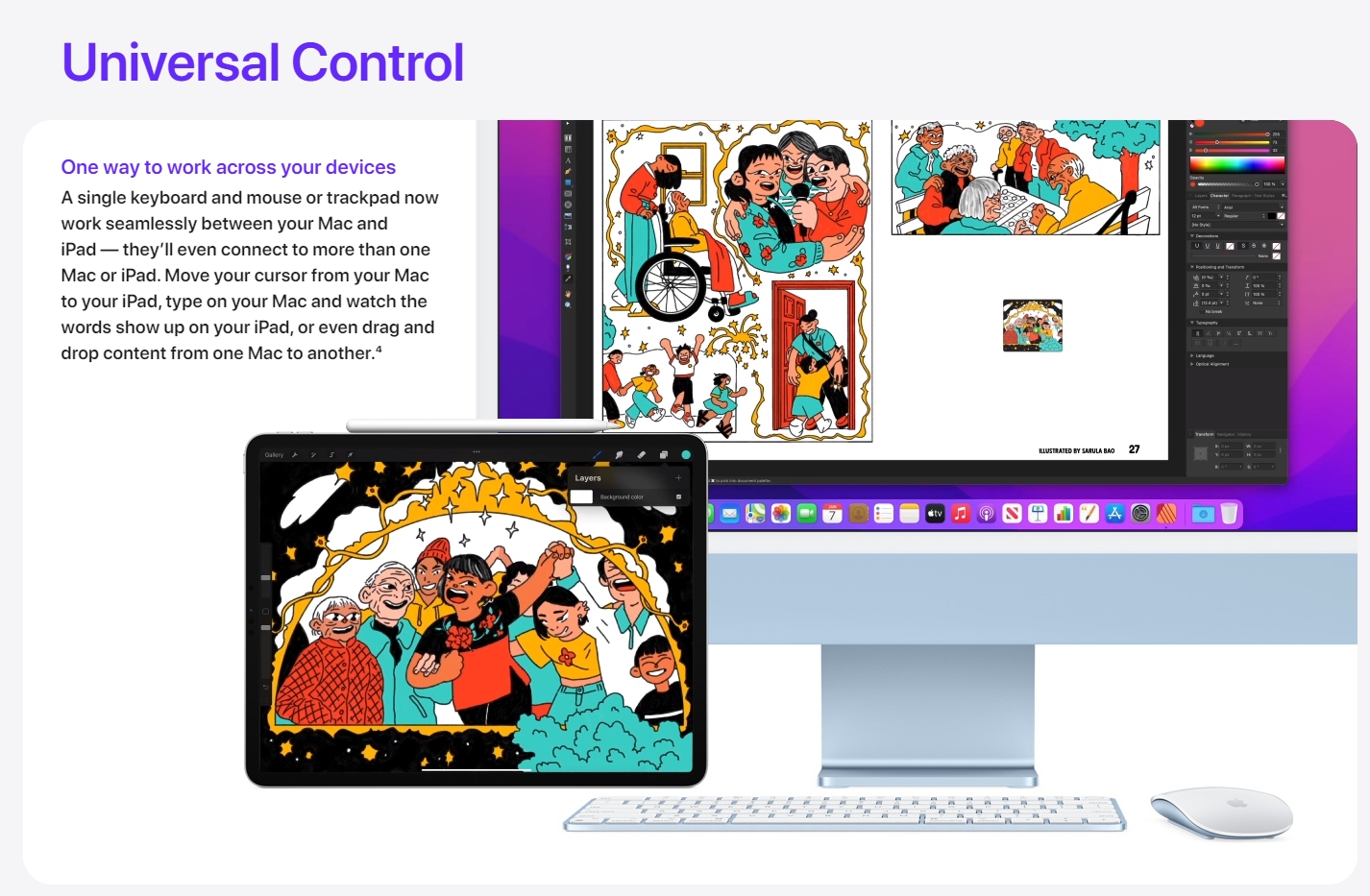
Two years ago, macOS Catalina had enabled Mac users to turn their compatible iPad with iPadOS 13 into a secondary display. Now you can move freely between your Mac and iPad even quicker without lifting your hands from your MacBook.

With Universal Control enabled, you can use the keyboard and mouse on your Mac to control your iPad. When you move the cursor to the far edges of the Mac’s screen, the cursor will switch to the iPad’s screen, just like how you would have a spare monitor connected to your computer. The trackpad gestures and keyboard shortcuts are also supported as well.
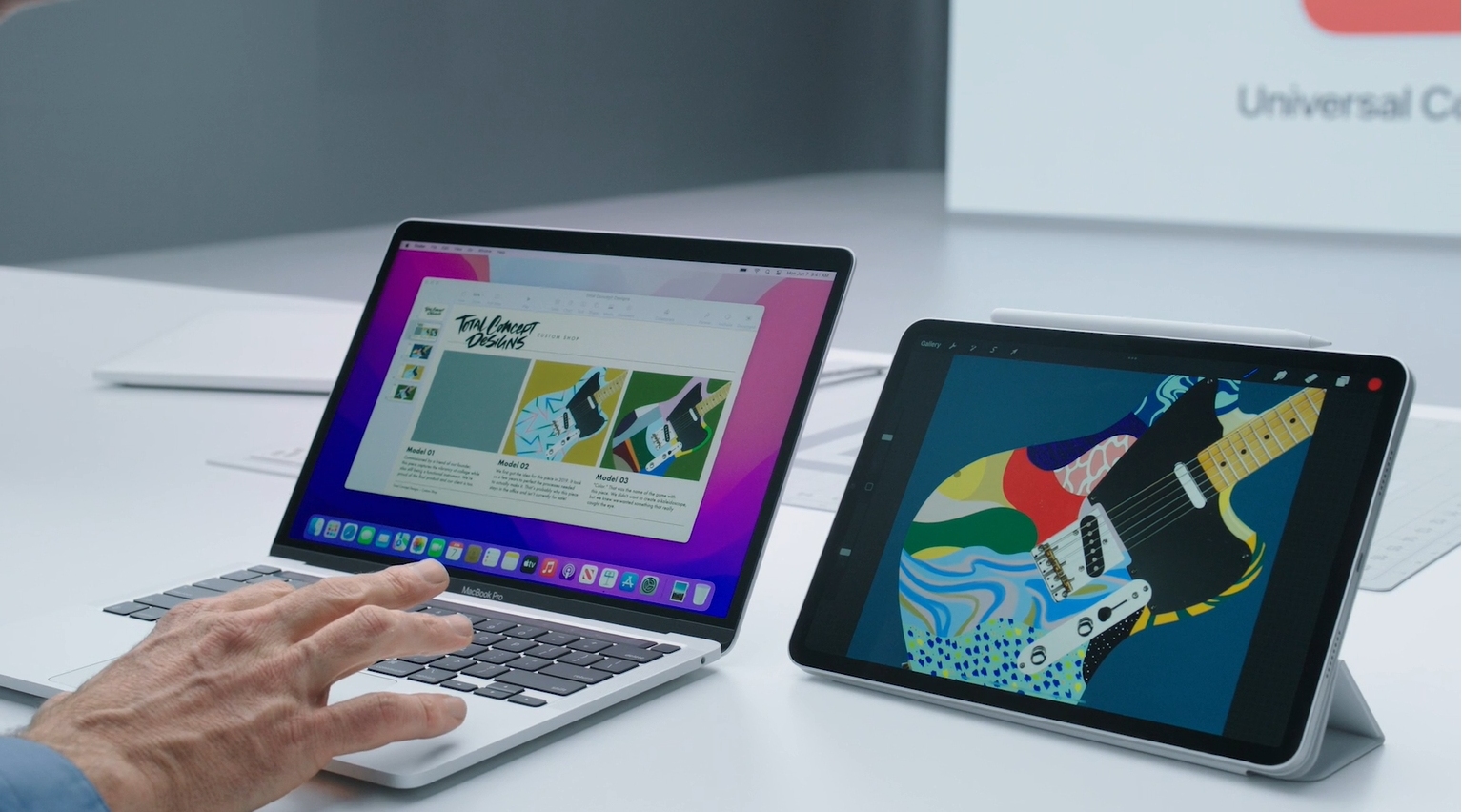
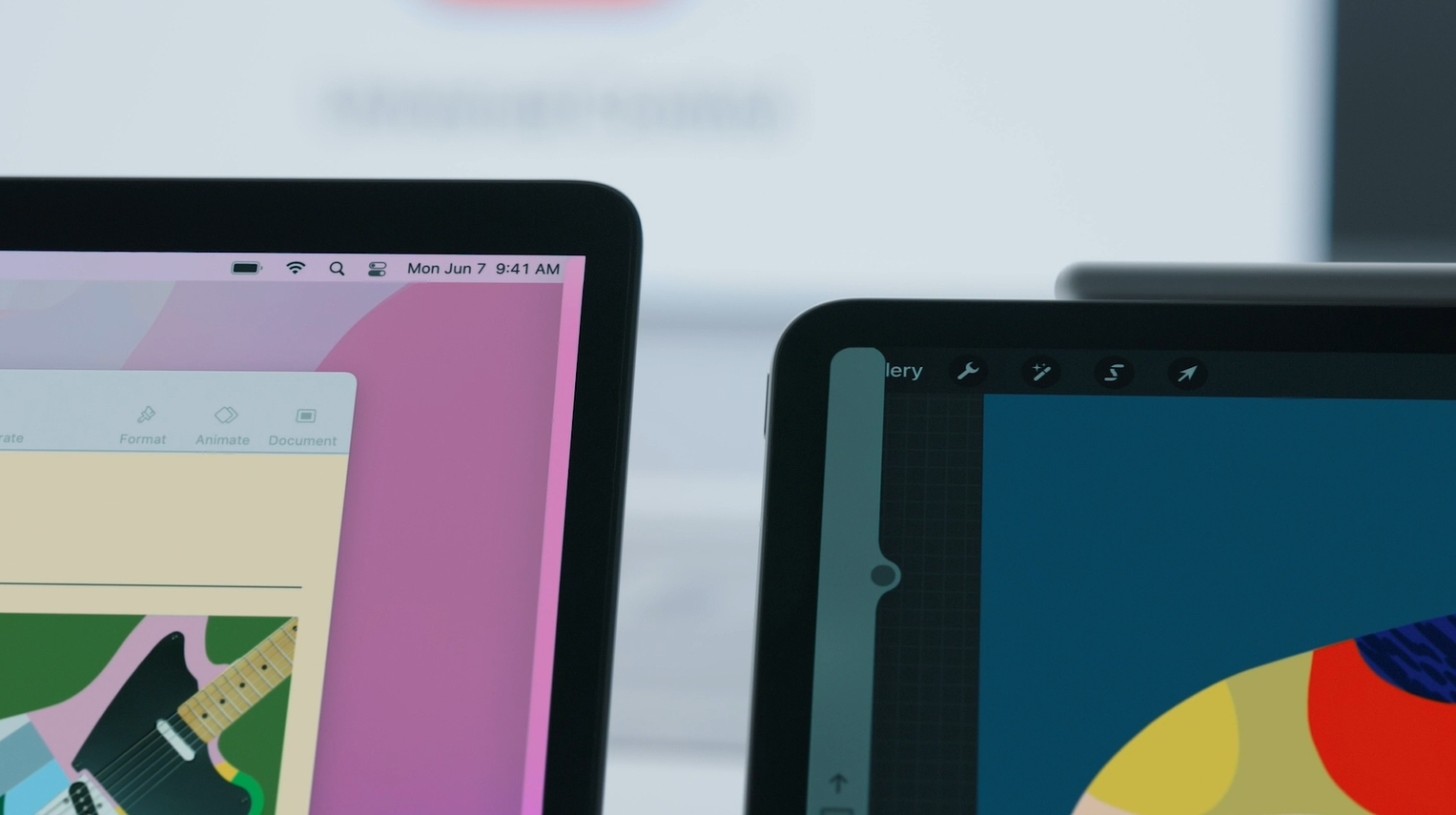
For a seamless multitasking experience, you can also perform drag and drop actions between both devices. If you have an illustration completed on the iPad, you can drag it directly into a Keynote that’s running on the iPad.
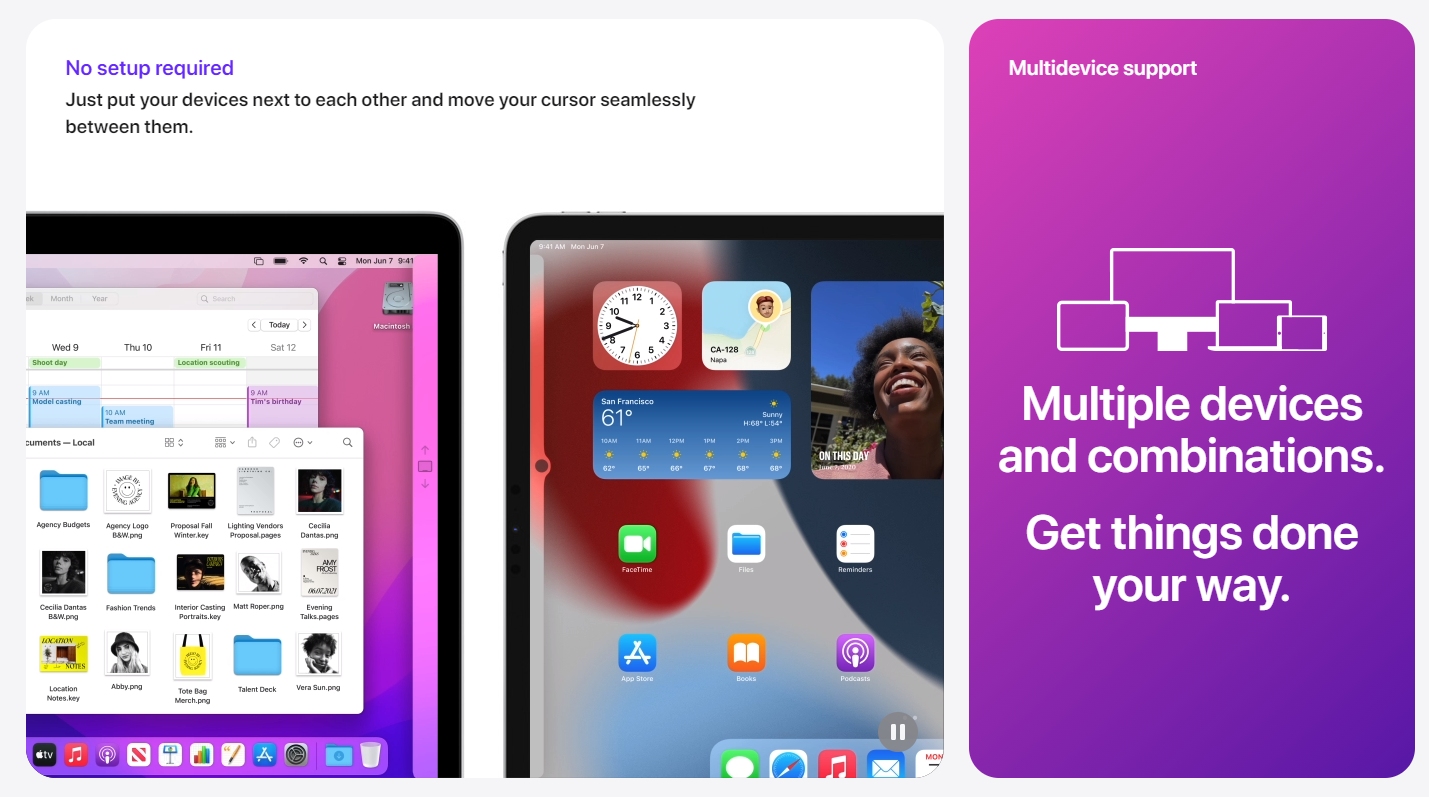
According to Apple, Universal Control will work with more than two devices. So if you have another Mac at home or at the office, you can connect an iMac, a MacBook and an iPad simultaneously and control all three of them from the same keyboard and trackpad. If you prefer to type from a bigger keyboard, you can also switch seamlessly to the iMac’s external keyboard and mouse.

Since it uses continuity, all devices must be logged on with the same Apple ID in order for this feature to work. macOS Monterey is now available for Apple Developer Program members and it will be open for public Beta starting next month. The final release will be available later this year.
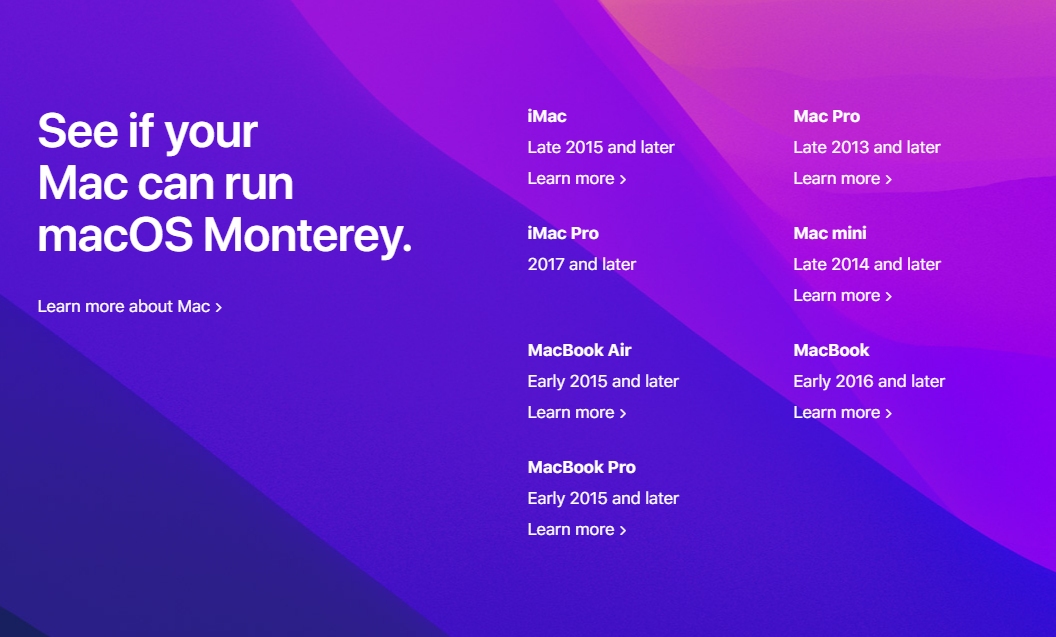
In terms of compatibility, macOS Monterey is available for iMac, MacBook Air and MacBook Pro from 2015 and above, as well as Mac Pro from late 2013 and Mac Mini from late 2014. However, it isn’t clear if all compatible iPad and Mac models with the latest update will support Universal Control as Apple tends to omit some features for older hardware.


Tags: AppleiMaciPadMacBookmacOSMontereyUniversal ControlWWDC 2021
Alexander Wong

Alexander Wong

POPULAR

macOS Monterey: Control your iMac, MacBook and iPad with a single keyboard, mouse or trackpad

June 8, 2021

Malaysia to review EV policy amid concerns over strict rules affecting BYD CKD operations in Tanjung Malim

April 17, 2026
TQ Wuling Bingo EV Malaysia

TQ Wuling Bingo is now available for rental in Malaysia via GoEV

April 14, 2026

Malaysia’s EV charging network is still broken? Raya trip almost turns into a disaster | Let’s Talk About #139

April 15, 2026

Honor 600 series makes its debut in Malaysia on 22 April, featuring 200MP camera with AI Image to Video 2.0

April 13, 2026

Malaysia’s EV policy and the BYD debate: Are affordable EVs at risk? | Let’s Talk About #140

April 19, 2026

Copyright © 2025 · SoyaCincau.com
Mind Blow Sdn Bhd (1076827-P)

  • ADVERTISE
  • DISCLAIMER

Copyright © 2026 · SoyaCincau.com – Mind Blow Sdn Bhd (1076827-P)

  • ADVERTISE
  • DISCLAIMER