• 中文版
  • BM
  • News
  • Deals
  • Reviews
    • First Impressions
    • Hands-on
    • Comparisons
  • Tech
    • Mobile
    • Computers
    • Cameras
    • Wearables
    • Audio
    • Drones
  • Telco
    • Celcom
    • Digi
    • Maxis
    • Time
    • Tune Talk
    • U Mobile
    • Unifi
    • Yes
  • Cars
  • Contribute
  • Jobs
Menu
  • 中文版
  • BM
  • News
  • Deals
  • Reviews
    • First Impressions
    • Hands-on
    • Comparisons
  • Tech
    • Mobile
    • Computers
    • Cameras
    • Wearables
    • Audio
    • Drones
  • Telco
    • Celcom
    • Digi
    • Maxis
    • Time
    • Tune Talk
    • U Mobile
    • Unifi
    • Yes
  • Cars
  • Contribute
  • Jobs
Search
  • Tech
    • News
    • Mobile
    • Computers
    • Cameras
    • Wearables
    • Audio
    • Drones
  • Telco
    • Celcom
    • Digi
    • Maxis
    • Time
    • U Mobile
    • Unifi
    • Yes
  • Reviews
    • First Impressions
    • Hands-on
    • Comparisons
  • Buyer’s Guide
  • Opinions
  • Digital Life
  • Video
  • Deals
  • How-To
  • Cars
  • Bahasa Melayu
  • EV
  • Contribute
  • Advertise
Menu
  • Tech
    • News
    • Mobile
    • Computers
    • Cameras
    • Wearables
    • Audio
    • Drones
  • Telco
    • Celcom
    • Digi
    • Maxis
    • Time
    • U Mobile
    • Unifi
    • Yes
  • Reviews
    • First Impressions
    • Hands-on
    • Comparisons
  • Buyer’s Guide
  • Opinions
  • Digital Life
  • Video
  • Deals
  • How-To
  • Cars
  • Bahasa Melayu
  • EV
  • Contribute
  • Advertise
Search
Close
Home News

The Apple Watch can solve your biggest problem when vlogging with your iPhone

  • BY Dzamira Dzafri
  • 7 January 2021
  • 11:26 am
  • Comment
Share on FacebookShare on Twitter

One of the biggest problems recording videos by myself with my phone at home is that I wasn’t really able to see myself in some sort of viewfinder—unless I switched to selfie mode (thus lower quality footage). But if I had known about this hack earlier, I would have gotten myself an Apple Watch in a heartbeat.

Twitter user @PeterSciretta pointed out that you can also use your Apple Watch to help you see what the footage looks like from your phone. It’s dubbed as “the best self-recording hack ever” by Twitter users.

https://twitter.com/PeterSciretta/status/1346526439068160002

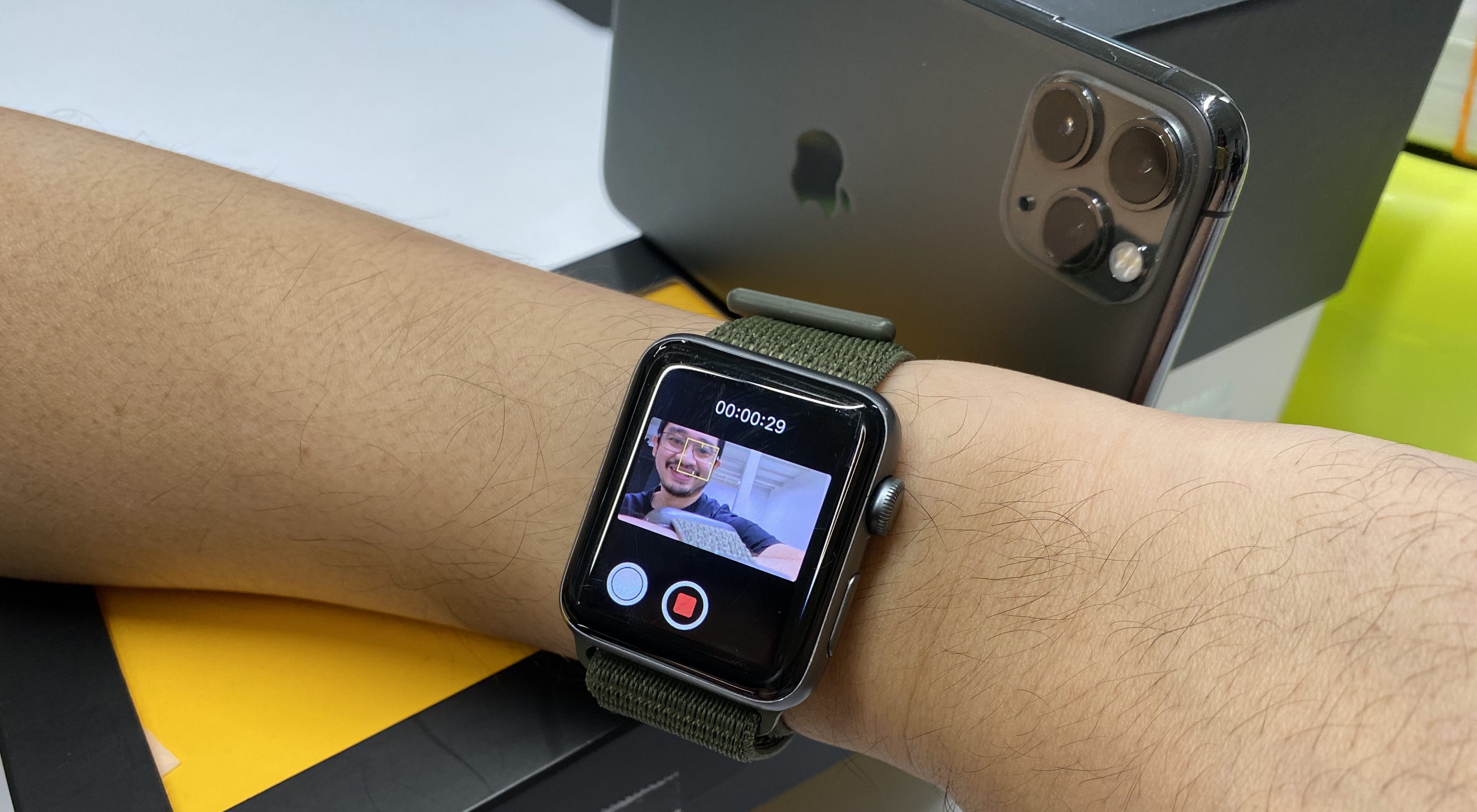
Here’s how to turn your Apple Watch into your own viewfinder:

  • On your watch, go to the Camera Remote app. This will open the camera app on your iPhone
  • Use your iPhone to switch to video mode
  • Set up your watch to have it hang around the phone
  • Start recording

You don’t even have to strap your watch to your phone like he does in the tweet. The remote camera can still work while your watch is on your wrist.
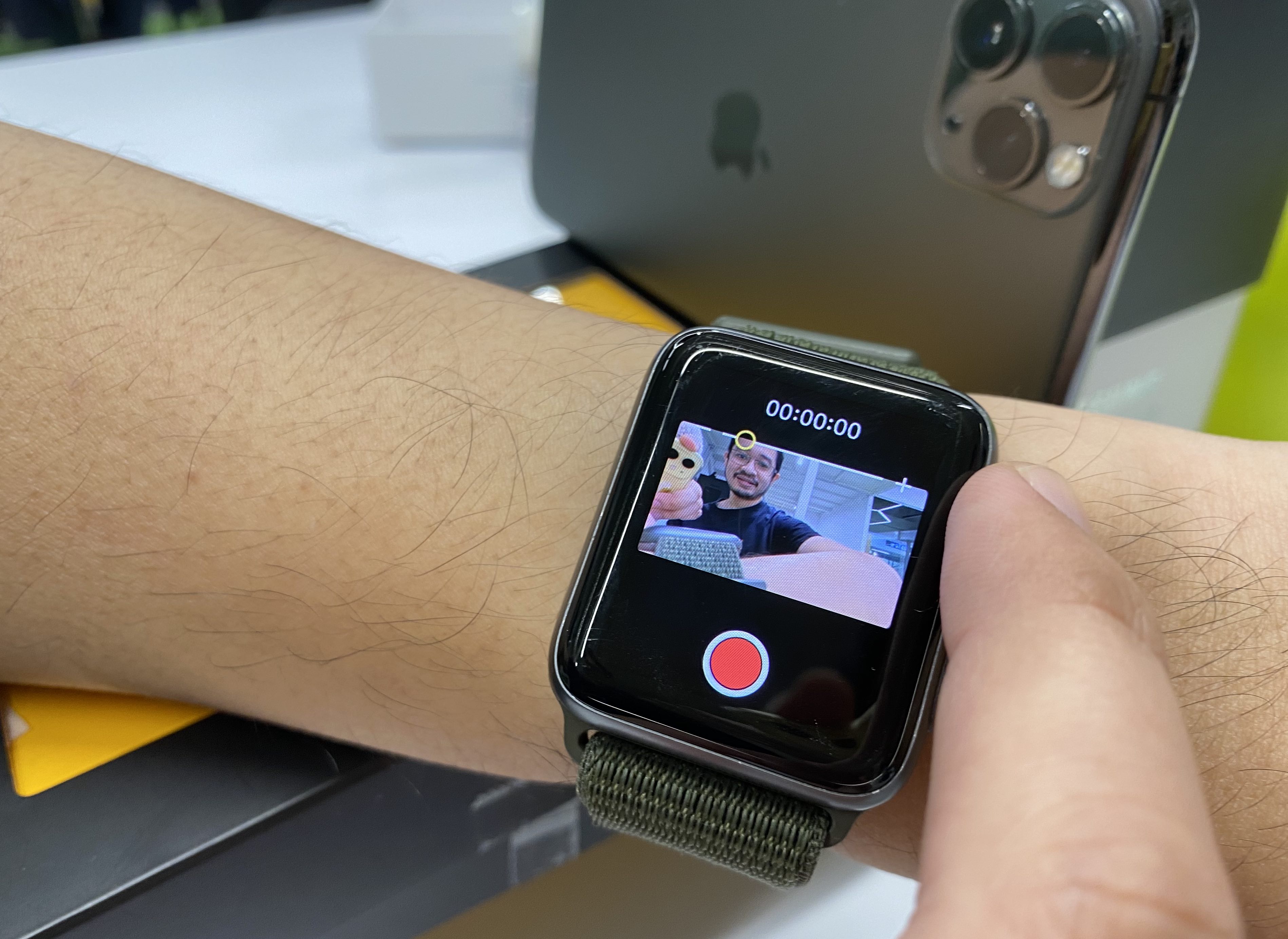
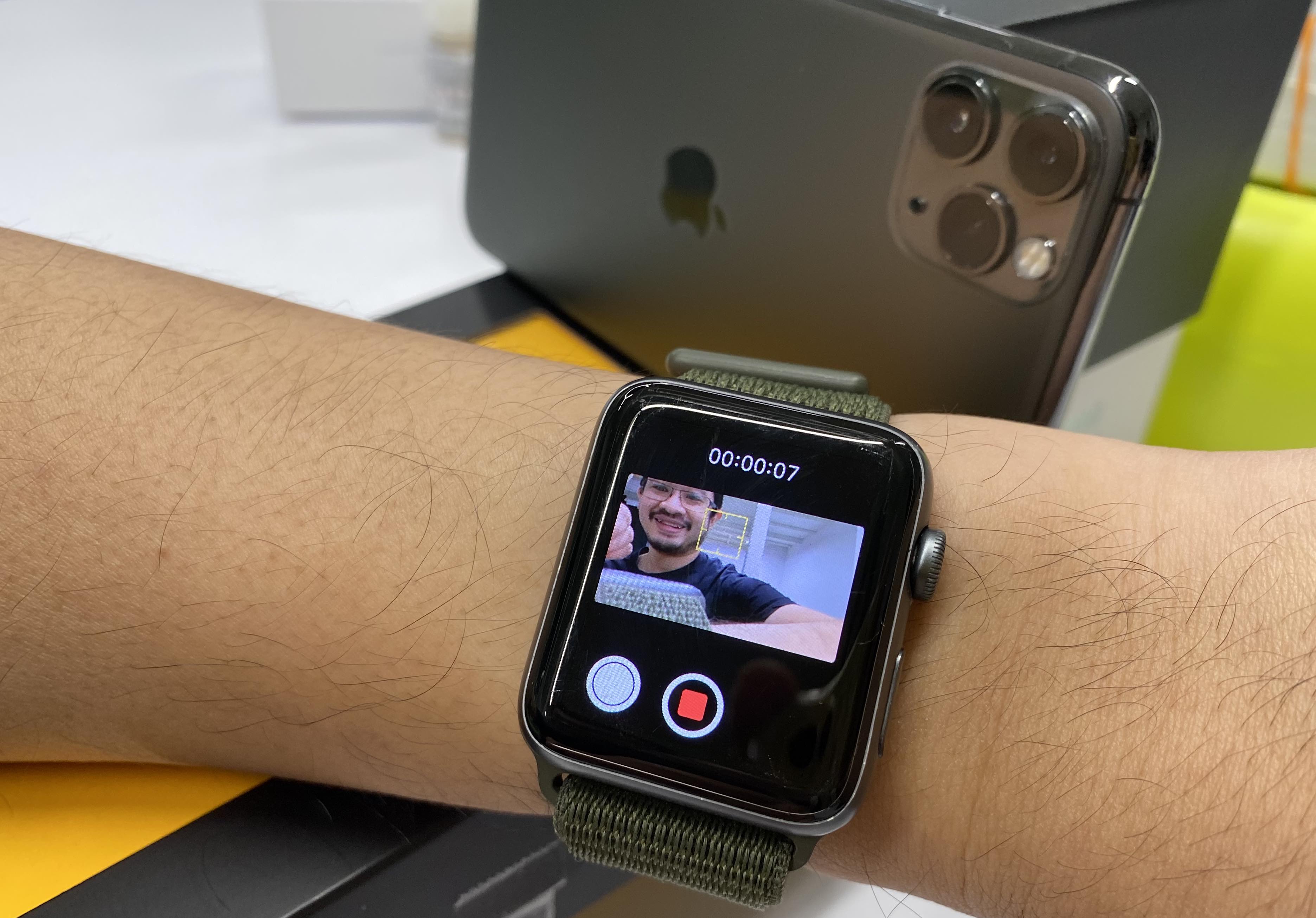
Alex also noticed that you’re able to do extra stuff with the viewfinder. You’re able to play with the Apple Watch’s digital crown to zoom in and out, and tap on the screen to focus on different areas.

You’re able to toy with these features since the first Apple Watch, we just didn’t know we could do this for videos too. Apple only mentioned these features for photos.

As for Android users, Wear OS devices can also act as a camera viewfinder when connected to Pixel phones—according to The Verge. You could also position your phone in front of a mirror, but I tried that myself and it still made my recordings at home a little wonky. Having the Apple Watch as a viewfinder would change the game for me… maybe it is time for me to get an Apple Watch…

[ SOURCE, IMAGE SOURCE ]

Related reading

Apple Watch Series 6 review: Not a challenger in sight
10 tips to get the most out of watchOS 7
Tags: AppleApple WatchiPhone
Dzamira Dzafri

Dzamira Dzafri

POPULAR

The Apple Watch can solve your biggest problem when vlogging with your iPhone

January 7, 2021

Tesla Roadster Malaysia: Reservations now open with fees up to RM1 mil

October 16, 2026

Ray-Ban Meta Gen 3 and Oakley Meta AI glasses Malaysia: Available 20 October, priced from RM2,069

October 14, 2026

Aeon Bank customer claims he received RM1 billion in his account by mistake

October 15, 2026

Over 12,000 Malaysians have claimed free Coursera courses via Rakyat Digital: Here’s how to get yours

October 12, 2026

Chery Malaysia recalls Omoda 5 again over rear axle issue: How to check if you’re affected

October 11, 2026

Copyright © 2026 · SoyaCincau.com
Mind Blow Sdn Bhd (1076827-P)

  • ADVERTISE
  • DISCLAIMER

Copyright © 2026 · SoyaCincau.com – Mind Blow Sdn Bhd (1076827-P)

  • ADVERTISE
  • DISCLAIMER