• 中文版
  • BM
  • News
  • Deals
  • Reviews
    • First Impressions
    • Hands-on
    • Comparisons
  • Tech
    • Mobile
    • Computers
    • Cameras
    • Wearables
    • Audio
    • Drones
  • Telco
    • Celcom
    • Digi
    • Maxis
    • Time
    • Tune Talk
    • U Mobile
    • Unifi
    • Yes
  • Cars
  • Contribute
  • Jobs
Menu
  • 中文版
  • BM
  • News
  • Deals
  • Reviews
    • First Impressions
    • Hands-on
    • Comparisons
  • Tech
    • Mobile
    • Computers
    • Cameras
    • Wearables
    • Audio
    • Drones
  • Telco
    • Celcom
    • Digi
    • Maxis
    • Time
    • Tune Talk
    • U Mobile
    • Unifi
    • Yes
  • Cars
  • Contribute
  • Jobs
Search
  • Tech
    • News
    • Mobile
    • Computers
    • Cameras
    • Wearables
    • Audio
    • Drones
  • Telco
    • Celcom
    • Digi
    • Maxis
    • Time
    • U Mobile
    • Unifi
    • Yes
  • Reviews
    • First Impressions
    • Hands-on
    • Comparisons
  • Buyer’s Guide
  • Opinions
  • Digital Life
  • Video
  • Deals
  • How-To
  • Cars
  • Bahasa Melayu
  • EV
  • Contribute
  • Advertise
Menu
  • Tech
    • News
    • Mobile
    • Computers
    • Cameras
    • Wearables
    • Audio
    • Drones
  • Telco
    • Celcom
    • Digi
    • Maxis
    • Time
    • U Mobile
    • Unifi
    • Yes
  • Reviews
    • First Impressions
    • Hands-on
    • Comparisons
  • Buyer’s Guide
  • Opinions
  • Digital Life
  • Video
  • Deals
  • How-To
  • Cars
  • Bahasa Melayu
  • EV
  • Contribute
  • Advertise
Search
Close
Home Digital Life

WhatsApp Dark Mode is finally here, update your app now

  • BY Alexander Wong
  • 4 March 2020
  • 8:54 am
  • Comment
Share on FacebookShare on Twitter

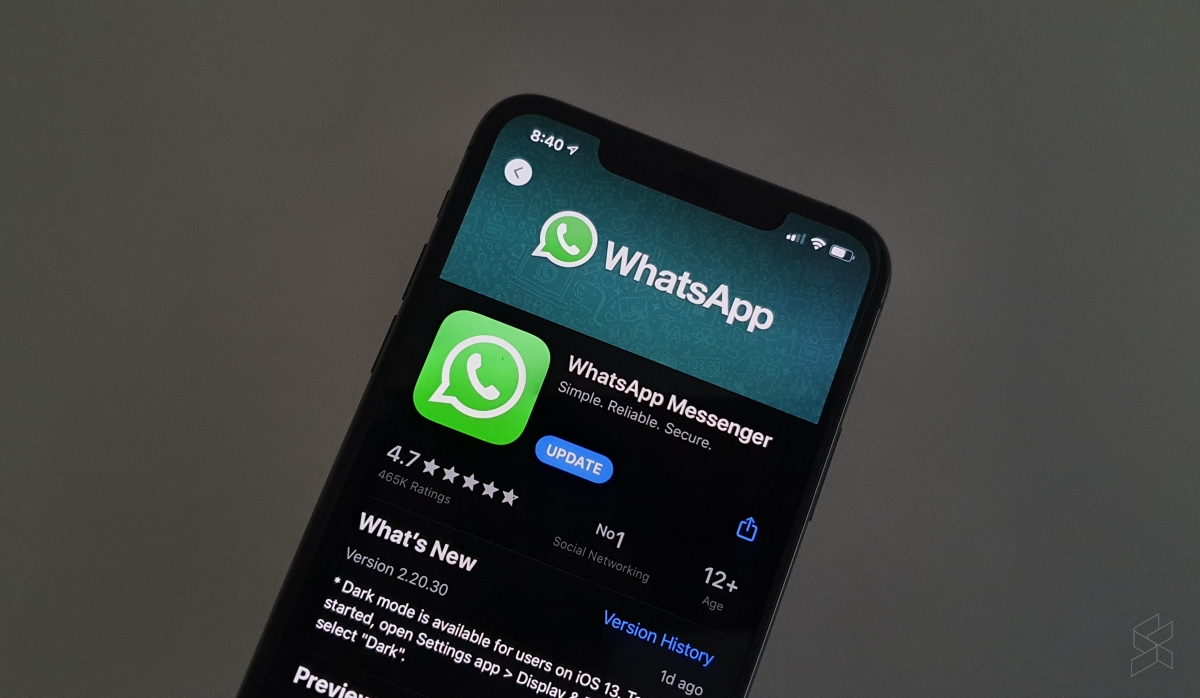
Dark Mode is probably one of the most requested WhatsApp features and it’s finally rolling out to users on both iOS and Android. With Dark Mode, you can check your WhatsApp messages without straining your eye or distracting other people around you during low light situations.
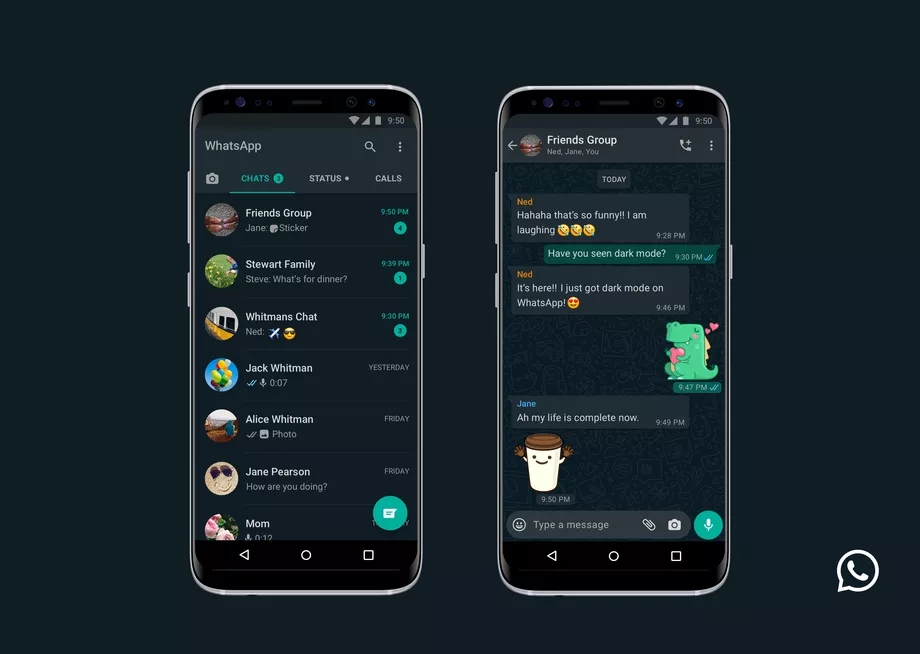
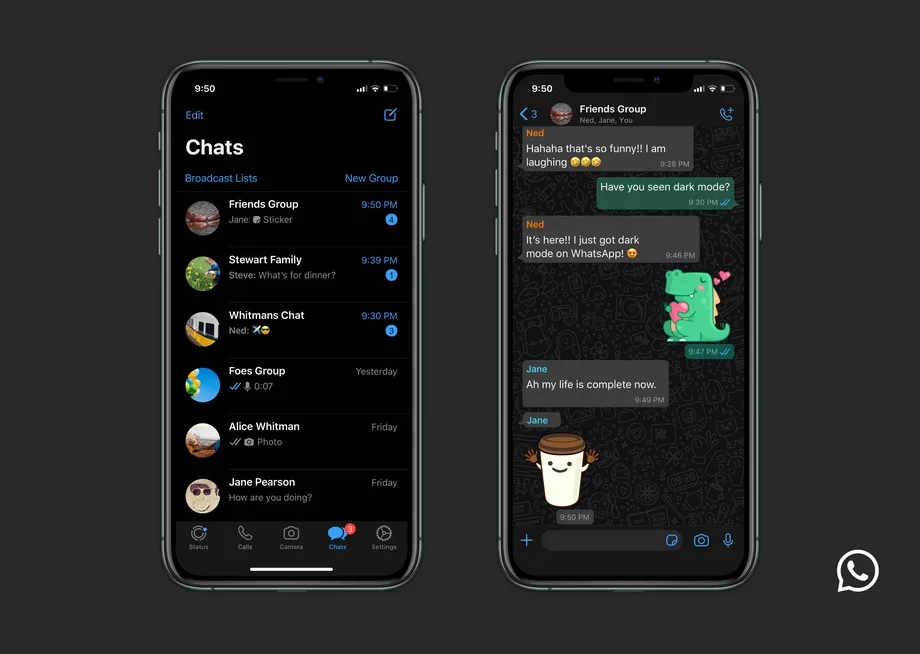
The latest WhatsApp update with Dark Mode now available for both Android and iOS users in Malaysia. For Android 10 and iOS 13, the dark mode will be enabled automatically when you switch to dark mode in your phone’s system settings. For Android 9 and below, you can enable Dark Mode by going into WhatsApp Settings > Chats > Theme and then select “Dark”.

https://www.youtube.com/watch?v=DoPYlgsEKvk&feature=emb_title

According to WhatsApp, they have spent time researching and experimenting with Dark Mode with great emphasis on Readability and Information Hierarchy. They have chosen colours that minimises eye fatigue and are closer to the system default selections on both iPhone and Android. On top of that, they have also used colours and design elements to ensure the important information stands out in Dark Mode.


[ SOURCE 2 ]

Tags: AndroidDark ModeiOSWhatsapp
Alexander Wong

Alexander Wong

POPULAR

WhatsApp Dark Mode is finally here, update your app now

March 4, 2020
vivo V70 FE 200MP camera phone in Malaysia - Best value alternative for phones under RM2,000

High-Resolution Meets High-Endurance: A Closer Look at the vivo V70 FE

April 10, 2026
Apple Tap To Pay on iPhone Malaysia

Apple’s Tap to Pay on iPhone is now in Malaysia

April 22, 2026

Zeekr 8X: Premium 900V PHEV SUV, up to triple-motor setup and 0–100km/h in 2.96s

April 20, 2026

Can you and your family enjoy a 100% electric drive without ever plugging in?

April 23, 2026

Huawei MatePad Mini: Compact tablet with 8.8″ OLED PaperMatte Display, now available for RM2,199

April 22, 2026

Copyright © 2025 · SoyaCincau.com
Mind Blow Sdn Bhd (1076827-P)

  • ADVERTISE
  • DISCLAIMER

Copyright © 2026 · SoyaCincau.com – Mind Blow Sdn Bhd (1076827-P)

  • ADVERTISE
  • DISCLAIMER