• 中文版
  • BM
  • News
  • Deals
  • Reviews
    • First Impressions
    • Hands-on
    • Comparisons
  • Tech
    • Mobile
    • Computers
    • Cameras
    • Wearables
    • Audio
    • Drones
  • Telco
    • Celcom
    • Digi
    • Maxis
    • Time
    • Tune Talk
    • U Mobile
    • Unifi
    • Yes
  • Cars
  • Contribute
  • Jobs
Menu
  • 中文版
  • BM
  • News
  • Deals
  • Reviews
    • First Impressions
    • Hands-on
    • Comparisons
  • Tech
    • Mobile
    • Computers
    • Cameras
    • Wearables
    • Audio
    • Drones
  • Telco
    • Celcom
    • Digi
    • Maxis
    • Time
    • Tune Talk
    • U Mobile
    • Unifi
    • Yes
  • Cars
  • Contribute
  • Jobs
Search
  • Tech
    • News
    • Mobile
    • Computers
    • Cameras
    • Wearables
    • Audio
    • Drones
  • Telco
    • Celcom
    • Digi
    • Maxis
    • Time
    • U Mobile
    • Unifi
    • Yes
  • Reviews
    • First Impressions
    • Hands-on
    • Comparisons
  • Buyer’s Guide
  • Opinions
  • Digital Life
  • Video
  • Deals
  • How-To
  • Cars
  • Bahasa Melayu
  • EV
  • Contribute
  • Advertise
Menu
  • Tech
    • News
    • Mobile
    • Computers
    • Cameras
    • Wearables
    • Audio
    • Drones
  • Telco
    • Celcom
    • Digi
    • Maxis
    • Time
    • U Mobile
    • Unifi
    • Yes
  • Reviews
    • First Impressions
    • Hands-on
    • Comparisons
  • Buyer’s Guide
  • Opinions
  • Digital Life
  • Video
  • Deals
  • How-To
  • Cars
  • Bahasa Melayu
  • EV
  • Contribute
  • Advertise
Search
Close
Home News

No more accidental system updates for Windows 10

  • BY Shuby Ashok
  • 8 March 2017
  • 7:37 pm
  • Comment
Share on FacebookShare on Twitter

Yes, that’s right. Now YOU will be able to decide when your Windows will update. Windows 10 will not automatically take control of your computer and reset it at the worst possible moments anymore.

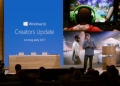
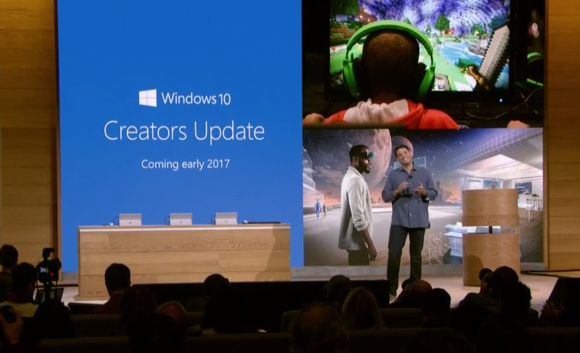
Here’s how the Windows 10 Creators Update will handle the system update:

You’re no longer going to get a teeny notification at the corner of your screen which you may fail to notice. Instead, you will be getting an “in-your-face” prompt that gives you three options; Restart Now, Pick a time or Snooze. The prompt will not disappear until you pick one of the three options.
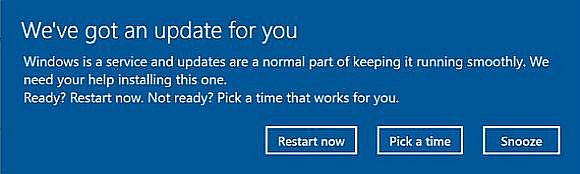
The first two options speak for itself, but when you pick Snooze you will be able to snooze endlessly. Each time you hit Snooze, you will be able to delay it by three days until a maximum of 35 days have passed. After that, you can press a new “Remind Me Later” to delay the update again and again, one day at a time.

Even if you choose to do nothing and leave the prompt open, Windows is not going to force a restart if you’re not ready for it.

As annoying as it may seem, these updates are for your PC’s own good so security updates should be looked at with importance. These updates are vital in blocking security breaches that may have been uncovered in older builds. So instead of delaying the update, it may be a good thing to hit that Restart Now button.

For now there is no specific date as to when the Windows 10 Creators system update will be made available, but is said to be out in March or April 2017.

[SOURCE, 2, 3]

Tags: auto updatecomputermicrosoftPCpersonal computersoftwareUpdateWindowsWindows 10Windows 10 Creators UpdateWindows 10 MalaysiaWindows 10 Update Malaysia
Shuby Ashok

Shuby Ashok

POPULAR

No more accidental system updates for Windows 10

March 8, 2017

Tesla Roadster Malaysia: Reservations now open with fees up to RM1 mil

October 16, 2026

Aeon Bank customer claims he received RM1 billion in his account by mistake

October 15, 2026

Ray-Ban Meta Gen 3 and Oakley Meta AI glasses Malaysia: Available 20 October, priced from RM2,069

October 14, 2026

Over 12,000 Malaysians have claimed free Coursera courses via Rakyat Digital: Here’s how to get yours

October 12, 2026

Chery Malaysia recalls Omoda 5 again over rear axle issue: How to check if you’re affected

October 11, 2026

Copyright © 2026 · SoyaCincau.com
Mind Blow Sdn Bhd (1076827-P)

  • ADVERTISE
  • DISCLAIMER

Copyright © 2026 · SoyaCincau.com – Mind Blow Sdn Bhd (1076827-P)

  • ADVERTISE
  • DISCLAIMER