
• 中文版
  • BM
  • News
  • Deals
  • Reviews
    • First Impressions
    • Hands-on
    • Comparisons
  • Tech
    • Mobile
    • Computers
    • Cameras
    • Wearables
    • Audio
    • Drones
  • Telco
    • Celcom
    • Digi
    • Maxis
    • Time
    • Tune Talk
    • U Mobile
    • Unifi
    • Yes
  • Cars
  • Contribute
  • Jobs
Menu
  • 中文版
  • BM
  • News
  • Deals
  • Reviews
    • First Impressions
    • Hands-on
    • Comparisons
  • Tech
    • Mobile
    • Computers
    • Cameras
    • Wearables
    • Audio
    • Drones
  • Telco
    • Celcom
    • Digi
    • Maxis
    • Time
    • Tune Talk
    • U Mobile
    • Unifi
    • Yes
  • Cars
  • Contribute
  • Jobs
Search
  • Tech
    • News
    • Mobile
    • Computers
    • Cameras
    • Wearables
    • Audio
    • Drones
  • Telco
    • Celcom
    • Digi
    • Maxis
    • Time
    • U Mobile
    • Unifi
    • Yes
  • Reviews
    • First Impressions
    • Hands-on
    • Comparisons
  • Buyer’s Guide
  • Opinions
  • Digital Life
  • Video
  • Deals
  • How-To
  • Cars
  • Bahasa Melayu
  • EV
  • Contribute
  • Advertise
Menu
  • Tech
    • News
    • Mobile
    • Computers
    • Cameras
    • Wearables
    • Audio
    • Drones
  • Telco
    • Celcom
    • Digi
    • Maxis
    • Time
    • U Mobile
    • Unifi
    • Yes
  • Reviews
    • First Impressions
    • Hands-on
    • Comparisons
  • Buyer’s Guide
  • Opinions
  • Digital Life
  • Video
  • Deals
  • How-To
  • Cars
  • Bahasa Melayu
  • EV
  • Contribute
  • Advertise
Search
Close
Home Digital Life

Android apps to run in Windows with BlueStacks

  • BY soyacincau
  • 26 May 2011
  • 10:40 am
  • Comment
Share on FacebookShare on Twitter

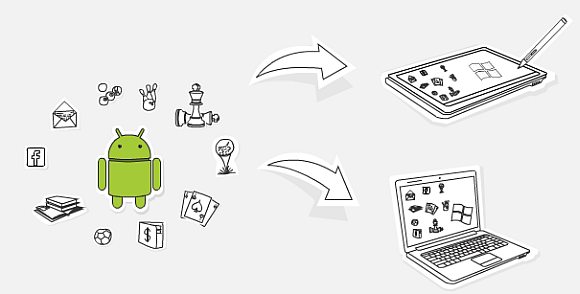
While the BlackBerry Playbook supports Android Apps, the little green droid is now making its way to Windows Platform. BlueStacks has announced that it is developing a program which lets you run Android apps in Windows environment seamlessly. At the present moment, BlueStacks is readily bundled on ViewSonic ViewPad 10 Pro tablet and they working with various PC vendors towards making it a standard for upcoming Windows tablet and all-in-one desktops. Strangely Windows Phone 7 is not in the picture.

With BlueStacks, you are able to run both Android and Windows simultaneously and it even supports multi-touch on touch screen computers and Windows tablets. If this is done right with acceptable performance, this will expand the choices of apps for Windows tablet devices. Currently, we are still not convinced why anyone would run mobile apps on desktop with non-touch screens. Looking at the future, this opens up opportunity for Android developers to develop mobile, tablet and desktop apps in a single environment.

It is not officially available right now but you can sign up for their alpha program on their FaceBook page here. Check out their official website for more info.


Tags: Android appsAndroid on WindowsBlueStacks
soyacincau

soyacincau

POPULAR

Image by Gerd Altmann from Pixabay.

AEON Bank’s Personal Financing-i (PF-i): Flexible Funds to Help Ease Budget Constraints

December 24, 2025
Home Rooftop Solar System with EV Charger

Solar ATAP Guidelines are here: Offset is limited to Energy Charge, no more credit roll over

December 30, 2025

SoyaCincau Awards 2025: Best Telcos of the Year

January 2, 2026

SoyaCincau Awards 2025: The Best Phones of the Year

December 31, 2025

AEON Bank Turns One: 8x AEON Points, Cashback, Prizes and New Debit Card-i

May 28, 2025

Android apps to run in Windows with BlueStacks

May 26, 2011

Copyright © 2025 · SoyaCincau.com
Mind Blow Sdn Bhd (1076827-P)

  • ADVERTISE
  • DISCLAIMER

Copyright © 2025 · SoyaCincau.com – Mind Blow Sdn Bhd (1076827-P)

  • ADVERTISE
  • DISCLAIMER



