• 中文版
  • BM
  • News
  • Deals
  • Reviews
    • First Impressions
    • Hands-on
    • Comparisons
  • Tech
    • Mobile
    • Computers
    • Cameras
    • Wearables
    • Audio
    • Drones
  • Telco
    • Celcom
    • Digi
    • Maxis
    • Time
    • Tune Talk
    • U Mobile
    • Unifi
    • Yes
  • Cars
  • Contribute
  • Jobs
Menu
  • 中文版
  • BM
  • News
  • Deals
  • Reviews
    • First Impressions
    • Hands-on
    • Comparisons
  • Tech
    • Mobile
    • Computers
    • Cameras
    • Wearables
    • Audio
    • Drones
  • Telco
    • Celcom
    • Digi
    • Maxis
    • Time
    • Tune Talk
    • U Mobile
    • Unifi
    • Yes
  • Cars
  • Contribute
  • Jobs
Search
  • Tech
    • News
    • Mobile
    • Computers
    • Cameras
    • Wearables
    • Audio
    • Drones
  • Telco
    • Celcom
    • Digi
    • Maxis
    • Time
    • U Mobile
    • Unifi
    • Yes
  • Reviews
    • First Impressions
    • Hands-on
    • Comparisons
  • Buyer’s Guide
  • Opinions
  • Digital Life
  • Video
  • Deals
  • How-To
  • Cars
  • Bahasa Melayu
  • EV
  • Contribute
  • Advertise
Menu
  • Tech
    • News
    • Mobile
    • Computers
    • Cameras
    • Wearables
    • Audio
    • Drones
  • Telco
    • Celcom
    • Digi
    • Maxis
    • Time
    • U Mobile
    • Unifi
    • Yes
  • Reviews
    • First Impressions
    • Hands-on
    • Comparisons
  • Buyer’s Guide
  • Opinions
  • Digital Life
  • Video
  • Deals
  • How-To
  • Cars
  • Bahasa Melayu
  • EV
  • Contribute
  • Advertise
Search
Close
Home News

P1 changes DS300 Web Admin Password via firmware update

  • BY soyacincau
  • 26 March 2009
  • 12:50 am
  • Comment
Share on FacebookShare on Twitter

Few weeks ago, we reported that P1 W1MAX’s DS300 Web Admin password has been leaked on the Internet. This of course had been good news to the techie community as network tweaks was made possible.

As word spreads out, P1 must have rushed to put an end to such access and they have force a modem firmware update that changes the login details. We are told that P1 W1MAX DS300 modems are constantly updated over the air without the need of manual firmware flashing by the user.

As of today, it seems that most users can’t login into the DS300 modem admin anymore and this is also evident in the comments of our previous post.

Before
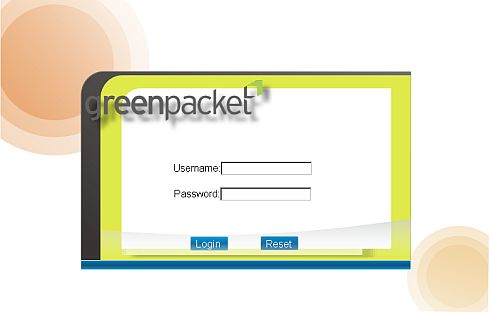
oldadmin

After

newadmin

We fail to see why P1 would block users from accessing the admin as such options are readily available on most ISPs. Port forwarding, DMZ and DynamicDNS are common functions that are required by gamers and those who need specialised connection tweaks. Seems like P1 users are back to their original situation again. 🙁


Tags: P1 DS300 Modem PasswordP1 W1MAX Modem PasswordP1 W1MAX update admin passwordP1 W1MAX Web Admin
soyacincau

soyacincau

Discussion about this post

POPULAR

P1 changes DS300 Web Admin Password via firmware update

March 26, 2009

BYD Atto 3 RWD confirmed for Malaysia: 0-100 in 5.5s, 308hp, 510km of range

June 2, 2026

The Best Camera is the One You Have with You; The OPPO Find X9 Ultra Wants to be Your Only One

May 6, 2026

DEAL: MacBook Neo now going for as low as RM2,174

June 3, 2026

Malaysia Passport with 10-year validity will cost you RM350

June 4, 2026

TNG eWallet: Over 50% revenue now comes from non-payments, introduces refreshed app

June 4, 2026

Copyright © 2025 · SoyaCincau.com
Mind Blow Sdn Bhd (1076827-P)

  • ADVERTISE
  • DISCLAIMER

Copyright © 2026 · SoyaCincau.com – Mind Blow Sdn Bhd (1076827-P)

  • ADVERTISE
  • DISCLAIMER