Good news for local bookworms: Spotify Audiobooks is finally coming to Malaysia. The feature is set to expand to over 180 countries by the end of 2026, joining regional neighbours like Singapore, Indonesia, and the Philippines. Spotify Audiobooks was previously limited to only 22 markets, but this expansion opens the feature up to more than 750 million people worldwide.
Soon, you’ll be able to stream or buy from a library of over 350,000 audiobooks in 120 languages, right inside the main Spotify app.
How to get Audiobooks on Spotify in Malaysia?
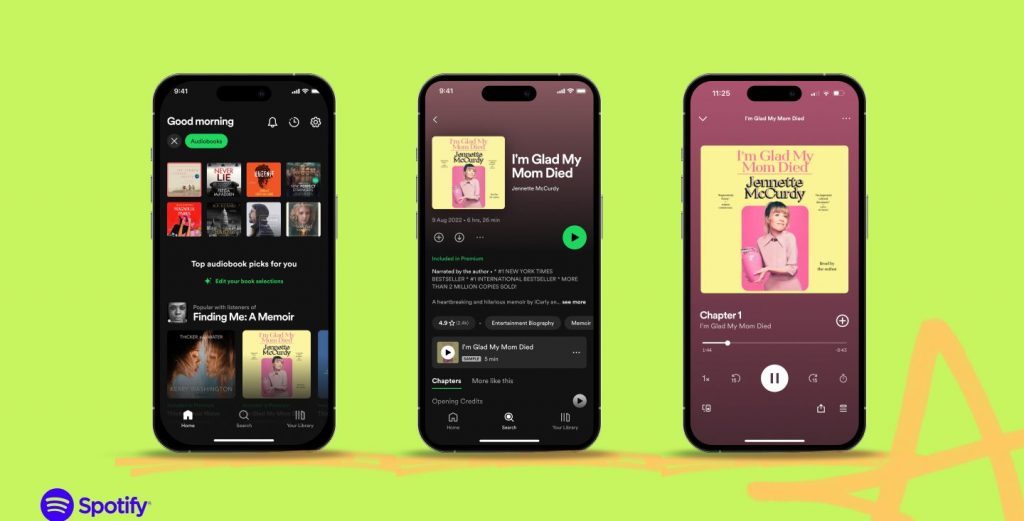
In select countries, Spotify Premium subscribers automatically get up to 12 hours of audiobook listening time bundled directly into their monthly plan at no extra cost.
However, for Malaysia, audiobooks will not be included with the base Premium subscription. Instead, local users will have two main ways to access the library:
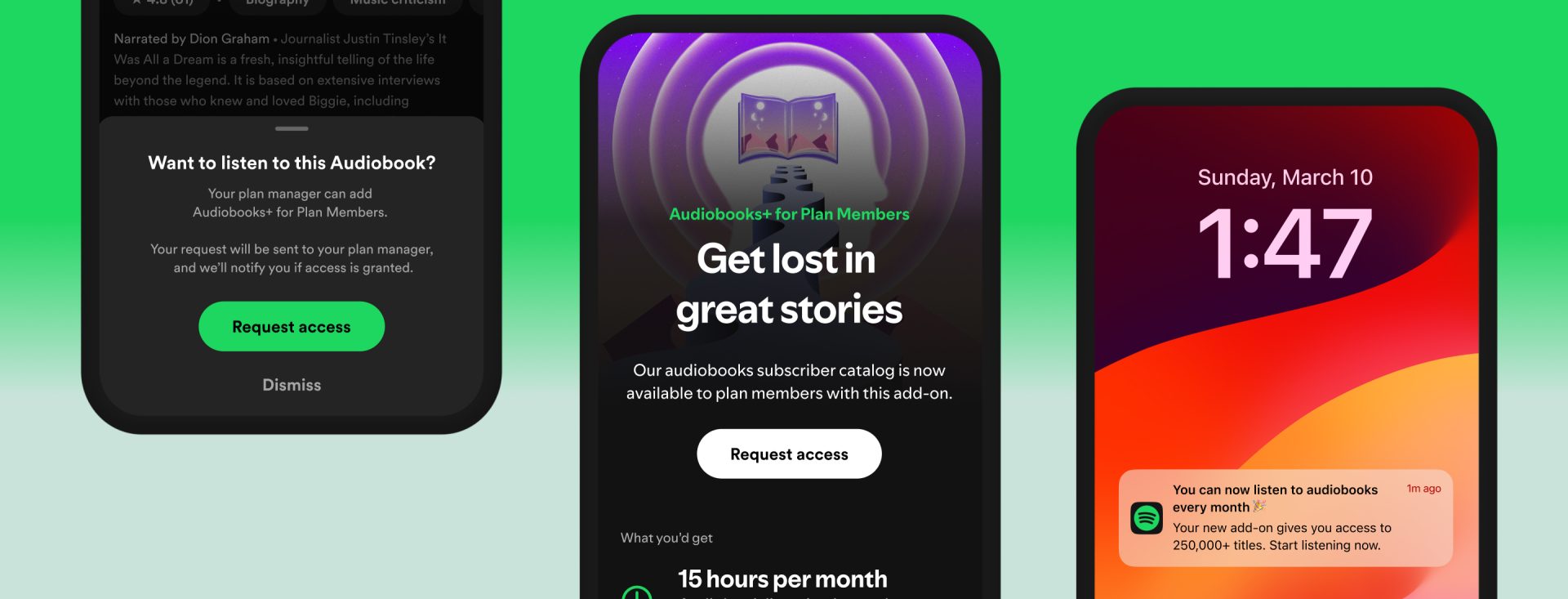
- Audiobooks+ Add-on: This will be the primary method for listeners in Malaysia and across Asia. Premium subscribers will need to purchase this dedicated add-on, which grants 15 hours of audiobook listening time per month. Unused monthly hours reset each billing cycle and do not roll over, but if you run out mid-month, you can purchase 10-hour top-ups that remain valid for 12 months from the date of purchase.
- Individual Purchases: You can also buy specific audiobooks à la carte. Titles purchased individually are yours to keep forever without needing an add-on.
Spotify has not yet announced official Ringgit (MYR) pricing for the Audiobooks+ add-on, with local details expected closer to launch. For reference, standard Spotify Premium in Malaysia currently costs RM9.50/month for Students, RM17.50/month for Individuals, RM24.50/month for Duo, and RM27.90/month for Family plans.
Additionally, Spotify announced that it is bringing the Audiobooks+ add-on to Premium Student plans starting this November. However, this student plan integration is initially limited to select European countries, including Ireland, Belgium, Austria, and Finland, with no word yet on when it will expand to Malaysia.
Page Match gets ISBN scanning for page numbers

Spotify is also updating its Page Match feature, which allows readers to sync their physical books with audiobooks. While users could already point their phone camera at a page to match playback via OCR, the latest update adds direct page number support. Users can now scan a physical book’s ISBN barcode, so Spotify recognises the exact print edition, and then type in their current page number to jump straight to that spot in the audiobook.
What is Page Match?
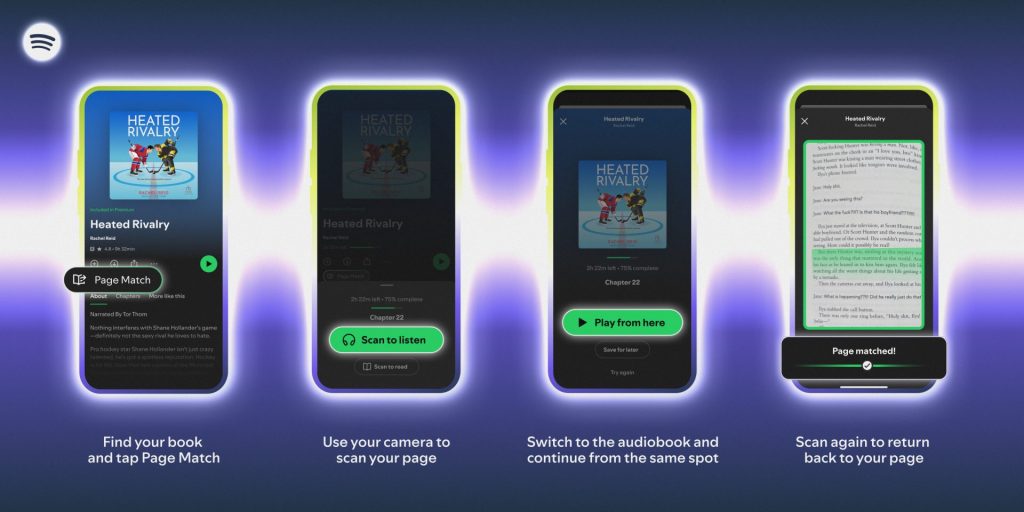
Page Match uses your phone camera to scan physical pages and sync your progress automatically.
To switch from reading to listening, open the audiobook on the Spotify mobile app, tap the Page Match button, and select Scan to listen. Grant the app camera permissions, scan the page you are currently reading, and Spotify matches the text to the exact moment in the audiobook. You can then choose to play immediately or save the spot for later. If the initial scan fails, the app prompts you to try again.
For titles with a Recap button, you can pair Page Match with Recaps to get a quick audio summary of the plot up to your last saved spot before jumping back into reading or listening.
On the other hand, switching from listening back to a physical book or e-reader follows a similar camera-based process. Tap Page Match in the app, select Scan to read, and scan any page on your physical book or e-reader screen so Spotify can orient itself. The app then calculates your current audio timestamp against the scanned text and instructs you to flip forward or backward to the precise line where you stopped listening.
By eliminating manual page hunting between print, e-books, and digital audio, Page Match streamlines the reading experience into a continuous flow regardless of format.