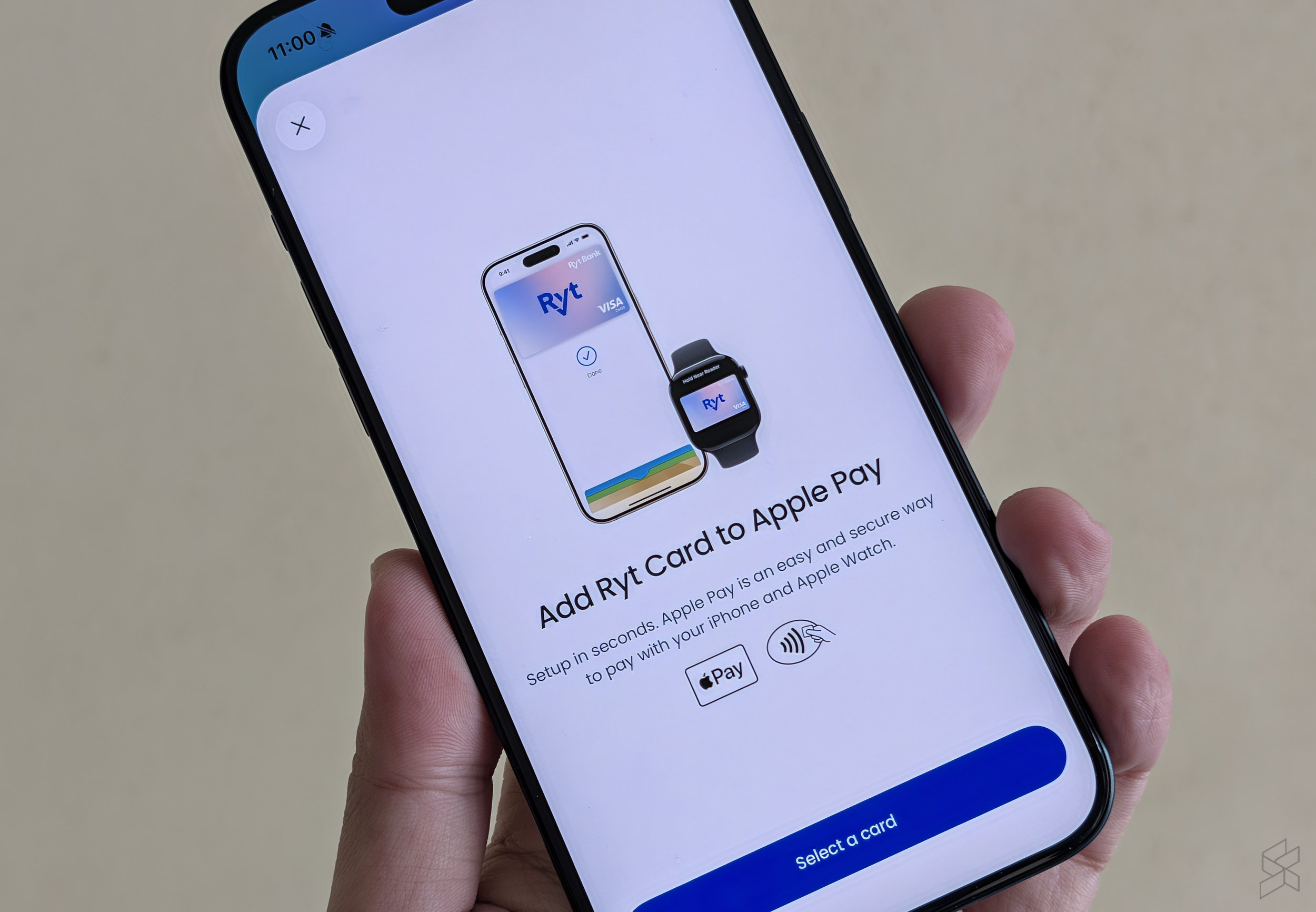
As teased earlier, Ryt Bank has officially rollout support for Apple Pay today. This means you can now add your Ryt Bank Visa Debit Card (Ryt Card) to your iPhone and Apple Watch for seamless contactless payment.
This comes after Ryt Bank announced support for Google Wallet back in January this year. If you don’t have a physical Ryt Card, not to worry as Ryt Bank allows you to add the virtual card to Apple Wallet.
With the latest development, Ryt Bank is Malaysia’s first licensed digital bank to support Apple Pay.
How to add your Ryt Card (Debit Card) for Apple Pay?
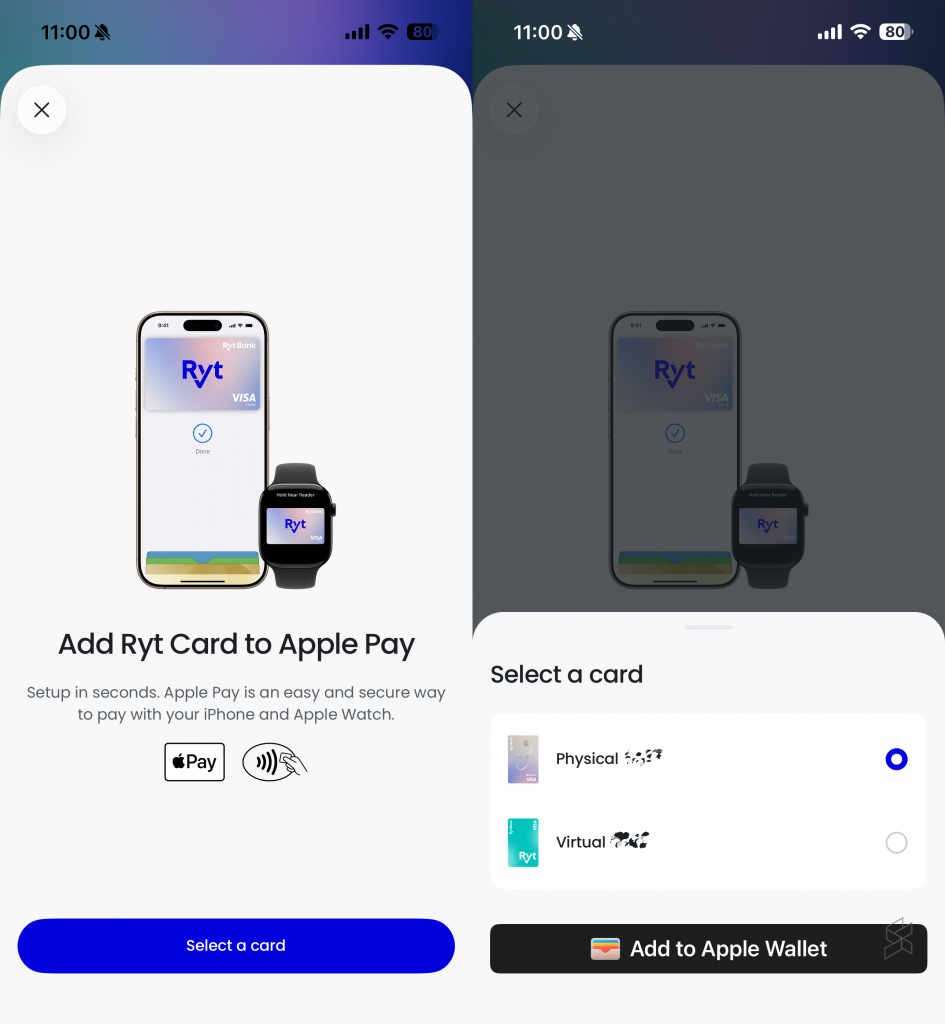
Here’s how to add your Ryt Bank Visa Debit Card (Ryt Card) to Apple Wallet on your iPhone and Apple Watch:
- Launch the Ryt Bank app and a pop-up for “Add your Ryt Card to Apple Pay” should appear
- Select the card you wish to add to Ryt Bank. You can choose your Physical or Virtual Ryt Card
- Confirm the Name and Card Number, and tap Continue
- Accept the Terms & Conditions
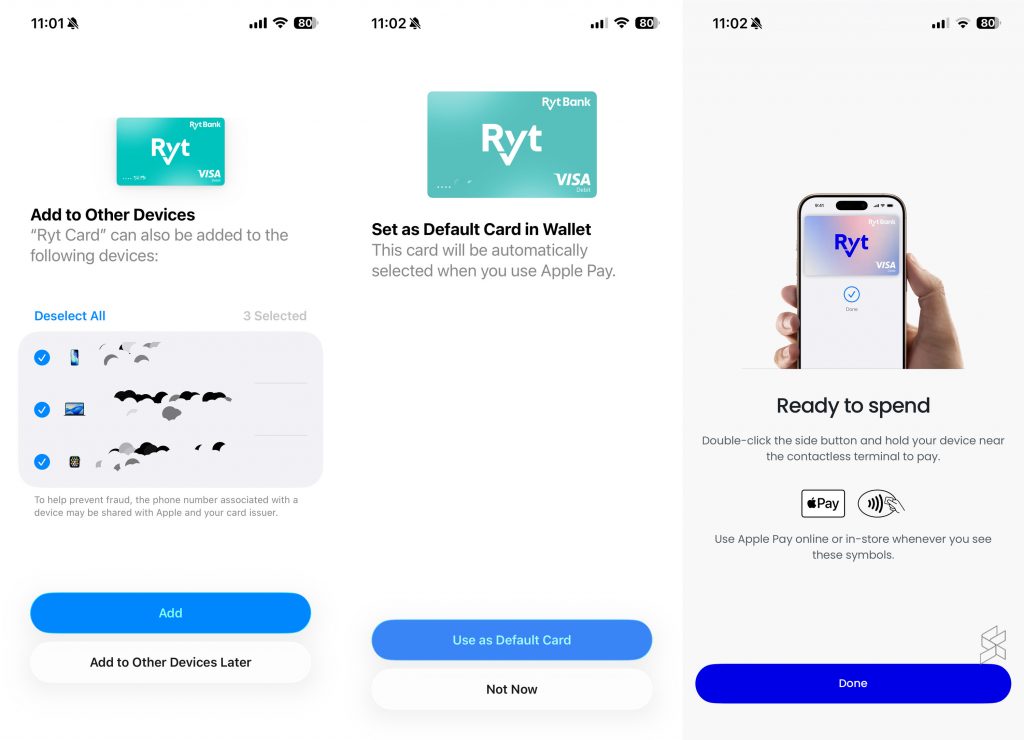
- You can also choose if you want to add Ryt Card to other Apple devices including your Apple Watch
- Once completed, you can choose to set your Ryt Card as the default payment card for Apple Pay
To make a payment, just double press the power button on the right of your iPhone to launch Apple Pay. It’s the say method as well for the Apple Watch.
You can use Apple Pay on contactless card terminals where Visa Paywave is accepted.
If you don’t see the pop-up window, here’s an alternative way to add Ryt Card to Apple Wallet:
- Launch Ryt Card app on your iPhone
- Tap on Cards on the bottom bar
- Select the Card and tap on “Add to Apple Wallet”
With the support for Apple Pay, iPhone and Apple Watch users can now enjoy seamless tap and pay without the need of taking out a physical card. That also means one less physical card to carry in your wallet as your debit card is now on your mobile device.
Ryt Bank eKYC supports new MyKad
On a separate matter, Ryt Bank had updated last Friday that its electronic-Know Your Customer (eKYC) system now supports the new MyKad. This means new myKad holders can now sign up and create a new Ryt Bank account via the app.
A few weeks ago, many eKYC systems had trouble identifying the new MyKad after it was rolled out on 17th September. Besides having more security features, the new next-generation MyKad had a redesign which includes moving the chip to the rear while the photo of the cardholder is moved from right to left.
In a statement to SoyaCincau.com, Ryt Bank said:
We have been working closely with our eKYC technology provider to support the new MyKad since its introduction. Our immediate priority was to ensure affected customers could continue with their applications, while the necessary enhancements were made to improve recognition of the new card design.
These enhancements have since been implemented and tested, and we will continue to monitor the experience and make further improvements where needed.